
As crazy as it sounds, a big inspiration of this sketch is a song by a not very well known band called fairtrade narcotics. Especially the part that starts around 4:10 , as well this video: Instagram
To toggle modes, press space to change to Galaxy and press Enter to change to Membrane
GALACTIC is an interactive particle system built around a single mechanic: pressure. Pressure from the mouse, pressure of formation, and pressure of, holding it together. This sketch is built around the state of mind I had when I first discovered the song in 2022. I played it on repeat during very dark times and it was mending my soul. After every successful moment I had at that time, during my college application period, I would play that specific part of the song and it would lift me to galactic levels. The sketch has 3 modes, the charging modes resembles when I put in a lot of effort into something and eventually it works out which is resembled by the explosion. The second state is illustrates discipline by forming the particles into a galaxy. The last is Membrane which represents warmth and support from all my loved ones.
In the previous blog post, I documented how I created the particle system and the architecture of the project. So, I will resume with the documentation from that point and will now talk about the galaxy mode.
The galaxy implementation started with a question I couldn’t immediately answer: how do you turn drifting particles into something that looks like a spiral galaxy without teleporting them there? My first instinct was to assign each particle a slot on a pre-calculated spiral arm and pull it toward that slot. I wrote assignGalaxyTargets(), sorted particles by their angle from center, matched them to sorted target positions, and felt pretty good about it.
function assignGalaxyTargets() {
  let n = particles.length;

  // build target list at fc = 0 (static, for assignment geometry only)
  let targets = [];
  for (let j = 0; j < n; j++) {
    let gi  = j * (GALAXY_TOTAL / n);
    let pos = galaxyOuterPos(gi, 0);
    targets.push({ gi, x: pos.x, y: pos.y,
                   ang: atan2(pos.y - galaxyCY, pos.x - galaxyCX) });
  }

  // sort particles by current angle from galaxy center
  let sortedP = particles
    .map(p => ({ p, ang: atan2(p.y - galaxyCY, p.x - galaxyCX) }))
    .sort((a, b) => a.ang - b.ang);

  // sort targets by their angle
  targets.sort((a, b) => a.ang - b.ang);

  // assign in matched order → minimal travel distance
  for (let j = 0; j < n; j++) {
    sortedP[j].p.galaxyI = targets[j].gi;
  }

  galaxyAssigned = true;
}
I lied. It looked awful. Particles on the right side of the canvas were getting assigned to slots on the left and crossing the entire screen to get there. The transition looked like someone had scrambled an egg.
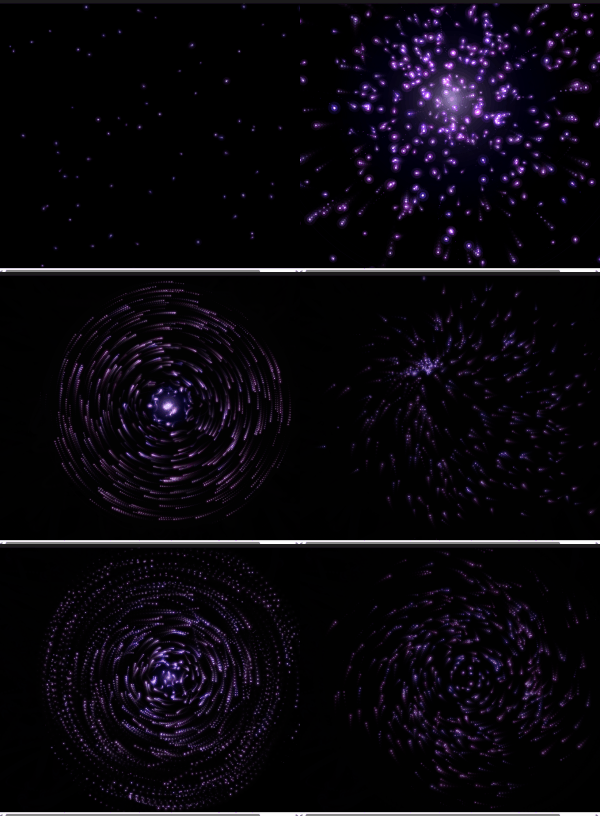
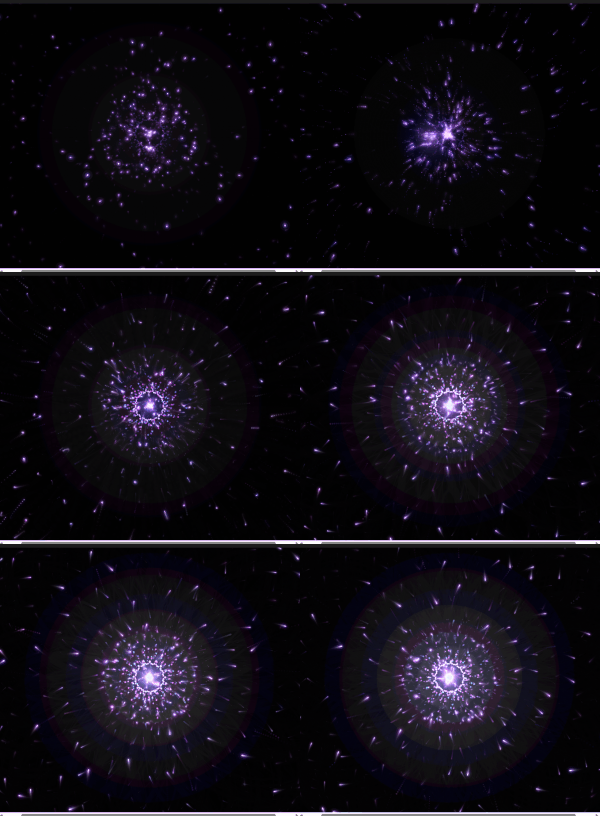
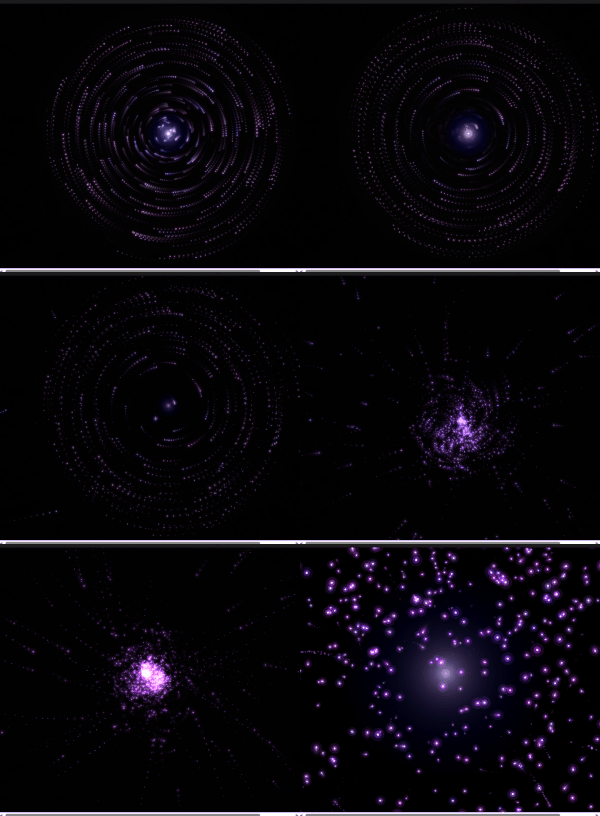
The fix was to delete almost all of that code. Instead of pulling particles toward external target positions, I read each particle’s current position every frame, converted it to polar coordinates relative to the galaxy center, and applied two forces directly: a tangential force that spins it into orbit, and a very weak radial spring that nudges it back if it drifts too far inward or outward. Inner particles orbit faster because the tangential speed coefficient scales inversely with radius. Nobody crosses the canvas. Every particle just starts rotating from wherever it already is.
let tanNX = -rdy / r;
let tanNY =  rdx / r;
let orbSpeed = lerp(1.6, 0.25, constrain(r / GALAXY_R_MAX, 0, 1)) * gt;
this.vx += tanNX * orbSpeed * 0.07;
this.vy += tanNY * orbSpeed * 0.07;
The glow for galaxy mode uses the same concentric stroke circle method from a reference I found: loop from d=0 to d=width, stroke each circle with brightness mapped from high to zero outward. The alpha uses a power curve so it falls off quickly at the edges. The trick is running galaxyGlowT on a separate lerp from galaxyT. The particles start moving into orbit immediately when you press Space, but the ambient halo breathes in much slower, at 0.0035 per frame vs 0.018 for the particle forces. You get the orbital motion first, then the light catches up.
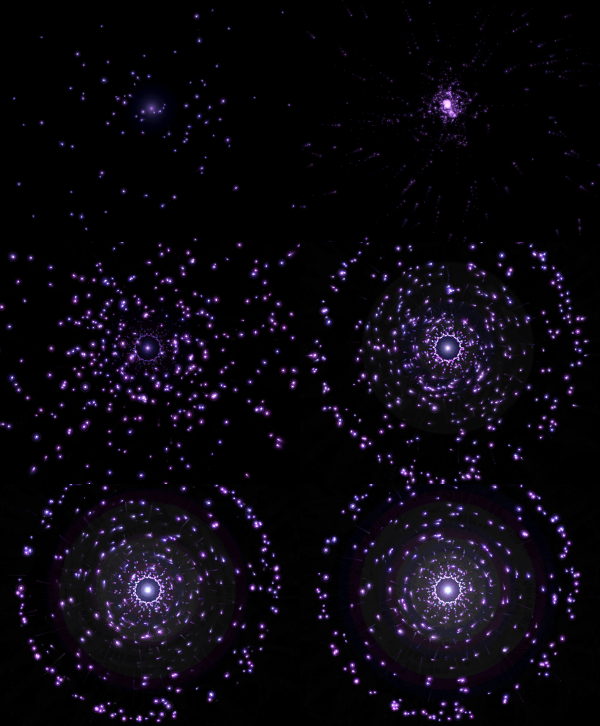
The galaxy center follows wherever you release the mouse. This is made so the galaxy forms where the explosion happens so the particles wrap around the galaxy center in a much more neat way instead of always having the galaxy in the center.
One line in mouseReleased():
galaxyCX = smoothX; galaxyCY = smoothY;
like honestly look how cool this looks now
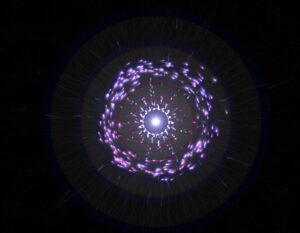
The third mode came from a reference sketch by professor Jack that drew 1024 noise-driven circles around a fixed ring. Each circle’s radius came from Perlin noise sampled at a position that loops seamlessly around the ring’s circumference without a visible seam, the 999 + cos(angle)*0.5 trick. The output looks like a breathing cell membrane or a pulsar cross-section.
My first implementation was a direct port: 1024 fixed positions on the ring, circles drawn at each one. It worked but the blob had zero relationship to the particles underneath it. It just floated on top like a decal. Press Enter, blob appears. Press Enter again, blob disappears. The particles had nothing to do with any of it.
The version that actually felt right throws out the fixed ring entirely. Instead of iterating 1024 pre-calculated positions, drawMorphOverlay() iterates over the particle array. Each particle draws one circle centered at its own x, y. The noise seed comes from the particle’s live angle relative to morphCX/CY, so each particle carries a stable but slowly shifting petal radius with it as it moves.
let ang = atan2(p.y - morphCY, p.x - morphCX);
let nX  = 999 + cos(ang) * 0.5 + cos(lp * TWO_PI) * 0.5;
let nY  = 999 + sin(ang) * 0.5 + sin(lp * TWO_PI) * 0.5;
let r   = map(noise(nX, nY, 555), 0, 1, height / 18, height / 2.2);
The rendered circle size scales by mt * p.life * proximity. Proximity is how close the particle sits to the ring. Particles clustered at the ring draw full circles. Particles still traveling inward draw small faint ones. When you activate morph mode, the blob coalesces as particles converge. When you deactivate it, the blob tears apart as particles scatter outward, circles traveling with them. The disintegration happens at the particle level, not as a fading overlay.
The core glow stopped rendering at a fixed point too. It now computes the centroid of all particles within 2x the ring radius and renders there. The glow radius scales by count / particles.length, so a sparse ring is dim and a dense ring is bright. The light follows the mass.
Originally I had Space and Enter both cycling through modes in sequence: bio to galaxy to membrane and back. That made no sense for how I actually wanted to use it. Space now toggles bio and galaxy. Enter toggles bio and membrane. If you’re in galaxy and press Enter, galaxyT starts lerping back to zero while morphT starts lerping toward one simultaneously. The cross-fade between two non-bio modes works automatically because both lerps run every frame regardless of which mode is active.
if (keyCode === 32) {
  currentMode = (currentMode === 1) ? 0 : 1;
} else if (keyCode === 13) {
  currentMode = (currentMode === 2) ? 0 : 2;
  if (currentMode === 2) morphAssigned = false;
}
morphAssigned = false triggers the angle re-sort on the next frame, which maps current particle positions to evenly spaced ring angles in angular order. Same fix as the galaxy crossing problem: sort particles by angle from center, sort targets by angle, zip them in order. Nobody crosses the ring.
The sketch now has three fully functional modes with smooth bidirectional transitions. The galaxy holds its own as a visual. The membrane is the most satisfying of the three to toggle in and out of because the disintegration is legible. You can watch individual particles drag pieces of the blob away as they scatter.
I still haven’t solved the performance question on lower-end hardware. The membrane mode in particular runs 80 draw calls per particle at full opacity in additive blending, which is not nothing. My next steps are profiling this properly and figuring out whether the p5 web editor deployment is going to survive it. I’m cautiously optimistic but I’ve been cautiously optimistic before.
I faced many challenges throughout this project. I will list a couple below.
- The trails of the particles
- The explosion not being strong enough
- The behavior of pulling particles
- Performance issues
- The behavior of particles explosion
- The Texture of galaxy (scrapped idea)
and honestly I could go on for days.
The thing that worked the best for me is that I started very early and made a lot of progress early so I had time to play around with ideas. Like the galaxy texture idea for example from the last post, I had time to implement it and also scrap it because of performance issues. I also tried to write some shader code but honestly that went horribly and I didn’t want to learn all of that because the risk margin was high. Say I did learn it and spend days trying to perfect it and end up scrapping the idea. I also didn’t want to generate the whole shaders thing with AI, I actually wanted to at least undestand whats going on.
The most prominent issue was how the prints were going to look like as I didn’t know how to beautifully integrate trails as they looked very odd. I played around with the transparency of the background with many values until I got the sweet spot. My initial 3 modes were attract, condense, and explode but that wouldn’t be conveyed well with the prints so I switched to the modes we have right now.
Reflection
Honestly the user experience is in a better place than I expected it to be at this stage. The core loop, hold to charge, release to detonate, turned out to be one of those interactions that people understand immediately without any instructions, bur I can’t say the same about pressing Enter and Space to toggle around between modes haha. I’ve watched a few people pick it up cold and within thirty seconds they’re already testing how long they can hold before releasing. That’s a good sign. When an interaction teaches itself that quickly, you’ve probably found something worth keeping.
The three modes add a layer of depth that I wasn’t sure would land. Galaxy mode feels the most coherent because the visual logic is obvious: particles orbit a center, a halo breathes outward, the whole thing rotates slowly. Membrane mode is more abstract and I think some people will find it confusing on first contact. The blob emerging from particle convergence reads as intentional once you’ve seen it a few times, but the first time it happens it might just look like a bug. That’s a documentation problem as much as a design problem. A very subtle UI hint, maybe a faint key label in the corner, might do enough work there without breaking the aesthetic.
The transition speeds feel right in galaxy and a little slow in membrane. When you press Enter to leave membrane mode, the blob takes long enough to dissolve that it starts feeling like lag rather than a designed dissolve. I want to tighten the MORPH_LERP value and see if a slightly faster exit reads better while keeping the entrance speed the same. Entering slow, leaving fast, might be the right rhythm for that mode.
Performance is the thing I’m least settled about. On my machine in VS Code the sketch runs clean. The membrane mode specifically concerns me because it runs one draw call per particle per frame in additive blending, and additive blending is expensive in ways that only become obvious at 600 particles so it’s a little bit slower there.
The one thing I genuinely would love to add is audio. Not full sound design, something minimal. A low frequency hum that rises in pitch as charge builds, a short percussive hit on release scaled to the explosion tier. The sketch is very silent right now and I think sound would close a gap in the experience that visuals alone can’t. The charge accumulation in particular has this tension that wants a corresponding audio texture.
The naming situation I mentioned at the start, Melancholic Bioluminescence sounding like a Spotify playlist, has not resolved itself. If anything the addition of galaxy mode and the membrane makes the name less accurate. The name now is GALACTIC
REFERENCES
p5.js Web Editor | 20260211-decoding-nature-w4-blob-example
Inigo Quilez :: computer graphics, maths, shaders, fractals, demoscene
Also yes, AI helped with a lot of the math again. The Keplerian orbital speed scaling, the seamless noise ring sampling, the proximity weighting in the blob. I understand what all of it does now though, which I count as a win. I use AI not do my work, but as a tool that helps me get to what I want as a mentor. I think I am very satisified with this output as I built the architecture, I build the algorithms, I designed everything beforehand and when things felt stuck I used AI as my mentor. I think the section where I used AI the most is filling in a lot of values to for things cus I couldn’t get values that felt nice. Here’s an example below.
class Particle {
  constructor(x, y) {
    this.pos = createVector(x, y);
    this.vel = createVector(0, 0);
    this.nox = random(10000);
    this.noy = random(10000);
    this.ns = random(0.0015, 0.004);
    this.driftSpd = random(0.5, 1.2);
    this.baseSize = random(1.8, 4);
    this.size = this.baseSize;
    this.baseHue = random(228, 288);
    this.hue = this.baseHue;
    this.sat = random(55, 85);
    this.bri = random(75, 100);
    this.alpha = random(40, 70);
    this.maxAlpha = this.alpha;
    this.life = 1;
    this.dead = false;
    this.wobAmp = random(0.3, 0.9);
    this.wobFreq = random(2, 4.5);
    this.orbSpd = random(0.015, 0.04) * (random() > 0.5 ? 1 : -1);
    this.drag = random(0.93, 0.97);
    this.explSpd = random(0.6, 1.4);
    this.rotDrift = random(-0.35, 0.35);
    this.absorbed = false;
    this.trailTimer = 0;
    this.suctionTrailTimer = 0;
    this.behavior = BEHAVE_RADIAL;
    this.spiralDir = random() > 0.5 ? 1 : -1;
    this.spiralTight = random(0.03, 0.09);
    this.boomerangTimer = 0;
    this.boomerangPeak = random(0.3, 0.5);
    this.flutterFreqX = random(5, 12);
    this.flutterFreqY = random(5, 12);
    this.flutterAmp = random(2, 6);
    this.cometTrailRate = 0;
    this.explodeOrigin = createVector(0, 0);
    this.morphAngle = random(TWO_PI);
  }