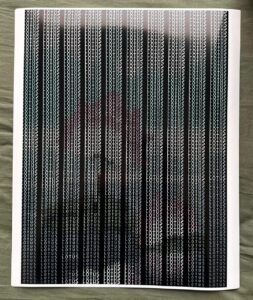
Yash – Final Project

Luminous Silence: A Botanical Reverie

Project Overview

Luminous Silence is an exploration of the emergent, unspoken connections between the human form and the natural world. It envisions the body not as a separate entity from nature, but as a living doorway, a threshold between the visible and the hidden, the silent and the voiced.

In this interactive ecosystem, your hand becomes a seed. Your breath transforms into weather. The screen before you ceases to be a mere digital display and awakens as a nocturnal garden, blooming and reacting as though it possesses its own quiet intelligence. Rooted in the geometric perfection of phyllotaxis, the spiral growth patterns found in sunflowers and pinecones , the visual landscape presents an initial state of cosmic, botanical order. However, this order is fragile and alive. As you introduce your hand, the spiral is disrupted, awakened, and reconfigured.

By employing principles inspired by cellular automata, the artwork simulates a living organism. Each “seed” or point of light within the spiral governs its own state based on localized, rule-based interactions with its environment. Just as cells in an automaton live, die, or illuminate based on their neighbors, the particles here cascade with bioluminescent light, reacting to the ambient noise of the room and the physical proximity of the viewer. Nothing is fixed. Everything exists in a perpetual state of sensing, dissolving, blooming, and remembering.

This is not a landscape meant to be controlled; it is a listening intelligence. The emotional resonance of the piece lies in its awe, fragility, and mystery, akin to standing beside a dark, restless ocean at night, witnessing the water ignite with bioluminescent plankton only where the surface is disturbed.

Implementation Details & The Creative Process

The journey of building Luminous Silence was an exercise in layering complexities. The goal was to move from static mathematical geometry to a fluid, responsive, and “breathing” system. I chose p5.js for the visual rendering and ml5.js for the machine learning hand-tracking capabilities.

The creative process was divided into distinct evolutionary milestones, ensuring that the gap between raw mathematics and poetic interaction was bridged gradually.

Milestone 1: The Seed (Establishing Cosmic Order)

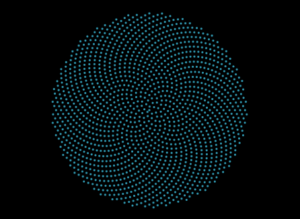
The first step was to build the foundation of the visual language: the phyllotaxis spiral. I needed to ensure the math was sound before introducing any chaos. This milestone focused purely on calculating the golden angle (137.5 degrees) and plotting the seeds to create the signature sunflower pattern.
Milestone 2: The Breath (Cellular Automata & Audio Reactivity)

Once the spiral was established, it needed life. I introduced audio input to allow the user’s voice and breath to unravel the spiral. Furthermore, I integrated localized rule sets inspired by cellular automata. By utilizing Perlin noise to dictate the phase and size of each particle, the seeds began to pulse organically, as if passing states of light back and forth among neighbors.


Milestone 3: The Portal (Physical Intersection)

The final milestone before integrating the webcam pixel-sampling was the physical portal. Using ml5.handPose, the system maps the user’s palm. The code calculates the distance between every single seed and the user’s hand. When the hand breaches a certain radius, a localized “burst” or spatial distortion occurs, pushing the seeds away while increasing their brightness, acting as the living doorway between the user and the digital organism.


Video Documentation

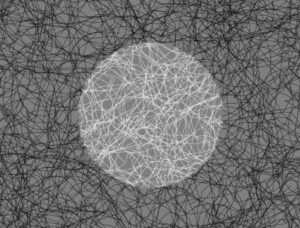
The accompanying video documentation captures the intimate choreography between human and machine. It begins in pure darkness, save for the pulsing instruction screen. As the user raises their hand, the video highlights the immediate, fluid transition: the sudden materialization of the botanical galaxy.

Key moments highlighted in the video include:

  • The Awakening: The initial distortion of the spiral as the user’s hand enters the frame, showing the “portal” effect where the hand clears a space among the seeds.

  • The Whisper: The user speaking into the microphone, demonstrating the audio-reactive expansion and color shift (neon mode) of the cellular particles.

  • The Touch: The user clicking the screen to alter the ecosystem’s hue, showing the transition from deep oceanic blues to vibrant, unearthly colors.


Final Sketch

Reflection

Luminous Silence succeeds in stepping away from the paradigm of “technology as a tool” and moves toward “technology as an entity.” The user experience feels profoundly intimate. By obscuring the raw camera feed and only revealing it through the scattered, glowing seeds, users report a feeling of looking into a magic mirror, one that reflects their energy and silhouette rather than their physical details.

The integration of the cellular automata logic,where the glow ripples through the system rather than flashing uniformly , was vital in achieving the feeling of a living organism. It evokes fragility; if the user drops their hand and falls silent, the piece returns to its quiet, resting geometric state, waiting in the dark.

Future Improvements: In future iterations, I would like to expand the sensory inputs. Integrating fluid dynamics could allow the seeds to drift like actual spores in water rather than snapping back to their rigid spiral paths. Furthermore, implementing a multi-user interaction where two hands create overlapping, conflicting cellular rules could beautifully illustrate the tension and harmony of shared ecosystems.

References & Inspirations

Artistic & Conceptual:

  • Bioluminescent Organisms: Deep-sea life and glowing fungi inspired the stark contrast of bright light emerging from absolute darkness.

  • Botanical Geometry: The mathematical precision of sunflower seeds (phyllotaxis) serves as the structural backbone of the piece.

  • Generative Systems: The concept of cellular automata (pioneered by John von Neumann and John Conway) inspired the localized, emergent behavior of the particles.

  • Spiritual Interaction Design: Designing the interaction to feel less like a software interface and more like a meditative invocation or a digital shrine.

Technical Resources:

  • p5.js Library: For canvas manipulation, noise generation, and audio input processing.

  • ml5.js Library: Utilizing the pre-trained handPose model for real-time skeletal tracking.

  • The Nature of Code by Daniel Shiffman – Specifically the chapters covering autonomous agents, noise, and cellular automata.
 

Presentation Video


View File

Yash – Final Project Update

Progress Update: Building a Living Doorway

The Concept: A Cosmic Order that Listens
At its core, this project is an exploration of silence and the emergent connection between humanity and the natural world. I am trying to step away from the idea of “nature as background scenery” and instead treat it as a listening intelligence.

The artwork imagines the human body as a living doorway between the visible and the hidden. I want the screen to feel like a nocturnal ecosystem, a digital shrine or a night garden. It is driven by the sacred geometry of the sunflower spiral (phyllotaxis), representing cosmic order. But this order is not fixed. When you interact with it, your hand becomes a seed, and your breath becomes the weather. Technology, in this space, is not just displaying an image; it is acting as a translator for invisible life.

The Output: What You Are Seeing

In the attached screen recording, you can see this ecosystem beginning to wake up.

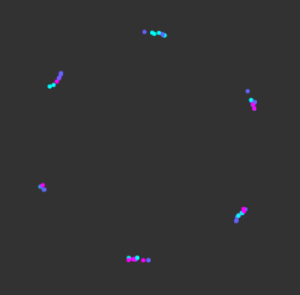
When the space is quiet, the system rests in a state of bioluminescence. Thousands of digital seeds swarm and pulse with a deep blue, oceanic glow. As a hand is raised to the camera, an intimate disruption occurs: a clear, living portal opens. The physical body merges with the digital darkness, and the glowing flora physically pushes away, dissolving at the edges of your palm.

Then, the environment listens. As I speak or clap in the video, the audio input physically unravels the cosmic spiral. The quiet bioluminescence flashes into a neon, psychedelic surge of light, proving that the system is acutely aware of the energy in the room.

What I Have Built So Far

Getting to this point required layering several different systems to make the interaction feel organic rather than mechanical:

The Botanical Geometry: I successfully implemented the base p5.js engine to generate the 2,500 seeds using the golden angle (137.5 degrees). This creates the foundational, meditative mandala.

Audio-Reactive Weather: The system now actively listens through the microphone. I’ve mapped smoothed audio volume to three distinct states: low volume triggers the blue biological swarm, medium volume unwinds the physical rotation of the spiral, and high volume triggers sudden, colorful surges.

The Human Portal: Using the ml5.js HandPose model, the canvas now tracks the user’s palm. I built a dynamic masking system that reveals the raw webcam feed only within the boundary of the hand, while calculating the distance of every seed to the palm so they naturally fade and push away when touched.

What is Pending

While the core interaction is alive, there is still work to be done to deepen the emotional resonance of the piece:

Fine-Tuning the Fragility: I need to refine the audio and visual thresholds. The transition between the quiet bioluminescence and the loud neon states needs to feel a bit more fluid and less chaotic.

Yash – Final Project Proposal

Final Project Proposal: Boids, Audio, and Hand Gestures

Concept and Artistic Intention

For my final project, I want to build on my ninth assignment, Ephemeral Flocks, and turn it into something much more interactive. In that project, I worked with boids, which connects directly to the idea of autonomous agents from The Nature of Code.

Visually, it was really interesting to watch the flock respond to the webcam feed, it felt like they were “decoding” reality in their own way. But at the same time, the experience felt a bit passive. The user basically just clicked and watched, and I think that limited the potential of the piece.

This time, I want to bring the human back into the system in a more active way. The idea is for the user to feel like they’re conducting the flock, almost like an orchestra conductor. Instead of freezing the screen, the boids will constantly move over a live video feed, painting it with this messy, expressive texture inspired by Van Gogh or Studio Ghibli.

But the key difference is that now, the system will respond to the user’s body and voice, it will listen and react, not just exist.

Interaction Methodology

I’m planning to use two main types of input to control the behavior of the boids:

  • Hand gestures (via ml5)
  • Microphone input (via p5.sound)

The hand will act as a kind of steering force. Wherever the user moves their hand on the screen, it will create an attraction vector that pulls the flock toward that position. So you’re literally guiding them through space.

The microphone will control how chaotic the system becomes. If the user is quiet, the boids will behave more calmly, they’ll stay cohesive, aligned, and move smoothly as a group. But if the user makes noise (like clapping or speaking loudly), that volume will increase the separation force, causing the boids to scatter and behave more unpredictably.

So in a way, the user is constantly balancing control and chaos through movement and sound. This directly ties back to the forces and vector systems we’ve been working with in class, but turns them into something you can physically feel and experiment with.

Initial p5.js Sketch [Please Open Web Editor, give webcam permissions and wave your hand]

Design of the Canvas

I want the visual experience to feel minimal and immersive, almost like an installation rather than a typical interactive app. That means no buttons, no heavy UI,just the system itself.

Layout (rough idea):

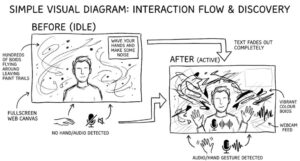
[Image generated using gemini]

  • A fullscreen web canvas
  • The live webcam feed sits in the background
  • Hundreds of boids move across the screen, leaving painterly trails over the video
  • In the top-right corner, there’s a small line of text:
    “wave your hands and make some noise”

Once the system detects movement or sound, that text fades away so it doesn’t distract from the visuals.

The important part is that all control comes from the user’s body and voice. There are no sliders or settings, just interaction. The goal is for users to slowly discover how their gestures and sounds shape the digital painting over time, without being explicitly told how it works.

Yash – Assignment 11

Concept & Inspiration

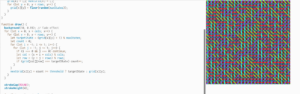
Concept: “Neon Truchet Tapestry” is an interactive, audio-reactive simulation that merges the logic of a Cyclic Cellular Automaton (CCA) with the geometric aesthetics of Truchet tiles. Instead of traditional grid cells shifting colors, the cell states dictate the rotation angles of glowing line segments. The grid is heavily influenced by live audio input: microphone volume dictates the system’s “entropy” (randomizing cells) and stroke weight, while the spectral centroid (pitch/treble) drives the maximum number of allowable states, shattering the geometry into more complex patterns as the sound changes.

Inspiration: The primary inspiration for this piece stems from the desire to visualize sound through structured geometric evolution. I drew inspiration from classical cyclic cellular automata models (where adjacent states “consume” each other in a toroidal loop) and combined it with cymatics—the visual representation of sound frequencies. Using rotational tiling patterns creates a tapestry-like effect that feels both highly structured and uniquely chaotic when disturbed by noise.

Code Highlight

I am particularly proud of the dynamic state sanitation logic required to bridge the audio analysis with the cellular automaton ruleset. Because the spectral centroid of the audio constantly changes the maxStates variable, the grid can easily break if existing cells are left with state values that suddenly exceed the new maximum.

I spent hours debugging frozen arrays before writing this fail-safe loop, which ensures seamless mathematical wrapping:

// louder = more chaos/entropy in the grid
let entropyChance = map(smoothedVol, 0.01, 0.3, 0.0, 0.5);
entropyChance = constrain(entropyChance, 0, 0.8);

// more treble = more cell states = more complex patterns
let targetStates = floor(map(spectralCentroid, 0, 4000, 4, 10));
maxStates = constrain(targetStates, 4, 10);

// IMPORTANT: sanitize the whole grid after changing maxStates
// if we dont do this, cells can have values >= maxStates which
// breaks the CA logic downstream. spent like 2 hours debuging this :(
for (let x = 0; x < cols; x++) {
  for (let y = 0; y < rows; y++) {
    if (grid[x][y] >= maxStates) {
      grid[x][y] = grid[x][y] % maxStates; // wrap it back into range
    }
  }
}


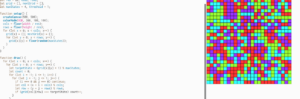
Embedded Sketch [please open in Web Editor and give mic permissions]


Milestones and Challenges

The process involved bridging traditional grid rendering with dynamic geometry. Here are two major milestones from the development process that you can run to grab screenshots for your documentation.

Milestone 1: Establishing the Base Cyclic Automaton

The first challenge was getting the cyclic cellular automaton logic to function properly on a toroidal grid (wrapping around the edges) before adding any audio or line drawing. This proved that the neighbor-counting and state-advancing math worked.

Milestone 2: Converting States to Rotation (The Truchet Effect)

The second major milestone was moving away from filled rectangles and mapping the cell states to rotation angles. The challenge here was using push() and pop() properly alongside translate() to ensure each line rotated accurately around its own center without breaking the rest of the canvas.

Reflection and Future Work

Combining real-time user data (audio) with a rigid cellular automaton ruleset yielded highly satisfying results. Standard cellular automata can often fall into stagnant loops, but mapping volume to a random entropy variable continuously breathes life back into the canvas, keeping the visual output dynamic and engaging.

Future Improvements:

  • Interactive Mouse Brushes: Adding a feature where clicking and dragging across the canvas forces cells into a specific state, giving users manual, tactile control over the pattern generation alongside the audio.

  • GUI Integration: Utilizing a library like dat.gui to create on-screen sliders so users can manually tweak the neighbor threshold, resolution (res), or fade alpha, experimenting with how the parameters impact the visual outcome in real-time.

  • 3D WebGL Implementation: Transitioning the 2D rotating lines into 3D rotating planes or cubes to give the geometry depth and explore the automata logic on a z-axis.

Yash – Assignment 10

Vintage Pachinko Arcade Simulation

1. Concept & Inspiration

For this assignment, I wanted to go beyond a standard Plinko board and create a vibrant, interactive simulation of a vintage arcade Pachinko machine. My primary inspiration was a video of a Vintage Nishijin Pachinko machine (Thunderbird model).

I carefully studied the aesthetics of the machine in the video and aimed to recreate its distinctive look and feel. Key features I implemented based on this reference include:

  • Color Palette: The distinct vintage teal/cyan background with a thick wooden and chrome-style outer cabinet.

  • Mechanical Elements: A pull-down spring lever that shoots the balls, rather than a simple mouse click.

  • The “Thunderbird” Bumper: A central, highly bouncy bumper (restitution set to 1.5) modeled after the colorful centerpiece in the real machine.

  • Arcade Atmosphere: Blinking perimeter lights, a 30-second countdown timer, and flashing “INSERT COIN” / “GAME OVER” text to give it an authentic retro arcade feel.

2. Embedded Sketch


3. Code Highlight

I am particularly proud of how I integrated Matter.js physics with p5.js visual UI states, specifically in the creation of the interactive spring lever.

Creating a lever required mapping mouse interactions to specific coordinate constraints, allowing the user to pull the lever down to build “tension” and releasing it to trigger the ball drop. I also added a bouncing UI indicator using a sine wave function to guide the user.

// From drawLever() function
if (gameState === "START") {
  // Uses a sine wave based on frameCount to make the arrow bounce smoothly
  let bounce = sin(frameCount * 0.1) * 10;
  
  fill(255, 255, 0);
  noStroke();
  drawingContext.shadowBlur = 15;
  drawingContext.shadowColor = color(255, 255, 0);
  
  // Glowing Arrow pointing to lever
  triangle(
    lever.x - 15, lever.baseY - 40 + bounce, 
    lever.x + 15, lever.baseY - 40 + bounce, 
    lever.x, lever.baseY - 20 + bounce
  );
  rect(lever.x - 5, lever.baseY - 60 + bounce, 10, 20);
  
  textSize(14);
  textStyle(BOLD);
  textAlign(CENTER);
  text("PULL DOWN", lever.x, lever.baseY - 70 + bounce);
}

4. Milestones and Challenges

Challenge 1: Setting up Matter.js Geometry and Pins

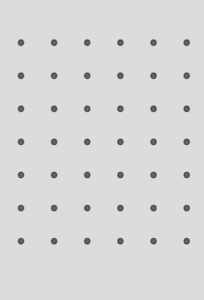
The first major challenge was simply moving away from standard p5.js coordinates to the Matter.js physics world. I had to learn how to create static boundaries and an array of static pins, and then render their vertices correctly.

Challenge 2: Creating Pockets and Collision Sensors

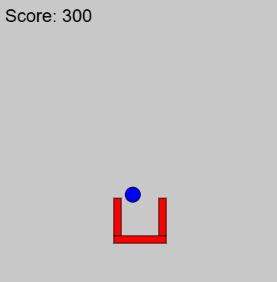
The next big hurdle was figuring out how to register a “score”. I couldn’t just use standard p5.js distance (dist()) checks because the balls are governed by the physics engine. I had to build a custom Pocket class that grouped three physical walls together to form a U-shape, and then add an invisible isSensor: true physical body inside it. Finally, I used Matter.Events.on(‘collisionStart’) to detect when a ball entered that sensor.

Challenge 3: Adding Game States and Audio

Integrating audio with p5.sound introduced a new challenge: browser autoplay policies. I had to restructure the start of the game so that the background music and sounds only triggered after the user’s first click on the lever (userStartAudio()). Managing the 30-second timer alongside the physics engine updates also required careful state management (“START”, “PLAYING”, “GAMEOVER”).

5. Reflection and Future Work

Balancing the physics was much harder than I expected. Tweaking gravity, density, and friction (restitution) took hours of trial and error to make the balls feel like real glass/steel arcade marbles rather than floaty balloons or heavy rocks.

Future Improvements:

  • Local High Scores: I would love to use localStorage to save the highest score so players can compete.

  • Particle Effects: When a ball lands in a pocket, it would be amazing to trigger a burst of p5.js particles (confetti) alongside the sound effect.

  • Dynamic Obstacles: Adding moving platforms or spinning wheels powered by Matter.js constraints to make the board more chaotic over time.

Yash – Assignment 9

Ephemeral Flocks: Painting with Boids and Live Video

Concept & Inspiration

For this project, I wanted to explore the intersection of organic, emergent systems and digital surveillance/capture. The concept revolves around using a simulated flocking system (boids) not just as moving entities, but as autonomous painters that “decode” and reconstruct reality.

The sketch operates in three distinct phases, creating a natural cycle of tension and release:

  1. The Live Feed (Reality): The user sees a standard, real-time webcam feed.

  2. The Freeze & Draw (Tension/Emergence): Upon clicking, time stops. A snapshot is captured, and suddenly hundreds of boids swarm the canvas. Instead of clearing the background, they leave continuous trails, acting as a generative brush. They read the brightness of the frozen pixels beneath them, mapping the light and shadow of the captured moment through their chaotic flight paths.

  3. The Dissolve (Release): After fifteen seconds of frantic drawing, the image slowly dissolves back into the live video feed, erasing the boids’ hard work and resetting the cycle.

Visually and conceptually, this was heavily inspired by the generative artwork of Ryoichi Kurokawa and Robert Hodgin, who both excel at blending chaotic particle systems with structured, recognizable forms, making the digital feel tactile and natural. The specific mechanic of using boids as a “brightness brush” was directly inspired by Valerio Viperino’s brilliant “Drawing with boids” experiment.

Code Highlight: The Autonomous Brush

The part of the code I am most proud of is within the Boid class’s show() method. Rather than telling the boids what to draw, I simply tell them how to see.

show() {
  // Constrain coordinates to prevent array out-of-bounds errors
  let px = constrain(floor(this.pos.x), 0, snap.width - 1);
  let py = constrain(floor(this.pos.y), 0, snap.height - 1);

  // Calculate 1D pixel array index
  let index = (px + py * snap.width) * 4;
  
  // Extract RGB and calculate rough brightness
  let r = snap.pixels[index];
  let g = snap.pixels[index + 1];
  let b = snap.pixels[index + 2];
  let brightness = (r + g + b) / 3;

  // Draw the trail mapped to the pixel brightness
  stroke(brightness, 150); 
  strokeWeight(1);
  line(this.prevPos.x, this.prevPos.y, this.pos.x, this.pos.y);
}

This snippet is the bridge between the physical world (the camera pixel array) and the simulated world (the boids’ coordinates). By tying the stroke color to the underlying image brightness and lowering the opacity, the boids slowly layer their trails to create an etching-like quality.

Video Documentation :

Embedded Sketch [PLEASE OPEN IN WEB EDITOR AND GIVE WEBCAM PERMISSIONS]


Milestones & Challenges

Milestone 1: Establishing the Trails Before integrating the camera, the first major hurdle was getting the boids to leave a continuous trail without the sketch crashing or looking like complete static. I had to modify the standard Craig Reynolds boid model to track.

Milestone 2: Reading the Environment The next challenge was getting the boids to “read” data. Before complicating things with a live video feed, I created a hidden canvas with a basic geometric shape. I programmed the boids to change their stroke color based on whether they were flying over the shape or the background. This confirmed the pixel-array math was working.

Challenge: Managing States Integrating the webcam introduced a massive flow challenge. I had to implement a state machine (LIVE, DRAWING, FADING) utilizing millis() to handle the timing. Ensuring the snapshot (snap.get()) only triggered exactly when the state shifted was tricky but crucial for performance.

Reflection & Future Work

This project pushed me to think about interactive media not just as tools that react instantly to a user, but as living systems that take time to develop. The 15-second drawing phase forces the user to pause and watch the algorithm work, highlighting the beauty of creative coding.

For future iterations, I would love to experiment with color data instead of just brightness, perhaps mapping the RGB values to the boids’ strokes to create a pointillist, impressionist painting. Additionally, mapping the flocking variables (like separation or speed) to audio input could make the drawing process even more dynamic and expressive.

Assignment 8 : Yash

The Light Weaver

Concept

For this project,  I realized that steering algorithms aren’t just for biology, they are perfect tools for generative art. My concept is called “The Light Weaver.” It acts like a simulated long-exposure camera. The “vehicles” are actually photons of light. Instead of just moving around, their movement draws the final piece.

I was inspired by long-exposure light painting photography and the pure geometric abstraction of artists who use lasers and neon. The system runs autonomously to draw a glowing hexagon, but the user’s mouse acts as a “magnetic distortion field” to fray the light lines (using flee). Clicking drops a prism, and the photons use the arrive behavior to pack densely into a glowing singularity.

A highlight of some code that you’re particularly proud of

I am really proud of getting the multi-segment path following to work, specifically inside the follow() function.

for (let i = 0; i < path.points.length - 1; i++) {
      let a = path.points[i];
      let b = path.points[i + 1];
      let normalPoint = getNormalPoint(predictLoc, a, b);

      // Check if the normal point is actually on the line segment
      let da = p5.Vector.dist(a, normalPoint);
      let db = p5.Vector.dist(b, normalPoint);
      let lineLen = p5.Vector.dist(a, b);

      if (da + db > lineLen + 1) {
        normalPoint = b.copy(); // clamp it!
      }


Embeded sketch


Milestones and challenges in my process

  • Milestone 1: Getting a single vehicle to follow a straight line.

  • Challenge 1: Upgrading from a single line to a multi-segment Hexagon. At first, my vehicles kept flying off the corners because they were calculating normal points on infinite lines instead of clamping to the vertices.

  • Milestone 2: Implementing the long-exposure visual.

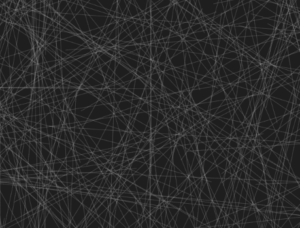
  • Challenge 2: I struggled to make it look like light instead of solid shapes. I realized that by changing show() to draw lines from prevPos to pos, using blendMode(ADD), and drawing the background with an alpha value of 12 (background(5, 5, 5, 12)), I could get that perfect glowing trail effect.


Reflection and ideas for future work or improvements

This project completely changed how I look at steering behaviors. I realized that the math of “intention” and “steering” can be applied to abstract drawing tools, not just physical simulations.

For future improvements, I’d love to make the geometric path dynamic, maybe the hexagon slowly rotates over time, or pressing the spacebar adds more vertices to the path to make it a more complex polygon. I would also love to try tying the maximum speed or the path radius to an audio input, so the light trails dance to music.

Assignment 7 : Yash

Recreating the Void: teamLab Phenomena

Concept & Inspiration

We were tasked with selecting an installation that resonated with us and recreating its core aesthetic and interactive mechanics using p5.js.

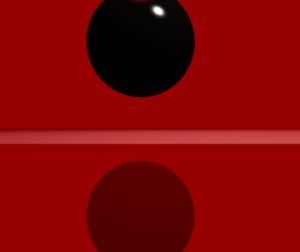
I was immediately drawn to a specific room featuring a massive, heavy-looking dark sphere suspended in an intensely illuminated, blood-red space. Drawing on my background in film, I was captivated by the cinematic tension of the lighting. The stark contrast between the vibrant red environment and the pitch-black, light-absorbing object created a deeply imposing atmosphere. My goal was to translate that physical, heavy presence into a digital WebGL space, making the object feel tangible and reactive.

P5.js Sketch


The final sketch places the user inside a contained 3D room. At the center is a thick, glossy black cylinder rotating on its edge, constantly drifting via Perlin noise. Rather than a static environment, the sketch utilizes dynamic lighting, a highly reflective “dark mirror” floor, and physics-based raycasting to allow the user to push the shape away from their specific point of view.


Code Highlight

One of the most interesting parts of the code to write was the 3D mouse interaction. Instead of just moving the object on a flat X/Y axis, I wanted the object to be pushed away from the camera’s exact perspective.

By subtracting the camera’s current 3D position from the shape’s position, we get a normalized vector. Depending on whether the user is just hovering or actively clicking, a different level of force is applied along that specific path to shove the object back into the 3D depth of the room.

// --- MOUSE HOVER AND CLICK INTERACTION ---
  // Convert mouse coords to WEBGL space
  let mx = mouseX - width / 2;
  let my = mouseY - height / 2;

  let d = dist(mx, my, shapePos.x, shapePos.y);

  if (d < radius + 20 && mouseX !== 0 && mouseY !== 0) {
    cursor('pointer'); // Hints to the user that this thing is clickable

    // Figure out which direction to push the shape (away from camera)
    let camPos = createVector(cam.eyeX, cam.eyeY, cam.eyeZ);
    let pushDirection = p5.Vector.sub(shapePos, camPos).normalize();

    // If clicking push it harder, otherwise just a gentle nudge on hover
    let pushForce = 0;
    if (mouseIsPressed) {
      pushForce = 250; // clicking = big push
    } else {
      pushForce = 80;  // just hovering = small push
    }

    baseTarget.add(p5.Vector.mult(pushDirection, pushForce));
  }
Milestones and Challenges

Milestone 1: Establishing the 3D Perspective and the “Dark Mirror” Illusion The very first major hurdle was moving from a flat 2D illusion to a true 3D space. Initially, looking straight at a red background with a split line felt too flat. I had to explicitly construct a “stage” with actual mathematical walls, a floor, and a ceiling using WebGL planes.

The biggest technical challenge within this milestone was faking the floor’s reflection. WebGL in vanilla p5.js doesn’t natively handle raytraced reflections. To solve this, I had to think about drawing order: I first drew a pure black version of the shape upside down underneath the floor coordinates. Then, I drew the floor on top of it using a slightly transparent, highly specular dark red material (fill(5, 0, 0, 220)). This allowed the inverted shape to bleed through, perfectly mimicking the glossy, dark mirror effect from the physical teamLab installation.

Reflection & Future Work

To make the digital installation feel as immersive as the physical one, I realized that visuals alone weren’t enough. I introduced a cinematic, low-frequency drone track (BGMUSIC.mp3) that begins looping the moment the user first interacts with the canvas. This heavy audio grounds the piece and gives the digital void a sense of physical scale.

I also focused heavily on non-verbal UI cues. To teach the user how to interact without writing instructions on the screen, I programmed the mouse cursor to dynamically change: a pointing finger when hovering over the object, an open hand when looking around, and a closed grabbing hand when dragging the camera. Furthermore, the sketch auto-pans upon loading, proving the space is 3D before handing control over to the user.

For future work, I would love to tie the p5.Amplitude() of the background audio to the thickness of the shape, allowing the object to pulse and “breathe” in time with the low frequencies of the drone music.


Midterm : Yash

Awakening Padmini: A Digital Triptych of the Lotus

Core Concept and Design

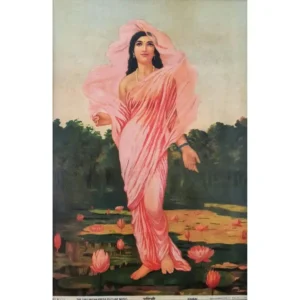
Inspired by Raja Ravi Varma’s masterpiece, Padmini, the Lotus Lady, this project seeks to transcend the static nature of a two-dimensional canvas. Varma had a profound ability to breathe warmth, vitality, and soul into the lotus, making it a character as alive as the lady holding it. This interactive installation translates that historical mastery into the realm of creative coding.

Instead of a single fixed image, the lotus is reborn as a living, responsive digital entity. The core design philosophy revolves around metamorphosis, observing the same botanical subject through three distinct computational lenses. By moving from a hyper-stylized natural environment to autonomous agent simulations and finally into the raw data of kinetic typography, the installation explores the tension between biological reality and digital representation.


The Three Modes: A Metamorphosis

The installation is divided into three interactive states, each representing a different philosophical interpretation of life and code.

1. Sajīva (सजीव) — The Breathing Canvas

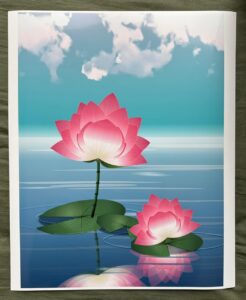
Sajīva translates to “endowed with life” or “living.” This mode is the most direct homage to traditional painting, heavily inspired by the atmospheric depth of Studio Ghibli. The lotus exists in a hazy, serene aquatic environment. It doesn’t just sit on the water; it breathes. Generative physics drive the gentle sway of the stems, the drifting of Ghibli-style clouds, and the delicate, random detachment of falling petals that float upon interacting with the water’s surface.

2. Prāṇa (प्राण) — The Ethereal Threads

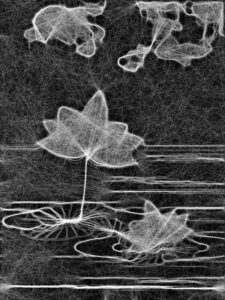
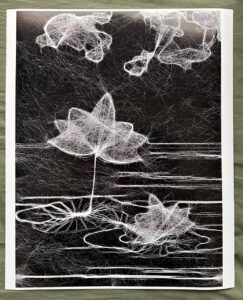
Prāṇa represents the “vital life force” or “breath.” In this mode, the physical form of the lotus dissolves into pure energy. Using a swarm of 2,500 autonomous agents (boids), the sketch actively seeks out and traces the high-contrast edges of the previous scene. The boids act as digital spirits, constantly building and rebuilding the outline of the lotus in real-time. Eventually, the swarm scatters, representing the ephemeral and fleeting nature of organic life.

3. Māyā (माया) — The Digital Echo

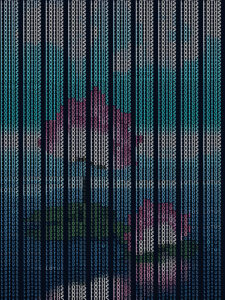
Māyā translates to “illusion,” pointing to the concept that the physical world is a veil over deeper truths. Here, the visual reality of the lotus is stripped away entirely, replaced by kinetic typography. The image is reconstructed using the sheer brightness values (luma) of the original scene to dynamically scale the word “LOTUS.” It ebbs and flows on a sine wave, representing the underlying matrix of data that constitutes all digital art, a reminder that in this space, life is just an illusion painted by mathematics.

Implementation Details & Creative Process

The journey from a blank canvas to a complex, multi-state system required several distinct milestones, blending mathematical precision with artistic intuition.

Milestone 1: The Geometry of the Petal

The anatomy of the lotus was constructed entirely through code, avoiding external image files. This required a deep dive into bezierCurveTo() to sculpt the organic teardrop shapes of the petals.

  • Initial Draft: The first iteration focused purely on overlapping geometry and basic opacity, establishing the layered scale of the bloom.

  • Introducing Texture: To mimic natural biology, micro-veins were generated using radial loops, drawing harsh, distinct striations across the petal surfaces.

  • Refining Luminescence: The final petal geometry balanced the harsh lines with a soft, glowing base gradient (cBaseGlow = '#eaf0c0') and deep magenta tips, achieving the flush of life seen in traditional oil paintings.


Milestone 2: Environmental Rendering & Performance

To create Sajīva, an entire ecosystem needed to be rendered without tanking the frame rate. The solution was architectural: rendering complex assets (like the fractal noise clouds and radial gradients) into hidden, static createGraphics() buffers during the setup() phase. In the draw() loop, these pre-rendered sprites are simply mapped and manipulated, allowing the CPU to focus entirely on the generative falling petals and water ripples.

Milestone 3: The Boid Edge-Detection Algorithm

For Prāṇa, the challenge was teaching the boids where the lotus actually was. The system captures a hidden, high-resolution snapshot of the scene, converts it to grayscale, and runs a custom density-mapping algorithm to detect sharp contrast boundaries.

// A snippet of the edge-detection logic allowing boids to "see" the lotus
let diff = abs(val - valR) + abs(val - valD);
if (diff > 15 || val > 200) { 
  edgeValues[y * w + x] = 255; // Solid trackable line for boids
}


Physical Realization: CAT Lab Inkjet Prints

While the project thrives as a kinetic, interactive digital installation, exploring the theme of “Decoding Nature” required bringing the digital back into the tangible world. I had the opportunity to run high-resolution exports of the three modes through the inkjet printers at the CAT lab.

Translating the light-emitting RGB screen into physical CMYK ink drastically altered the texture of the work. The sweeping threads of the Prāṇa boid simulation translated beautifully onto the paper, looking akin to an intricate silver-point etching, while the rich magentas of the Sajīva lotus gained a velvet-like matte quality that echoed the traditional canvas of Ravi Varma.


Video Documentation

The video documentation captures the seamless transition between the three states of the triptych. It highlights the generative nature of the falling petals in Sajīva, the mesmerizing, real-time flocking assembly and dissolution of the Prāṇa mode, and the rhythmic, breathing wave of the ASCII characters in Māyā.


P5.js Sketch :

Reflection and Future Improvements

The current user experience thrives on the element of surprise—the spacebar transforms the world instantly, forcing the viewer to re-contextualize what they are looking at. The technical optimization (using off-screen buffers) was highly successful, allowing thousands of agents to run smoothly in the browser.

Future Iterations:

  • Audio Reactivity: Integrating the p5.sound library so that the boids in Prāṇa and the text waves in Māyā react to ambient noise or a live microphone input.

  • Interactive Fluid Dynamics: Allowing the user’s mouse to disrupt the water surface in Sajīva, creating custom ripples that the falling petals physically react to.

  • Physical Computing: Utilizing a microcontroller (like an Arduino) to switch scenes based on physical proximity sensors, making the installation truly immersive in a gallery space.

References

  1. Varma, Raja Ravi. Padmini, the Lotus Lady. (The primary artistic and thematic inspiration).

  2. McCarthy, Lauren, et al. p5.js. (The core creative coding framework).

  3. Perlin, Ken. Perlin Noise. (Utilized heavily for the organic generation of clouds and the natural sway of the lotus stems).

Midterm Progess 1 : Yash

Concept & Vision

A Painting That Breathes
Most generative art announces itself by motion or glitch. This project moves the other way. It aims for quiet conviction, a hand painted lotus pond rendered in code that rewards patient looking. Water moves almost not at all, petals sway just enough to suggest breath, leaves hold rain in waxy cups.

The aesthetic is botanical realism not photorealism. Think of careful natural history study and Japanese ink observation. Every element is built with gradients, procedural noise, and layered compositing. Stems read cylindrical, leaves show radial veins in perspective, petals catch light and fade to pink. The goal is to invite the eye into believing the scene exists, not to fool it.

System Design

Architecture of the Garden
Rendering follows a strict depth order from background to foreground. The design uses layered abstraction

Layer 1 Ground
Perspective leaves lie behind everything. Foreshortened ellipses suggest a low water view.

Layer 2 Structure
Stems are quadratic Bezier curves shaded as cylindrical forms with node rings at internodes.

Layer 3 Flower
The lotus bloom is built from sepals and two petal layers with a central receptacle. Petals contain dense micro vein texture.

Layer 4 Water planned
A subtle water surface will use Perlin noise for displacement, specular highlights, and interaction ripples that distort reflections.

Core Functions
Five focused drawing functions keep the code compact. They draw leaves, stems, the assembled lotus, individual petals with micro veins, and sepals with tonal transition. A hybrid of p5 and Canvas2D enables Path2D clipping, radial gradients, and precise shadow compositing.

Interactivity Design planned
Interaction is minimal
Hover makes nearby petals lean inward as if breathed on
Click drops a ripple that spreads and shears the reflected scene

Variations and States
Seeded randomness creates variation in petal size, vein curvature, leaf edges, bloom scale, light angle, and water tone.

Current Progress

What Exists Now
A static 600 by 800 canvas renders a complete scene with three perspective leaves, a tall central bloom, and a smaller secondary bloom. The scene draws once with no animation loop, showing the visual vocabulary.

Key achievements include foreshortened leaf geometry with accurate vein placement, three pass cylindrical stem shading with sampled node rings, and petals rendered with ninety micro vein strokes and soft gradients. The hybrid canvas approach confines detail through save clip restore patterns.

Risk Identification & Mitigation

The Most Frightening Part
Animating a convincing water surface with coherent reflections is the largest risk. A single sine wave looks fake, and per pixel displacement at full resolution is expensive. The aesthetic risk is motion that reads as mechanical.

What I did to reduce this risk
I isolated a water proof of concept using two octave Perlin noise summed across horizontal strips. The approach proved tunable and performant. Reflections will be rendered to an off screen buffer and displaced with the same noise field. Interaction ripples will be an additive decaying sine term centered at the click point.

Looking Forward

The Next Passes
Integrate animated water and place botanicals above the water line. Add off screen reflection rendering, petal Perlin oscillation seeded by index, mouse proximity response, and click ripples. Final work will be patient tuning of motion and color until the scene reads as living.