Afra Binjerais – Assignment 10

Concept 

 The concept is recreating Newton’s Cradle using the Matter.js physics engine. The goal is to duplicate how a real Newton’s Cradle works, where a series of suspended balls transfer energy through collisions when one ball is pulled back and released. I aimed to simulate this behavior by using physics-based properties like gravity, restitution, and constraints to make the motion feel as realistic as possible. Instead of manually animating the movement, the project relies on the physics engine to naturally calculate how the balls swing and interact, allowing me to explore how energy and motion behave in a simulated environment.

Highlight of some code

A part of the code I’m particularly proud of is the way I created Newton’s Cradle using a loop to generate both the balls and their constraints. Instead of manually placing each ball, I used a loop to calculate their positions and connect them dynamically, which made the code cleaner and easier to adjust.

const startX = CENTER_X - ((BALL_COUNT - 1) * SPACING) / 2;

for (let i = 0; i < BALL_COUNT; i++) {
  const anchorX = startX + i * SPACING;
  const anchorY = TOP_Y;

  const ball = Bodies.circle(anchorX, anchorY + STRING_LENGTH, BALL_RADIUS, {
    restitution: 1,
    friction: 0,
    frictionAir: 0.0005
  });

  const rope = Constraint.create({
    pointA: { x: anchorX, y: anchorY },
    bodyB: ball,
    length: STRING_LENGTH,
    stiffness: 0.9
  });

  balls.push(ball);
  ropes.push(rope);
}

Sketch

Milestones: 

  • This stage is the very first version of Newton’s Cradle where the main goal was just to get the physics working. I created the balls and connected them with constraints so they hang and swing like a real cradle. I also set up gravity and collision so the motion looks natural and the energy transfers from one ball to another. There’s no interaction yet in this version it just runs on its own.

https://youtube.com/shorts/ISYsv6YzDNg?si=kNVKaXBV6mP5ucq0

The focus was on building the core physical system by creating circular bodies connected with constraints to simulate suspended balls and realistic energy transfer during collisions. Basic interactivity was introduced by allowing the user to click and drag individual balls, giving control over how motion is initiated, similar to a real cradle.

Challenges: 

A difficulty was understanding how Matter.js handles physics, since the motion is not directly controlled but calculated by the engine, which made debugging harder. It also took time to properly connect the balls with constraints so they would swing correctly without breaking the structure. AI was very handy with this specific assignment as it was my first time using physics libraries. 

Reflection

This project is based on the concept of recreating a Newton’s Cradle using the Matter.js physics engine. The goal is to duplicate how a real Newton’s Cradle works, where a series of suspended balls transfer energy through collisions when one ball is pulled back and released. I aimed to simulate this behavior by using physics-based properties like gravity, restitution, and constraints to make the motion feel as realistic as possible. Instead of manually animating the movement, the project relies on the physics engine to naturally calculate how the balls swing and interact, allowing me to explore how energy and motion behave in a simulated environment.

Afra Binjerais – Assignment 9

Concept

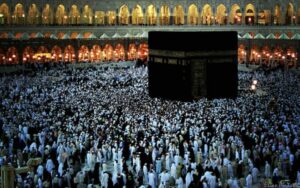
reference: https://muslimmatters.org/2012/11/15/ten-things-you-didnt-know-about-the-kaaba/

My concept for the flocking system is inspired by the sacred ritual of Umrah. I wanted to explore flocking in a different way where movement is not random or purely emergent, but organized around a central point. In Umrah, Muslims perform a ritual in which they circle the Kaaba seven times. I was interested in translating this idea into a computational system, where agents revolve around a central structure. In this project, I aimed to reflect that circular, collective movement in an abstract and respectful way, without directly representing people. Instead, I used simplified forms to suggest a crowd while keeping the focus on motion and spatial relationships. My visual inspiration also comes from a drawing of the Kaaba displayed in the art center, located beside the lift on the right side. Although I do not have an image of it, the composition and presence of that piece influenced how I approached the central structure in my work.

A highlight of some code 

orbitForce() {
let center = createVector(width / 2, height / 2);
let radial = p5.Vector.sub(this.pos, center);

if (radial.mag() === 0) return createVector(0, 0);

// convert radial direction into circular motion
let tangent = createVector(-radial.y, radial.x);
tangent.normalize();
tangent.mult(this.maxSpeed);

let steering = p5.Vector.sub(tangent, this.vel);
steering.limit(this.maxForce * 1.3);
return steering;
}

One part of the code I am particularly proud of is the orbit behavior. Instead of having agents move randomly or only react to nearby neighbors, I introduced a force that converts their position relative to the center into a tangential direction. This allows the agents to move in a circular path around the central square. This was important to my concept, as it transforms a typical flocking system into a structured, collective movement organized around a focal point.

Sketch

Milestone

https://youtube.com/shorts/Aij4knx0vcE?feature=share

  • Here I was exploring how a flocking system could revolve around a central structure. I combined basic flocking behaviors with a simple orbit force to create circular movement. At this stage, the system is intentionally minimal, focusing on testing the core idea before adding complexity like time-based changes or refined visuals.

https://youtube.com/shorts/de8Qt2qCW88?feature=share

  • In this video, I wanted to highlight the interaction of dragging the mouse to generate agents in the system. As more agents are added, the movement becomes slower and more dense. This reflects how, in Umrah, movement naturally slows down as the crowd becomes more crowded, creating a more compressed and collective flow.

Challenge

One of the main challenges in this project was balancing control and emergence. While flocking systems are naturally unpredictable, I needed the agents to consistently move in a circular path around the central square without losing the organic quality of the motion. Another challenge was achieving the right level of simplicity in the visuals, ensuring the system remained clear and readable without becoming overly complex or decorative.

Reflection and ideas for future work or improvements

I developed a better understanding of how simple rules can produce complex and meaningful collective behavior. I learned how to balance structure and emergence. For future work, I would explore making the movement more varied and responsive, such as introducing different types of agents or layering multiple rings of circulation. 

Assignment 8 – Afra Binjerais

Concept

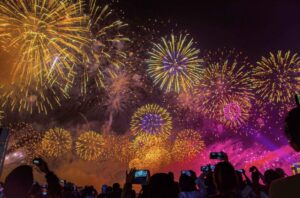
My concept is inspired by fireworks. I wanted to explore how this week’s vehicle demonstrations could be transformed into something more artistic, which I initially found challenging. When I first think of vehicles, I usually imagine something literal like cars, so it took some time to shift my thinking toward a more abstract approach. I used the flow field example from class as a starting point and built on it to create a system that feels more expressive.

A highlight of some code 

behaviors(flow) {
// explode outward first
this.seek(this.target);

// soften near destination
this.arrive(this.target);

// drift like smoke/wind after burst
if (this.life < 55) {
this.follow(flow);
}
}

seek(t) {
let desired = p5.Vector.sub(t, this.pos);
desired.setMag(this.maxSpeed);

let steering = p5.Vector.sub(desired, this.vel);
steering.limit(this.maxForce);

this.applyForce(steering);
}

arrive(t) {
let desired = p5.Vector.sub(t, this.pos);
let d = desired.mag();

if (d < 60) {
let m = map(d, 0, 60, 0, this.maxSpeed);
desired.setMag(m);
} else {
desired.setMag(this.maxSpeed);
}

let steering = p5.Vector.sub(desired, this.vel);
steering.limit(this.maxForce * 0.8);

this.applyForce(steering);
}

follow(flow) {
let desired = flow.lookup(this.pos);
desired.setMag(this.maxSpeed * 0.7);

let steering = p5.Vector.sub(desired, this.vel);
steering.limit(this.maxForce * 0.6);

this.applyForce(steering);
}

This is the part I’m most proud of because it is where the vehicles stop being just particles and start behaving like fireworks. Instead of using only one steering behavior, I combined three different ones so each particle goes through stages of motion.

First, seek() pushes each vehicle outward toward its explosion target, which creates the initial burst. Then arrive() slows the particle as it gets closer to that target, so the explosion doesn’t feel too mechanical or constant. After that, once the particle’s life drops below a certain point, follow() lets it drift with the flow field, which makes it look more like smoke or sparks being carried by air.

Sketch


Milestones 

  • I combined the flow field with a basic explosion system. Vehicles are created at a point and use seek to move outward, while still being influenced by the flow field. The visualization is simple to focus on the behavior before adding artistic styling.https://youtu.be/0gokb2LBqo0
  • I added arrival behavior, particle lifespan, and fading trails so the explosion becomes more natural and starts to resemble fireworks instead of just moving points.

https://youtube.com/shorts/n8gWaY6BZCA?feature=share

Reflection and ideas for future work or improvements

This assignment made me think about vehicles in a different way, because when I first hear “vehicle,” I usually imagine something literal like cars and that’s why it was hard at first to think of a concept. I used vehicles as abstract moving particles to create a firework system, which helped me see them more as agents following rules rather than physical objects. I was able to build motion that feels more expressive and dynamic. In the future, I would like to push this idea further by adding more variation in the explosions and refining the overall visual style.

Afra Binjerais – Assignment 7

Massless Suns and Dark Suns Recreated 

https://youtube.com/shorts/RYotOqlaMWA?feature=share

I chose this specific artwork because it’s the one that I felt the most confused about. I really like how small the room was compared to the other rooms in teamlab. I decided to recreate it but with a twist where the sky is dark instead and the rippling effect is circular. In the interaction itself the rippling effect as I remember it comes from waving but in my sketch it is just generated every 5 minutes. I decided to keep it simple and I really like how it turned out, 

A highlight of some code:

let dCenter = dist(s.x, s.y, width / 2, height / 2);

let dWave = abs(dCenter - waveRadius);

if (dWave < 55) {

  glowBoost = map(dWave, 0, 55, 2.6, 1);

}

I’m most proud of this part of the code because it controls how the glowing wave interacts with the stars in a natural and visually pleasing way. Instead of simply turning stars on and off, I calculate the distance between each star and the expanding wave, which allows the glow to change smoothly as the wave passes. This creates a soft ripple effect rather than something harsh or mechanical.

Sketch

Milestones and challenges in process:

I started with a very simple star field where all the stars were randomly placed across the canvas. While this worked, it felt messy and unintentional, so I moved to a more structured layout using a grid. After that, I introduced slight randomness in position, size, and glow to make the stars feel more natural instead of perfectly uniform. A key milestone was adding the wave interaction, where every few seconds a ripple passes through the stars and makes them glow. This helped bring the piece to life and added a sense of timing and rhythm. One of the main challenges I faced was making the wave feel smooth and natural instead of harsh or mechanical. I had to experiment with distance calculations and mapping values so that the glow would transition gradually rather than suddenly.

This assignment didnt have many milestones but this is the previous experimentation sketch:

Reflection and ideas for future work or improvements

 Overall, the sketch creates a calm and atmospheric experience, especially with the subtle glow and wave effect. I like how the stars feel balanced but still slightly natural rather than perfectly uniform. In the future, I would like to add more variation, such as a few brighter or larger stars, and experiment with different types of waves or subtle color changes to make the piece more dynamic and immersive.


Afra Binjerais- Midterm Project

StarryNight Reimagined. 

Project Overview

This project was inspired by The Starry Night and the visual qualities of the night sky, but reimagined in a different emotional context. Instead of a calm and dreamy atmosphere, I explored how the sky might look if it expressed anger. The project merges environment and emotion into a single visual system.

The design and intention developed throughout the process rather than being fully planned from the beginning. As I experimented, the idea of intensity became central, which led me to use a red color palette and a more minimal, abstract visual style.

Milestones:

  1. This was my initial experiment from the proposal stage. It was simple, but it marked the starting point of my idea:

  1. Here, I was experimenting with creating a background similar to The Starry Night, but I wasn’t satisfied with the result:

  1. In this video, I started exploring intensity and motion more deeply. This is where the main direction of my project began to form. I really liked the movement here and considered it close to my final outcome, but I felt that something was missing; which was color: 

https://youtu.be/OGdQaReItaI

  1. Final outcome: In the final version, I introduced color to represent intensity and emotion. I chose red because it strongly represents anger and energy, which aligns with the concept of the project

Video Documentation

https://youtu.be/PPoL7TNbMo4

Code snippet: 

let finalAngle =

noiseAngle +

wave * oscStrength +

swirlAngle * lerp(0.05, 0.22, e) +

(noise(time * 2.0, i * 0.1) - 0.5) * jitter;


let endX = startX + cos(finalAngle) * lineLength;

let endY = startY + sin(finalAngle) * lineLength;


line(startX, startY, endX, endY);

I am most proud of the part of my code where I calculate the final angle of each line using a combination of noise, oscillation, swirl, and subtle randomness. In this section, I am not relying on a single technique, but instead layering multiple systems together to create more complex and expressive motion. The noise provides an organic flow, the sine wave adds rhythmic movement, the swirl introduces a sense of direction around the center, and the jitter prevents the motion from feeling too predictable. By blending all of these into one angle, the lines feel alive and continuously evolving rather than static or repetitive. This part of the code reflects my understanding of key concepts from the course, especially noise, vectors, and oscillation, and shows how I can combine them creatively to produce a visually rich and emotionally responsive result.

Canva designing:

I used Canva to design the button because I wanted a customized visual element. This process was relatively simple, and I exported the design as a PNG and uploaded it into p5.js. 

link to design

Test printing:

Before the war, I contacted the inkjet printing team to test print my work and ensure the resolution was correct. I was able to partially test the print, and below is an image (not the best quality) of how it would have looked when printed.

Challenges: 

One of the main challenges I faced was controlling the balance between calm and chaotic motion in the flow field. At first, small changes in parameters like speed, noise scale, and oscillation made the animation feel too chaotic too quickly, which made it difficult to achieve a smooth transition using the slider. I had to experiment with different ranges and easing functions to slow down the beginning and make the buildup feel more gradual and intentional.

Reflection: 

Overall, I think the user experience of my project feels smooth and engaging, especially because the slider makes it easy to see how your input affects the visuals in real time. I like that the transition from calm to intense doesn’t feel sudden, but instead builds gradually, which makes it more satisfying to interact with. The motion and fading trails also help make the piece feel more alive and less static. At the same time, I feel like there’s still room to improve. Right now, the interaction is limited to just one slider, so in the future I’d like to add more controls, like changing colors, line thickness, or different motion styles, to make it more playful and customizable.

Link to drive for high resolution images: Afra Binjerais

Final Sketch

References:


Assignment 5 – Afra Binjerais

Midterm progress/ proposal

Concept & Design

For this project, I decided to continue exploring the idea of a moving Starry Night. In Week 3, I was inspired by Van Gogh’s The Starry Night and experimented with recreating some of its swirling motion using movers and attractors. I was also influenced by Batool’s work that week, since she implemented what I had envisioned. This time, however, I want to approach the concept differently, instead of movers and attractors, I am experimenting with: Perlin noise to create organic, natural-looking flow and Sine functions to introduce rhythmic oscillation and temporal movement to create the system

Designing the Code (Functions, Interactivity, Structure)

For this week, I experimented with using Perlin noise to determine the directional flow of the strokes and sine functions to introduce subtle rhythmic movement over time. There are no classes yet, since I decided not to use movers or attractors in this version of the system. For interactivity, I am planning to implement a slider to control movement strength or direction, possibly another slider to adjust speed or oscillation intensity, and a slider that changes the color palette. I am still deciding what additional controls would be meaningful without overcomplicating the system. 

States & Variations

As mentioned, I will have sliders and that will help me to produce different variations/ states to my system. I am thinking of creating variations such as:

  • Different movement speeds
  • Opposite swirl directions
  • Stronger vs softer oscillation
  • More chaotic vs more calm motion

Also, for the printing part, I’m thinking of having an icon on the top, so when I’m satisfied with how it looks, I will click on the icon and it will download as png to later print. 

Most Uncertain Part

The most complex and uncertain part for me was deciding whether to use movers and attractors again. In Week 3/4, I used attractors and movers; however, I remember that when I tried to recreate the motion of Starry Night using movers, it became very complex very quickly. Controlling behavior while maintaining aesthetic control was difficult with attractors and movers; at least for me. To minimize risk here is to either find an alternatives (which is where im headed) or learn new ways to use them. 

I provided below the current starting point, still a skeleton version, no interactions yet but its a vision to where I’m headed. 

Afra Binjerais – Assignment 4

Concept 

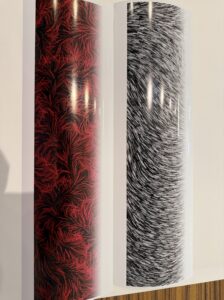
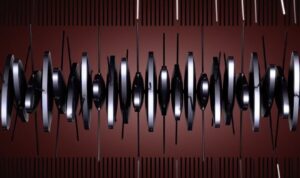
I was inspired Memo Aktens’ work, the one that resembles a spinning scientific instrument. I was drawn to its balance between precision and fluidity.

link here 

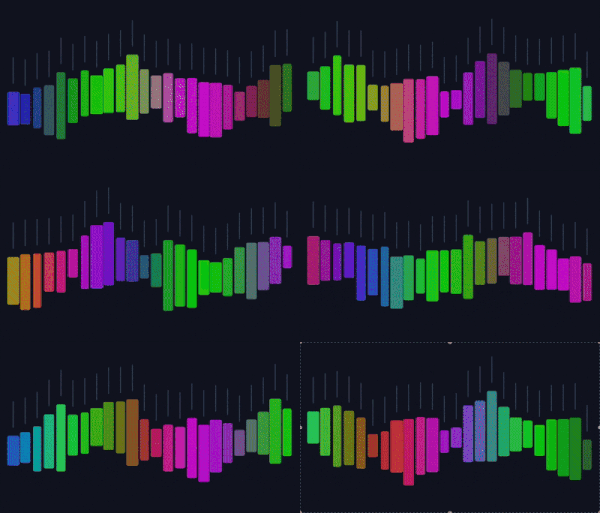
My initial goal was to recreate a similar harmonic-motion-based piece, I wanted oscillation, rhythm, and rotation to drive the visuals. However, as I experimented, the project gradually evolved. Instead of directly duplicating that spinning harmonic structure, I pivoted toward a new direction: a floating piano made of animated blocks resembling musical notes. Rather than recreating the original motion literally, I translated the essence of it: rhythm, repetition, and musicality into something interactive and playful. The piano blocks float gently, react to proximity, and visually echo sound. 

How the Code Is Organized

Block System
blocks[] stores 20 piano blocks, each with position, size, a noise seed for organic motion, and a wasHover flag to detect when the mouse enters. topPoints[] stores the anchor positions for the membrane above.

Animation Logic
drawBlocks() controls floating movement using sine waves and Perlin noise, dynamic height changes, and animated RGB colors driven by layered sine functions.

Interaction + Sound
A bounding-box hover test detects when the mouse is over a block. On hover enter, playKey() triggers a sound, and sine + noise offsets (wx, wy, wr) create a soft wiggle in position and rotation.

Visual Structure
drawTopMembrane() draws a wavy connecting line above the blocks, and drawUI() renders the title and instructions.

A Highlight of Code I’m Particularly Proud Of

One piece of code I’m proud of is the logic that makes each block wiggle when the mouse gets close. When the mouse enters a certain radius, the block responds with subtle oscillation driven by noise / sine-based offsets creating a soft organic wiggle:

// hover hit test

const isHover =

  mouseX > b.x - b.baseW / 2 &&

  mouseX < b.x + b.baseW / 2 &&

  mouseY > y - h / 2 &&

  mouseY < y + h / 2;

// wiggle when hovered

const wiggleAmt = isHover ? 6 : 0;

const wiggleRot = isHover ? 0.18 : 0;

const wx =

  wiggleAmt * sin(t * 18 + i * 2.3) +

  wiggleAmt * 0.35 * (noise(50 + i, t * 8) - 0.5);

const wy =

  wiggleAmt * 0.6 * cos(t * 16 + i * 1.7) +

  wiggleAmt * 0.25 * (noise(90 + i, t * 8) - 0.5);

const wr = wiggleRot * sin(t * 14 + i * 1.9);

push();

translate(b.x + wx, y + wy);

rotate(wr);

fill(r, g, bCol, 200);

rect(0, 0, b.baseW, h, 4);

pop();

Milestones and Challenges

Milestone 1 

My starting point was adapting sketches from class, the ones related to perlin noise and animated rgb circles. I transformed those circular animations into rectangular “note” blocks. Instead of smooth glowing circles, I reshaped them into piano-like elements and adjusted the RGB values to give them a more musical, rhythmic identity. At this stage, I was still exploring how to merge movement and sound visually.

Milestone 2 

Next, I attempted to implement a flipping animation. The idea was that each block would rotate or flip when triggered. However, my first implementation caused all of the blocks to flip at the same time. To fix this, I revised the logic so that blocks would flip sequentially  like a domino effect  instead of simultaneously.

Milestone 3 

I successfully implemented the domino-style flip. Technically it worked but aesthetically it didn’t. The motion felt stiff and visually heavy. It didn’t match the soft, floating piano concept I had in mind. Once I began thinking about incorporating sound, I realized the flipping motion felt too aggressive and disconnected from the intended mood. 

Milestone 4 

Lastly I decided when the mouse moves close to a block, it wiggles. This change brought the project closer to my original intention although it doesn’t look as close to the inspiration as it was, it still has its essence if that makes sense. 

Reflection + Future Improvements

I still want to capture more of the harmonic, spinning elegance that inspired me at the beginning. I think I’m moving in the right direction, but if I had managed to make the flipping motion feel smooth and natural the way I imagined it, I would’ve been more satisfied. If I continue developing this piece, I’d love to refine the motion so it feels more like true harmonic oscillation, and add smoother easing. I also want to revisit rotation, maybe replacing the wiggle with a softer more controlled oscillation and try the flipping idea again. 


Afra Binjerais – Assignment 3

Concept

For this assignment, I built a night-sky inspired sketch using attractors and movers. In class, we used the attractor/mover system to show motion and forces, and I kept thinking: if attractors “pull” and movers “orbit,” that feels a lot like stars/planets. So my concept became a stylized sky at night, with glowing star bodies and drifting trails.

To add a personal twist, I placed my initials (ABJ) in the center as a constellation-like pattern made from many tiny attractor/mover pairs. The initials stay readable, but still wobble and respond to the mouse so they feel “alive.” Also to be honest this assignment wasn’t the easiest for me and isn’t my favorite, but it’s the best I can do so far with attractors and movers and I learned a lot through iteration 🙂

Inspiration

My main inspiration is simply the sky at night: glowing points, soft halos, and a sense of motion even when things are calm. I didn’t copy a specific image but I had the starry night in mind by Van Gogh. 

Sketch

How the code is organized

The code is organized  sections so the behavior stays understandable even as the sketch becomes more complex. I use two main classes: Attractor and Moverwhere attractors apply a gravitational-style force and movers respond with velocity and acceleration. Several helper functions control additional forces: repelFromMouse() pushes movers away from the cursor to add interactivity, applyTurbulence() introduces Perlin-noise-based motion so the movement feels organic instead of mechanical, and springTo() pulls movers back toward a target position. Scene-building functions like addMainOrbitPairs(), addEdgeOrbitPairs(), and addInitialsABJ() handle different visual systems in the sketch, separating setup from animation logic.

Code highlight I’m proud of

The part I’m most proud of is how I built the ABJ initials using point generators + tiny attractor/mover pairs. Each point of each letter becomes a mini “star” that’s pulled into place, wiggles with turbulence, repels from the mouse, and springs back to stay readable:

// Build ABJ using many tiny attractor+mover pairs.
// Each letter point is a fixed attractor with a mover that wiggles around it.
function addInitialsABJ() {
  let cx = 200, cy = 200;
  let letterW = 32, letterH = 48, spacing = 38;

  let oxA = cx - spacing - letterW / 2;
  let oxB = cx - letterW / 2;
  let oxJ = cx + spacing - letterW / 2;
  let oy = cy - letterH / 2;

  let aPts = letterAPoints(0, 0);
  let bPts = letterBPoints(0, 0);
  let jPts = letterJPoints(0, 0);

  for (let [lx, ly] of aPts) {
    let ax = oxA + lx;
    let ay = oy + (letterH - ly); // A is flipped vertically
    initialsPairs.push({
      attractor: new Attractor(ax, ay, 40),
      mover: new Mover(ax + random(-4, 4), ay + random(-4, 4), 1.2, 2, 0.05, 0.05),
    });
  }

  for (let [lx, ly] of bPts) {
    let ax = oxB + lx;
    let ay = oy + ly;
    initialsPairs.push({
      attractor: new Attractor(ax, ay, 40),
      mover: new Mover(ax + random(-4, 4), ay + random(-4, 4), 1.2, 2, 0.05, 0.05),
    });
  }

  for (let [lx, ly] of jPts) {
    let ax = oxJ + lx;
    let ay = oy + ly;
    initialsPairs.push({
      attractor: new Attractor(ax, ay, 40),
      mover: new Mover(ax + random(-4, 4), ay + random(-4, 4), 1.2, 2, 0.05, 0.05),
    });
  }
}

// In draw(): update ABJ using multiple forces so it moves but stays readable.
for (let p of initialsPairs) {
  p.attractor.attract(p.mover);          // pulls toward letter point
  p.mover.applyTurbulence(t * 0.3);      // gentle wiggle
  repelFromMouse(p.mover, 0.6);          // weaker mouse repulsion
  springTo(p.mover, p.attractor.pos, 0.018); // snaps back to letter shape
  p.mover.update();
}

Milestones + challenges

  • My first idea was using an image background (like a starry-night painting) and layering moving stars on top of it. I got it working, but visually it felt more like “decorating an image” than building a system, so I scrapped that direction. 
  • I switched to a fully generated background with glows and stars, and started focusing on the attractor/mover motion as the main design elements

  • Adding the ABJ initials was the biggest step: it made the sketch feel personal and gave me a focal point.

  • Challenge: The hardest part was balancing turbulence. Too little and everything looked static; too much and the motion became chaotic and the initials stopped reading as letters. I had to iterate on turbulence strength and also add a spring force so the ABJ points could move while still returning to a clean letter structure.

Reflection + future improvements

If I continued this project, I would improve the “sky” depth by adding multiple layers of stars that move at different speeds (parallax). I’d also experiment with making the attractors slowly drift so the whole constellation system evolves over time. Also, in this assignment you get the nature of the sky, but it doesn’t feel natural, so that’s something that I need to keep in mind.

Afra Binjerais – Assignment 2

Concept

This sketch explores the movement of trees responding to wind. The main inspiration comes from observing how trees do not move rigidly or instantly, but instead sway, and slowly settle after a gust passes. I was particularly inspired by a reference video showing the collective motion of trees, where the movement feels alive and unpredictable rather than mechanically precise:

@heart_echo_creates

I love watching the trees sway in the wind and the sound it makes…soothing…#fyp #nature #trees #relaxing #naturelover #windy

♬ original sound – Heart_Echo_Creates


Instead of directly animating tree shapes, I focused on simulating the forces that cause the movement, allowing the motion to emerge naturally. The mouse represents wind: when the mouse is pressed, wind is applied, and when it is released, the environment returns to a calmer state.

Sketch

Highlight of some code

This sketch simulates tree movement by using a force-based system built around position (pos), velocity (vel), and acceleration (acc). Wind is applied through the applyWind() function, where a force vector is calculated toward a target and scaled using setMag() to control acceleration strength. Instead of directly controlling position, acceleration influences velocity, which is then damped using vel.mult(0.97) to simulate resistance and prevent abrupt motion. Wind strength is smoothly transitioned using lerp, avoiding sudden changes in force, while Perlin noise (noise()) continuously offsets the field position to create subtle movement even when no wind is applied.

// Acceleration-driven “wind” (force → acc → vel → pos)
applyWind(tx, ty, strength, maxSpeed) {
let target = createVector(tx, ty);
let force = target.sub(this.pos); // direction toward wind target

this.acc = force.setMag(strength); // ACCELERATION is the control
this.vel.limit(maxSpeed); // cap speed so it stays natural
}

update() {
this.vel.mult(0.97); // keeps it tree-like
this.vel.add(this.acc);
this.pos.add(this.vel);
}

Milestones and challenges

Initially, my plan was to have the wind continuously follow the mouse position. However, during testing, I encountered a major issue: when the mouse moved too quickly, the motion became glitchy. I experimented with changing acceleration values to smooth it out, but doing so removed the feeling that made the movement feel like trees.
So I decided to switch from mouse-movement interaction to mouse-press interaction. The wind becomes a controlled event rather than a constantly fluctuating input. This solved the glitching problem and preserved the idea of gust-based movement, which better communicates the behavior of wind moving through trees. Here is a video of when it was following the mouse.

Reflection & future work

With more time I would like to revisit the idea of having the system follow the mouse position more directly, but with improved smoothing techniques that preserve the tree-like behavior. I’m also interested in expanding the project beyond the screen.
One future direction would be integrating a projected camera and Arduino input, where physical movement in space such as camera motion controls the wind force. This would further emphasize the connection between real-world motion and the simulated environment, strengthening the metaphor of wind and trees.

Afra Binjerais – Assignment 1a

Reading on Computational Beauty of Nature

Reductionism is a concept that is new to me and the more I think about it the more true and relevant it feels. In everyday life, I often try to understand problems by breaking them down into smaller parts. Whether that is understanding my own emotions, solving schoolwork etc. it’s just part of human nature. This approach makes things feel more manageable which makes reductionism very important. However, this reading helped me realize that while breaking things down is useful, it does not always tell the whole story. 

In the reading, the author mentions the example of ants, and how a single ant is simple and limited, but an ant colony can build complex structures, organize labor, and survive in ways that no individual ant ever could. An ant cannot live alone, just as humans cannot truly function in isolation. Even though we often think of ourselves as independent individuals, much of who we are and how we behave comes from our interactions with others, and this is truly something I started to believe mostly after the COVID pandemic. 

Prior to reading this, I actually was very fascinated by the ant colonies as I stumbled across a video that shows what ant colonies look like and I feel it is relevant to share. It is so fascinating how a tiny species can create such structures as a collective:

@smartspeakenglish_

How a Billion Ants Built a City 🤯 #history #historyfacts #storytelling #story

♬ original sound – Smart Speak English

Code Production 

Concept

My concept is inspired by the assigned reading for the week and by observing natural systems, specifically the behavior of ants. The random walkers resemble how ants wander, react, and respond to their environment. Ants often appear to move unpredictably, yet their behavior changes instantly when they sense danger.

In this sketch, the walkers behave similarly. When the mouse approaches, they move away, mimicking how ants scatter when something comes too close. The mouse acts as a source of disturbance or threat. When the walkers enter the mouse’s radius, their color shifts to signal “danger.” This color shift, combined with their movement away from the cursor, represents a moment of survival instinct and reaction.

(I chose “Create a random walker with dynamic probabilities” from list 1, and combined it with the walkers shift through a small region of HSB space based on proximity to the mouse from list 2)

Code Highlight

A part of the code I’m particularly proud of is the color shifting behavior that happens when a walker enters the mouse radius. I wanted to keep the code relatively simple since this is my first assignment and I’m still re-familiarizing myself with p5.js after not using it for a long time. I intentionally focused on techniques I remembered from Intro to IM.

// color shifts only inside mouse radius
let r = mouseRadius();
let d = dist(this.x, this.y, mouseX, mouseY);

if (d < r) {
  
  let energy = map(d, 0, r, 1.0, 0.0);

  this.h = BASE_H + 35 * energy;           

  this.s = BASE_S;                       
  this.b = constrain(BASE_B + 25 * energy, 0, 100); 
} else {
  // return smoothly to base
  this.h = lerp(this.h, BASE_H, 0.08);
  this.s = lerp(this.s, BASE_S, 0.08);
  this.b = lerp(this.b, BASE_B, 0.08);
}

Sketch

Reflection & Future Work

Overall, I think this sketch successfully communicates the basic idea, but it is still visually very simple. In the future, I would like to make the piece more aesthetically refined. This could include adding more walkers, adjusting visual textures. Also the walker shift left when the mouse leave the canvas. 

I am also interested in researching ways to make the walkers look more like ants. Right now, the behavior suggests ants, but the visuals do not fully match that idea. Exploring more natural shapes, trails, or even segmented bodies could help strengthen the connection between the concept and the visuals.