Haris – Assignment 10

Concept

For this assignment I was thinking of different ways I could implement the physics engine into some real world examples. One of the first things that came to mind was the pinball game. I remember when I was a kid and my dad bought me a small pinball machine I spent hours playing on it. Since the game is basically pushing a ball and letting it interact with paddles and bumpers it was perfect for this project and the use of Matter.js library.

The concept is similar to the normal pinball game, there is a ball on the far right and in the beginning you have to hit space to push it out of the starting position and then your goal is to control the paddles with the left and right arrows to score as many points as possible by hitting the bumpers until the ball inevitably hits the ground. Since I was working off of personal reference my game had 3 balls per round so I decided to add 3 lives to the game so the user can try to get the highest score.

Since the game elements take a lot of room of the canvas I had to make the canvas pretty big so I would recommend opening the sketch in the new window.

Process

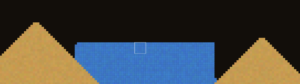
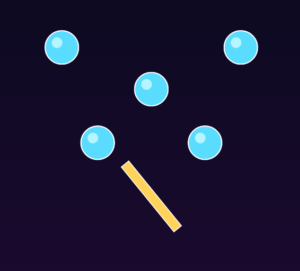
I started the project by first creating an open canvas and just adding the bumpers and the spinner. The bumpers are the key component of the game so I believe the “world” should be created around them and not force them to fit into the “world”.

Once the spinner was working it was time to add the walls and the ball.

function updateSpinner() {
  Body.setAngle(spinner, spinner.angle + 0.04);
}

Making the spinner spin was quite simple and didn’t give me any issues. But then it was time to add the paddles and the collision with the ball.

For this I decided to use the Collision Events:

Events.on(engine, "collisionStart", function (event) {
  for (let pair of event.pairs) {
    let a = pair.bodyA;
    let b = pair.bodyB;

    // Ball + bumper
    if (
      (a.label === "ball" && b.label === "bumper") ||
      (a.label === "bumper" && b.label === "ball")
    ) {
      score += 10;
      collisionFlash = 10;
      shake = 10;

      let bumper = a.label === "bumper" ? a : b;
      bumper.hitTimer = 12;

      let currentBall = a.label === "ball" ? a : b;
      Body.applyForce(currentBall, currentBall.position, {
        x: random(-0.01, 0.01),
        y: -0.015,
      });
    }

After that was done it was time to move to the walls.

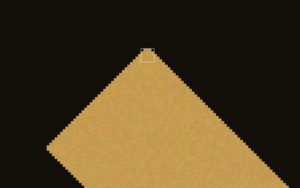
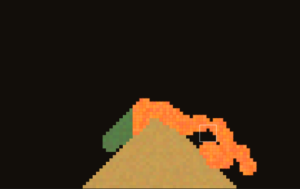
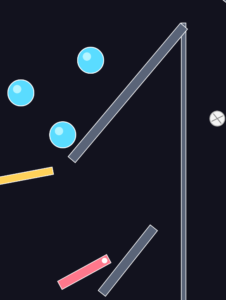
This was my original idea. In reference to what I remember my old pinball machine looking like I wanted to create a small opening where the ball would slide out of. But there was one huge issue with this that I overlooked at the time. If you notice 2 of the walls are overlapping which I didn’t think would be an issue but it proved to be a major one. The bug that kept happening is that because of the overlap the ball kept hitting an invisible wall and kept just bouncing back straight to the beginning. This is obviously a game breaking bug so it needed to be fixed. I tried lowering and raising the angled wall but nothing seemed to fix it because overlapping was the only way of keeping the ball from getting stuck between the 2 walls so I came up with an alternate position for the angled wall so it wouldn’t have to overlap.

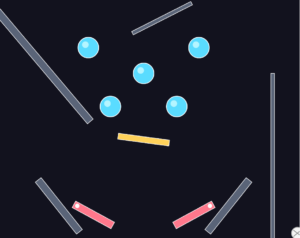
By placing it in the top it didn’t overlap with anything and it also added some diversity to the game as the ball could bounce off of it and create different plays each game.

Another challenge that occurred was that the ball would move too fast and would thus phase through the walls and the paddles which would make the user lose points for doing nothing wrong. So I decided to limit the ball speed.

function limitBallSpeed() {
  let maxSpeed = 16;

  let vx = ball.velocity.x;
  let vy = ball.velocity.y;
  let speed = sqrt(vx * vx + vy * vy);

  if (speed > maxSpeed) {
    let scale = maxSpeed / speed;
    Body.setVelocity(ball, {
      x: vx * scale,
      y: vy * scale,
    });
  }
}

This fixed the issue and made the game much more enjotable.

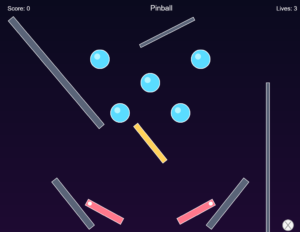
After that it was time for some style changes and just adding the score and lives and game over screen which were quite simple and I also decided to add a screen shake feature when the bumpers are hit for some extra depth. And thus we have the final product.

Code Highlight

One of the most interesting parts of the project is how the paddles are implemented using constraints and controlled rotation, rather than simple position changes.

paddleLeftPivot = Constraint.create({
  bodyA: paddleLeft,
  pointB: { x: 270, y: 610 },
  pointA: { x: -50, y: 0 },
  stiffness: 1,
  length: 0,
});

paddleRightPivot = Constraint.create({
  bodyA: paddleRight,
  pointB: { x: 630, y: 610 },
  pointA: { x: 50, y: 0 },
  stiffness: 1,
  length: 0,
});

This code creates a pivot system, anchoring each paddle to a fixed point in the world. Instead of freely moving, the paddles rotate around these anchor points, similar to real pinball machines.

To control the paddles, I use angular velocity:

// Left paddle
if (keyCode === LEFT_ARROW) {
  Body.setAngularVelocity(paddleLeft, -0.35);
}

// Right paddle
if (keyCode === RIGHT_ARROW) {
  Body.setAngularVelocity(paddleRight, 0.35);
}

And then limit their rotation:

let leftAngle = constrain(paddleLeft.angle, -0.9, 0.25);
let rightAngle = constrain(paddleRight.angle, -0.25, 0.9);

Future Improvements

Overall I am really happy with how the project turned out. I have learned so much about the Matter.js physics system and I am eager to learn more and explore using it in my future projects. As for the improvements and future features I would really like to maybe add music and sound effects to the game as I believe that is a one of the core parts of the original arcade pinball machines. I would also like to maybe add some background images instead of just a gradient background. My pinball machine was green with some cartoon characters on it and many online I have seen have some cartoonish design so maybe exploring that would be the next step, but I don’t want to make it hard to focus on the game so it will need some testing.
Haris – Assignment 9

Concept

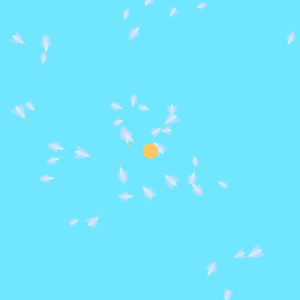
After working on the flocking system for the assignment 8 I wanted to do something similar but also structurally different for this assignment. I wanted to make a collective behavior of the flock, or in this case, the school of fish which changes under extreme circumstances. The system begins in a calm state where fish move in cohesion in a fluid formation until the system is disturbed by a shark that comes to a random vertical point of the screen which makes the fish swim in different directions thus breaking the formation and the flocking system for a shirt period of time.

The project focuses on tension and release, where the calm flock represents order, the shark introduces disruption, and the recovery phase reflects reformation. Rather than presenting a literal narrative, the work aims to explore how collective systems respond to external pressure and how coherence can break and re-emerge over time.

Process

In the beginning my goal was to just add the fish and implement simple movement and flock behavior so I didn’t really focus too much on the look of the fish.

After the flocking behavior was working it was time to add the shark spawning and the fish avoiding it.

Again I was just testing things out so the shark looks more like an ellipse than a fish. But since everything was working correctly it was time to add the colors to the fish and some more details to the shark to get the final design.

Code Highlights

// different phase transition
if (phase === "calm" && phaseTimer > 300) {
  phase = "warning";
  phaseTimer = 0;
  shark.activate();
} else if (phase === "warning" && phaseTimer > 90) {
  phase = "panic";
  phaseTimer = 0;
} else if (phase === "panic" && shark.offscreen()) {
  phase = "recovery";
  phaseTimer = 0;
} else if (phase === "recovery" && phaseTimer > 300) {
  phase = "calm";
  phaseTimer = 0;
  shark.reset(); // prepare for next cycle
}

The structure converts the flocking algorithm into a time-dependent dance routine, in which different algorithms and parameters are used depending on the stage of the process. The system does not remain fixed with one behavioral pattern but moves through various stages without necessarily programming an event sequence.

I also played a bit with linear interpolation (lerp) to make the shift between the calm mode and the panic mode feel more natural rather than abrupt.

this.maxSpeed = lerp(this.maxSpeed, this.baseMaxSpeed, 0.03);
this.maxForce = lerp(this.maxForce, this.baseMaxForce, 0.03);

Future improvements

I am very happy with how the project turned out. I think it demonstrates well the tension and release part of the assignment and I think that choosing to give fish different colors was the right move artistically as it makes the assignment more visually appealing. If I was to add anything to the assignment that would definitely be sound. I believe that maybe different sound depending on the tension or if the shark is in sight would work really well for the overall project. But overall I am happy with the final result and am glad I got to work on flocking mechanism even more.
Haris – Assignment 8

Concept

When thinking about “autonomous agents” in the nature one thing that came to mind were birds. Most of the time they move around by themselves, deciding on directions and the destination for us seemingly randomly, but when in a flock if they are following a leader suddenly they all come together to move in large groups following one. This is something I wanted to recreate in my project.

The user can click on the screen to spawn the leader bird, which will attract the rest of the flock. After the birds have gathered around it they will start orbiting around instead of all just piling up in one place. After which the user can click on another point on the screen and watch as the birds move towards it, each going their own direction and following the flow and the flock.

Process

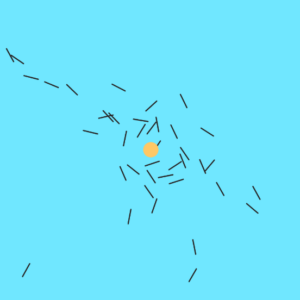
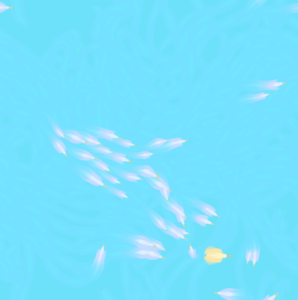
I started by just having lines instead of birds as I just wanted to get the autonomous movement going:

After this was done it was time to add the birds. I decided to create them as pretty simple models, but I also wanted to add some flapping of the wings to make the visuals more appealing.

This was done with the following:

let flap = sin(frameCount * 0.2 + this.pos.x * 0.05) * 0.4;

I used the sin function to make the flapping smooth and natural, but I also made sure that the wings don’t move the the same position at the same times, instead when one moves up the other moves down and vice-versa.

push();
rotate(-flap);
ellipse(
  -this.size * 0.1,
  -this.size * 0.22,
  this.size * 0.9,
  this.size * 0.28
);
pop();

push();
rotate(flap);
ellipse(
  -this.size * 0.1,
  this.size * 0.22,
  this.size * 0.9,
  this.size * 0.28
);
pop();

Once I was happy with the look I decided to make the leader also a bird and allow the user to click to move it. I also decided to lower the alpha of the background to make the birds leave streaks behind so it gives it more of an art aesthetic.

Code Highlight

separate(vehicles) {
  let perceptionRadius = 25;
  let steering = createVector();
  let total = 0;

  for (let other of vehicles) {
    let d = dist(this.pos.x, this.pos.y, other.pos.x, other.pos.y);

    if (other !== this && d < perceptionRadius && d > 0) {
      let diff = p5.Vector.sub(this.pos, other.pos);
      diff.div(d * d);
      steering.add(diff);
      total++;
    }
  }

  if (total > 0) {
    steering.div(total);
    steering.setMag(this.maxSpeed);
    steering.sub(this.vel);
    steering.limit(this.maxForce * 1.2);
    this.applyForce(steering);
  }
}

One important action in this system is separation, where no two birds overlap and flock structure is maintained. Each bird looks at its local neighbors and applies a repulsive force that increases with proximity. The repulsive force increases significantly as distance decreases because it is divided by the square of the distance. This produces a natural spacing effect so that the flock is cohesive but not overly dense.

I would also like to highlight this part of the code:

fill(112, 231, 255, 40);
noStroke();
rect(0, 0, width, height);

Instead of clearing the screen and redrawing the background each frame I decided to dram a rectangle over the screen with a certain color and decrease its alpha. This gradually fades the previous frames instead of just clearing them instantly which makes the birds’ previous position to be visible for a short duration of time. This motion blur is something I wanted to create so we can better visualize  the movement of the birds and it also allows the user to create a canvas where they paint on by moving the leader and letting the birds paint as they move towards it.

Future improvements

I am really proud of how the project turned out in the end. If I was to add any other features that would probably be adding different colors for the birds and their trails as well as maybe playing with sound somehow as that is something I haven’t really worked on much before. Overall I am happy with the end result and have learned more about p5 while working on it.

Haris – Midterm

The Digital Milky Way

Concept

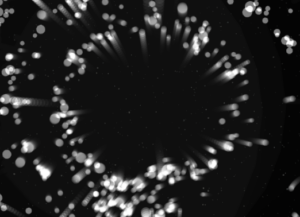
When thinking about the midterm project I was trying to come up with a design that would be both enjoyable to build and beautiful for the viewers to experience. Something that has always fascinated me with both intrigue and beauty is the space, endless galaxies, start, planets… So my goal was to recrate some of that in p5 and try to make an artwork out of it.

I had also worked on space design for my previous assignments and found that those were the assignments I enjoyed working on the most and the ones that in my opinion turned out the most beautiful so the decision was obvious and quickly made.

Like many other projects of mine I didn’t want the user to be just a viewer. I wanted everyone to be able to experience the artwork by interacting with it. So besides adding the 3 modes that can be accessed with pressing numbers 1,2 and 3 on the keyboard I also implemented a click function which pushed away the particles creating interactive art.

The three modes

The project is divided into 3 different states all showing another beautiful part of space.

1. Planet with a ring

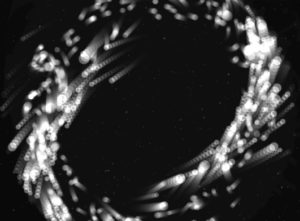
The first mode is inspired by Saturn which is known for its beautiful ring that circles it. It is also inspired by  my previous work where all my planets had rings. I think this brings depth to the planets and makes them more than just colored circles on the screen. For the ring I decided to integrate a particle system that we have been using in class which did make the project look way better, but also did give my laptop some troubles which I will talk more about later.

2. Black hole

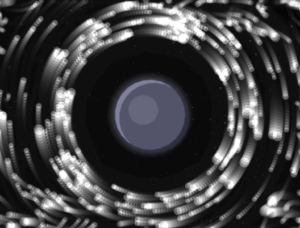
The second mode of the project takes us into the fascinating world of black holes. To be more precise, the second mode gives the user the ability of the black hole at their fingertips, or should I say, mouse pointer. The particles are now start being dragged into the black hole as the planet disappears outside of the users view.

2.1 Black hole “sub-mode” (It’s not a bug its a feature!) 

When testing and implementing all the different modes I discovered something very interesting. If, during the 2nd mode, the user puts their mouse in the middle and lets the particles come together and then quickly removes the mouse it makes the particles explode in different directions creating a beautiful scene. I decided to leave the bug and use it as a feature in the design.

3. Galaxy

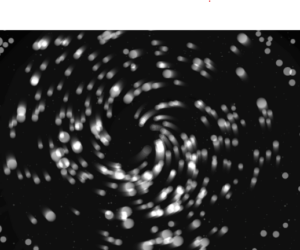
The third and final mode is the galaxy mode. Inspired by our galaxy, The Milky Way, it is supposed to represent the beautiful formation of galaxies in and outside of our observable universe. Particles are the main theme of this mode as they create a loop like shape that simulates galaxies. But since I felt that this mode could have some extra interactivity I implemented the click mechanic that pushes particles away.

I believe all the modes turned out how I wanted them to be and one of my favorite things to do is switch between modes and watch how the particles react to the different states they are given and I hope the users will enjoy them too.

Milestones

The road from the blank canvas to the finished product was a fun one but it did bring some challenges along the way. In the following passage I will try to explain some of the systems implemented in the project and how they work as well as walk you through some challenges I faced and what I did to overcome them.

From the start of the project I knew I was going to work with the particle system and guided by previous experience from class where my laptop kind of struggled to run the basic particle system I knew I was in for a ride. But to make my life easier, before implementing the particle system using textures and WEBGL I decided to create them with simple dots that my laptop would be able to run and which I could later replace for particles.

This turned out to be a great idea as it helped me develop the logic without making my laptop work too hard so I could focus on the logic more than worrying about performance.

Orbit mode

The orbit mode was used as a base for the whole project. Essentially, I wanted to simulate a static planetary system where all objects moved in a predetermined circular pattern. Instead of coding circular motion, I wanted to implement a combination of forces to simulate such a system.

Each particle is assigned a target radius, which determines the ring it belongs to. These radii are grouped into bands to create multiple layers of rings:

let targetR =
  band < 0.60 ? random(115, 170) :
  band < 0.90 ? random(185, 245) :
                random(265, 335);

There are also multiple forces that act on the particles to create the orbit effect.

Gravity like attraction:

let grav = toCenter.copy().mult(0.14 * planet.massScale / (1 + d * 0.006));

Tangential force:

let tangential = createVector(-toCenter.y, toCenter.x);
tangential.mult(0.22 * planet.spin);

Spring force:

let err = d - p.targetR;
let spring = toCenter.copy().mult(err * 0.008);

Together all of these help create the ring like structure we see on the screen.

Galaxy mode

One of the most important design decisions was to re-seed particle positions when switching to galaxy mode:

initGalaxy();

Instead of placing particles in discrete rings, they are distributed in a dense radial disk, with higher concentration near the center:

let diskR = 18 + (-log(1 - u)) * 60;

Also a characteristic of galaxies is the fact that particles closer to the center rotate faster than those further away. I implemented this using:

let orbit = 1.0 / sqrt(r * 0.85)

Thankfully I didn’t have any major challenges other than my laptops performance and the rest of the project went smoothly. I had to increase the pixel density when I was saving the photos but since my laptop struggles so much to run it I returned it to 1 so I could actually watch my project.

Video documentation

Video showcasing the interaction withing the project:

Final sketch

Reflection and Future Improvements

Working on this project was very fun and scary at the same time. It was fun to get to implement things that we have worked on in previous classes and to bring everything together into one project, but it was scary to think about everything that could go wrong on such big project and to have to worry about laptop performance holding me back.  But overall I am very happy with how the project turned out and am excited for others to experience it also.

As for the future improvements I would definitely love to play with colors and add more planets and different galaxies to the project. I would also maybe explore implementation of sound in some way but am not sure what kind at this moment.

Haris – Assignment 7

Inspiration

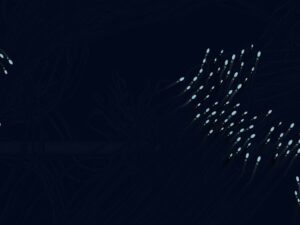
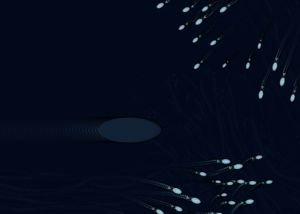
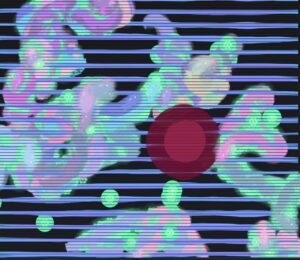
The inspiration for this project comes from Team Lab’s Graffiti Nature and Beating Earth from Team Lab Phenomena Abu Dhabi. I was inspired by the fact that the installation uses digital ecosystems to create something that feels alive, immersive, and responsive to human presence. The creatures within the installation are soft, glowing, and constantly moving, while the environment does not necessarily feel like an animation, but rather something that feels alive and responds to the things that are happening within it.

This does not simply show moving creatures and plants within an environment; rather, it feels like an entire ecosystem that incorporates life, growth, and death. This became the basis of my project and the reason I choose this visual.

My twist

My initial twist was to introduce the idea of healing versus pollution. While the original project centers on a living, breathing ecosystem, I wanted to take it a step further to highlight the effect of human intervention on such an ecosystem.

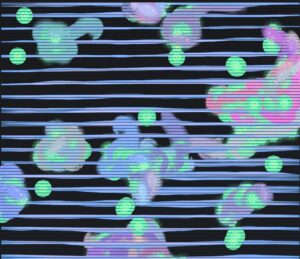
In my sketch, I wanted to provide the user with some power. Glowing flower-like seeds, spawn around the canvas and serve as an energy source for the fish. The user also has the power to spawn flowers on click which gives the user a constant choice between helping and damaging the environment. This would enable the fish to thrive and reproduce. On the other hand, I wanted to provide the user with another power: to introduce pollution blobs to the environment. The fish would start avoiding the place of pollution simulating real life where our pollution and wrongdoing force away the creatures, or in this example fish, from their natural habitat. This twist provided more depth to the project. Instead of simply recreating an animated ecosystem, I was able to transform it into a system where the user was responsible for creating a world.

Process

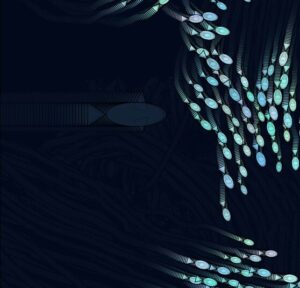
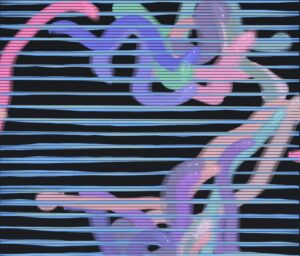
At first I started with the simplest step, the background. I noticed that in the Team Lab space the background had subtle lines that would give the space more depth and maybe try to simulate being under water.

This was done just by using simple lines and playing withe the color and placement. Once I was happy with the background it was time to go onto more exciting stuff and that was adding the fish. At first I was a bit scared of tackling this task as I was afraid simple design would make the project look too bland so I decided to add some glow effect and transparency as well as adding a subtle trail behind the fish to make the project look like a real time piece of art.

After the fish were done it was time for the final steps of adding the seeds spawning and the ability for the user to spawn pollution.

Code I am proud of

One part of the code I am particularly proud of is the logic that allows the fish to detect and move toward the nearest seed. I like this section because it makes the creatures feel more alive and intentional. Instead of moving randomly across the screen, the fish respond to the environment by seeking out glowing seeds, which helps create the feeling of a living digital ecosystem.

// attracted to healthy seeds
let closestSeed = null;
let closestSeedDist = Infinity;

for (let s of seeds) {
  if (!s.healing) continue;
  let d = dist(this.pos.x, this.pos.y, s.pos.x, s.pos.y);
  if (d < closestSeedDist) {
    closestSeedDist = d;
    closestSeed = s;
  }
}

if (closestSeed && closestSeedDist < 180) {
  let desired = p5.Vector.sub(closestSeed.pos, this.pos);
  desired.setMag(0.12);
  this.applyForce(desired);
}

This simple implementation makes the world feel so much more alive and brings my recreation much closer to the original Team Lab project.

Future improvements

I am already really happy with the final result, but if I was to add anything new it would probably be the explosion mechanism that the Team Lab uses. This would be a fun implementation and I could probably use the particle system that we learned in class how to use, but because of the timeframe I decided not to include that in the current state of the project. Overall I am happy with the final result and have learned that recreating someone else’s work with a twist is actually an amazing way to learn and practice p5.

Haris – Midterm Progress

Concept

For the midterm I decided to go back to space theme like I did in assignment 3. I really liked the design of the planets I came up with and wanted to possibly further explore that design with adding particles as an addition. I want again to use the planets as attractors but I would like to explore the idea of using the particle systems as little particles in space that go around these planets and make different constellations like Saturn’s ring.

Implementation

  • Background atmosphere

    • Stars placed in the background randomly.

    • A starfield with subtle twinkling for texture and scale.

  • Planet body

    • A solid planet drawn with  shadows and rings to give depth.

  • Ring particle system

    • Each particle is assigned a target ring radius (three radius “bands”).

    • Motion is driven by a combination of forces:

      • Inward pull (gravity-like) to keep particles bound to the planet.

      • Tangential swirl to create orbit motion.

      • A spring force that pulls particles back toward their target radius so the ring stays structured.

Light damping/drag to keep it smooth and stable.

States/variation

At this point in time I still don’t have multiple states of the sketch, I am still thinking about what I could make different exactly for now some ideas were either placing different kinds of planets that have varying gravitational pull or removing the planets to create galaxy like objects. Or potentially giving an option to add multiple planets.

Scary parts

Right now the scariest part was actually making the particles go in a circle around the planet. I achieved this by doing the following:

First I calculate the vector pointing from a particle to the planet

let toCenter = p5.Vector.sub(planet.pos, p.pos);
let d = max(toCenter.mag(), 1);
toCenter.normalize();

After which I create a tangential force which actually gives the particles the circular motion

let tangential = createVector(-toCenter.y, toCenter.x);
tangential.mult(0.22 * planet.spin);
p.applyForce(tangential);

I also added some pull to keep the particles from going away

let grav = toCenter.copy().mult(0.14 * planet.massScale / (1 + d * 0.006));

And that’s how I created the ring around the planet. I am just a little worried if making the galaxy style sketch would bring more complexity to the design and if I will need to use something different for the particle movement.


Haris – Assignment 4

Concept

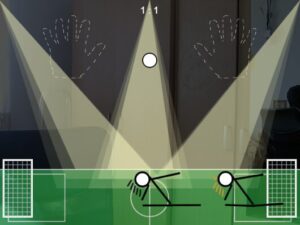
When looking at Memo Akten’s work there was one piece that really took my attention. It was the “Simple Harmonic Motion #12 (2015)”. This although seemingly simple work with people hitting drums with their flashlight really caught my attention by the way it was done with playing with the lights and having all the actors “controlled by the computer”. So I decided that this is the perfect piece to somehow try to recreate in a similar way in p5.

Process

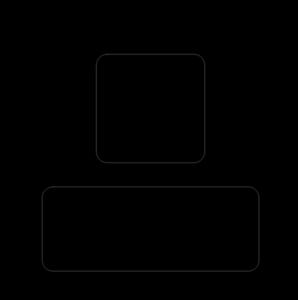
To begin with i first made the “map”. I decided to go with a “stage” looking design to fit the theme so to create something that fits what I imagined I made a completely black background with gray boxes to indicate stages where the people could move.

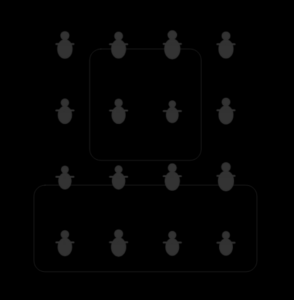
After it was time to create the performers. I created a performer class where I could create each of the human like performers that would move around the screen. I also decided to give them hands to give them some personality.

At first I experimented with random timing for movements, but this did not feel intentional or rhythmic. The animation looked chaotic rather than composed. To fix this, I replaced random triggers with sine wave oscillators, meaning that every action was driven by harmonic motion instead of randomness.

let g = (sin(frameCount * 0.02 + this.pid * 0.7) + 1) * 0.5;
this.onStage = g > 0.65;

let a = (sin(frameCount * 0.05 + this.pid) + 1) * 0.5;
this.armTarget = a > 0.75 ? 1 : 0;

After motion was working, I implemented the spotlight effect. Rather than drawing a single circle of light, I layered multiple translucent ellipses. This creates a gradient glow that visually resembles stage lighting and feels more organic than a flat shape.

The final step was adding sound. Each time a performer raises their arms while in the spotlight, a drum sound is triggered. I detect this moment by checking for a transition from arms-down to arms-up. This event-based logic ensures the sound only plays at meaningful moments instead of continuously.

Code Highlight

The proudest part of my project was definitely the movement.

let g = (sin(frameCount * 0.02 + this.pid * 0.7) + 1) * 0.5;
this.onStage = g > 0.65;

let a = (sin(frameCount * 0.05 + this.pid) + 1) * 0.5;
this.armTarget = a > 0.75 ? 1 : 0;

I am particularly proud of this part because it captures the entire conceptual idea in just a few lines of code. Instead of manually controlling each performer or assigning scripted movements, each performer is moved by a sine wave with a slightly different phase offset. This means every performer follows the same rule but behaves differently over time.

Future Improvements

If I were to continue working on this project I would maybe like to add some interactivity into it. At this point in time I am not sure how interactivity would work on this project and in what sense it could be implemented so I would love some suggestions. I would also maybe work a bit on visuals, but overall I am really happy with the final project.

Haris – Assignment 3

Concept

For this week’s assignment I wanted to recreate one of the most beautiful motions in nature, shooting stars. My idea was to have the stars fall from the top but be affected by the planets gravity which changes their direction. I also decided to add a path (line) behind the shooting starts which slowly filles up the screen and creates this beautiful drawing of all the paths the stars took. The users can also click on the screen to move the planets around and thus create completely unique paths every time.

Process

First order of business was to create the star filled background and to add planets. This is also when I added the click to add planets function so I wouldn’t have to deal with it later.

After this was done it was time to get started on adding shooting stars. I decided to also give them a trail so they would actually look nicer while “falling” and wouldn’t just be a ball passing by.

This is done by first saving the last position of the star as the first one in the array:

// save tail
this.tail.unshift(this.pos.copy());
if (this.tail.length > this.tailMax) this.tail.pop();

After which we draw the tail on the last position of the star with this:

draw() {
  // Tail
  for (let i = 0; i < this.tail.length - 1; i++) {
    let a = map(i, 0, this.tail.length - 1, 220, 0);
    let w = map(i, 0, this.tail.length - 1, 10, 1);
    stroke(255, 255, 255, a);
    strokeWeight(w);
    line(this.tail[i].x, this.tail[i].y, this.tail[i + 1].x, this.tail[i + 1].y);
  }

And now we have a tail following the star. I also added the “this.tail.pop()” to make sure the last position in the array (not the starts last position, technically the “first” ones) is deleted to keep the array shorter. And now we had shooting stars in the sketch.

But I felt like something was missing so I added the lines that are left behind the start so add a nice trail like drawing to the experience. To do this I decided to use createGraphics to keep it cleaner and more organized and to make sure the paths will always be visible. Using createGraphics also allowed the trail drawing to persist independently of the main animation loop, which clears each frame. This separation made it possible to accumulate motion into a lasting visual pattern.

pathLayer = createGraphics(width, height);
pathLayer.clear(); // transparent at the start

let prev = s.pos.copy();
s.update();
// draw path
pathLayer.stroke(255, 35);
pathLayer.strokeWeight(1.2);
pathLayer.line(prev.x, prev.y, s.pos.x, s.pos.y);
s.draw();

The prev stores where the star was before updating and the update moves the star. Then we use .line to create the path which when run every frame creates the path that we see in the final product.

Code Highlight

Even though my proudest part of code is the path layer one where I create a path behind the shooting stars, since I went over that part of the code I will explain my second proudest.

function solarWind(x, y) {
  let a = noise(x * 0.01, y * 0.01, frameCount * 0.01) * TWO_PI * 2;
  return p5.Vector.fromAngle(a).mult(WIND);
}

This, even though simple code I believe adds a nice touch to the overall feel and vibe of the sketch. Rather than applying random turbulence, I used Perlin noise to generate a smooth directional field across space. The noise value is converted into an angle and then into a vector, producing gentle, continuous variations in star motion. This force adds complexity without visual chaos, allowing trajectories to subtly diverge while still being primarily governed by planetary gravity.

Future Improvements

I am incredibly proud of how the final code turned out, but if I was to change anything in the future I would probably play with the color of the path that follows the shooting stars and or maybe it’s thickness. I would also explore the possibility of adding more planet options or maybe even planet star collision system.

Haris – Assignment 2

Concept

For this weeks assignment we were asked to mimic movement we saw in the nature. To find out what I will do I decided to take a walk around the campus and observe movement around me. Other than students rushing to classes I also observed the trees moving under the subtle wind, but specifically I noticed the leaves falling off of the trees. This made me think, the movement of the leaves is not just done by the gravity pulling them towards the ground, but also by the wind pushing them around. I decided to try and mimic this movement.

I also wanted the sketch to be interactive so I gave the user “the power of the wind” with their mouse. So if you move your mouse closer to the leaf it will move away from it, simulating the wind in real life and how if affects a falling leaf.

Process

After getting the idea I decided to get straight to coding it. The first order of business was creating the background which includes the sky, the ground and the trees. But I didn’t want to just create a background that would be the same for everyone, I wanted to give some sense of randomness. So I came up with an idea to make a forest that randomly generates every time.

After I was happy with this and I made sure the generation would be random it was time for the more difficult task and that was actually adding the leaf that falls down and adding the required logic to make it swirl a bit so it doesn’t really just fall like a rock.

class Leaf {
  constructor(x, y) {
    this.pos = createVector(x, y);
    this.vel = createVector(0, 0);
    this.acc = createVector(0, 0);

    this.size = 26;

    // Rotation
    this.angle = random(TWO_PI);
    this.spin = random(-0.03, 0.03);

    // Motion
    this.flutterStrength = 0.06;
    this.flutterChance = 0.02;
    this.dragK = 0.02;

    // Background wind
    this.windT = random(1000);
    this.baseWindStrength = 0.18;
  }

I created a leaf class that would “manage” all the leaves.

I was really happy with the result, but there is one issue with this. The leaves start from way up above the trees so it looks pretty unnatural. To fix this I created a new function which would spawn a leaf on a random tree foliage.

function spawnLeafFromTree() {
  let t = random(trees);

  // Spawn somewhere near the canopy
  let x = t.x + random(-t.canopyW * 0.25, t.canopyW * 0.25);
  let y = t.trunkTopY + random(-t.canopyH * 0.35, t.canopyH * 0.05);

  return new Leaf(x, y);
}

And this is how I got the final result and something I am happy with.

Code Highlight

// Leaf swinging
if (random(1) < this.flutterChance) {
  let up = createVector(0, -random(0.4, 1.0) * this.flutterStrength * 10);
  let side = createVector(random(-1, 1) * this.flutterStrength * 6, 0);
  this.applyForce(up);
  this.applyForce(side);

  this.spin += random(-0.05, 0.05) * this.flutterStrength;
}

This part of the code is responsible for the subtle swinging of the leaves. It makes their movement natural so they don’t just smoothly fall on the floor by introducing upwards, sideways and rotational impulses simulating that brief moment when a leaf catches air as it falls. I am proud of all the little math that went into it and it was honestly fun tweaking numbers to get the right movement I was happy with.

Future improvements

In the future I would like to add a bit more functionalities and possibly gamify the sketch. I like how the leaves fall and how they all pile up at the bottom but maybe I would add a feature where the mouse wind would move the ones on the floor and maybe the point will be to clean the garden. Due to the deadline I didn’t add these features yet but it is definitely something I will continue working on and improving. Overall this was a really fun project and I can’t wait to explore it further.


Haris – Reading Response

One idea that really stood out to me was the critique of reductionism and emphasis on emergence. The author argues that while breaking a system into parts can help us understand structure, it fails to explain the behavior when many parts interact together. I really liked the example of the ant colonies as the every single ant follows just simple rules, but together the colony displays intelligence, coordination and problem solving. This really made me think how intelligence doesn’t really require complexity at an individual level, it can arise from interactions.

What also really stood out to me was the idea that we should focus less on “What is X” and more on “What will X do in the presence of Y”. This feels really connected to interactive media and computation in general as behavior emerges through systems rather than  isolated elements. The reading made me really think about if complex systems can immerge from simple rules how much creative control do we really have when designing a system? But overall I really enjoyed the reading and I can surely say it has changed how I think about complexity and the connection between systems and nature in general.