Assignment 10- Bee swarm

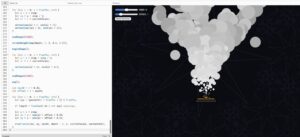
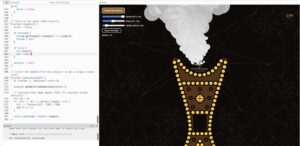
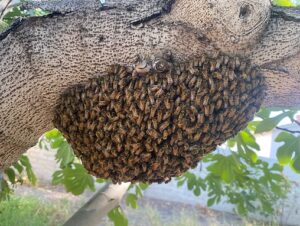
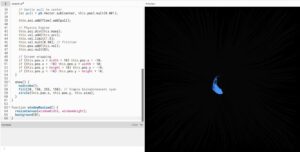
ConceptThis project explores swarm behavior as something emotional rather than purely biological. I was interested in how a group can move together without ever fully becoming one thing. Instead of treating the bees as literal insects, I approached them more like particles of attention or energy that are constantly negotiating space, attraction, and distance.

The interaction is centered around the mouse, which acts almost like a shifting force field. The bees are drawn toward it, but never fully settle. They resist each other through separation forces, creating a constant tension between clustering and dispersing. I wanted the movement to feel alive, slightly unpredictable, and never static.

Visually, the hexagonal grid references a honeycomb structure, but it is not rigid or dominant. It behaves more like a responsive environment. When collisions happen, the grid lights up and ripples expand outward, turning invisible physics interactions into visible traces. This transforms collisions from purely mechanical events into something more atmospheric and expressive.

Inspiration came loosely from flocking systems, especially murmuration patterns, as well as particle simulations that feel soft and organic rather than rigid. I was also thinking about systems where small interactions leave temporary marks in space.

Code Highlight (What I’m Proud Of)

One part of the code I’m particularly proud of is the behavior system where multiple forces are layered together to create the swarm effect:

// SEEK MOUSE
let seek = p5.Vector.sub(mouseVec, pos);
seek.normalize();

Body.applyForce(b, b.position, {
  x: seek.x * strength,
  y: seek.y * strength
});

// SEPARATION
if (d < 25) {
  let escape = p5.Vector.sub(pos, otherPos);
  escape.normalize();
  escape.mult(0.0002);
  Body.applyForce(b, b.position, { x: escape.x, y: escape.y });
}

What I like about this is that the motion is not coming from one rule, but from multiple competing forces. The bees are simultaneously being pulled, pushed, and slightly randomized through noise. That layering makes the system feel less artificial and more like something emergent.

Embedded Sketch

Milestones and Challenges

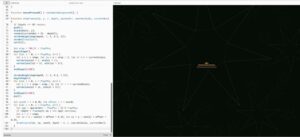
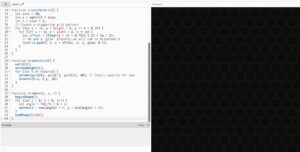
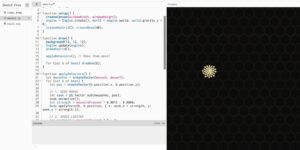
Milestone 1: The Hexagonal Environment

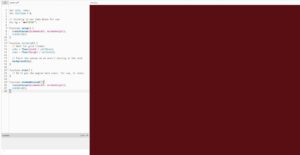
Setting up the basic p5.js canvas and draw the background pattern. I didn’t add physics yet, just using math to tile a grid of hexagons.

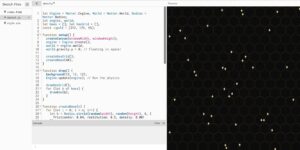
Milestone 2: Introducing Physics & Spawning Bees

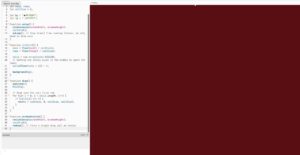
Bringing in Matter.js. I created the physics engine, turn off gravity so things float, and spawn our “bees” (physical circles) into the world.

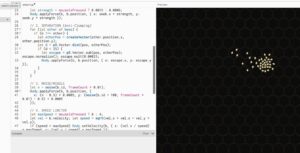
Milestone 3: Following the Cursor

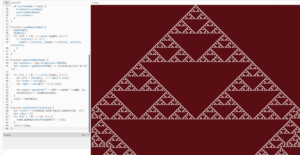
Applying physical forces to make the bees seek the mouse. I also added a speed limiter so they don’t accelerate infinitely and fly off the screen.

Milestone 4: Organic Swarm Movement (Separation & Wiggle)

I added a “Separation” force that pushes the bees away from each other if they get too close, and Perlin noise to make them wiggle like real insects.

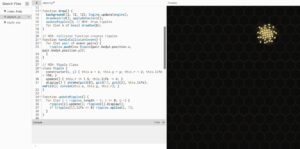
Milestone 5: Detecting Collisions & Drawing Ripples

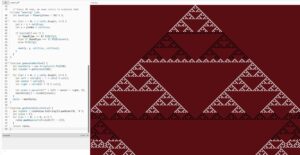
I Introduced the Events.on() listener. Whenever the Matter.js engine detects two bees colliding, it spawns a new Ripple object at that exact coordinate, which expands and fades away.

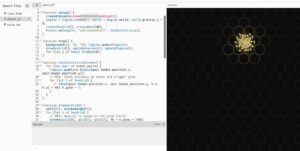
Milestone 6: The Final Polish (Hexagon Glow)

During collisions, I now check the distance between the collision point and our grid of hexagons. If a hexagon is close, its glow value is set to 1. In drawHexGrid, this glow translates to opacity, fading out slowly over time using h.glow *= 0.96.

Reflection and Future Improvements

Looking back, the project successfully explores how forces can be layered to produce emergent behavior. The combination of attraction, separation, and noise creates a system that feels alive and responsive rather than scripted.

The collision system works well visually, but it is currently limited to collisionStart. If I were to develop this further, I would explore additional collision events like collisionActive and collisionEnd to create more sustained or evolving effects, such as continuous glowing or gradual decay tied to contact duration.

I am also interested in pushing the visual language further. Right now, the bees are quite minimal. There is potential to experiment with scale, transparency, or trails to make the swarm feel even more atmospheric.

Another direction would be to shift the interaction away from the mouse and explore autonomous behaviors, where the system evolves on its own or responds to less direct inputs.

I feel like this project helped me think of physics not just as simulation, but as a design tool for shaping movement, interaction, and visual rhythm.

assignment 9; flocking system

Concept + References

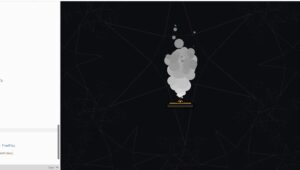
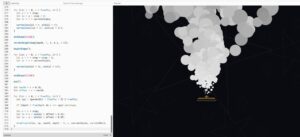
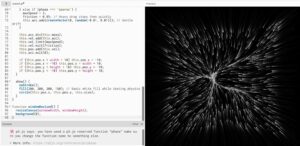
I didn’t want to make a “flocking simulation” in the traditional sense. I wanted something that feels alive but also unstable. Something that holds itself together, then loses control, then collapses.

The system is structured as a looped lifecycle with four distinct phases: organism, boil, shockwave, spores

Each phase shifts not just motion, but also energy, density, and emotional tone. It’s less about birds flocking and more about a body going through pressure, rupture, and release.

I was really inspired by Ryoichi Kurokawa’s work, especially how he uses temporal disruption instead of just spatial complexity. His visuals feel like they’re glitching in time, not just moving fast.

I was also thinking about Robert Hodgin’s particle systems, especially how they feel dense and intentional rather than random. His work made me care more about composition, not just behavior.

So instead of just coding movement, I focused on how particles occupy space, how density creates visual tension, how color and blending create a kind of “liquid light”

Highlight of Code I’m Proud Of

I think the strongest part of my system is how the phases are structured and how each one completely redefines the physics:

function getPhase(t) {
  if (t < 13000) return 'organism';     
  if (t < 21000) return 'boil';         
  if (t < 24000) return 'shockwave';    
  return 'spores';                      
}

This simple structure lets the whole system evolve over time instead of staying static.

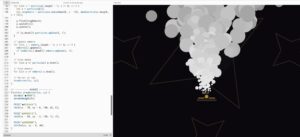
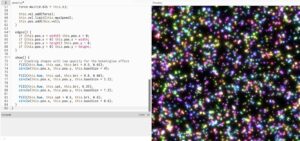
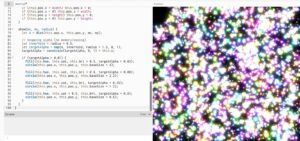
But what I’m most proud of is the shockwave phase. Instead of just pushing particles outward, I introduced a temporal glitch:

if (frameCount % 4 === 0) {
  this.vel.mult(0.1); 
} else {
  let blastAngle = random(TWO_PI);
  let blast = p5.Vector.fromAngle(blastAngle).mult(5);
  this.acc.add(blast);
}

This creates a stuttering effect where particles freeze and explode intermittently, which feels much more chaotic and alive than a smooth explosion. It’s not just movement, it’s disruption.

Embedded Sketch

Milestones 

Milestone 1: The Basic Flocking Organism

Before I could build a complex timeline, I needed a base system. I started by creating 1,000 particles and using Perlin noise to guide their movement. I added a gentle pull toward the center of the screen so they wouldn’t just scatter. I also drew a low-opacity background every frame to create soft motion trails.

Milestone 2: Introducing the Time Machine

Once I had my organism floating nicely, I wanted the environment to change over time. I created a 30-second loop using millis() and wrote a getPhase() function to track time. I then updated my particle’s physics engine to react completely differently depending on whether it was in the organism, boil, shockwave, or spores phase.

Milestone 3: The Final Visuals and Additive Blending

The physics were working perfectly, but it felt a little stiff visually. For my final step, I mapped specific colors to the timeline so the sketch would transition from cool cyan to boiling orange, into blinding white sparks, and fade out into grey dust.

To give it that volumetric, glowing liquid feel, I implemented blendMode(ADD) in the draw loop, and I instructed larger particles to draw a secondary, highly transparent circle behind them.

Reflection

I think what worked best in this piece is the sense of tension and release.

The “organism” phase feels calm but slightly eerie, like something is forming. Then the “boil” phase starts introducing discomfort and instability. The “shockwave” is the breaking point. And the “spores” phase feels like exhaustion, like everything just gives up and drifts.

I also paid a lot of attention to:

  • blending modes (ADD made everything feel volumetric and glowing)
  • motion blur through background fading
  • particle size variation to create depth

I didn’t want it to look like dots moving. I wanted it to feel like matter.

Future Improvements

If I were to push this further, I would:

  • Make transitions between phases more gradual instead of abrupt
  • Introduce sound and sync the phases to audio (especially inspired by Kurokawa)
  • Add interaction, maybe letting the mouse disturb the system
  • Experiment with depth or layering to make it feel even more spatial
  • Refine color transitions so they feel less mapped and more emergent

Also, I think there’s potential to push the narrative more. Right now it suggests a lifecycle, but it could become something more specific or symbolic.

Final Thoughts

This project made me realize that generative systems don’t need to just simulate nature. They can simulate states, emotions, or conditions.

It’s not about particles.
It’s about what they feel like together.

Assignment 8- steering behaviors

Concept + References / Inspiration

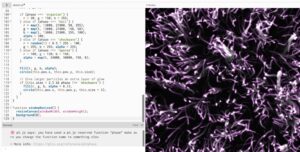
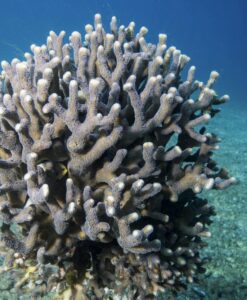
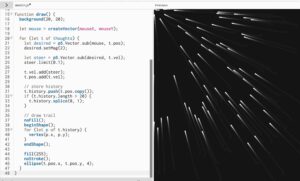
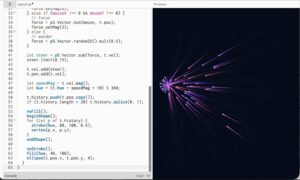
This sketch visualizes thoughts as a living system, behaving somewhere between a school of fish and coral formations. I was especially drawn to corals as a reference, not just visually but structurally. Corals are collective, slow, reactive organisms that grow through accumulation and interaction rather than control. That felt very aligned with how thoughts operate.

Instead of treating thoughts as isolated units, I approached them as a soft ecosystem. They cluster, avoid, drift, and react to an external stimulus, which in this case is the mouse acting as a “focus point” or “idea.” When the interaction is calm, thoughts gather and stabilize. When it becomes too fast or erratic, they scatter, almost like a disturbance in water.

There’s also influence from generative systems like flocking and steering behaviors, but I wanted to move away from purely mechanical logic and make it feel more emotional. The system shifts between states: wandering, focusing, and panicking. That transition is what makes it feel alive to me.

Code Highlight (something I’m proud of)

One part I’m particularly proud of is the behavior system tied to mouse speed, especially how it shifts between different “mental states”:

if (mouseSpeed > 40) {
let panic = this.flee(mouse);
panic.mult(3.5);
this.applyForce(panic);
this.maxspeed = 10;
} else if (mouseX !== 0 && mouseY !== 0) {
let arriveForce = this.arrive(mouse);
let separateForce = this.separate(allThoughts);arriveForce.mult(1.0);
separateForce.mult(1.5);this.applyForce(arriveForce);
this.applyForce(separateForce);
this.maxspeed = 4;
} else {
let wanderForce = this.wander();
wanderForce.mult(0.5);
this.applyForce(wanderForce);
this.maxspeed = 2;
}

I like this because it’s simple but expressive. It turns a technical input (mouse velocity) into something that feels psychological. The system isn’t just moving, it’s reacting, almost like attention and overwhelm are being simulated.

Embedded Sketch

Milestones 

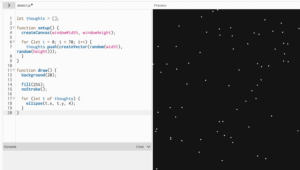
✦ milestone 1  baseline dots

it started as just points on a screen, nothing intelligent, nothing reactive. just scattered presence. like the baseline state of a mind before anything kicks in, just existing, quiet but full.

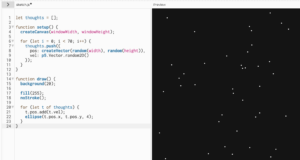
✦ milestone 2  random motion

then they started moving, but without direction. drifting, floating, no purpose. it felt like background thoughts, the kind that just pass through you when you’re not paying attention to anything specific.

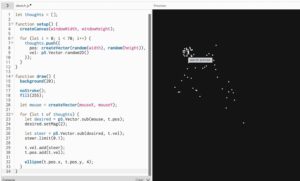
✦ milestone 3  steering toward focus

this is where intention entered. everything began to move toward the mouse, like trying to focus on something. it’s not perfect, it overshoots, it adjusts, but there’s a clear pull. like when you’re trying to gather your thoughts into one place.

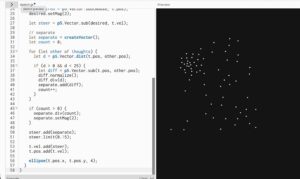
✦ milestone 4  separation

once everything started gathering, it became too much, everything overlapping, collapsing into one point. so separation was introduced. thoughts began to keep distance from each other, like needing space to think clearly. it stopped being chaos and started feeling structured.

✦ milestone 5  trails (memory)

then memory appeared. each thought started leaving a trace behind it. nothing fully disappears anymore. even when it moves on, something lingers. this is where the system stopped feeling like motion and started feeling like time.

✦ milestone 6  color and mood

movement started affecting visuals. faster thoughts became brighter, more intense. slower ones stayed softer. the system began expressing mood, not just behavior. it became less about where things are and more about how they feel.

Reflection + Future Work

This project made me think a lot about how behavior systems can move beyond being purely functional and start becoming expressive. Small parameter changes completely shift the emotional tone of the piece, which I found really interesting.

If I were to develop this further, I would push it in a few directions. I want to explore more coral-like growth over time, where thoughts don’t just move but also accumulate or leave behind structure. Right now, everything is transient, but memory could become spatial.

I’m also interested in introducing clusters or hierarchies, where some thoughts carry more weight or influence others, instead of everything behaving equally. That could create moments of tension or dominance within the system.

Visually, I would refine the trails to feel even more organic, maybe closer to underwater motion or bioluminescence. Sound could also be interesting, where movement generates subtle audio feedback tied to speed or density.

This feels like a starting point for thinking about systems as emotional landscapes, not just simulations.

Team lab recreation- Assignment 7

Picture of Inspiration

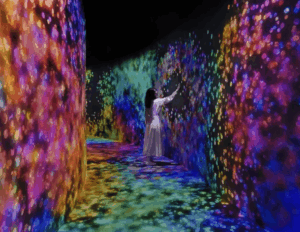
I chose a connecting corridor inside a teamLab installation. It is a transitional space, not a main artwork, which is exactly why it stood out to me. When you walk through it or touch the walls, the light disappears around you. It does not explode or react loudly. It just empties.

Why I Chose This Visual

What stayed with me was not the visuals themselves, but the behavior.

Most interactive works reward you. They give more when you touch them. More color, more movement, more feedback. This one does the opposite. It takes away. The space clears around your presence, almost like it is making room for you, or avoiding you.

That felt different. It felt quieter and slightly uncomfortable. You are not adding to the system, you are interrupting it.

I wanted to work with that idea. Not interaction as spectacle, but interaction as subtraction.

Code Production

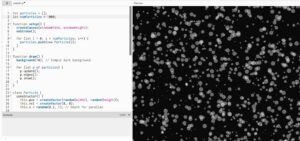
I tried to recreate this logic using a particle system. The particles move continuously using noise, forming a kind of ambient field. When the user interacts, instead of attracting particles or creating brightness, the system creates a “void” that pushes particles away.

The goal was not to replicate the exact visual of teamLab, but to capture the feeling of space being cleared in response to presence.

One important part of the process was fixing how the system transitions between states. At first, the scene would abruptly reset when interaction stopped, which broke the illusion. It felt mechanical. I adjusted this by removing hard resets and introducing gradual transitions, so the system responds more like a continuous environment rather than a switch.

I also slightly increased the background fade during interaction so the space actually feels like it is dimming, not just rearranging.

My Twist

The original corridor is very minimal and almost silent in behavior.

My version exaggerates the system slightly. Instead of a clean empty space, the particles resist the user and leave behind traces of motion. The void is not perfectly clean. It is unstable and constantly reforming.

I also introduced layered particles with different sizes and brightness levels. This creates a glow effect that lingers, so the absence is never total. There is always a memory of what was there.

So instead of pure emptiness, my version becomes something closer to a shifting field that reacts, clears, and then slowly rebuilds itself.

Code I’m Proud Of

What I am most satisfied with is how I handled the transition between interaction and stillness.

Originally, I used a direct background reset:

background(0);

This caused the scene to snap instantly, which felt harsh and disconnected from the rest of the motion.

I replaced it with a gradual fade:

let targetFade = active ? 0.32 : 0.06;
fade = lerp(fade, targetFade, 0.08);

fill(0, 0, 0, fade);
rect(0, 0, width, height);

This small change made a big difference. The system now dims and recovers smoothly, which aligns better with the idea of a responsive environment rather than a binary state.

Embedded Sketch

Please view it in p5 itself, here its looking funny

Milestones and Challenges

The first step was simply getting something to move on the screen. I started by creating a “Particle” class. At this stage, I wasn’t worried about colors or glows; I just wanted to see if I could make 5,000 objects move without crashing the browser.I used a simple Particle object with a position and a velocity.

Now that the system was working, it needed to react to me. This milestone was about the “Control” half of my theme. I created a “void” around the mouse. I wrote a mathematical check: If the distance between a particle and my mouse is small, push the particle away.

The final version was about the transition. In the beginning, the lights snapped back instantly when I moved the mouse, which felt mechanical. I wanted it to feel like the system was “exhaling.” The Logic: I introduced lerp() (Linear Interpolation) to every state change.

Reflection

This project made me think more about interaction as something subtle. Not everything needs to respond loudly. There is something more interesting in systems that shift quietly or even withdraw.

I also realized that small technical decisions, like how a background is drawn, can completely change how the work feels. The difference between a reset and a fade is not just visual, it changes how the system is perceived.


Future Work

If I continue this, I want to push the idea of absence further.

One direction is to make the void linger longer, so the space remembers where the user was. Another is to introduce multiple interaction points, allowing different “voids” to overlap and interfere with each other.

I am also interested in connecting this to sound or vibration, so the clearing of space is not only visual but also sensory.

Right now, the system reacts. In the future, I want it to feel like it anticipates or resists.

Midterm- Islamic geometry

Project Overview

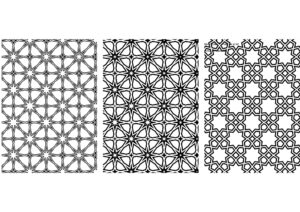
For this midterm I wanted to approach Islamic geometric ornament as a system rather than a style. Instead of drawing an 8-fold star, I reconstructed the {8,8,4} tiling that produces it. The star is not designed first. It emerges from a checkerboard of octagons and squares.

I was interested in exposing the structure behind something we often read as decorative. Girih patterns are precise, proportional, and rule-based. They are algorithmic long before computers existed. After reconstructing the grid mathematically, I introduced controlled oscillation. The geometry breathes. The valleys of the star expand and contract subtly, but the proportional relationships remain intact.

This project investigates:

• Ornament as system
• Pattern as consequence
• Tradition as computation
• Geometry as inheritance

The woven strapwork illusion is achieved through layered strokes only. There is no shading or depth simulation. The complexity comes from repetition and constraint.

Oscillation

The motion in the system is driven by a minimal oscillator that functions as a time engine. Rather than animating positions directly, I use a simple class that increments a time variable at a steady speed. This time value feeds into a sine function, which subtly modulates the inward valley radius of each tile.

Instead of having every tile move in perfect synchronization, I introduce phase offsets based on distance from the center. This causes the oscillation to ripple outward across the field. The pattern breathes, but it does not collapse. The proportional relationships remain intact. The system moves without losing structural stability.

The {8,8,4} Grid

The foundation of the project is the alternating tiling of octagons and squares, known as the {8,8,4} tiling. The grid is constructed as a checkerboard: when the sum of the tile indices is even, an octagon is placed; when it is odd, a square is placed.

The spacing of the grid is determined by the apothems of the octagon and square. These radii define the structural rhythm of the tiling and ensure that the shapes interlock precisely. Every star, intersection, and strapwork path derives from these underlying geometric relationships.

I included a toggle that reveals this hidden construction grid. Conceptually, this was important. I did not want the ornament to detach from its mathematical logic. The beauty of the pattern comes from its structure, and I wanted that structure to remain visible.

Strapwork Construction

Each tile generates strapwork by alternating between two radii: the midpoint radius and the inward valley radius.

The process is repetitive and rule-based. First, the path crosses the midpoint of a hidden polygon edge. Then it rotates halfway between edges and moves inward to form a valley. This sequence repeats around the polygon.

The 8-fold star is not explicitly drawn. It emerges from this alternating rhythm. The star is a consequence of structure, not a predefined graphic element.

The Weave Illusion

The woven ribbon effect is created through two drawing passes of the exact same geometry.

The first pass uses a thick black stroke to establish the structural band. The second pass uses a thinner white stroke on top of it. This layering creates the illusion of interlacing.

There is no masking, depth simulation, or z-index manipulation. The woven effect emerges purely from stroke layering. I wanted the illusion to remain structurally honest and consistent with the logic of the system.

Interface

The interface is intentionally minimal. It includes a morph slider, a thickness slider, a hidden grid toggle, and simple keyboard controls to pause or save the canvas.

The morph slider controls how deeply the valleys cut inward. At a value of 50, the star sits in a balanced classical configuration. Moving away from this midpoint exaggerates or compresses the geometry, revealing how sensitive the form is to proportional change.

The interface supports exploration, but it does not overpower the geometry. The system remains the focus.

Video Documentation

what I intended to print at the cat

Reflection

This project shifted how I understand Islamic ornament.The 8-fold star is not a symbol to be drawn. It is a structural outcome.Working through the math made me realize that the beauty of girih lies in constraint. The system is strict, but the visual outcomes feel expansive.

What works:
• Immediate feedback through sliders
• Conceptual clarity via grid toggle
• Subtle motion that remains architectural

What I would develop further:
• Introduce color logic tied to oscillation
• Allow zooming and panning
• Experiment with density variation
• Explore extrusion into 3D space

This project feels like the beginning of a larger investigation into computational ornament and inherited geometry.

References

Conceptual Influences
• Islamic girih tiling systems
• Archimedean {8,8,4} tiling
• Khatam geometric construction

Technical Resources
• p5.js documentation
• The Nature of Code-  Daniel Shiffman
• Trigonometric construction of regular polygons

AI Disclosure
AI tools were used to refine some code language when encountered functioning errors. All geometric logic and implementation were developed independently.

Week 5- Midterm progress

For my midterm generative art system, I am developing three different design directions. This post focuses on Design 1, which explores Islamic geometric structure through sinusoidal motion.

This design is built around a 10-point star (decagram) arranged in a staggered grid. Instead of treating the geometry as static ornament, I animate it using a sine wave so each star opens and closes over time.

The goal is to reinterpret Islamic geometry in a contemporary, computational way. I’m not copying historical patterns directly. I’m rebuilding their mathematical logic and making them dynamic.

Core System

Each star is constructed using polar coordinates and radial symmetry. The opening movement is controlled by a sine wave:

const open01 = 0.5 + 0.5 * sin(t * 1.8 + phase);
Each grid cell has a slightly different phase offset, so the stars don’t all open at once. This creates a ripple across the surface instead of uniform motion.

I also applied easing to soften the movement so it feels less mechanical and more architectural.

The system integrates:

  • Trigonometry and polar coordinates

  • Grid logic with staggered rows

  • Sinusoidal animation

  • Easing functions

  • Interactive controls (pause and save)

Pressing space pauses the animation. Pressing “S” exports a high resolution frame, which allows me to capture specific moments for print.

Visual States

Although this is one generative system, it produces multiple distinct visual states:

  • Fully closed stars: dense and compact

  • Mid-open stars: balanced and structured

  • Fully expanded stars: light and porous

  • Ripple states: different areas opening at different times

These states will help me select compositions for printing.

Challenges and Next Steps

The main challenge has been controlling the amount of spread when the stars open. Too much expansion causes the geometry to lose its structural clarity. Finding that balance has been key.

Moving forward, I plan to:

  • Refine line weight variations

  • Experiment with subtle color variations

  • Test alternate grid densities

  • Develop Design 2 and Design 3 as distinct explorations

This first design establishes the structural and mathematical foundation of the project. The next two designs will push the system in different conceptual and visual directions.

Week 4- SHM x Abu Dhabi

Concept

This project began with Abu Dhabi.

More specifically, it began with the building everyone calls the “Pineapple Building,” formally the Aldar Headquarters Building. Growing up in the UAE, I have always been surrounded by architecture that feels sculptural, patterned, and repetitive. What fascinates me about this building is not just its circular form, but its structural skin. It feels cellular. Layered. Alive.

Our class is about nature. At first, I struggled with how to connect Abu Dhabi’s hyper-urban identity to natural systems. Then I began thinking about cities as organisms.

Cities breathe.T hey pulse. They expand and contract.

That is where Simple Harmonic Motion came in.

Inspired by Memo Akten’s approach to translating natural systems into generative code, I wanted to build something that felt architectural but behaved like a living surface. Instead of simulating water, particles, or gravity, I decided to simulate a kinetic façade  an aperture system that opens and closes like breathing cells across a city skin.

The triangular repetition of the Pineapple Building translated into a 6-fold radial aperture. Each module behaves like a mechanical petal system. When tiled together, they form a shifting urban membrane.

The result is not a literal copy of Abu Dhabi architecture, but a computational abstraction of its rhythm.

Code Highlight

One piece of code I am particularly proud of is the phase variation across the grid. At first, all modules were opening and closing at the same time, which felt flat and mechanical in a static way.

Introducing a spatial phase shift changed everything:

const p = i * 0.42 + j * 0.36;
const open01 = 0.5 + 0.5 * sin(t + p);

Instead of synchronized movement, the surface now moves like a wave. It feels less like a digital animation and more like a living field.

I also implemented easing to make the motion linger at the open and closed states:

function easeInOut(x) {
return x < 0.5 ? 4 * x * x * x
: 1 - pow(-2 * x + 2, 3) / 2;
}

This small adjustment made the motion feel architectural rather than purely mathematical.

EMBEDED SKETCH

Milestones and Challenges

Milestone 1: Building a Stable Radial System

The first step was creating a single aperture module. I constructed six evenly spaced angles:

for (let i = 0; i < 6; i++) {
let angle = i * TWO_PI / 6;
}

This established rotational symmetry. However, early attempts resulted in uneven overlaps and distorted petal geometry. The relationship between the inner hub radius, hinge radius, and outer tip radius required several rounds of trial and error.

Too much spread caused the petals to disconnect.
Too little spread made the motion invisible.

Balancing geometry and movement became the central challenge.

Milestone 2: Introducing Simple Harmonic Motion

To simulate breathing, I introduced a sine-based oscillation:

let open = 0.5 + 0.5 * sin(t);

This normalized the motion between 0 and 1. However, pure sine motion felt abrupt at the extremes. It lacked the softness of organic motion. That led to introducing easing to create a smoother open-close rhythm.

This was my first real “nature” moment. I realized that nature is rarely linear. Even harmonic systems have softness.

Milestone 3: Scaling to an Urban Surface

Once the single module felt stable, I tiled it into a staggered grid:

const x = i * stepX + (j % 2) * (stepX * 0.5);
const y = j * stepY;

The offset grid created density similar to a façade or cellular membrane.

The biggest challenge here was visual noise. When too many modules moved in sync, the surface felt static. When phase variation was too extreme, it became chaotic. Finding the right coefficients for the phase shift required repeated adjustment and testing.

This stage transformed the project from an object into an environment.

Reflection

I am in AW in what I can create in a week and teach myself….

What I learned from this project is that nature does not only exist in forests or oceans. It exists in systems. It exists in repetition. It exists in oscillation.

Abu Dhabi, often perceived as artificial or hyper-constructed, actually contains its own form of organic logic. Through coding, I translated that logic into a living digital surface.

This project allowed me to think about cities as breathing entities. Architecture as skin. Code as biology.

Future Improvements

Moving forward, I would like to:

  • Introduce mouse interaction so the “city” responds to proximity.

  • Incorporate particle systems inspired by Nature of Code Chapter 4.

  • Experiment with light and shadow instead of line-only rendering.

  • Translate the system into a physical fabrication prototype, possibly laser-cut layered acrylic panels.

I am especially interested in expanding this into a responsive façade simulation, where environmental data could drive the oscillation.

week 3- walkers

This sketch went through more versions than I expected. What I’m submitting now is not where I started at all. The process was mostly about learning when to stop adding, when to remove, and when to trust small decisions like color and speed instead of big visual tricks.

Rather than drawing literal objects, I wanted to treat the canvas like a sky that slowly paints itself. The goal was to get something that feels alive and emotional through motion alone, without relying on obvious symbols.

Concept

The sketch is made up of many moving walkers that act like brush strokes. Each one follows a smooth flow field, creating large swirling currents across the canvas. Small warm dots are scattered in the space. They are intentionally subtle and not meant to be read as stars directly. Instead, they influence the motion by creating gentle swirling forces around them.

Movement is more important than form here. The drawing builds up slowly over time as strokes overlap, fade, and accumulate. I wanted the sketch to feel closer to painting than animation.

Inspiration

The main inspiration was The Starry Night by Van Gogh, but specifically the energy of the sky, not the imagery. I was drawn to how the sky feels restless, emotional, and alive. I wanted to translate that feeling into motion and color, without copying shapes or composition directly.

I was also thinking about painterly mark-making and how repetition and gesture can build texture and depth.

Milestones and process

This project was very much a trial-and-error process, and each milestone came from something not working visually.

Milestone 1: Realizing movement alone wasn’t enough
The first versions technically worked but looked bad. The motion was chaotic and noisy, and everything competed for attention. Even though there was a lot happening, nothing felt intentional. This was when I realized that having a system is not the same as having a composition.

Milestone 2: Struggling hard with color
Color was the longest and most frustrating part. Early versions were way too neon and saturated. They felt more like a screensaver than a painting. I kept tweaking values and nothing clicked until I made a decision to restrict the palette almost entirely to deep blues. Warm tones were allowed only in very small amounts. That shift changed everything. Once the palette was limited, the sketch finally started to feel grounded and cohesive.

Milestone 3: Changing how forces work
At first, I used direct attraction, which caused clustering and visual clutter. Everything kept collapsing into points. Switching to a tangential force that makes walkers swirl around dots instead of moving toward them was a turning point. This single change transformed the sketch from messy to controlled and gave the motion a calm, circular rhythm.

Milestone 4: Removing visual elements
This was a big one. I tried adding glowing stars, silhouettes, and other focal points, but they kept overpowering the motion. Removing them made the piece stronger. Each time I deleted something, the sketch improved. This taught me that generative work benefits a lot from editing and restraint.

Milestone 5: Slowing everything down
The final milestone was reducing speed and force. Earlier versions moved too fast and felt anxious. Slowing the walkers and letting the trails accumulate over time made the sketch feel more meditative and painterly. This is when it stopped feeling like an experiment and started feeling like an artwork.

Code highlight

This section of the code was crucial to reaching the final behavior. Instead of pulling walkers inward, it pushes them sideways so they orbit and swirl:

const tangent = createVector(-dir.y, dir.x);
const strength = 0.45 * (d.r / dist);
f.add(tangent.mult(strength));

That small change completely reshaped the motion and helped the sketch feel intentional rather than chaotic.

Coded embedded 

Reflection and future work

This project taught me how important restraint is in generative art. The sketch became stronger every time I simplified it. Color, speed, and force mattered far more than adding new visual elements.

In the future, I want to explore:

  • Using fewer walkers to increase negative space

  • Creating print-focused versions with stronger contrast

  • Letting the flow field change slowly over time to create different emotional phases

So far honestly I am so so proud of myself for creating this and I loved it

reading reflection for chapter 2

Reading Chapter 2 of The Nature of Code weirdly calmed me down. I think I usually approach motion by trying to make things feel dramatic or responsive, like faster equals better. This chapter made me slow down and realize that motion is not about speed at all. It is about pressure. Direction. Influence.

What really clicked for me is the idea that forces act on acceleration, not velocity. That sounds obvious when you read it, but in practice I was constantly breaking that rule. Every time I moved the mouse, I was basically telling the system to panic. Once I stopped doing that and forced the speed to stay constant, the sketch suddenly felt more confident. The rain did not need to prove anything. It just kept falling.

I also liked how the book is not obsessed with realism. It cares more about whether something feels believable. That gave me permission to simplify. My rain is not physically accurate, but it behaves consistently. Gravity always pulls down. Wind always pushes sideways. When the cursor leaves, the wind eases out instead of snapping back. That easing honestly made the biggest difference emotionally. It feels patient, not reactive.

Another thing that stuck with me is how small forces matter when they accumulate. I kept my wind values tiny because I was scared of it getting messy. But because they are applied every frame, they slowly shape the motion. That made me trust the system more instead of over-designing the interaction. I did not need big gestures. I needed persistence.

this chapter made me realize that personality in motion comes from constraints. By limiting speed and letting forces only steer, the rain feels stubborn in a quiet way. It does not rush when you touch it. It responds, but on its own terms. I think that is the first time I felt like I was designing behavior instead of just animation.

For future work, I want to play more with multiple forces at once without losing control. I am also interested in how constraints can be used intentionally to create mood, not just structure. This reading made me think less about showing off interaction and more about letting motion breathe.

Rain- week 2

reference video

For my movement-in-nature example, I focused on rain falling in wind. I like rain because it looks simple, but it is actually full of micro rules. It accelerates because of gravity, it gets pushed sideways by wind, and it never falls in a perfectly clean line. It feels alive even when nothing “exciting” happens.

My goal was to give the rain a personality through behavior only: steady, determined drops that do not freak out. Even when you move your cursor hard left or right, the rain will lean but it will not speed up. It is stubborn in a calm way.

Rules I used

  1. Each raindrop has a velocity and an acceleration.

  2. Acceleration acts like steering, not like speed boosting.

  3. After applying acceleration, I force the velocity back to a constant magnitude so every drop keeps the same speed.

  4. Cursor movement creates wind direction, but the wind eases in and out so it feels natural, not like a switch.

  5. Mouse click adds more drops, it does not change the physics.

Code highlight I am proud of

This is the moment where the whole concept becomes real. I let acceleration steer the motion, then I “lock” the speed so nothing can accidentally accelerate out of control:

update() {
// acceleration steers direction
this.vel.add(this.acc);
// constant speed ALWAYS (prevents mouse from “speeding it up”)
this.vel.setMag(SPEED);this.pos.add(this.vel);
}

This is basically my “thesis”. The rain can have mood and direction changes, but it stays consistent. It feels grounded.

Embeded sketch

Reflection + future improvements

I love how it turned out honestly

What worked:

  • The constant speed constraint makes the sketch feel controlled and intentional. Even when the wind changes, it stays believable and not chaotic.

  • The eased wind makes interaction feel like a real force building up, not a sudden game mechanic.

  • The click-to-add drops changes the “weather intensity” without breaking the physics.

What I would improve next:

  • Depth: Add a second layer of drops that are thinner and slightly slower, so it feels like near/far rain.

  • Gust behavior: Instead of mapping wind directly to mouseX every frame, make occasional gusts that ramp up and decay, then let the cursor influence gust direction.

  • Splashes: When drops hit the bottom, spawn tiny splash particles for a few frames.

  • Performance polish: Use an object pool for drops so we reuse drops instead of constantly adding new ones when clicking.