Saeed Lootah – Assignment 10

Concept

My concept is inspired by the red explosive barrels from the Half-Life video game series. I wanted to recreate that same mechanic of an exploding barrel using matter.js where objects can collide with a barrel, build up damage, and trigger an explosion. The idea of explosive barrels spread into other video games with objects that explode either on impact or as it builds up damage and growing up I always enjoyed playing games with destructible elements.

Code Highlight

explode(allBoxes) {
    if (this.isExploded) {
      return;
    }

    const center = this.body.position;

    for (let i = 0; i < allBoxes.length; i++) {
      const currentBox = allBoxes[i];
      if (!currentBox || currentBox.body.isStatic) {
        continue;
      }

      const boxPos = currentBox.body.position;
      const delta = Vector.sub(boxPos, center);
      const distance = Vector.magnitude(delta);

      if (distance <= 0 || distance > EXPLOSION_RADIUS) {
        continue;
      }

      const direction = Vector.normalise(delta);
      const falloff = 1 - distance / EXPLOSION_RADIUS;
      const totalForce = max(EXPLOSION_MIN_FORCE, EXPLOSION_FORCE * falloff);
      const force = Vector.mult(direction, totalForce);
      Body.applyForce(currentBox.body, boxPos, force);

      // Add a direct velocity impulse so the explosion is always visible.
      Body.setVelocity(currentBox.body, {
        x: currentBox.body.velocity.x + direction.x * EXPLOSION_VELOCITY_BOOST,
        y: currentBox.body.velocity.y + direction.y * EXPLOSION_VELOCITY_BOOST
      });
    }

    Composite.remove(world, this.body);
    this.isExploded = true;
  }

The part of the code I am most proud of is the explosion function. I track the number of collisions for the barrel, change the barrel color from gray toward red as damage increases, and once it reaches the hit limit which I defined as a global variable I remove the barrel body and apply outward force and increase the initial velocity to nearby boxes.

Embedded Sketch

Milestones and Challenges

Stage 1:

Stage 1 screenshot


Focused on getting the core interaction working by spawning rectangles with the mouse, and getting used to coding with matter.js.

Stage 2:

Stage 2 screenshot

Added a grounded barrel in the center area to establish the main object of the simulation and changed the background color to something I liked. At this point I began thinking about aesthetics.

Stage 3:

Stage 3 screenshot 1

Stage 3 screenshot 2

Introduced the damage mechanic where the barrel changes from gray toward red with each hit. A key challenge was collision handling, especially making sure hits were counted reliably and visual feedback was clear.

Stage 4:

Stage 4 screenshot

Finally I combined everything and added the final explosion behavior after the hit threshold. I had to tune radius, force, and velocity boost values so the explosion effect was strong and readable without becoming too chaotic. I found that the force value was not as important as the initial velocity boost because of air resistance. Then I added text to show the controls and allowed the user to drag their mouse to spawn squares rather than only clicking and made the boundary cover the sides and not only the ground.

Reflection and Future Improvements

If I continue this project, I want to replace simple shapes with sprite-based visuals so the barrel and debris feel more game-like. I also want to explore whether Matter.js can be combined with a 3D workflow or whether a different engine would be better for a full 3D version. Future improvements could include sound effects, particle debris, and different barrel types with unique blast strengths.

Saeed Lootah – Assignment 9

Concept

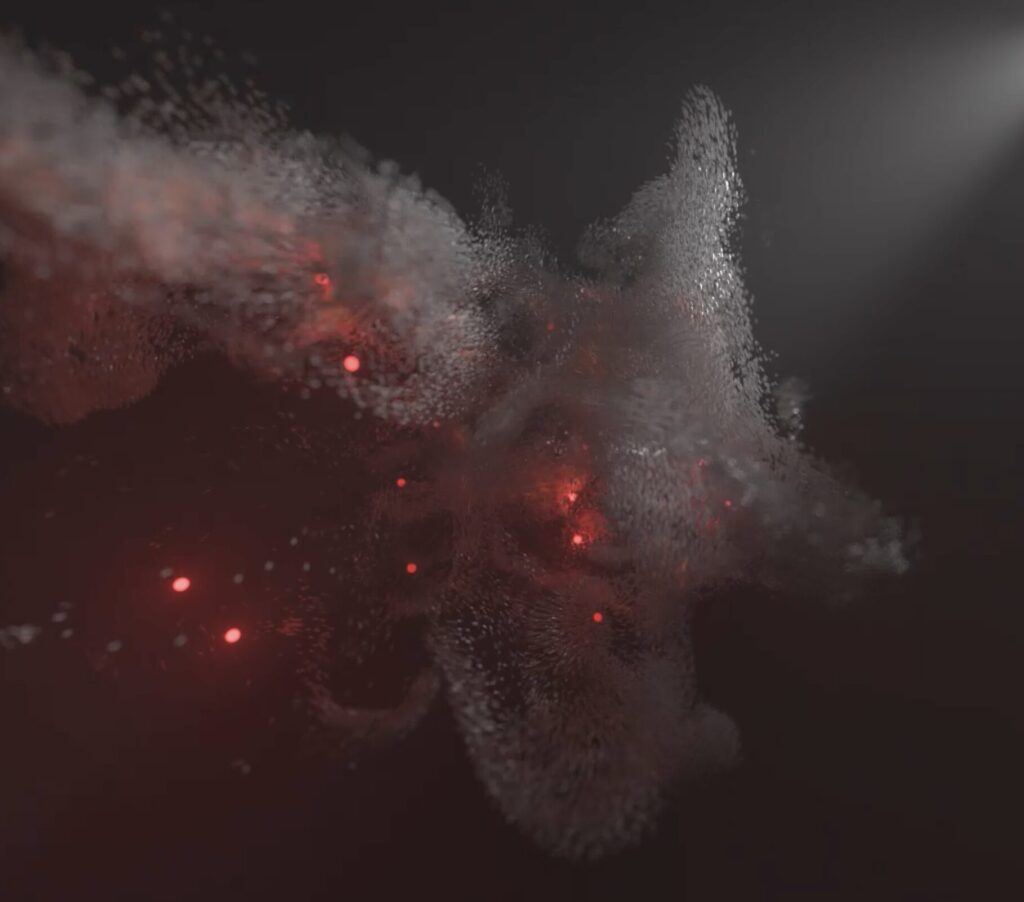
When I read thought about tension over time the visual that came to mind was that of a ball being squeezed until it ruptured. I originally wasn’t sure how I was going to fit that into the simulation and how I would incorporate flocking behavior but as I went through the the work of Robert Hodgin I had an idea.

I liked the look of the flocking behaviour in 3 dimensions as well as the red lighting. I thought about having it contained inside and that ball I had in mind upon rupture the flocks inside would escape rapidly and slow down over time.

Sketch

(orbit control is enabled, click and drag your mouse to view from different angles when viewing the sketch)


Highlight

function releaseBoids() {
  confinementActive = false;
  released = true;
  releaseFrame = frameCount;

  for (const boid of boids) {
    let outward = p5.Vector.sub(boid.pos, centerPoint);
    if (outward.magSq() < 0.0001) {
      outward = p5.Vector.random3D();
    }
    outward.setMag(random(5.5, 8.2));
    boid.vel.add(outward);
    boid.maxSpeed = RELEASE_SPEED_START + boid.speedBias;
  }
}

Once the circle reaches a certain threshold radius it vanishes and the function above is called. It’s only about 15 lines but in my opinion it creates the most interesting effect in the entire simulation.

What it does is simply give each boid an outward vector force of a random magnitude between 5.5 to 8.2. In my opinion that range and those values make it just right that the effect is not too strong that it’s overwhelming but is not too weak that its underwhelming but is instead in my opinion satisfying.

Milestones

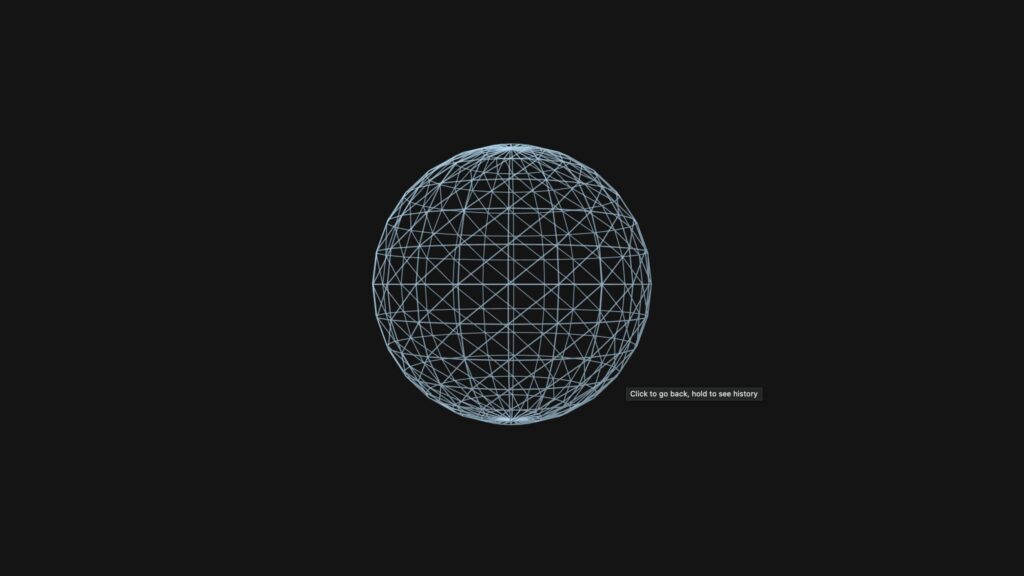
The Humble Sphere

My first step after creating the WEBGL canvas was to make the sphere which decreases in size over time. I chose a black background to give the most contrast for any effects I add later on. For the sphere I chose a light-blueish color mostly because of personal preference. The color of the sphere itself is not meant to have much meaning instead I want the attention to be on the boids and the decreasing size of the sphere.

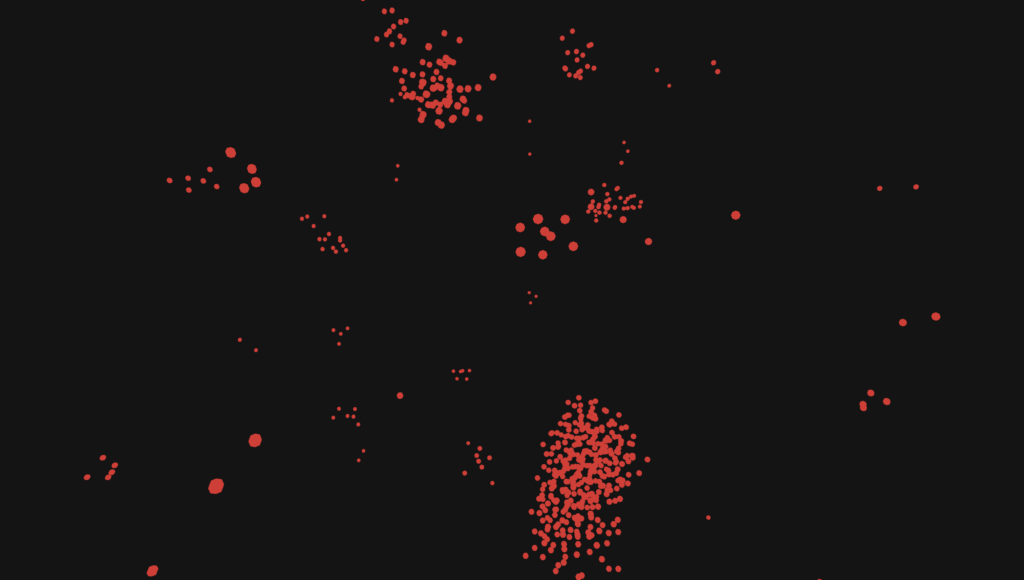
Boids

These are the boids travelling in 3 dimensions. At this point in time they did not have any special effects. I wanted them to be read since I imagined the effect of squeezing to be like that of increasing heat. In the real world particles as they are trapped in a volume that is decreasing increase the amount they vibrate by and the vibration also known as brownian motion is what we call temperature. It’s how combustion occurs in diesel engines whereby the volume decreases as the cylinder compresses the fuel air mixture and unlike gasoline there is no spark plug the combustion alone is enough to combust (this is known as compression ignition).

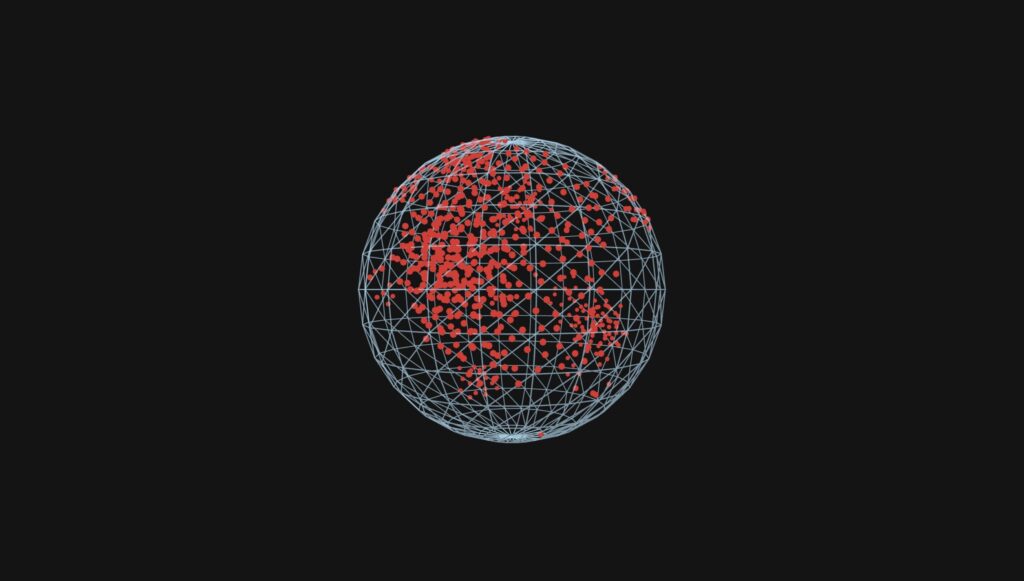
Boids + Sphere

The way I had the boids stay inside the sphere at this point was by hard limiting the position of the boids rather than manipulating the steering direction as well (I implemented that as well later on).


Final

In the final I made a few key improvements. I added multiple gradients and made the blendMode ADD: The color of the boids change based on their speed, at their fastest they are purple, at their slowest they are red, the radius of the boids change based on how close or far they are to the center of the sketch, bigger towards the center and smaller towards the edges, lastly blendMode(ADD) meant that with more boids overlapping the colors get added and make a whiter color this makes it easier to see when boids are more clumped up together especially at the beginning.

Reflection

I’m happy with how the effect turned out and I was surprised by the swirling effect that came about in the beginning. As the circle decreased the boids still moved as they would normally albeit constrained and this made it look like they were swirling around the circle.

Hodgin’s work was made in Houdini which utilized the GPU and made the effect of using point lights possible with large amounts of flying objects whereas in p5 I don’t think the same would be possible and still retain a high framerate. I found that for my simulation around 600 was the limit for the number of boids whilst still running fairly well and that was without any lighting effects the best I could do was add the blendMode(ADD) line to make things more aesthetically interesting.

Going forwards I would like to try out different software maybe openFrameworks to see what is possible and also I want to try out audio cues for when the sphere vanishes and for boids that are travelling close to the camera and based on how fast they are going.

Saeed Lootah – Assignment 7

Concept

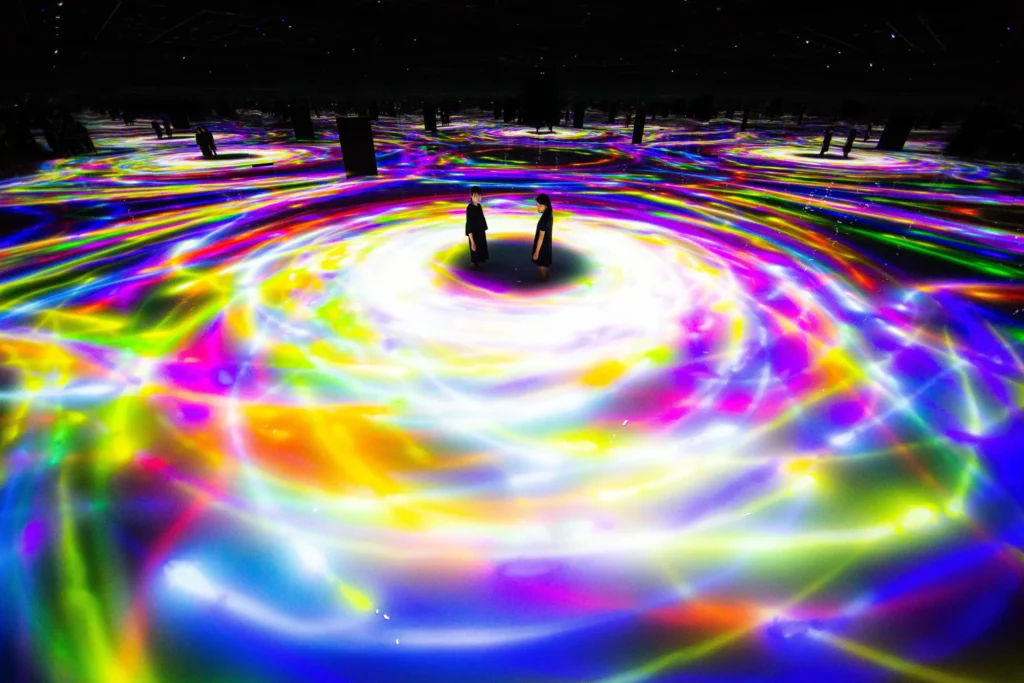
When looking through the teamLab installations the one I found the most visually striking was the Koi fish installation:

I unfortunately wasn’t able to attend the trip to teamLab but regardless I found this image from which I took inspiration.

Milestones

Unfortunately because of the dark background it is hard to see some of the smaller details I’m referring to but it should be possible to see.

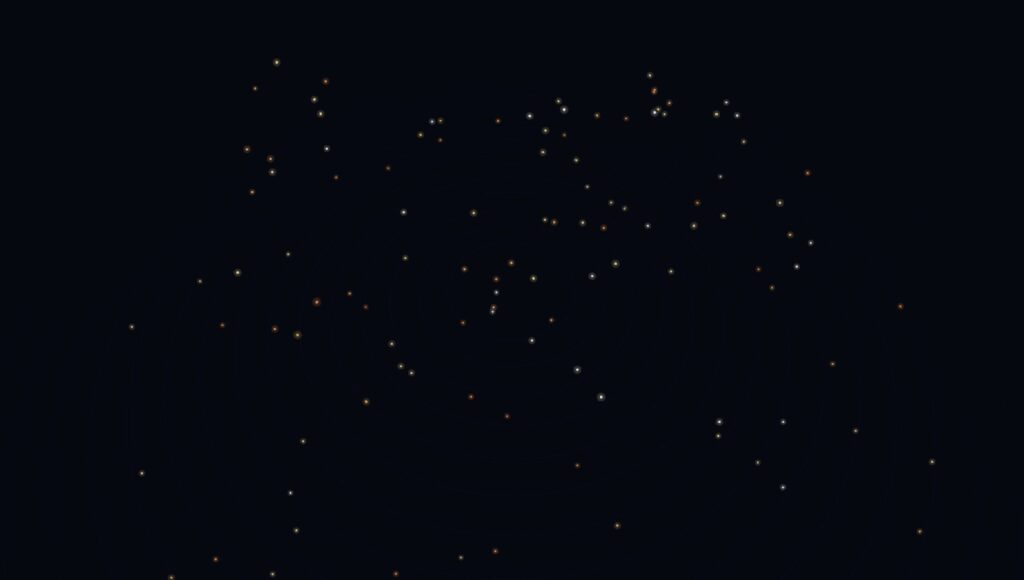
Stage 1

Although this step is fairly basic in my opinion it is still worth mentioning. At the very beginning I made the canvas render using WEBGL and added orbitcontrol() this would be useful for all of the following steps.

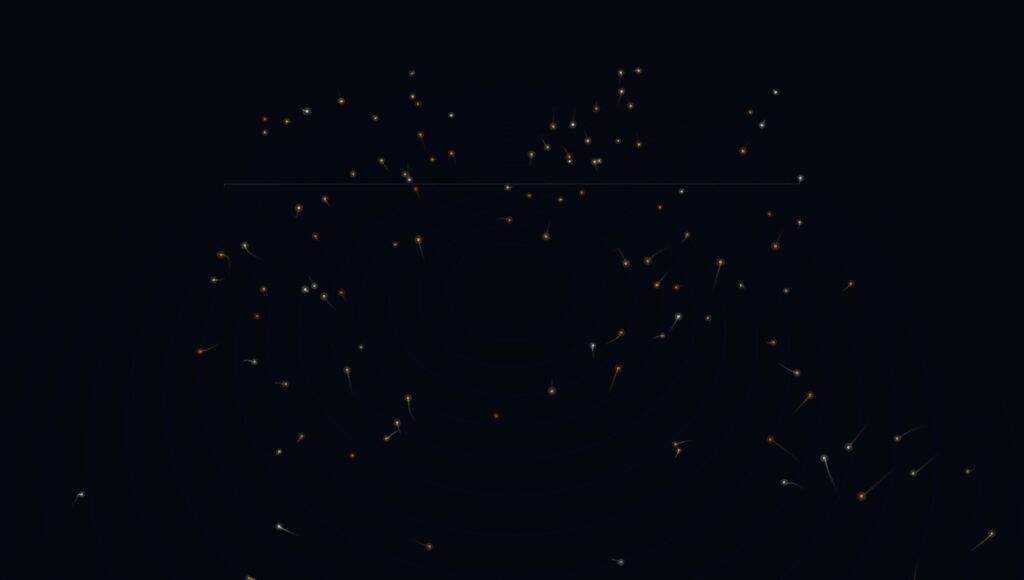
Stage 2 – Koi Fish (Random Motion)

At this point I created the Koi fish class. It’s called Koi but really the logic is like the vehicles we discussed in class. At this point in time the motion was fairly random but later the motion would become more fluid and they would travel in flocks using boid logic.

I thought about using more intricate fish models rather than simple dots and trails but I felt that strayed too far from the original installation since I didn’t get the impression that it was about the aesthetics of the fish but rather the movement and colors.

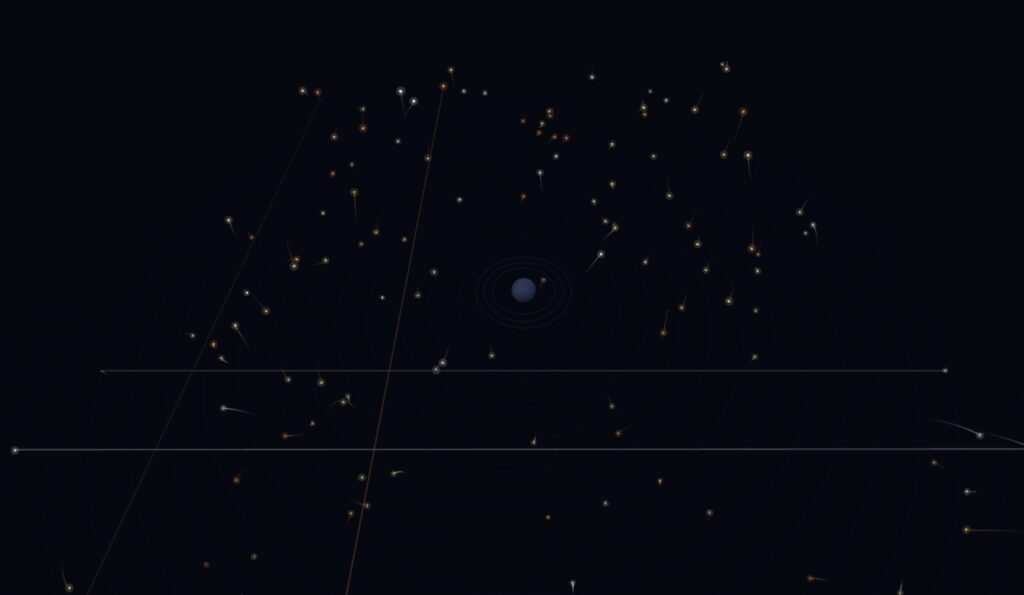
Stage 3 – Trails + Boid Movement

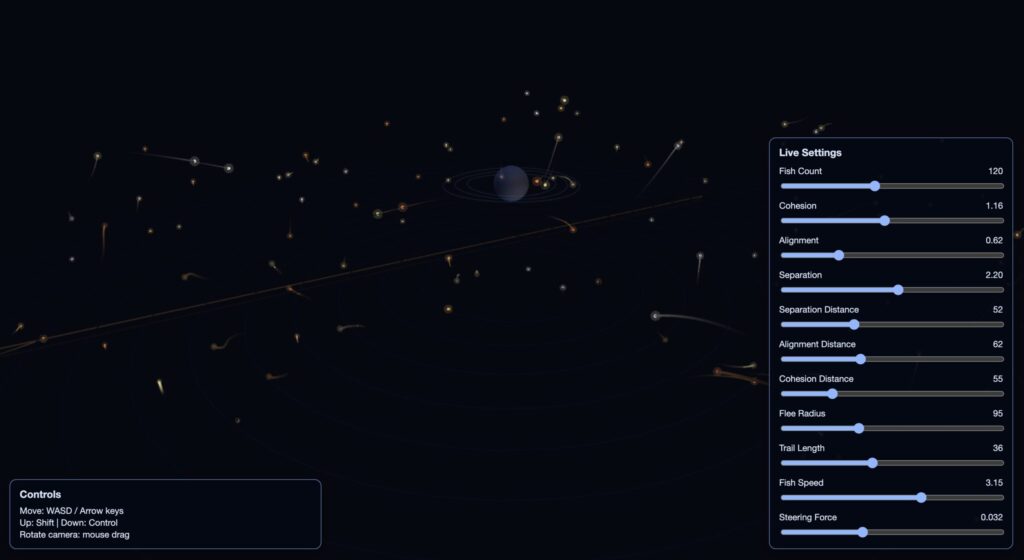
Now each ‘fish’ had a trail to make it’s movement more apparent. This also came with a surprising feature. To make sure that the fish would not go too far I had it so that at a certain distance it would return back to the opposite side but this had an unintended effect of this line that would go across the canvas (one can be seen at the back). I liked the look of it so I decided to keep it.

Boid movement refers to movement that replicates the movement of birds. Although it would normally be used to simulate birds moving in flocks I decided it could work in this sketch since I wanted them to move in flocks. In this screenshot the cohesion was set to a lower value but I would later try out different settings.

Stage 4 – 3D Player + Light Interaction + Avoidance

Afterwards I decided to add the ‘player’. In the original picture there are two people and I’m unsure how the fish act around the two people whether they follow them or always circle them but I decided to do something similar by having the fish avoid the player. In addition the color from the fish would illuminate the player accordingly.
The player can move around using either WASD, or the arrow keys and using shift/control to move up and down respectively.

Stage 5 – HTML UI Controls

Lastly, I added UI controls. You can edit the settings in real time by adjusting the sliders. I coded this part using html so that the UI would be 2D since the WEBGL sketch is 3D the UI wouldn’t follow the camera view. I am sure there is a way to still use p5 to achieve the same effect but I think this turned out well regardless.

Code Highlight

avoidPlayer(actor) {
    const off = wrappedOffset(this.pos, actor.pos);
    const d = off.mag();
    if (d > actor.fleeRadius || d < 0.0001) return;

    const strength = map(d, actor.fleeRadius, actor.radius, 0.0, 1.0, true);
    const flee = off.mult(-1);
    flee.normalize();
    flee.mult(this.maxSpeed * (0.8 + strength));
    flee.sub(this.vel);
    flee.limit(this.maxForce * (1.6 + strength));
    this.applyForce(flee);
  }

I highlighted this code because it makes each koi fish avoid the player in an organic way. When the player enters the fish’s flee radius, the fish measures that distance, converts it into a stronger or weaker escape response, and then applies a limited steering force so it turns away smoothly instead of abruptly.

Embedded Sketch

Viewing the sketch directly through the web editor and in window size achieves the best effect.

Reflection and Ideas for Future Work

I’m happy with the movement of the fish and the minimalistic aesthetic but there’s still room for improvement in the future. The following is what I would add in the future if I were to continue on this project or do something similar.

  • Add optional shader-based water caustics and soft volumetric fog.
  • Introduce seasonal color palettes as a toggleable mode.

Saeed Lootah – Assignment 8

Concept and Inspiration

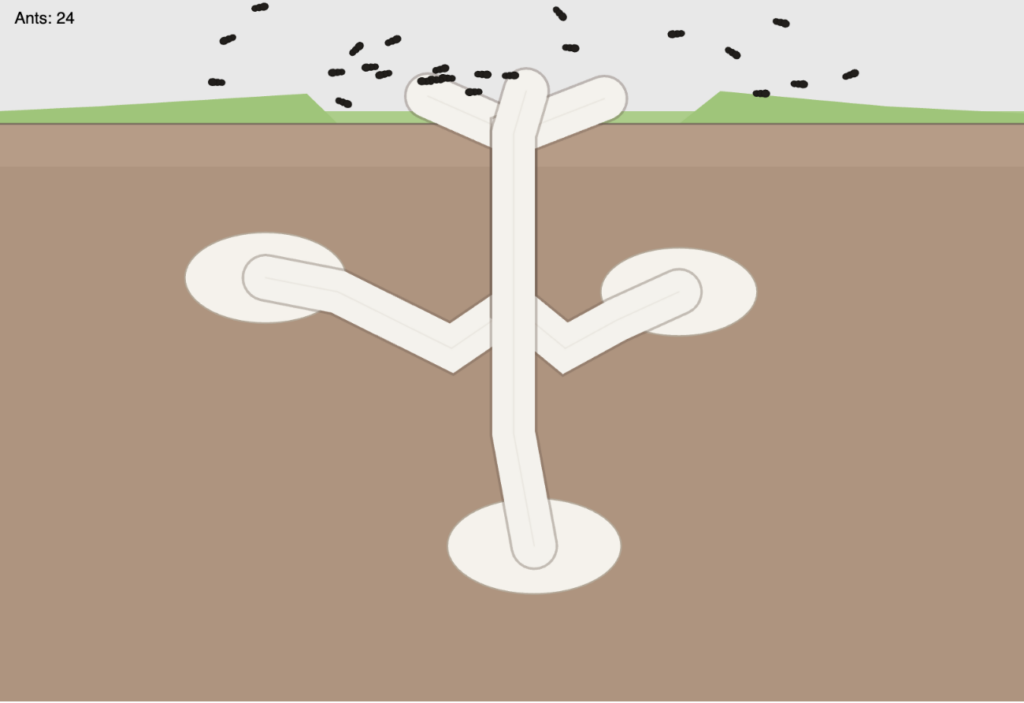
My concept started from noticing that steering behavior looked very similar to moving ants. That gave me the idea to build an ant colony cross section simulation where ants travel between underground burrows and the surface like a terrarium. The simulation uses seek behavior and path following to create ant-like movement patterns.

Code Highlight

The part I am most proud of is the state machine in my Ant class. It coordinates each ant going to the surface, roaming, returning to the path, going back to the burrow, waiting, and repeating. Adding the returnToPath state was especially important because it fixed the issue where ants were cutting through the ground instead of reconnecting to the path at the surface first.

if (this.state === "roamSurface") {
    if (!this.roamTarget || p5.Vector.dist(this.pos, this.roamTarget) < 16) {
      this.pickNewRoamTarget();
    }
    this.seek(this.roamTarget);
    if (millis() >= this.roamUntil) {
      this.state = "returnToPath";
    }
    return;
  }
if (this.state === "returnToPath") {
    const overgroundJoin = this.path.getEnd();
    this.seek(overgroundJoin);
    if (dist(this.pos.x, this.pos.y, overgroundJoin.x, overgroundJoin.y) < 20) {
      this.state = "returnToBurrow";
    }
    return;
  }

Embedded Sketch

Milestones and Challenges

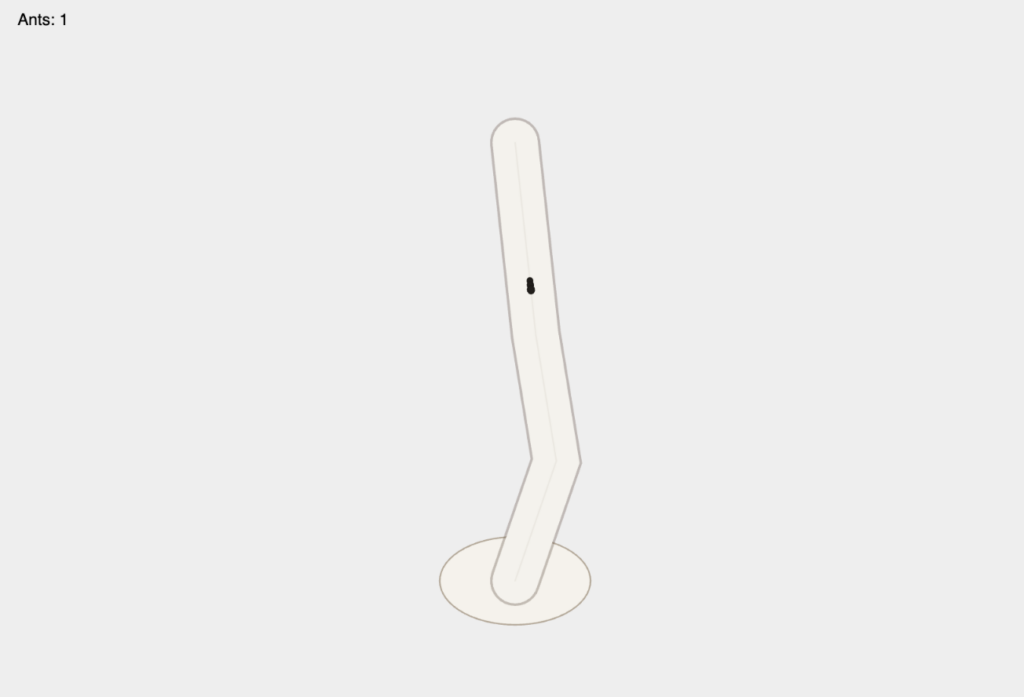
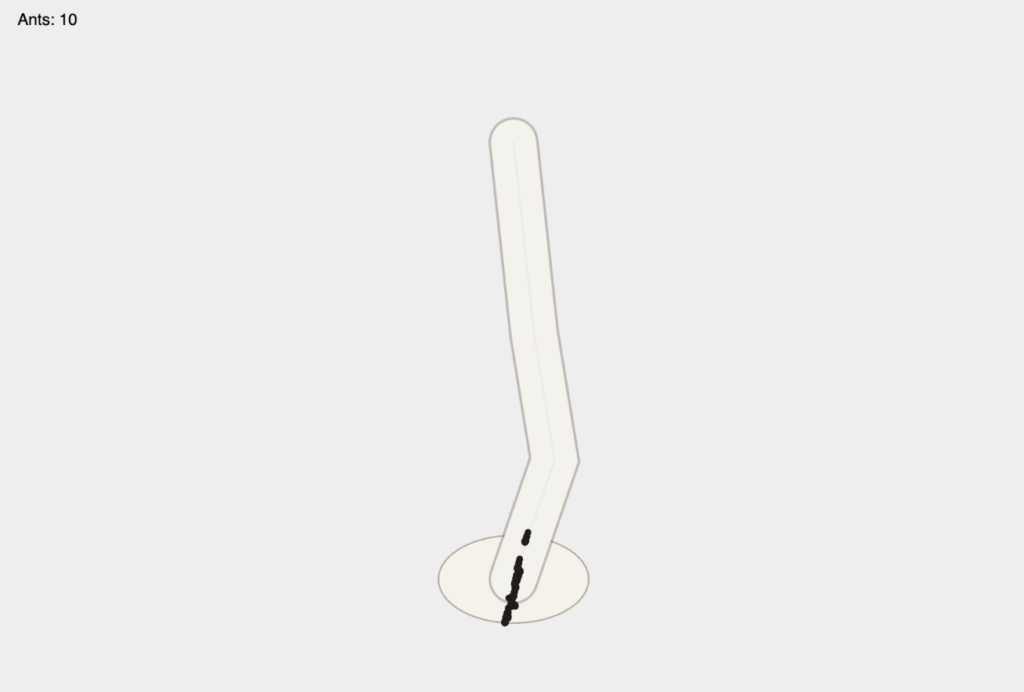
Stage 1: One path, one ant

 I started with one ant following one path to verify that seek and basic path following were working correctly.
 

Stage 2: One path, multiple ants


After confirming the basic behavior, I added multiple ants on the same path to test how the movement looked in a colony-like flow.


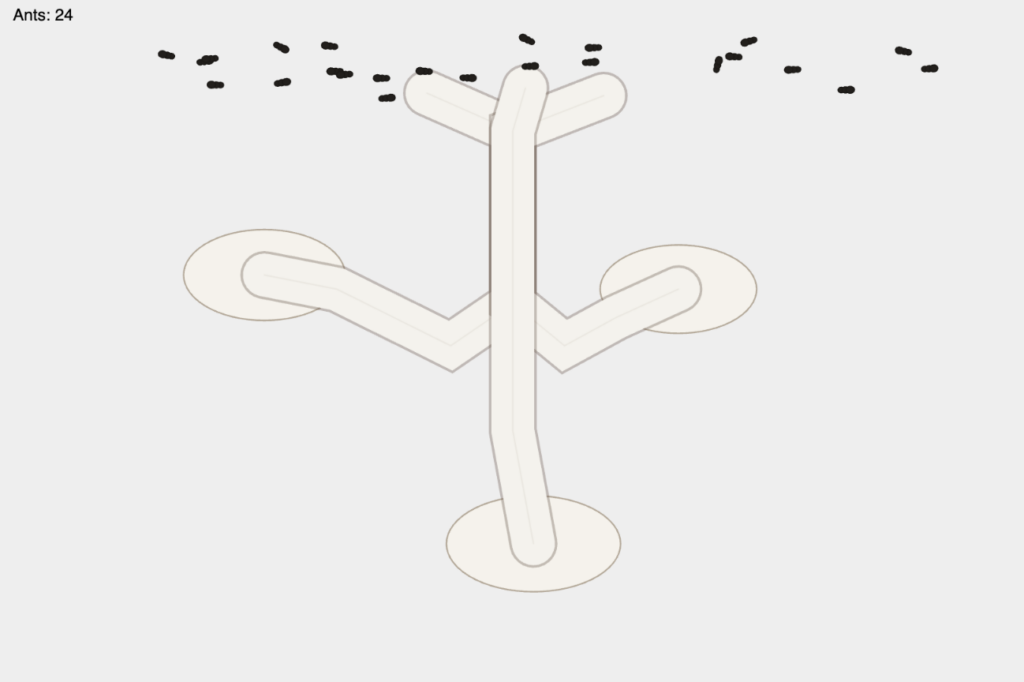
Stage 3: Multiple paths, multiple ants per path


I expanded the colony to multiple burrows and assigned ants to specific paths so each group had a consistent route to and from the surface.


Stage 4: Ground/grass visuals and roaming fix

I added the dirt and grass cross-section layout and introduced a roamSurface state for surface movement. A key challenge was that ants sometimes traveled through the ground when returning. I fixed this by adding a returnToPath state so ants first reconnect at ground level and then follow the tunnel path back down.


Reflection and Future Improvements

Right now, over ground, the ants still look like they are flying rather than staying fully attached to the ground surface. A future improvement would be to constrain or project overground motion to a ground contour so movement feels more realistic. I would also like to continue the ant colony idea further, or expand this into a larger ecosystem simulation with multiple interacting species and behaviors.

Midterm Project – Saeed

Project Overview

For my project I wanted to replicate the movement of birds between trees and their pathing around obstacles, in this case mountains. To best visualize this I started with a top-down view and then to make the sketch more visually pleasing I used contour lines to replicate a topographic map.

I was first inspired to do a simulation with birds by the garden outside my house in Dubai. Put simply there are a lot of birds, many are pigeons or sometimes crows as far as I can tell. From what I’ve seen most birds travel in packs and follow a similar direction to each other and at our house they often travel from tree to tree within the garden or with the trees lining the walls of my neighbours then they may stay at a tree for a while before moving again but always following a similar path in the air. Similarly, I see some birds stop at our pool to drink water often altogether. I wanted to replicate this behaviour in my project.

In addition, after deciding to do the simulation from a top down view I decided to add contour lines and make it appear to be a topographic map because it’s an idea I have been exploring for a while. I first learned how to make basic contour lines in photoshop using noise and since wanted to find places to use it since I feel it doesn’t get as much use as it should.

Implementation Details

This simulation is built around trees as emitters, birds as moving agents, a flow field for natural motion, mountains as obstacles that affect the vector field, contour lines for terrain, and a UI panel that lets you change parameters in real time.

Bird class

The Bird class represents one moving agent that travels between trees. Each bird stores position, destination, destination tree index, arrival/wait state, size, trail history, and a day-only behavior flag.

  • A destination tree is chosen randomly.
  • The bird travels to its destination.
  • When they arrive, they wait for a random duration.
  • After waiting, they pick a new destination tree at random.
  • Their movement is not only direct-to-target; a vector field is used for more natural movement.
class Bird {

  constructor(originX, originY, destinationX, destinationY, destTreeIndex, diameter = 10) {

    this.pos = createVector(originX, originY);

    this.des = createVector(destinationX, destinationY);

    this.destTreeIndex = destTreeIndex;

    this.arrived = false;

    this.trail = [];

  }

}


Tree class

The Tree class is both a visual node and an emitter for birds. Each tree has x and y coordinates, a diameter, and its own bird array.

  • A tree can initialize a number of birds.
  • Each spawned bird gets this tree as origin and a different tree as destination.
  • The tree updates and draws all birds in its own array.
class Tree {

  constructor(x, y, diameter = 40) {

    this.x = x;

    this.y = y;

    this.diameter = diameter;

    this.birdArray = [];

  }

}

The pathing starts with a direct vector from bird position to destination. Then the code samples the flow field at the bird position and then using vector addition it changes the heading of the bird itself.


let toDest = p5.Vector.sub(this.des, this.pos);

let desired = toDest.copy().setMag(birdSpeed);
let flow = getFlowAt(this.pos.x, this.pos.y);

let steer = desired.add(flow.mult(0.6));

steer.limit(birdSpeed + 0.5);

this.pos.add(steer);
function updateFlowField() {

  let noiseScale = 0.02;

  let time = frameCount * 0.005;

  for (let y = 0; y < flowFieldRows; y++) {

    for (let x = 0; x < flowFieldCols; x++) {

      let angle = noise(x * noiseScale, y * noiseScale, time) * TWO_PI * 2;

      flowField[y][x] = p5.Vector.fromAngle(angle).mult(0.8);

    }

  }

}

Mountain generation

Mountains are generated by sampling terrain elevation candidates from noise (to make spawning more natural as opposed to complete randomness), sorting candidates by highest elevation first, then placing mountains with spacing constraints.

const candidates = buildMountainCandidates();

for (let i = 0; i < candidates.length && mountains.length < quantity; i++) {

  const c = candidates[i];

  const baseRadius = map(c.elevation, 0, 1, mountainMinRadius, mountainMaxRadius, true);

  const radius = baseRadius * random(0.9, 1.12);

  const x = c.x;

  const y = c.y;

  if (isMountainPlacementValid(x, y, radius, 1, true)) {

    mountains.push({ x, y, radius });

  }

}

Mountains do not rewrite the global flow field grid directly. Instead, there’s an additional tangential force that gets added to the bird’s steer direction, not the vector field.

const repelStrength = map(edgeDistance, 0, 140, 2.8, 0.2, true);

const repel = away.copy().mult(repelStrength);

const tangent = createVector(-away.y, away.x);

if (tangent.dot(desiredDirection) < 0) {

  tangent.mult(-1);

}


Contour lines and how they work

Contours are generated from a hybrid elevation function that combines base noise terrain with mountain influence.

  • Build contour levels between minimum and maximum elevation.
  • For each cell, compute corner elevations.
  • Build a case mask and map it to edge segments.
  • Interpolate exact crossing points on edges.
  • Store line segments and then stitch/smooth them into polylines.
  • Draw major and minor contours with different stroke weights and alpha.
if (cell.tl.v >= iso) mask |= 8;

if (cell.tr.v >= iso) mask |= 4;

if (cell.br.v >= iso) mask |= 2;

if (cell.bl.v >= iso) mask |= 1;

const segments = caseToSegments[mask];
const a = getCellEdgePoint(edgeA, cell, iso);

const b = getCellEdgePoint(edgeB, cell, iso);

contourSegmentsByLevel[levelIndex].push({ a, b });


How the UI works

The UI is created in setupUIControls() as a fixed bottom panel.

  • Scene and simulation control (refresh noise seed, pause/resume).
  • Canvas preview and scale.
  • Mountains enabled and mountain count.
  • Tree count and birds per tree.
  • Bird speed and trail length.
  • Day/night cycle toggle, manual time selection, and day duration.
  • Contour smoothing iterations.


When values change, callback handlers rebuild affected systems. For example:

  • Tree count change regenerates trees and birds, then mountains.
  • Birds per tree change regenerates birds only.
  • Mountain toggle/count updates mountains and rebuilds contours.
  • Contour smooth input rebuilds contour polylines.


Example:

ui.birdCountInput.changed(() => {

  birdsPerTree = parseBoundedNumber(ui.birdCountInput.value(), birdsPerTree, 1, 20);

  ui.birdCountInput.value(String(birdsPerTree));

  regenerateBirdsForTrees();

});

States

Last but not least there are multiple states in the program. Day and Night, and with or without mountains. I decided to keep the states simple for this project. Day and night have visual changes and mountains affect the movements of the birds.

Milestones

Version 1

This was one of my first versions of my sketch it consisted of trees that were randomly spawned around the canvas (later I would switch to using random) and birds that travelled inbetween and there is the vector field although it is hard to notice in this image. There are some small details I implemented as well like birds would stop at the edge of the tree and I made the opacity of the background low so that I could see the paths of the birds more clearly.

Version 2

At this point I created the Mountain class, it would be different sizes and I just had it spawn randomly around the canvas at this point and I could change how many would spawn. As you can see at this point I didn’t implement the avoidance as you can see by the trail of one bird at the bottom that phased through the mountain.

Version 3

From my perspective at this point I had overcome the most important technical features. I now had birds that travelled between trees that moved organically and could avoid mountains and I was happy with the effect but I knew there was potential to make it more aesthetically pleasing but I didn’t know what my next step would be.

Version 4 (Daytime and Nighttime)

At this point I had simply implemented two states of it either being day or being night. Later I added a version of birds which would only move during the day and would stay at their trees during the night and a transition effect from day to night.

Version 5 (User Interface)

I took all the features I had before and now I added a user interface in the form of sliders at the bottom of the canvas. Because it changed the canvas in real time it allowed me to see different variations and it led to the idea of making the mountains spawn using noise but only at points of ‘highest elevation’. This later led to the idea of the topographic map.

Version 6

I started with just topographic lines with the noise function alone (not taking into consideration the placement of mountains) then after tweaking the strokeWeight to make it more visible I added the mountains  in the form of the contour lines. Then I added colors based on the elevation opting for a sand color and for the areas of low elevation a blue color to represent water and for the mountains a gray color but I later tweaked the gray color and sand color to make it more prominent.

Version 7

This is the latest version of my sketch. From the last version to this I added a few more elements that can be changed from the UI (not shown in this screenshot) and

(Looks better when viewing it on a larger canvas)

Video Documentation

Reflection

I’m happy with the movement of the birds especially the avoidance of the mountains. However, I wasn’t able to get an A3 sized screenshot of the simulation because it is too slow when scaled to be A3 sized. I’m not sure why exactly I haven’t taken the time to sit down and figure it out but I have a suspicion that its because of the size of the vector field and all the vector calculations. I’m just guessing.

I would also want to make improvements on the aesthetics. I thought about shadows and maybe having more detailed models for the birds and trees but I wasn’t sure how to without going against the topographic map aesthetic.

References

  • p5.js library — p5js.org
  • Daniel Shiffman, The Nature of Code: vector movement and flow fields (natureofcode.com)
  • AI disclosure: To assist with the mountain repulsion force implementation and the contour line generation using the Marching Squares algorithm

Saeed Lootah – Midterm Progress

Inspiration

At home in Dubai there are many palm trees around where I live. Since I was young I’ve always noticed birds travelling between trees and staying at some trees for a short while only to move again later. I always found their movement very calming so I wanted to replicate this in code and hopefully evoke the same emotions.

Core Concept and Design

The sketch simulates a flock of birds moving between trees. Trees are placed using the noise function where at the highest points in the noise function a tree is placed. Birds spawn at trees, fly toward a randomly chosen tree, and upon arrival wait 1–3 seconds before selecting a new destination. Their movement is influenced by a flow field (vector field) to create more organic movement.


Technical Implementation

This was my first significant milestone. By this point I had created the tree class and the bird class. The bird class has functions which I copied from the Mover class we have used/replicated in previous lectures. I did at first use the random() function for the placement of the trees but would later implement the noise function I mentioned earlier.

This is the current stage that I’m at. I added the vector field and changed the colors of the birds to brown without any stroke. The deviations in movement from the vector field were small at first but it was only after some time and by taking advantage of lowering the opacity of the background that I was able to notice the subtleties.

Future Improvements

Planned extensions to expand the system into multiple distinct modes:

1. No Mountains — Current baseline state
2. Mountains with Repulsion — Randomly placed mountains that birds navigate around using repulsion forces
3. Central Tree — A focal tree where birds travel back and forth in a more structured pattern
4. Nighttime / Daytime — Different visual states (e.g., color palette, lighting) to produce varied aesthetic outputs

These modes will increase the variety of visual outputs and support the requirement for multiple distinct operating states.

References

p5.js — p5js.org for the creative coding environment
Perlin Noise — Ken Perlin’s noise algorithm for smooth, natural-looking randomness
Flow Fields — Technique commonly used in generative art and particle systems

(although the noise() function in p5js is not exactly noise its still worth referencing)

Saeed Lootah – Assignment 4

Concept

For this Assignment I was unsure where to start for a long time. I knew I was going to use sound in some way and that of course there would be harmonic motion. I also wanted to make my animation centered around a circle in some way.

Whilst reading through Memo Atken’s work on Simple Harmonic Motion I noticed at the end he mentioned “the fourier series”. For a physics experiment back in high school at one point we used a technique called the Fast Fourier Transform (FFT) to analyze audio by breaking it up into individual sin waves of multiple frequencies which when added together would produce the sound that we were hearing. After some searching I realized that p5.js has the FFT feature built in and so I decided I would use it.

Sketch

Unfortunately there are some small issues: Microphone doesn’t work unless you give permission through your browser, and as for the sound because I had to compress it to be less than 5 MB it doesn’t have the full range of frequencies that it’s supposed to.

Highlight
fft.analyze();
  fftArray = fft.linAverages(resolution);

  let x = width / 2;
  let y = height / 2;
  let radius = 180;

  for (let index = 0; index < resolution; index++) {
    let progress = index / resolution;
    let theta = TWO_PI * progress;

    push();
    let selected = frequencyArray[index];
    translate(x, y);
    rotate(theta);
    noStroke();
    // fill(0, 0, 255);
    selected.show(radius, 0);
    selected.updateFFT(fftArray[index]);
    pop();
  }

This is my personal favorite part of the code. What it does is initialize the

Milestones

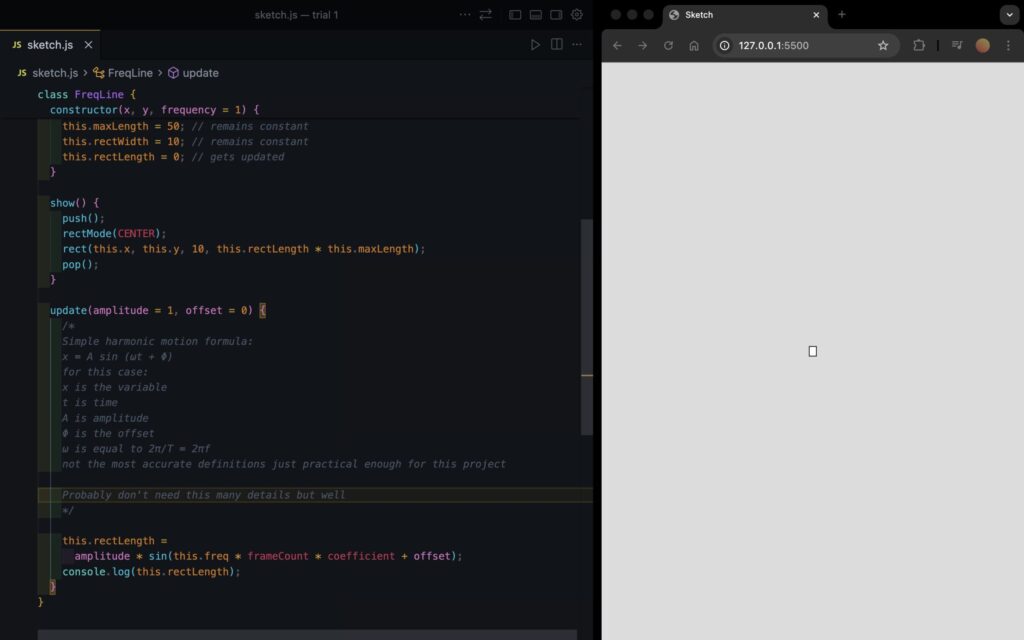
This was my initial experiment with using harmonic motion for a rectangle. I created a class called FreqLine (which I ended up using at the end) and all it did was have a sin wave which would change the height of the rectangle accordingly.

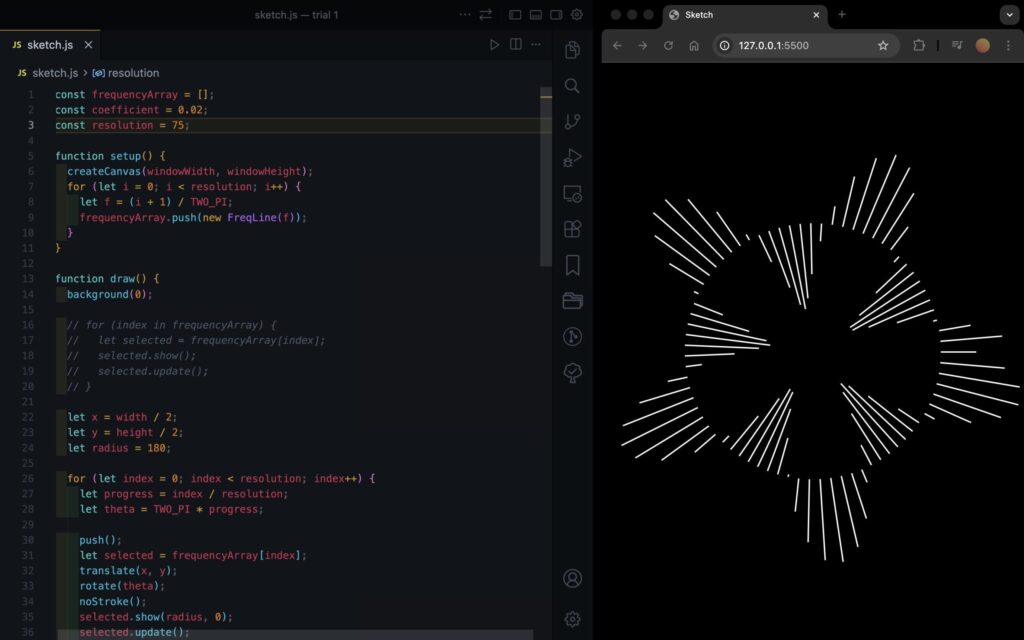
This is my second milestone, after getting the rectangles to work I made multiple and turned them into a circle shape. Each rectangle followed a different frequency which created an interesting effect as they rectangles would start in phase of each other and then go out of phase and come back.

At this point I experimented with different rectMode()’s trying CENTER, TOP, BOTTOM. Top and bottom gave the same result (which is what you see in the screenshot) whereas for CENTER it wasn’t as interesting in my opinion.

In the end I decided I would use TOP but I would make the width’s negative so that the rectangles would increase towards the center as I enjoyed that look the most.

Reflection

I wish I didn’t stop myself from starting. In the beginning I wasn’t sure what to do and I felt that if I didn’t have an idea that was good enough I wouldn’t start. Looking back and for upcoming assignments I plan on starting with any idea and being willing to do multiple sketches if I have to. It wasn’t until I had started with the circle idea that I thought to use the FFT and it wasn’t until I started the FFT did I decide to include the option to alternate between a song and a microphone. While they seem simple I think with the midterm coming up its important that I start experimenting.

Saeed Lootah – Assignment 3

Concept
For Assignment 3 I wanted to create formations with planets and stars but in 3D. However, I wanted to make only formations that wouldn’t be possible in real life. For example planets phasing through each other. Multiple stars nearby that aren’t attracted to each other etc.

Other than in our last class I never used WEBGL before that and never made 3D shapes before. That for me I felt was going to be the biggest challenge.

I was first inspired to create a 3D sketch when I saw Mustafa’s sketch for Assignment 1
https://decodingnature.nyuadim.com/2026/01/25/mustafa-bakir-assignment-1-qu4nt0m-w4lk/

Before that I had made a sketch using matter.js and added the gravity forces myself and made a similar gravity simulation in a formation that wouldn’t be possible in real life but I was limited to 2 dimensions.

Embedded Sketch
Click, drag, and use the scroll wheel to view from all angles. Or, view the sketch from the p5 website and press F to go fullscreen (Your browser might block the full screen feature unfortunately)

Code Highlight

function keyPressed() {
 if (key === "f" || key === "F") {
   let fs = fullscreen();
   fullscreen(!fs);
   // Wait for fullscreen change before resizing canvas
   setTimeout(() => {
     resizeCanvas(windowWidth, windowHeight);
   }, 100);
 }
}

It may seem insignificant but put simply this might be the only part of my code that I could see myself using in all of my other projects.

By pressing f on your keyboard it goes into fullscreen and with the setTimeout function the canvas resizes to fit the window without resetting the simulation and only after the screen has entered fullscreen. This makes for a fairly smooth transition and I will definitely be copy pasting this into my other projects. I always like to use createCanvas(windowWidth, windowHeight) but when embedding the sketch its hard for most people to appreciate it unless I make the embedded sketch fit the width or height of the blog post.

First Sphere

Added some colors as well that change with the frameCount and a sin function.

push();
 colorMode(HSB);
 s = sin(frameCount * 0.01)
 console.log(s)
 s = map(s, -1, 1, 0, 360)
 fill(s, 100, 100)
 sphere(120)
 pop();

https://p5js.org/examples/3d-geometries/

Second Sphere (two colors but no movement yet)

Made the array but no movement yet

Second sphere moving + orbitControl()

orbitControl() function does all the work for me. Can click and drag the mouse to view the simulation from the 

Modified the original movers class. Took the one from the references page of the nature of code and added the z dimension. (Below is the original movers page which I modified)

Point Light (something went wrong)

Found the point light function on the references page just added it but for some reason the star was black

pointLight(
 255, 0, 0, // color
 40, -40, 0 // position
);

Point Light (fixed)

I adjusted the x,y,z position of the point light to be at the center and then added noLights() to the central star and wrote fill(255, 0, 0) so that it wouldn’t be all black and instead would be red as intended

Two Stars and central planet

Now made two arrays one for what I called stars and one for what I’m calling planets. They are the same class however for one I don’t call upon the attract function whereas for the other I do and for that reason I made two seperate arrays.

const starArray = [];
const planetArray = [];


Then just made a lot of tweaks and got to the end product

In the setup function:

Reflection and Room for Improvement

Out of all the assignments I’ve done up to this point I’ve enjoyed this the most. Other than in our last class when I never touched WEBGL before. I also found it intimidating to make 3D until I started where I found it was far more simple than I thought it would be.

I had got very used to there being points of frustration during the process (especially debugging) but whenever I had a problem I went back to the documentation and found it easy to follow and understand.

I also loved that 0,0,0 is the center now instead of being in the top left corner of the screen.

If I choose to go back to this project I would add a couple more features:

  1. Trails behind each planet
  2. Each time you refresh you get a different arrangement (maybe one’s that I’ve created ahead of time and maybe some random ones)
  3. Being able to modify the planets and stars position ahead of time then starting or resetting the simulation

Saeed Lootah – Slime Mold

I was inspired by this which I saw a while ago when looking at the discord channel of the class. It was sent by Professor Aaron Sherwood and it was an animation of some kind but not in p5js but rather in openFrameworks.

https://cargocollective.com/sagejenson/physarum

I didn’t really understand what I was looking at or how it was worked. I chose not to look at it too closely for now so that I could come up with my own rules.

I knew it was based off of a slime mold called Physarum. It again reminded me about a slime mold being used to replicate make the Tokyo subway system and when I searched online I found this:


The slime expands in all directions then when it reaches the nutrients the path connecting it to the center gets strengthened. Slime as far as I know doesn’t have any kind of central intelligence, instead each particle or unit (whatever its called) acts independently.

I thought back to Conway’s Game of Life. Made by the mathematician John Horton Conway it is meant to resemble cellular life. It consists of a grid where each cell can be considered either dead or alive. The user can turn a cell to be either dead or alive and then start the simulation. The simulation consists of simple rules:

(Taken from Wikipedia)

  1. Any live cell with fewer than two live neighbours dies, as if by underpopulation.
  2. Any live cell with two or three live neighbours lives on to the next generation.
  3. Any live cell with more than three live neighbours dies, as if by overpopulation.
  4. Any dead cell with exactly three live neighbours becomes a live cell, as if by reproduction.

Note that each rule is not based on where in the grid a cell is but rather is only based on the surroundings of each cell. I knew for my slime mold simulation to be passable as a simulation it would need to follow a similar ruleset / a similar philosophy.

This was what I came up with:

The way it works is that there are multiple what I called Cells which step outwards from the center of the canvas. Each cell’s movement is slightly randomized in that it has its intended direction say 45 degrees. But using a gaussian distribution and by setting the standard deviation to be some value say 5 degrees then adding the value to the intended direction so most values would be between 50 to 40 degrees. Here’s the corresponding function:

My Personal Highlight

vector_gaussian_heading(standard_deviation) {
    let new_vector;
    let current_heading = this.direction_vector.heading()
    let random_gaussian = randomGaussian(0, standard_deviation)
    // Constrain the value because it can in theory be any number albeit low chance
    random_gaussian = constrain(random_gaussian, -standard_deviation * 2, standard_deviation * 2)

    // Add the randomness to the heading but without updating the initial desired heading
    let random_heading = current_heading + random_gaussian;
    new_vector = createVector(this.direction_vector.x, this.direction_vector.y) // Note: I tried ... = this.direction_vector but it would update this.direction_vector as well :/
    new_vector.setHeading(random_heading)

    return new_vector;
  }

When first creating the code I got confused why at one point the cell would move in all kinds of random directions rather than sticking to a single direction and only deviating a small amount like I intended.

I originally wrote new_vector = this.direction_vector I believed that new_vector would be given the value of this.direction_vector but it would not change this.direction_vector. I was used to the equals sign meaning that what’s on the left would have the value of what’s on the right but not both.

My Progress

Randomly moving cells was not my only problem.

After implementing the slight randomness I began to add more than one Cell. In the screenshot above I believe that was around 10 of them. There’s a for loop in the setup() function within which I initialized all of the Cell classes and wanted to get the initial directions of the cells to span all 360 degrees evenly using a map function but for some reason I couldn’t get it to work.  Instead I kept it simple and used a random() function.

This is what it looked like afterwards.

Saeed Lootah – Assignment 1

The Computational Beauty of Nature
by Gary William Flake

Immediately during the author’s section on reductionism I began to think about determinism but specifically a concept called Laplace’s demon. Coined by Pierre-Simon Laplace a French philosopher in the 19th century, it refers to the idea that if you reduced the world to its most fundamental particles and had complete knowledge of all existing particles and the forces acting upon them and the forces that they can act upon other particles with a strong enough calculator you could predict anything. Free-will, and randomness would be illusions. It’s the most reductionist concept I know of.

However, as the author continued he did not begin to discuss free will and the purpose of life. Rather:

We have, then, three different ways of looking at how things work. We can take a purely reductionist approach and attempt to understand things through dissection. We also can take a wider view and attempt to understand whole collections at once
(pg. 2)

…Or we can take an intermediate view and focus attention on the interactions of agents
(pg. 2)

I appreciated the middle approach that the author wanted to take since I believe it would be more practical than Laplace’s demon for example.

As he began to discuss the examples across nature I realized that the concept’s I’m going to have to keep in mind for the rest of the course are in the three paragraphs on page 4. They are too long to paste here but to keep it as short as I can: Parallelism, Iteration, and Learning. Other words were used but I picked those because I find them the most memorable.

My Code

(Click on the sketch and click and drag your mouse)

For this assignment I picked the following from List 1 and List 2 respectively:

– Try implementing a self-avoiding walk
– Walk through RGB or HSB space (as opposed to XYZ)
What you’re looking at is a snake like shape which moves around in 3 pixel increments (step_size in the code) and it goes in whichever direction it wants to until it collides with itself at which point it stops.
At the head of the snake is a circle and there are lines for the path’s that it’s traversed previously.
In addition, the color of the lines or head of the snake changes depending on where it’s located on the canvas. I based it off of the color mode HSL which stands for Hue Saturation Lightness. Hue is an angle from 0-360 degrees (search up HSL color wheel) and the canvas is just set to be the window height and not a hard coded value. So I used the map function. I did the same for Saturation but I kept lightness at 50, if it was at 100 it would always be white, if it was at 0 it would be black. I could have used HSB and kept B at 100 and it was HSB which is why in the class Walker it’s b: 100, I forgot why I changed it to be honest.

My Personal Highlight

placement_calculation(x, y) {

    let x_remainder = x % step_size
    let y_remainder = y % step_size

    let new_coordinate = new Coordinate(x - x_remainder, y - y_remainder)

    return new_coordinate;
}

The reason I picked these few lines of code was because it was something I had come up with myself and had not done before. To ensure that all of the snakes/walkers stay on the same grid/lattice when placed I used this function. It takes the modulus of x, and y, with step_size and then for the new coordinate that’s being outputed its the x/y value given minus the remainder.

This ensures that the x,y coordinate that the snake is placed on is always a multiple of the step_size. I’m not sure if that made sense but it was the most efficient method I could think of to keep everything on the same grid.

Reflection

I’m happy with how the sketch looks and I think the code is somewhat easy to read. Going into this project I’ve been trying to make more readable code using variable names that explain what the variable is rather than an abbreviation and relying on comments. In the event that I did use an abbreviation I wrote a comment above (in the is_surrounded function).

With that being said there are some things I would like to change. Most importantly rather than relying purely on random chance I would like to implement some kind of formula or iterative design that can make the snake/walker last longer. And, a function to ensure that walkers don’t cross the paths of other walkers.