Assignment 10

Concept & Inspiration

This week, I wanted to recreate Tetris but with a chaotic twist: I wanted to see what happens when you take a perfectly organized game and throw it into a world of messy physics. Instead of blocks snapping into place on a grid, they are governed by gravity, friction, and torque, meaning a slightly off-center landing can topple your entire stack. I was inspired by the way Ryoichi Kurokawa and Robert Hodgin use digital systems to create organic, unpredictable structures. The challenge isn’t just about where the blocks go, but how they balance, shift, and compress as the pile grows.

Since the blocks are no longer perfectly organized in a grid as in the game, which meant gaps are inevitable, I made it so that having a row 90% filled gets cleared.

Code Highlight

I am particularly proud of the checkRowsStrict() function. Because physics bodies don’t align to a grid, I divided the canvas into ten horizontal “bins” per slice. The system iterates through these sectors and uses Matter.Bounds.contains to verify if a physics body is physically occupying that space.

for (let i = 0; i < numBins; i++) {
  let binX = i * binWidth + binWidth / 2;
  // Check if any body in this slice covers this bin center
  let isOccupied = bodiesInSlice.some(b => Matter.Bounds.contains(b.bounds, { x: binX, y: y }));
  if (isOccupied) binsOccupied++;
}

if (binsOccupied / numBins >= 0.9) { // 90% threshold for a clear
  clearRow(bodiesInSlice);
}

This approach bridges the gap between free-form movement and structured gameplay, forcing the player to pack blocks efficiently to reach the 90% occupancy threshold.

Milestones & Challenges

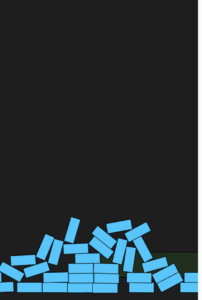
In this version, I was just testing if I could spawn blocks and have them stack. The physics are broken here: they bounce too much, and they don’t lock into a pile properly, which was the first major challenge I had to overcome by learning more about the matter.js library.

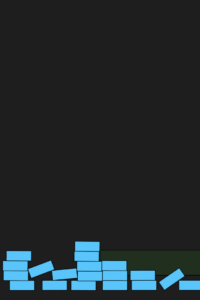
This milestone shows the first attempt at clearing rows. I hadn’t implemented the row clearing algorithm yet. It simply looked at the total width of blocks in a zone. It was a breakthrough because it was the first time the game became playable, even if the clearing was a bit too easy and lucky.

After I got that figured out, I added diversity to the block shapes and colors, gave the user control with the arrows, and the game was ready.

Reflection and Improvements

This project shifted my perspective from seeing physics engines as simple simulators to seeing them as gameplay generators. The most rewarding aspect was observing how complex strategies emerged naturally from basic gravity and friction. For future iterations, I plan to integrate p5.sound to map collision impacts to percussive digital noises, further leaning into a glitchy aesthetic. Additionally, I hope to implement Dynamic Fragmentation, where high-velocity impacts can break blocks into smaller pieces, adding another layer of realism to the project.

`

Assignment 9

Concept:

For this assignment, I was influenced by the glitch-aesthetic of Ryoichi Kurokawa and the organic precision of Robert Hodgin. The project tells a visual story of a digital organism struggling to maintain its structural integrity, moving through a scripted cycle of Crystalline Order, Kinetic Chaos, and Digital Decay. I was able to do this by layering standard flocking rules with a custom “Glitch” variable.

There are three modes you can switch through by pressing the spacebar, which I called Order (Cohesion high), Chaos (Wander & Flee high), and Decay (Fading trails).

Code Highlight:

I am particularly proud of the State-Dependent Steering Logic within the flock() method. This snippet acts as the nervous system of the simulation, allowing the agents to instantly reconfigure their behavior based on the current global state. By using vectors and dynamically shifting the weights of Cohesion, Wander, and Separation, I can transition the entire system.

if (state === 0) { // ORDER: High Cohesion to center
  let center = createVector(width/2, height/2);
  coh = this.seek(center).mult(2.5); // Force into a rigid cluster
  this.maxSpeed = 1.8;
} else if (state === 1) { // CHAOS: High Velocity & Randomness
  glitch = p5.Vector.random2D().mult(6.0); // Introduce erratic energy
  this.maxSpeed = 7;
  this.maxForce = 0.6;
} else { // DECAY: High Separation & Drifting
  sep.mult(5.0); // Force agents apart
  this.maxSpeed = 0.8;
}

Milestone 1:

This milestone focused on the mathematical accuracy of the core steering behaviors. At this stage, there was no tension and release or interactivity. The agents simply moved in a continuous, unchanging loop. The visual was kept basic to ensure the Separation, Alignment, and Cohesion logic was solid.
Milestone 2:

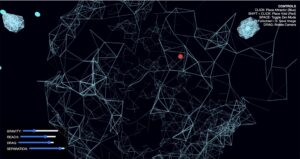
In this milestone, I shifted from representational triangles to the Kurokawa-inspired line aesthetic. I introduced the “Nearest Neighbor” logic, where agents “reach out” to one another to create a web-like structure. I also added low-alpha background clearing to create the smoky history trails seen in Robert Hodgin’s work.

Final Sketch:

Reflection and ideas for future work or improvements:

This project taught me that compelling generative art often emerges from the disruption of rules. This shift, combined with a low-alpha background, transformed a simple steering simulation into a smoky, ethereal system that bridges the gap between predictable math and the emotional tension seen in the works of Kurokawa and Hodgin. Moving forward, I plan to integrate p5.sound to map the “Chaos” phase to granular synthesis and implement Obstacle Avoidance using invisible voids to force agents into even more intricate woven patterns possibly within a 3D WebGL environment.

Assignment 8

Concept:

Inspired by this paper I read called Steering Behaviors for Autonomous Characters, I made an interactive exploration of Steering Behaviors and how they manifest as group intelligence. The project moves beyond simple animation by giving every agent a “brain” that constantly calculates its next move based on its environment. By layering Craig Reynolds’ classic steering forces—Separation, Alignment, and Cohesion—the herd achieves a lifelike, emergent flow. When the user moves the “Lion” (mouse), the Flee steering behavior becomes the dominant force, overriding the social urge to flock. Conversely, clicking the canvas plants “Grass Patches,” which activates a Seek behavior, pulling the autonomous agents toward a new goal.

Instructions:

  • Move Mouse: Control the Lion. Watch the herd split and reform.

  • Click Canvas: Plant a Grass Patch. The herd will navigate toward it.

  • Spacebar: Clear all grass patches.

Code Highlight:

I am proud of the handleInteractions method. It creates a hierarchy of needs: Safety > Hunger > Socializing. If the predator (mouse) is close, the animal ignores the grass and the herd to save its own life.

handleInteractions(predator, foodSources) {
    let mouseDist = dist(this.pos.x, this.pos.y, predator.x, predator.y);
    
    if (mouseDist < 100) {
      // Flee from the lion
      let fleeForce = this.flee(predator).mult(5.0);
      this.applyForce(fleeForce);
      this.isPanicking = true;
    } else {
      this.isPanicking = false;
      // Seek the nearest grass
      if (foodSources.length > 0) {
        let closest = foodSources[0];
        let huntForce = this.seek(closest.pos).mult(1.5);
        this.applyForce(huntForce);
      }
    }
  }

Milestones and Challenges:

  • My first milestone was the fear state. I added a boolean isPanicking. This allows the animals to change color and increase their maxSpeed when the lion is near, which makes the flee behavior much more visible.

  • A challenge I ran into was resource management. Initially, the animals would just stay on the grass forever so I gave the grass health. As the herd grazes, the health drops until the patch disappears, forcing the herd to look for the next patch.

  • The final challenged I faced was from how the sketch looks like below. After getting all the core functionality done, the sketch still felt “unalive”. Following the feedback from my professor, I decided to add to the diversity of the sketch by making two different looking, and behaving, species: Wildebeests and Gazelles. By differentiating their steering weights, I created a “Social Anchor” group that prioritizes cohesion and a “Scout” group that favors independent wandering, making the collective movement feel like a real ecosystem.


Reflection and Future Improvements:

This project taught me that “life” in code is about the priority of forces. The biggest challenge was balancing steering behaviors so agents wouldn’t just clump like magnets. Fine tuning the Separation weight was the breakthrough as it provided breathing room, transforming a messy cluster into a coordinated, organic herd.

Future Work:

Leader Dynamics: Adding a Leader agent with a stronger Seek force to see if the herd naturally follows its path.

Obstacles: Implementing “Rocks” or “Rivers” to force the herd to navigate around barriers using Obstacle Avoidance steering.

Vision Cycles: A Night Mode where the vision radius shrinks, forcing agents to rely more on Alignment when targets are out of sight.

Sound: Using p5.sound to map the Panic state to a rising ambient hum, making survival tension audible.

Assignment 7

Inspiration 

I chose teamLab’s “Floating Microcosms” because I love how it feels like a living environment. In the real installation, stone-like objects float on water and change color when touched. I wanted to see if I could use math to copy that floating feeling and make digital objects talk to each other using ripples of light.

Code Highlight

I am proud of the Perspective Ripple. On a flat screen, it’s hard to make things look like they are lying down on the ground. I used a “math trick” to make the ripples wide but short. This tricks your eyes into thinking the water is a flat surface stretching away from you.

// This makes the ripple look like it's flat on the water
if (this.rippleSize < 140) {
  noFill();
  // The ripple fades out as it gets bigger
  let alpha = map(this.rippleSize, 0, 140, 0.6, 0);
  stroke(this.hue, 70, 100, alpha);
  
  // The Trick: Width is 2x, but Height is only 0.6x
  ellipse(0, 20, this.rippleSize * 2, this.rippleSize * 0.6);
  this.rippleSize += 1.8;
}


Milestones and Challenges

  • Milestone 1: The Floating Feeling. I used Simple Harmonic Motion (sine waves) to make the objects bob up and down. The challenge was making them look natural. Adding a tiny bit of “side-to-side” movement made them feel much more like they were on water.

  • Milestone 2: The Water Surface. At first, the background was just a boring blue. I fixed this by drawing hundreds of thin lines that move slightly. This made the water look like it was actually moving.

Sorting the Objects. A big problem was that objects in the back were being drawn on top of the ones in the front. This made the 3D effect look broken.

As a solution, I added a sort command that checks the Y-position of every object. It makes sure the ones at the bottom of the screen (closest to you) are always drawn last so they stay in front.

Reflections and Future Ideas

This project taught me that small details, like a shadow or a slight tilt, make a big difference in making digital art feel “real.” For the future I could add.

  • Sounds: I want to add a “ding” sound every time a ripple hits another object.

  • Wind: I want to make it so if you move the mouse fast, it creates “wind” that pushes the objects around.

Midterm – A Living Network

Midterm Project Overview

For the midterm, I created a generative art system that explores the intersection of networks and organic motion. The core concept is artificial life simulation inspired by Craig Reynolds’ Boids, but also using lines between nodes as in Network Theory to generate unique paintbrush patterns.

The design goal was to make a system that feels alive rather than programmed. Rather than directly drawing static shapes, I implemented a set of biologically inspired rules such as, movement, proximity-based interactions, growth, and reproduction, allowing the artwork to emerge from these behaviors over time. The result is a visually rich, evolving network that evokes mycelial-network-like pathways, flocking organisms, and orbital motion depending on the selected mode.

The system also includes interactive features that allow the user to manipulate and explore the simulation in real-time:

  • Movement Modes: Wander, Flock, and Orbit, toggled with M, creating different emergent behaviors.

  • Color Palettes: Cycle through multiple palettes with C to alter the visual mood.

  • Growth Control: Nodes reproduce over time, with growth rate adjustable via a slider.

  • Movement Parameters: Sliders for speed, steering strength, and connection distance allow nuanced control over node behavior.

  • Mouse Interaction: Click to attract all nodes toward the cursor; press R to repel them.

  • Fullscreen and Export: Press F to toggle fullscreen, and S to save a PNG snapshot of the current artwork.

Implementation Details

Nodes Behavior:

  • Wander Mode: Nodes move using Perlin noise to simulate organic wandering.

  • Flock Mode: Nodes align and cohere with nearby nodes, creating emergent flocking patterns.

  • Orbit Mode: Nodes orbit around the canvas center with circular movement.

  • Mouse Influence: Nodes respond to attraction or repulsion forces for interactivity.

if (organisms.length < 400 && frameCount % growthSlider.value() === 0) {
  let parent = random(organisms);
  organisms.push(
    new BioNode(
      parent.pos.x + random(-20, 20),
      parent.pos.y + random(-20, 20)
    )
  );
}

I made it so that the number of organisms in the sketch grows to 400 (capped so the sketch doesn’t lag) at a rate determined by the user using the slider

Midterm Progress Milestone

At this point I was facing a problem where, for some reason, all the nodes would cluster at the top right corner, which left huge parts of the canvas uncovered. I discussed with professor Jack that it would probably be a good idea to allow the user to influence the sketch with the mouse to get better patterns, which is what I did below.

wander() {
    let n = noise(this.pos.x * 0.01, this.pos.y * 0.01, frameCount * 0.01);
    let angle = map(n, 0, 1, 0, TWO_PI * 2);
    let steer = p5.Vector.fromAngle(angle).mult(steerSlider.value());
    this.applyForce(steer);
  }
mouseInfluence() {
  if (mouseIsPressed) {
    let mouse = createVector(mouseX, mouseY);
    let dir = p5.Vector.sub(mouse, this.pos);
    dir.normalize();
    let strength = repelActive ? -0.3 : 0.3;
    this.applyForce(dir.mult(strength));
  }
}

This is how I made the nodes feel alive. These snippets show how I used noise to smoothly randomize movement and steering, but also allow for the user to intervene with external forces to influence the final piece.

for (let i = organisms.length - 1; i >= 0; i--) {
  let o = organisms[i];
  o.update();
  o.display();

  for (let j = i - 1; j >= 0; j--) {
    let other = organisms[j];
    let d = dist(o.pos.x, o.pos.y, other.pos.x, other.pos.y);

    if (d < connectSlider.value()) {
      stroke(o.color, map(d, 0, connectSlider.value(), 100, 0));
      strokeWeight(0.5);
      line(o.pos.x, o.pos.y, other.pos.x, other.pos.y);
    }
  }
}

Because I wanted to try Node-to-Node connections that I saw from my Computer Science classes, I used this nested loop to draw a line between nodes that are a certain distance from each other, depending on the user’s choice, which resulted interesting paintbrush patterns.

orbit() {
  let center = createVector(width / 2, height / 2);
  let dir = p5.Vector.sub(center, this.pos);
  let tangent = createVector(-dir.y, dir.x); // perpendicular to center vector
  tangent.setMag(steerSlider.value());
  this.applyForce(tangent);
}

This is the function the sketch switches to as one of the modes available, which I learned from The Nature of Code book. Since orbit is just a force pulling towards the center, you simply need to subtract the position vector and the center vector to get the direction of the force you need to apply.

Video Documentation
Reflection

The interactive simulation provides an engaging experience where users can explore emergent behaviors visually and through direct manipulation. Observing how small changes in parameters affect the system fosters a sense of discovery.

Future Improvements:

  • Smoother transitions between modes.

  • Adjustable node size and trail persistence for more visual variety.

  • Performance optimization for larger node counts.

References

Daniel Shiffman, The Nature of Code

Flocking simulation tutorial on YouTube by Daniel Shiffman

Craig Reynolds’ Boids

Inspirations:

    • Biological growth patterns, flocking birds, and orbital mechanics.

    • Creative coding projects on interactive generative art platforms.

  • AI Disclosure: I, of course, used AI to help me better understand and debug the complex parts of the code, especially flocking. I also asked ChatGPT to suggest the color palettes that the user can cycle between by clicking c since I am not very good at choosing colors. ChatGPT also did the html parts such as the sliders, labels, as well as the fullscreen feature.

Assignment 5

Overview and Concept 

For the midterm I want to make a generative art system that explores the intersection of networks and organic motion. The core concept is based on The Neural Kingdom: a simulation of synaptic connectivity where autonomous “cells” traverse a digital petri dish, leaving behind a complex web of connections.

The design goal was to create a system that feels “alive” rather than programmed. Instead of drawing shapes directly, I designed a set of biological rules—movement, proximity, and reproduction—and allowed the artwork to emerge from the interaction of these rules over time. The result is a series of intricate structures that resemble neural pathways.

The generator also allows cycling between different color modes by pressing ‘c’ and saves a png with ‘s’

The Technical Logic

The system is built on three primary programming pillars:

Autonomous Agents: Each cell is an object with its own mass, velocity, and “personality” (a unique noise seed). To simulate chemotaxis (movement in response to chemical gradients), I used Perlin Noise. This ensures the cells move in smooth, curving paths rather than random lines.

Proximity-Based Synapses: The “art” is generated by the space between the movers. Every frame, each cell looks for neighbors within a radius. If another cell is close enough, a line is drawn between them. I mapped the transparency of these lines to the distance, creating a sense of three-dimensional depth and tension.

Mitosis Growth Simulation: Rather than filling the screen at once, the sketch begins with a small “seed” cluster. New cells are added to the system via a mitosis timer, spawning near existing parent cells. This allows the colony to expand organically from a central core.

Current Milestone

Future Improvements:

I want to allow for different drawing modes by allowing the user to click different numbers. I also the user to be able to influence the art by interfering with external forces. This could also help with the issue of the movers not covering huge parts of the sketch, which I also intend to fix.

Assignment 4

Concept

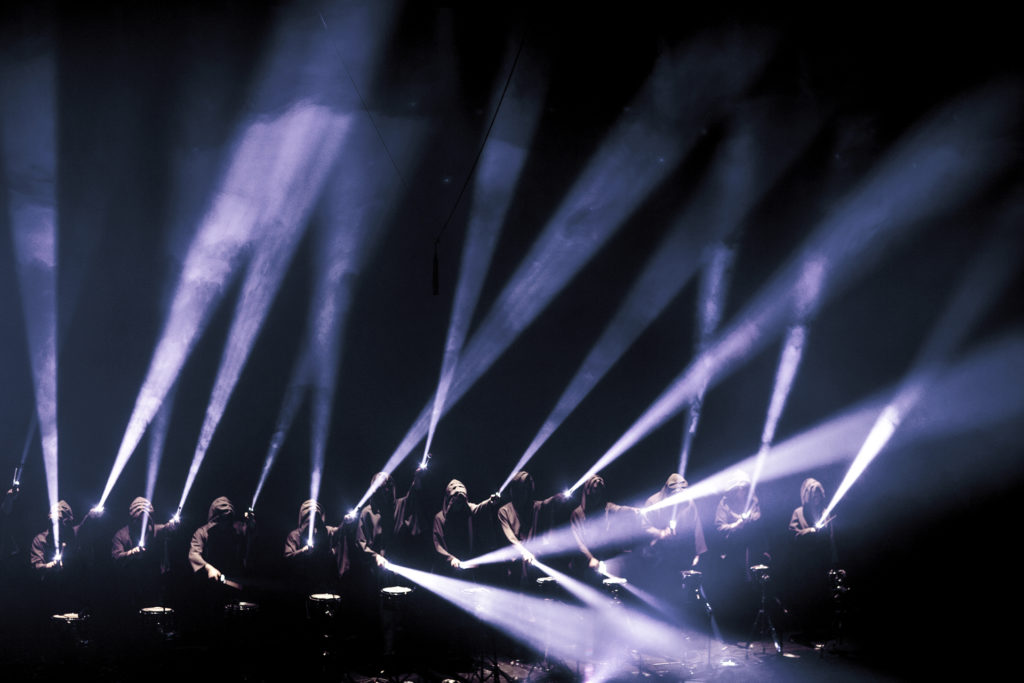
Inspired by Memo Akten, my concept is to simulate a row of searchlights fixed along the bottom of the screen. Each light oscillates back and forth using a sine wave.

The “personality” of the piece comes from the Phase Offset. Because each light starts its swing a fraction of a second after the one next to it, the beams create a harmonic wave effect as they sweep across the sky. I used high-transparency triangles to mimic the look of light passing through fog or haze.

Memo Akten’s Simple Harmonic Motion #6 Performance proof of concept (2011)
The Sketch
  • Watch: The beams move in a synchronized wave.

  • Interact: Move the Mouse to change the “Spread” of the lights. Moving Right makes the wave more chaotic; moving Left brings them into perfect sync.

  • Click: To change the color palette from “Cold Searchlight” to “Warm Amber.”

Code Highlight

I am particularly proud of the display() function for the beams. Instead of drawing a simple line, I used a gradient-like approach with multiple triangles. This creates the “glow” effect where the light is brightest at the source and fades as it stretches into the dark.

display() {
    // We use a loop to draw layers of the beam for a glow effect
    for (let i = 8; i > 0; i--) {
      // As i gets smaller, the beam gets thinner and brighter
      let alpha = map(i, 1, 8, 15, 2); 
      let beamWidth = i * 4;
      
      fill(50, 20, 100, alpha); // Soft white/blue glow
      noStroke();
      
      push();
      translate(this.x, this.y);
      rotate(this.angle);
      
      // Draw the triangular beam of light
      triangle(0, 0, -beamWidth, -height, beamWidth, -height);
      pop();
    }
  }
Milestones

This was my first attempt. I successfully mapped the Sine wave to the rotation of a line, but it felt very mechanical and flat. There was no phase offset yet, so every light moved in perfect, boring unison.

In this version, I moved away from the basic “sticks” and made it actually look like a light. By drawing multiple overlapping triangles with very low opacity, I create the illusion of light scattering through a hazy or smoky sky. All that’s left is the interaction!

Reflection and Future Work

This assignment highlighted how much “mood” can be created with very little code. By using Simple Harmonic Motion to drive rotation and layering simple shapes with transparency, I created a complex, atmospheric environment. Future improvements:

  • Particle Haze: I would like to add tiny “dust” particles that catch the light only when the beam passes over them.

  • Sound-Reactive: Having the beams “grow” or “shrink” in length based on the volume of a music track.

  • 3D Volumetric: Moving this into a 3D space where the beams can rotate on two axes, allowing them to point toward or away from the viewer.

Assignment 3

Concept

In class, we mostly looked at one object following one attractor. For this assignment, I wanted to see what happens when multiple attractors and repulsors fight for control over thousands of tiny particles.

  • The Magnets: I placed 3 invisible “charges” on the screen. Some pull (Attractors) and some push (Repulsors).

  • The “Weavers”: These are hundreds of tiny particles that spawn, trace the invisible lines of force for a short time, and then vanish.

  • The Turbulence: To stop the pattern from looking too perfect and mathematical, I added wind using Perlin Noise. This adds a slight wobble to the particles, making the final drawing look like organic flow—like muscle fibersl

  • Interaction: Clicking the mouse adds a massive “Disruptor” force (Repulsion) that pushes the flow away from your cursor, carving a hole in the pattern.

Code Highlight

I am particularly proud of the applyBehaviors function. This is the engine that drives the movement. It calculates the “Net Force” for every particle by summing up three different influences: the structural pull of the magnets using vector subtraction, the organic flow of the Perlin noise, and the interactive push of the mouse.

applyBehaviors(magnets) {
    let netForce = createVector(0, 0);

    // A. FORCES FROM MAGNETS
    for (let i = 0; i < magnets.length; i++) {
      let m = magnets[i];
      let force = p5.Vector.sub(m.pos, this.pos);
      let dist = force.mag();
      
      // Avoid extreme forces when very close
      dist = constrain(dist, 10, 100); 
      
      // Physics: Force = Strength / Distance
      force.setMag(m.strength / dist);
      netForce.add(force);
    }

    // B. MOUSE REPULSION (Interaction)
    if (mouseIsPressed) {
      let mousePos = createVector(mouseX, mouseY);
      let mouseForce = p5.Vector.sub(this.pos, mousePos); // Points AWAY
      let dist = mouseForce.mag();
      
      if (dist < 150) {
         mouseForce.setMag(5); // Strong push
         netForce.add(mouseForce);
      }
    }

    // C. TURBULENCE (Perlin Noise)
    // Makes the lines look like wood grain or flowing water
    let n = noise(this.pos.x * 0.005, this.pos.y * 0.005);
    let angle = map(n, 0, 1, 0, TWO_PI);
    let wind = p5.Vector.fromAngle(angle);
    wind.mult(0.5); // Add just a little bit of organic chaos
    netForce.add(wind);

    this.applyForce(netForce);
  }
Milestones & Challenges

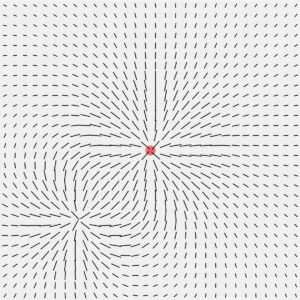
I first started experimenting with how to make a magnetic field in p5, so I made a sketch with a bunch of rods that follow the mouse which acts as a magnet. They rods created a nice magnetic field pattern which inspired the final piece.

I learned how to do this from this sketch.

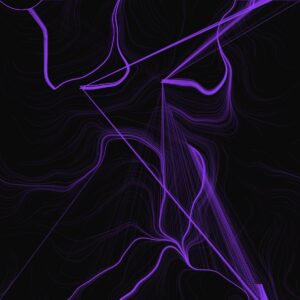
After that, I began playing around with different colors and ended up deciding on this neon purple one with a dark background. Here, the mouse was the magnet, but I noticed that after some time following the mouse, the particles would all be on top of each other and show as one. Because of this, I decided to put multiple attractors, which made no two particles follow the same path.

Reflection & Future Work

This project felt like a significant step up because I was simulating a system of forces rather than just a single interaction. The result looks less like a computer simulation and more like a generative painting.

Future Ideas:

  1. Color Mapping: Map the color of the line to the stress (force magnitude) at that point. High-stress areas (near magnets) could be red; low-stress areas could be blue.

  2. Moving Magnets: Have the magnets slowly drift around the screen using sine waves, causing the pattern to shift and morph over time.

Assignment 2

Concept

For this project, I wanted to simulate how moths fly around a porch light. I noticed that real bugs are chaotic. They don’t fly in straight lines, and they are all different sizes. I created a system where every moth tries to fly toward the mouse (the light), but they are constantly pushed around by a “jitter” force that makes them flutter. I also gave each moth a specific weight where big moths are heavy and slow to turn, while small moths are hyperactive and fast.

Code Highlight

I chose this function because it acts as the “brain” of the moth. It uses a physics formula to calculate exactly how to steer toward the light. When the user clicks, the code multiplies the allowed acceleration by 5, instantly transforming the moth from a lazy flyer into a chaotic one.

seek(target) {
    // 1. Find the direction pointing to the light
    let desired = p5.Vector.sub(target, this.pos);
    desired.normalize();
    
    // 2. Set the speed: If clicking, double the top speed!
    let speedLimit = mouseIsPressed ? this.maxSpeed * 2 : this.maxSpeed;
    desired.mult(speedLimit);

    // 3. Calculate steering (Desired velocity minus Current velocity)
    let steer = p5.Vector.sub(desired, this.vel);
    
    // 4. Limit the turning power: If clicking, allow 5x more force
    let currentForceLimit = mouseIsPressed ? this.maxForce * 5 : this.maxForce;
    steer.limit(currentForceLimit); 
    
    // 5. Apply this steering force 
    this.applyForce(steer);
  }


Reflection and Future Work

I was surprised by how realistic the movement felt, especially when the moths reach the light source and begin orbiting around it. It created a very organic, feeling without complex animation code. For future improvements, I would like somehow make them bump into each other so they don’t overlap.


Mohammed – Assignment 1

Concept

My concept is “Nervous Fireflies” that implements a Levy Flight. Most of the time, the firefly hovers in a small area (small steps), but occasionally it gets startled and zooms to a new location (a very large step).

To visualize this, I mapped the “step size” to the size of the circle. When it’s hovering, it is a tiny dot. When it zooms, it expands into a large burst of light.

Code Highlight

I am proud of this section because it creates the Lévy Flight behavior without using complicated math formulas. I simply used random(100) like rolling a 100-sided die. If I roll a 1 (a 1% chance), the firefly takes a huge jump. Otherwise, it takes a tiny step.

I was also proud of the trigonometry part which is particularly thematic in situations where you want to convert an angle into cartesian coordinates.

step() {
    // CHOOSE DIRECTION
    let angle = random(TWO_PI);

    // CHOOSE DISTANCE (The Lévy Flight Logic)
    // Pick a random number between 0 and 100
    let r = random(100);

    // 2% chance of a BIG jump
    if (r < 2) {
      this.currentStepSize = random(50, 150);
    } 
    // 98% chance of a small step
    else {
      this.currentStepSize = random(2, 5);
    }

    // MOVE
    // convert angle/distance into X and Y
    let xStep = cos(angle) * this.currentStepSize;
    let yStep = sin(angle) * this.currentStepSize;
    
    this.x += xStep;
    this.y += yStep;


Reflection & Future Improvements

I realized that “random” doesn’t have to mean “even.” By checking if random(100) < 2, I was able to create a behavior that feels much more organic and alive than just moving randomly every frame.

For the future, I could implement:

Mouse Interaction: I want to make the firefly scared of the mouse, so if the mouse gets too close, it forces a “big jump” immediately.

Interaction Between Fireflies: Right now, the fireflies behave in isolation. It would be cool to have fireflies interact with one another using object to object communication.