Week 4- SHM x Abu Dhabi

Concept

This project began with Abu Dhabi.

More specifically, it began with the building everyone calls the “Pineapple Building,” formally the Aldar Headquarters Building. Growing up in the UAE, I have always been surrounded by architecture that feels sculptural, patterned, and repetitive. What fascinates me about this building is not just its circular form, but its structural skin. It feels cellular. Layered. Alive.

Our class is about nature. At first, I struggled with how to connect Abu Dhabi’s hyper-urban identity to natural systems. Then I began thinking about cities as organisms.

Cities breathe.T hey pulse. They expand and contract.

That is where Simple Harmonic Motion came in.

Inspired by Memo Akten’s approach to translating natural systems into generative code, I wanted to build something that felt architectural but behaved like a living surface. Instead of simulating water, particles, or gravity, I decided to simulate a kinetic façade  an aperture system that opens and closes like breathing cells across a city skin.

The triangular repetition of the Pineapple Building translated into a 6-fold radial aperture. Each module behaves like a mechanical petal system. When tiled together, they form a shifting urban membrane.

The result is not a literal copy of Abu Dhabi architecture, but a computational abstraction of its rhythm.

Code Highlight

One piece of code I am particularly proud of is the phase variation across the grid. At first, all modules were opening and closing at the same time, which felt flat and mechanical in a static way.

Introducing a spatial phase shift changed everything:

const p = i * 0.42 + j * 0.36;
const open01 = 0.5 + 0.5 * sin(t + p);

Instead of synchronized movement, the surface now moves like a wave. It feels less like a digital animation and more like a living field.

I also implemented easing to make the motion linger at the open and closed states:

function easeInOut(x) {
return x < 0.5 ? 4 * x * x * x
: 1 - pow(-2 * x + 2, 3) / 2;
}

This small adjustment made the motion feel architectural rather than purely mathematical.

EMBEDED SKETCH

Milestones and Challenges

Milestone 1: Building a Stable Radial System

The first step was creating a single aperture module. I constructed six evenly spaced angles:

for (let i = 0; i < 6; i++) {
let angle = i * TWO_PI / 6;
}

This established rotational symmetry. However, early attempts resulted in uneven overlaps and distorted petal geometry. The relationship between the inner hub radius, hinge radius, and outer tip radius required several rounds of trial and error.

Too much spread caused the petals to disconnect.
Too little spread made the motion invisible.

Balancing geometry and movement became the central challenge.

Milestone 2: Introducing Simple Harmonic Motion

To simulate breathing, I introduced a sine-based oscillation:

let open = 0.5 + 0.5 * sin(t);

This normalized the motion between 0 and 1. However, pure sine motion felt abrupt at the extremes. It lacked the softness of organic motion. That led to introducing easing to create a smoother open-close rhythm.

This was my first real “nature” moment. I realized that nature is rarely linear. Even harmonic systems have softness.

Milestone 3: Scaling to an Urban Surface

Once the single module felt stable, I tiled it into a staggered grid:

const x = i * stepX + (j % 2) * (stepX * 0.5);
const y = j * stepY;

The offset grid created density similar to a façade or cellular membrane.

The biggest challenge here was visual noise. When too many modules moved in sync, the surface felt static. When phase variation was too extreme, it became chaotic. Finding the right coefficients for the phase shift required repeated adjustment and testing.

This stage transformed the project from an object into an environment.

Reflection

I am in AW in what I can create in a week and teach myself….

What I learned from this project is that nature does not only exist in forests or oceans. It exists in systems. It exists in repetition. It exists in oscillation.

Abu Dhabi, often perceived as artificial or hyper-constructed, actually contains its own form of organic logic. Through coding, I translated that logic into a living digital surface.

This project allowed me to think about cities as breathing entities. Architecture as skin. Code as biology.

Future Improvements

Moving forward, I would like to:

  • Introduce mouse interaction so the “city” responds to proximity.

  • Incorporate particle systems inspired by Nature of Code Chapter 4.

  • Experiment with light and shadow instead of line-only rendering.

  • Translate the system into a physical fabrication prototype, possibly laser-cut layered acrylic panels.

I am especially interested in expanding this into a responsive façade simulation, where environmental data could drive the oscillation.

Assignment 4

Concept

For this assignment, I wanted to explore how Simple Harmonic Motion can be used to recreate organic environments. I took inspiration from Memo Akten, specifically his ability to take rigid mathematical oscillations and turn them into fluid, life-like movements.

My goal was to create a painterly ocean. Instead of perfectly smooth curves, I wanted broken lines that feel like the faceted surface of water at night. To tie it all together, I added a breathing moon and a star field, creating a cohesive, glowing atmosphere.

Sketch

Process

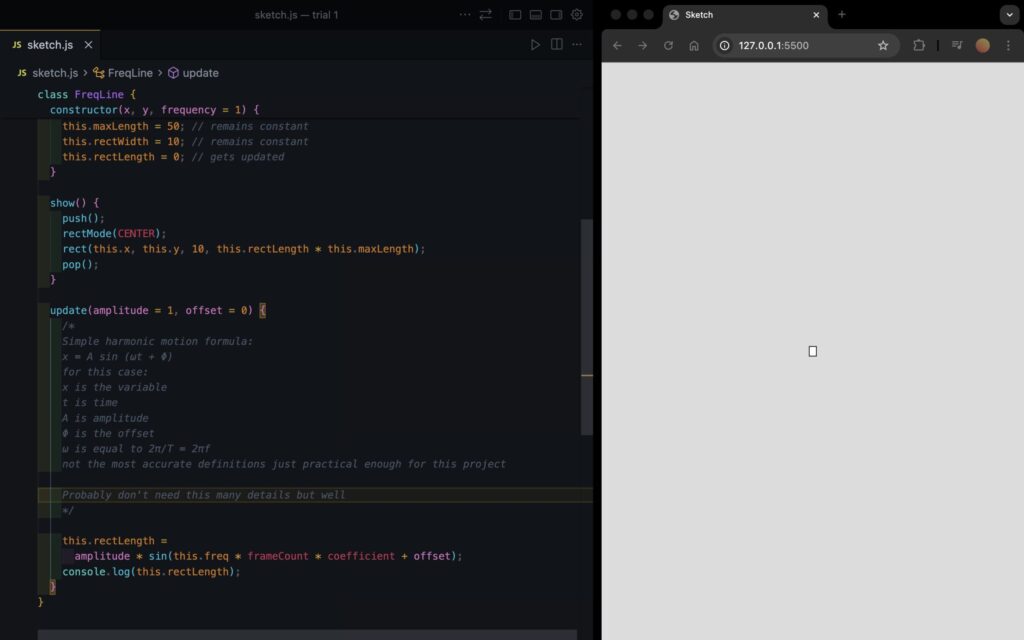
I started by creating a Wave class that uses the sine function. At first, the waves were just single lines. The challenge here was getting the “broken” look; I achieved this by using a large xStep in my loop, which created sharp angles between my vertices instead of a smooth curve.

Inspired by a sample sketch from class that used overlapping circles to create a glow, I decided to apply a similar logic to my waves. I implemented a nested loop that draws each wave 30 times per frame. Each layer has a slightly larger strokeWeight and a very low alpha value. This additive layering is what gives the water its ghost-like, ethereal quality.

A major technical hurdle was a gap on the right side of my canvas. Because my xStep didn’t always land perfectly on the edge of the screen (600px), the shape would “break” and draw a straight line back to the start.

I fixed this by manually adding a final vertex at exactly width before closing the shape, ensuring the glow stayed consistent across the whole viewport.

Finally, I added a star field and a glowing moon. The moon uses the same SHM logic as the waves. Its outer glow pulses using a sin() function, making it look like it’s breathing or shining through a thin layer of haze.

Highlight

I am particularly proud of the Layered Glow Logic. It’s a simple loop, but it completely transforms the sketch from a flat math diagram into a piece of digital art. By jittering the y position slightly with i * 2, the glow “spreads” naturally.

// Layering loop for the glow effect
for (let i = 0; i < 30; i++) {
  stroke(255, 10); 
  strokeWeight(0.5 + i * 0.8); // Thickens the stroke for outer "blur"
  
  let glowCol = color(red(this.col), green(this.col), blue(this.col), 15);
  fill(glowCol);
  
  beginShape();
  // ... vertex calculations ...
  let y = (this.yOffset + i * 2) + sin(currentAngle) * this.amplitude;
  vertex(x, y);
  // ... 
  endShape(CLOSE);
}

Reflection and Future Ideas

This project taught me that nature in code doesn’t have to be random. By using pure trigonometry, I was able to simulate the rhythm of the ocean.

Future Ideas:

  • Perlin Noise Integration: I’d like to use noise to vary the amplitude so that “rogue waves” occasionally swell up.

  • Interactive Tides: Mapping the mouse position to the frequency of the waves, so moving the mouse makes the ocean “choppier.”

  • Twinkling Stars: Using a unique sine wave for every star so they shimmer at different frequencies.

Assignment 4 : Yash

Swinging Shadows: Simulating Harmonic Motion and Light

Concept & Inspiration

The initial idea for this sketch was born out of an interest in exploring simple harmonic motion and dynamic lighting. I wanted to create a scene that felt alive, where pendulums swing back and forth, casting real-time, infinite shadows over a central object.

While a pure top-down 2D view was the starting point, I quickly realized that squashing the arc of a pendulum into a straight line kills the illusion of gravity and momentum. To fix this, I shifted the frame of reference to a 2.5D isometric perspective. By pitching the camera down slightly, the vertical arc (the Z-axis height) of the pendulum becomes visible, allowing for suspension wires and a much more realistic sense of depth and physics.

The Sketch

Interact with the canvas below! Use the + and buttons to add or remove swinging lamps.

Code Highlight: The  Shadow Engine

Creating realistic lighting and shadows in the canvas without relying on heavy, resource-intensive raycasting is a fun challenge. Instead of standard lighting engines, I am particularly proud of the custom reverse-masking trick used here.

To keep the shadows perfectly sharp while maintaining the angled 2.5D perspective, the math temporarily stretches the angled coordinate space back into a perfect 2D circle, calculates the exact light tangents of the cylinder relative to the light source, and then squashes the coordinates back down to match the camera tilt. It then draws a polygon matching the background color to act as a stencil, creating perfect, infinite shadows.

// 3. Draw shadows cast by the lamps on the cylinder
  fill(bgColor); // Shadows act as a mask matching the background
  noStroke();
  
  for (let pos of currentPositions) {
    // Stretch the position mathematically to compensate for the 2.5D tilt
    let stretchY = cy + (pos.y - cy) / tilt;
    let stretchX = pos.x;
    
    let d = dist(cx, cy, stretchX, stretchY);
    
    if (d > cylinderRadius) {
      // Calculate exact tangent points on the stretched perfect circle
      let angleToCenter = atan2(stretchY - cy, stretchX - cx);
      let theta = asin(cylinderRadius / d); 
      
      let angle1 = angleToCenter + PI - theta;
      let angle2 = angleToCenter + PI + theta;

      let p1x = cx + cylinderRadius * cos(angle1);
      let p1y_circle = cy + cylinderRadius * sin(angle1);
      let p2x = cx + cylinderRadius * cos(angle2);
      let p2y_circle = cy + cylinderRadius * sin(angle2);

      // Squash the Y coordinates back down to match our tilted screen perspective
      let p1y = cy + (p1y_circle - cy) * tilt;
      let p2y = cy + (p2y_circle - cy) * tilt;

      // Project the shadow polygon far off the canvas
      let rayLength = max(width, height) * 2;
      let p3x = p1x + (p1x - pos.x) * rayLength;
      let p3y = p1y + (p1y - pos.y) * rayLength;
      let p4x = p2x + (p2x - pos.x) * rayLength;
      let p4y = p2y + (p2y - pos.y) * rayLength;

      // Draw the masking quad
      beginShape();
      vertex(p1x, p1y);
      vertex(p2x, p2y);
      vertex(p4x, p4y);
      vertex(p3x, p3y);
      endShape(CLOSE);
    }
  }

Milestones and Challenges

Milestone 1: Basic Pendulum Motion with Light Glow

The first major milestone was getting the pendulum physics working with a simple light effect. I started by implementing the basic sine wave motion for a single lamp and added a glowing effect using radial gradients. This helped me understand the core animation loop before adding complexity.

One challenge here was getting the light to look realistic. I had to experiment with diffrent opacity values and multiple gradient layers to achieve the soft glow effect.

Milestone 2: Adding the Cylinder and Shadow Projection

The biggest chalenge was implementing the shadow geometry. I needed to calculate the tangent lines from the lamp position to the cylinder edge, then project those shadows outward. This required understanding some trigonometry with atan2() and asin() to find the exact tangent points.

Getting the shadow to look correct from the tilted perspective was tricky. I had to “stretch” the lamp position back to a top-down view, calculate the tangents, then apply the tilt transform to the shadow vertices. After alot of trial and error with the math, it finaly worked!

Reflection & Future Work

Exploring how mathematical rules govern natural movement has been a recurring theme in my coding practice. Just as manipulating acceleration can simulate organic flocking behaviors, manipulating phase offsets and trigonometric tangents here brings mechanical pendulums to life. Shifting from a flat plane to a 2.5D environment was the biggest hurdle, but it completely transformed the visual weight of the project.

For future iterations, I would love to push the visual polish even further. Adding a subtle, fading particle trail behind the glowing bulbs could give the motion more visual history. Additionally, mapping the user’s mouse coordinates to the tilt variable would allow for dynamic camera control, letting users seamlessly fly the camera from a pure top-down view to a low, ground-level angle in real-time. Finally, integrating these canvas controls into a more robust, styled UI overlay would align it nicely with modern web design standards.

Afra Binjerais – Assignment 4

Concept 

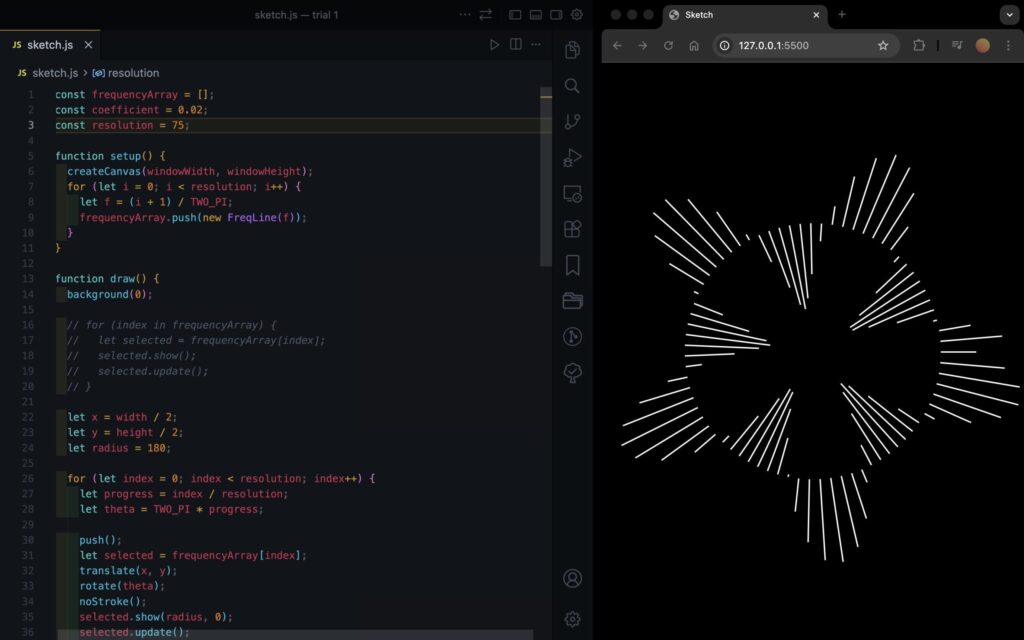
I was inspired Memo Aktens’ work, the one that resembles a spinning scientific instrument. I was drawn to its balance between precision and fluidity.

link here 

My initial goal was to recreate a similar harmonic-motion-based piece, I wanted oscillation, rhythm, and rotation to drive the visuals. However, as I experimented, the project gradually evolved. Instead of directly duplicating that spinning harmonic structure, I pivoted toward a new direction: a floating piano made of animated blocks resembling musical notes. Rather than recreating the original motion literally, I translated the essence of it: rhythm, repetition, and musicality into something interactive and playful. The piano blocks float gently, react to proximity, and visually echo sound. 

How the Code Is Organized

Block System
blocks[] stores 20 piano blocks, each with position, size, a noise seed for organic motion, and a wasHover flag to detect when the mouse enters. topPoints[] stores the anchor positions for the membrane above.

Animation Logic
drawBlocks() controls floating movement using sine waves and Perlin noise, dynamic height changes, and animated RGB colors driven by layered sine functions.

Interaction + Sound
A bounding-box hover test detects when the mouse is over a block. On hover enter, playKey() triggers a sound, and sine + noise offsets (wx, wy, wr) create a soft wiggle in position and rotation.

Visual Structure
drawTopMembrane() draws a wavy connecting line above the blocks, and drawUI() renders the title and instructions.

A Highlight of Code I’m Particularly Proud Of

One piece of code I’m proud of is the logic that makes each block wiggle when the mouse gets close. When the mouse enters a certain radius, the block responds with subtle oscillation driven by noise / sine-based offsets creating a soft organic wiggle:

// hover hit test

const isHover =

  mouseX > b.x - b.baseW / 2 &&

  mouseX < b.x + b.baseW / 2 &&

  mouseY > y - h / 2 &&

  mouseY < y + h / 2;

// wiggle when hovered

const wiggleAmt = isHover ? 6 : 0;

const wiggleRot = isHover ? 0.18 : 0;

const wx =

  wiggleAmt * sin(t * 18 + i * 2.3) +

  wiggleAmt * 0.35 * (noise(50 + i, t * 8) - 0.5);

const wy =

  wiggleAmt * 0.6 * cos(t * 16 + i * 1.7) +

  wiggleAmt * 0.25 * (noise(90 + i, t * 8) - 0.5);

const wr = wiggleRot * sin(t * 14 + i * 1.9);

push();

translate(b.x + wx, y + wy);

rotate(wr);

fill(r, g, bCol, 200);

rect(0, 0, b.baseW, h, 4);

pop();

Milestones and Challenges

Milestone 1 

My starting point was adapting sketches from class, the ones related to perlin noise and animated rgb circles. I transformed those circular animations into rectangular “note” blocks. Instead of smooth glowing circles, I reshaped them into piano-like elements and adjusted the RGB values to give them a more musical, rhythmic identity. At this stage, I was still exploring how to merge movement and sound visually.

Milestone 2 

Next, I attempted to implement a flipping animation. The idea was that each block would rotate or flip when triggered. However, my first implementation caused all of the blocks to flip at the same time. To fix this, I revised the logic so that blocks would flip sequentially  like a domino effect  instead of simultaneously.

Milestone 3 

I successfully implemented the domino-style flip. Technically it worked but aesthetically it didn’t. The motion felt stiff and visually heavy. It didn’t match the soft, floating piano concept I had in mind. Once I began thinking about incorporating sound, I realized the flipping motion felt too aggressive and disconnected from the intended mood. 

Milestone 4 

Lastly I decided when the mouse moves close to a block, it wiggles. This change brought the project closer to my original intention although it doesn’t look as close to the inspiration as it was, it still has its essence if that makes sense. 

Reflection + Future Improvements

I still want to capture more of the harmonic, spinning elegance that inspired me at the beginning. I think I’m moving in the right direction, but if I had managed to make the flipping motion feel smooth and natural the way I imagined it, I would’ve been more satisfied. If I continue developing this piece, I’d love to refine the motion so it feels more like true harmonic oscillation, and add smoother easing. I also want to revisit rotation, maybe replacing the wiggle with a softer more controlled oscillation and try the flipping idea again. 


Saeed Lootah – Assignment 3

Concept
For Assignment 3 I wanted to create formations with planets and stars but in 3D. However, I wanted to make only formations that wouldn’t be possible in real life. For example planets phasing through each other. Multiple stars nearby that aren’t attracted to each other etc.

Other than in our last class I never used WEBGL before that and never made 3D shapes before. That for me I felt was going to be the biggest challenge.

I was first inspired to create a 3D sketch when I saw Mustafa’s sketch for Assignment 1
https://decodingnature.nyuadim.com/2026/01/25/mustafa-bakir-assignment-1-qu4nt0m-w4lk/

Before that I had made a sketch using matter.js and added the gravity forces myself and made a similar gravity simulation in a formation that wouldn’t be possible in real life but I was limited to 2 dimensions.

Embedded Sketch
Click, drag, and use the scroll wheel to view from all angles. Or, view the sketch from the p5 website and press F to go fullscreen (Your browser might block the full screen feature unfortunately)

Code Highlight

function keyPressed() {
 if (key === "f" || key === "F") {
   let fs = fullscreen();
   fullscreen(!fs);
   // Wait for fullscreen change before resizing canvas
   setTimeout(() => {
     resizeCanvas(windowWidth, windowHeight);
   }, 100);
 }
}

It may seem insignificant but put simply this might be the only part of my code that I could see myself using in all of my other projects.

By pressing f on your keyboard it goes into fullscreen and with the setTimeout function the canvas resizes to fit the window without resetting the simulation and only after the screen has entered fullscreen. This makes for a fairly smooth transition and I will definitely be copy pasting this into my other projects. I always like to use createCanvas(windowWidth, windowHeight) but when embedding the sketch its hard for most people to appreciate it unless I make the embedded sketch fit the width or height of the blog post.

First Sphere

Added some colors as well that change with the frameCount and a sin function.

push();
 colorMode(HSB);
 s = sin(frameCount * 0.01)
 console.log(s)
 s = map(s, -1, 1, 0, 360)
 fill(s, 100, 100)
 sphere(120)
 pop();

https://p5js.org/examples/3d-geometries/

Second Sphere (two colors but no movement yet)

Made the array but no movement yet

Second sphere moving + orbitControl()

orbitControl() function does all the work for me. Can click and drag the mouse to view the simulation from the 

Modified the original movers class. Took the one from the references page of the nature of code and added the z dimension. (Below is the original movers page which I modified)

Point Light (something went wrong)

Found the point light function on the references page just added it but for some reason the star was black

pointLight(
 255, 0, 0, // color
 40, -40, 0 // position
);

Point Light (fixed)

I adjusted the x,y,z position of the point light to be at the center and then added noLights() to the central star and wrote fill(255, 0, 0) so that it wouldn’t be all black and instead would be red as intended

Two Stars and central planet

Now made two arrays one for what I called stars and one for what I’m calling planets. They are the same class however for one I don’t call upon the attract function whereas for the other I do and for that reason I made two seperate arrays.

const starArray = [];
const planetArray = [];


Then just made a lot of tweaks and got to the end product

In the setup function:

Reflection and Room for Improvement

Out of all the assignments I’ve done up to this point I’ve enjoyed this the most. Other than in our last class when I never touched WEBGL before. I also found it intimidating to make 3D until I started where I found it was far more simple than I thought it would be.

I had got very used to there being points of frustration during the process (especially debugging) but whenever I had a problem I went back to the documentation and found it easy to follow and understand.

I also loved that 0,0,0 is the center now instead of being in the top left corner of the screen.

If I choose to go back to this project I would add a couple more features:

  1. Trails behind each planet
  2. Each time you refresh you get a different arrangement (maybe one’s that I’ve created ahead of time and maybe some random ones)
  3. Being able to modify the planets and stars position ahead of time then starting or resetting the simulation

Salem Al Shamsi – Assignment 3

Al-Muraud (The Chase)

A simulation of UAE falconry using flocking behavior and physics forces

Embedded Sketch

How to Interact

  1. Move your mouse : The falcon follows and birds run away
  2. Click : Creates a dive attack with spinning chaos
  3. Press +/- : Add or remove birds
  4. Press R : Reset everything
  5. Press S : See the invisible force circles (debug mode)

Concept & Inspiration

I wanted to create something connected to UAE culture, so I chose falconry the traditional hunting practice where falcons chase desert birds called Houbara Bustards. The idea is simple: you control a falcon (the mouse), and it hunts a flock of birds. The birds try to stick together for safety, but when the falcon gets close, they scatter. There are also two green “oasis” spots where birds naturally want to gather. When you click, the falcon does a dive attack that creates a spinning vortex.

My inspiration came from:

Code Organization & Variable Names

I organized my code into two main classes:

1- Houbara Class (The Prey)

Variables:

  • perceptionRadius – How far a bird can “see” neighbors
  • panicLevel – Maps speed to fear (0 = calm, 1 = terrified)
  • maxForce – How sharply a bird can turn

Methods that organize behavior:

  • cohesion() – Pull toward flock center
  • separation() – Avoid crashing into neighbors
  • flee() – Escape from predator
  • seekOasis() – Drift toward safe zones
  • turbulence() – Get caught in chaos vortex
  • flock() – Combines all forces with priorities

2-Falcon Class (The Predator)

Variables:

  • wingAngle – For flapping animation
  • sizeMultiplier – Grows when moving fast

Methods:

  • follow() – Smoothly chase mouse
  • show() – Draw with animated wings

Global Variables

Clear names that explain themselves:

  • diveActive – Is turbulence happening right now?
  • divePos – Where did the user click?
  • diveDuration – Countdown timer for chaos
  • showDebug – Toggle for seeing perception circles

Code Highlights

Here are three pieces of code I’m particularly proud of:

1. Panic Escalation System
// FLEE: Escape from predator
// Force strength increases as falcon gets closer (gradient of fear)
flee(target) {
  let perceptionRadius = 150; // How far bird can sense danger
  let desired = p5.Vector.sub(this.pos, target); // Point AWAY from falcon
  let d = desired.mag(); // Distance to falcon
  
  // Only flee if falcon is within perception range
  if (d < perceptionRadius) {
    desired.setMag(this.maxSpeed); // Set to maximum speed (fleeing urgently)
    let steer = p5.Vector.sub(desired, this.vel); // Steering = desired - current
    steer.limit(this.maxForce); // Don't turn impossibly sharp
    
    // KEY FEATURE: Map distance to force strength
    // Close (0px) = 2x force, Far (150px) = 0.5x force
    let strength = map(d, 0, perceptionRadius, 2, 0.5);
    steer.mult(strength);
    
    return steer;
  }
  return createVector(0, 0); // No force if falcon is far
}

The map() function creates a gradient of fear. At 0 distance = 2x force. At 150 pixels = 0.5x force. This makes the behavior feel natural instead of just on/off. Birds don’t just “run”, they panic MORE as danger gets closer.

2. Creating the Spinning Vortex
// Create spinning vortex force
let toCenter = p5.Vector.sub(diveCenter, this.pos);
let vortex = toCenter.copy();
vortex.rotate(HALF_PI); // KEY: Rotate 90° transforms "pull" into "orbit"

// Add random chaos
let chaos = p5.Vector.random2D();
chaos.mult(random(2, 5));

// Combine structured spin + random chaos
let turbulence = p5.Vector.add(vortex, chaos);

The key insight is that rotating a force 90 degrees turns “pull toward center” into “orbit around center”. Then adding random chaos makes it unpredictable but still structured. This one line vortex.rotate(HALF_PI) is the difference between an explosion and a whirlwind.

3. Weighted Separation Force
let diff = p5.Vector.sub(this.pos, other.pos); // Point away from neighbor
diff.div(d); // IMPORTANT: Closer neighbors create stronger push

Dividing by distance means: bird at 10px pushes 10x harder than bird at 100px. This single line creates realistic personal space. It’s elegant math that produces natural behavior.

Development Milestones & Challenges

I built this in 6 steps, adding one feature at a time:

Milestone 1: Basic Birds Moving Around

I started by creating a Houbara class with basic physics: position, velocity, and acceleration. At this point, birds just drifted randomly across the screen.

Challenge: Getting the triangle shape to point in the direction they’re moving using rotate(this.vel.heading()).

At first I tried rotating without translate() first, which made all the birds rotate around the canvas origin (0,0) instead of their own centers. Solution: Use push(), then translate() to the bird’s position, then rotate(), then draw the shape, then pop(). The order matters!


Milestone 2: Flocking Behavior

Added two forces based on Craig Reynolds’ Boids algorithm:

  • Cohesion – Birds want to move toward the center of the flock
  • Separation – Birds don’t want to crash into each other

Challenge: At first, all the birds just merged into one blob. They were stuck together in a tight cluster.

Solution: I made the separation force stronger (1.5x weight) and gave it a smaller radius (50px vs 100px for cohesion). This creates the “nervous flock” behavior they want to stay together but maintain personal space.


Milestone 3: Falcon Chases Birds

Made the mouse act like a predator using Reynolds’ Steering Behaviors. Birds flee when the falcon gets within 150 pixels.

Challenge: The flee force was either too weak (birds didn’t care about falcon) or too strong (birds shot off screen instantly).

Solution: I used map() to scale flee force from 0.5x to 2x based on distance. This creates realistic panic where birds freak out more when danger is right on top of them. It’s a gradient instead of binary.


Milestone 4: Dive Attack Turbulence

When you click, it creates chaos at that spot. The turbulence combines two things:

  • A vortex that spins birds in a circle (by rotating the force vector 90 degrees)
  • Random chaos pushing birds in unpredictable directions

Challenge: I initially just pushed birds away from the click point, which looked like an explosion. Boring.

Solution: The breakthrough was understanding that vortex.rotate(HALF_PI) turns a “push away” force into circular motion. This creates the spinning whirlwind effect.


Milestone 5: Making It Look Good

Added visual improvements:

  • Created an actual Falcon class with flapping wings
  • Added the two green oasis spots
  • Birds leave motion trails
  • Birds change color based on speed (tan → reddish)
  • Sand particles scatter during dive

Challenge: I accidentally put the seekOasis() function in the Falcon class instead of the Houbara class. Got error: TypeError: this.seekOasis is not a function

Solution: Read the error message carefully! It told me exactly what was wrong. Moved the method to the correct class (birds seek oases, not falcons).


Milestone 6: Polish & Controls

Final touches:

  • Designed the UI with desert colors (browns and golds)
  • Added keyboard controls (R, +, -, S)
  • Made the oases pulse using sin() animation
  • Changed edge wrapping to bouncing physics
  • Made the falcon grow bigger when moving fast

Challenge: The perception circle was appearing in the wrong spot because it was inside the falcon’s rotation transformation.

Solution: I moved the circle drawing from inside Falcon.show() to the main draw() function, before any transformations are applied. Now it uses absolute world coordinates instead of the falcon’s rotated local coordinates.

The final polished version with all features is available in the embedded sketch above.

How the Forces Work Together

Each bird calculates 5 forces every frame and combines them:

  1. cohesionForce.mult(1.0); // Want to stay with group
  2. separationForce.mult(1.5); // Don’t crash into neighbors
  3. fleeForce.mult(2.5); // RUN FROM DANGER (strongest)
  4. oasisForce.mult(0.8); // Drift toward safety
  5. turbulenceForce.mult(2.0); // Get caught in chaos

The weights create a priority system:

Survival > Safety > Chaos > Togetherness > Comfort

This matches how real animals behave: immediate threats override long-term goals.

Reflection

What I Learned

Simple rules create complex patterns. Each bird only knows about its nearby neighbors, yet the whole flock moves as one. This is called “emergent behavior.”

Small numbers matter.

Changing flee force from 2.0 to 2.5 completely changed how scared birds act. The difference between good and great simulation is often just finding the right numbers.

Building step-by-step works.

Adding one feature at a time made debugging way easier than trying to do everything at once.

Theme matters.

Framing this as falconry instead of “particles following forces” made it way more interesting.

What Worked Well

  • Force priority system feels natural (survival > safety > togetherness)
  • Visual feedback makes invisible forces visible (color changes, trails, size)
  • Keyboard controls make it interactive
  • Vortex turbulence looks really cool

What I’d Improve

  • Plan UI design earlier instead of adding it last
  • Use systematic testing for force weights instead of random tweaking
  • Add sounds (wing flaps, bird chirps, dive whoosh)
  • Implement energy system (birds get tired, need to rest)
  • Create visual dive animation (falcon swoops before turbulence)

Assignment 3: Yash

Project Title: Window Pane Serenity

Concept

The concept for this project is grounded in the feeling of solitude and comfort sitting beside a window wall in a dimly lit room, watching a storm pass over a city at night. I wanted to capture the specific physical behavior of water on glass: how it sticks, slides, and merges.

Connecting this to the assignment task, I treated the raindrops as the primary movers. Instead of standard “bouncing balls,” these bodies obey a specific set of forces:

  • Gravity: The constant downward acceleration.

  • Turbulence: I utilized Perlin noise to simulate wind, pushing the drops slightly sideways to create organic, non-linear paths.

  • Attraction/Cohesion: The “attractor” element is implemented through the surface tension of water. When drops touch, they attract and merge into larger bodies.

  • Friction: This acts as a resisting force; drops below a certain mass (MIN_MASS_TO_SLIDE) are held in place by friction against the glass until they merge with another drop and become heavy enough to slide.

Visual Demo

Project Walkthrough:

Interactive Sketch:

Code Highlight

I am particularly proud of the drop merging logic. Implementing this was tricky because it required checking every drop against every other drop without crashing the performance. I also had to calculate the new size based on the combined area of the two circles to maintain realistic conservation of volume.

Additionally, managing the array was difficult here; I had to iterate backwards through the array to safely remove the “absorbed” drop without messing up the loop index.

// PHYSICS EFFECT 2: Drops merge when they touch each other
    // We iterate backwards to safely splice items out of the array
    for (let j = drops.length - 1; j >= 0; j--) {
      if (i !== j) { // Don't check a drop against itself
        let other = drops[j];
        let dist = p5.Vector.dist(d.pos, other.pos);
        
        // If drops are overlapping
        if (dist < d.r + other.r) {
          // Combine their areas (preserve total water volume)
          // Area = PI * r^2
          let newArea = (PI * d.r * d.r) + (PI * other.r * other.r);
          d.r = sqrt(newArea / PI); // Calculate new radius
          d.vel.y *= 0.9; // Slow down slightly due to mass increase/friction
          
          // Remove the absorbed drop from the simulation
          drops.splice(j, 1);
          if (j < i) i--; // Adjust index if we removed an item before the current one
        }
      }
    }

Milestones & Challenges

1. Layering the Visuals One of the biggest challenges was creating the “wet trail” effect behind the drops. Initially, I just drew semi-transparent rectangles over the background to fade the trails. However, this darkened the entire window, obscuring the moon and city layer I had drawn.

  • Solution: I implemented a createGraphics layer specifically for the trails. Instead of painting “black” to fade them, I used the erase() function. This allowed me to subtract the trails’ opacity over time, revealing the crisp city background underneath without darkening it.

2. Simulation Physics Getting the “sticky” feel of the rain was a milestone. At first, all drops fell at the same speed. Adding the MIN_MASS_TO_SLIDE logic changed the feel entirely—it allowed small drops to accumulate on the screen (creating a texture) until a larger drop swept them up, which felt much more realistic.

3. Atmospheric Depth I struggled to make the scene feel like a room rather than just a flat drawing. Adding the drawVignette() function with a loop of fading strokes helped create a sense of depth and focus, mimicking the way a human eye or camera lens focuses on the light source.

Reflection & Future Work

I am happy with how the mood translates. The combination of the dark interior colors and the bright drops creates a strong contrast. The physics successfully meet the assignment requirements by using turbulence and attraction to generate a constantly evolving design.

For future improvements:

  • Interaction: I would like to add a mouse interaction where the user can “wipe” the fog off the glass with their cursor.

  • Sound: Adding a rain loop and distant thunder would make the experience fully immersive.

  • Lighting: Currently, the drops are lit statically. It would be interesting if the drops refracted the light from the moon or the city below based on their position.

Buernortey Buer – Assignment 3

Concept and Inspiration

This project simulates particles moving through a maze using forces rather than bouncing off walls. Each particle is pulled toward a target point but pushed away by invisible walls shaped like rectangles. A gentle random force based on Perlin noise makes their movement look natural and smooth. I was inspired by sci-fi movies like Tron and by art that uses flowing patterns. The goal was to create flowing, energy-like paths that happen naturally from how the forces work together, not from fixed paths.

Code Organization and Naming

The code is organized into clear components: a Particle class manages position, velocity, acceleration, and trail rendering; a Wall class defines rectangular obstacles; and dedicated functions handle forces (applyGoalAttraction(), applyWallRepulsion(), and applyTurbulence()). This separation keeps the program modular and readable. Variable and function names are descriptive — like goalStrength, wallRepelStrength, and applyWallRepulsion — to make the code’s purpose immediately clear without confusion.

Code Highlights and Comments

I’m particularly proud of the wall repulsion system, which calculates the closest point on each wall rectangle to the particle and applies a smoothly scaled repulsion force. This method avoids abrupt collisions, allowing particles to gently slide away from walls rather than bouncing harshly. As a result, the particle trails form elegant, curved paths that reveal the flow of forces shaping their motion. The code is carefully commented, especially in the tricky parts like the closest-point calculation and force scaling, to clearly explain the math and logic behind this smooth, natural movement.

// push particles away from rectangles
function applyWallRepulsion(p) {
  for (let w of walls) {

    // find closest point on wall rectangle
    let closestX = constrain(p.pos.x, w.x, w.x + w.w);
    let closestY = constrain(p.pos.y, w.y, w.y + w.h);

    let closestPoint = createVector(closestX, closestY);

    // vector from wall to particle
    let diff = p5.Vector.sub(p.pos, closestPoint);
    let d = diff.mag();

    // only repel if within influence distance
    if (d < 40 && d > 0) {
      diff.normalize();

      // closer = stronger push
      let strength = wallRepelStrength / d;
      diff.mult(strength);

      p.applyForce(diff);
    }
  }
}


Embedded Sketch

Milestones and Challenges

I started by making particles move toward a goal and then added trails so you could see their paths. Adding turbulence made the movement look more natural and interesting. Creating walls and figuring out how to push particles away smoothly was hard but important for realistic motion. I had to try different force strengths because if the push was too strong, particles got stuck, and if it was too weak, they went through walls. Using a semi-transparent background helped the trails build up visually, and limiting particle speed kept the motion steady.

Reflection and Future Work

This project helped me better understand how multiple forces interact to create complex, emergent movement. Compared to the simpler exercises we did in class, this system feels more full and alive because the forces come from the environment, not just between particles. It was exciting to see invisible forces made visible through the trails the particles leave. In the future, I want to add things like walls you can change with the mouse, more goals for particles to follow, moving obstacles, colors that change based on force, and sliders to adjust settings while the program runs.

Assignment 3

Concept

For this assignment, I chose to create a particle system where movers orbit multiple attractors while being affected by three competing forces: gravitational attraction, wind turbulence, and mutual repulsion. I was inspired by how celestial bodies orbit in space but also how flocking birds maintain spacing while moving together. The challenge was to balance these three forces so they create beautiful, flowing patterns rather than chaotic scattering or rigid clustering. Each mover has slightly different mass, giving them unique orbital behaviors – some get pulled strongly into tight orbits while others drift lazily at the edges. The combination of ordered attraction and chaotic turbulence creates movement that feels organic and alive, like watching a cosmic dance that’s constantly evolving but never repeating.

Sketch

Code Highlight

In my implementation, a section of my code that I am proud of is below:

//Wind/turbulence using Perlin noise
 applyWind(time) {
   //perlin noise to create flowing, organic wind
   let noiseVal = noise(this.pos.x * 0.01, this.pos.y * 0.01, time * 0.0001);
   let angle = noiseVal * TWO_PI * 2;
   let wind = createVector(cos(angle), sin(angle));
   wind.mult(WIND_STRENGTH);
   this.applyForce(wind);
 }

This creates the organic turbulence that pushes movers around. Instead of using random() which would make particles jitter randomly, I used 3D Perlin noise (x, y, and time) which gives smooth, flowing forces. By sampling the noise field at the particle’s position and the current time, nearby particles experience similar wind direction, creating swirling currents rather than chaos. The angle conversion means the noise controls which direction the wind blows, creating those beautiful flowing patterns you see in the trails. I’m also proud of this snippet that prevents particle clustering:

//repulsion from another mover
 repel(other) {
   let force = p5.Vector.sub(this.pos, other.pos);
   let distance = force.mag();
   
   //repel if close enough
   if (distance < REPULSION_DISTANCE && distance > 0) {
     let strength = (this.mass * other.mass) / (distance * distance);
     force.setMag(strength);
     this.applyForce(force);
   }
 }

This uses the same inverse-square physics as attraction, but only activates when movers get close. It’s what keeps the particles from all collapsing into a single clump and creates those satisfying spacing patterns in the orbits. It’s a small detail but makes a huge difference in creating visually interesting formations.

Challenges
Force Accumulation Bug
Early in development, I noticed that movers were only responding to one force at a time, even though I was calling applyForce() multiple times per frame. After debugging, I realized the class example’s applyForce() method was replacing acceleration instead of adding to it:

Version from class example:

applyForce(force) {
   this.acc = force.div(this.mass);}

My updated version:

//accumulates forces
applyForce(force) {
  let f = force.copy();
  f.div(this.mass);
  this.acc.add(f); //add to acceleration
}

Reflections and Future Improvements
Through this assignment, I discovered that emergent complexity comes from simple rules interacting. No single force creates the beautiful patterns – it’s the tension between attraction (pulling together), repulsion (pushing apart), and turbulence (stirring things up) that generates the endless variety. My biggest challenge was finding the right balance between these forces. Too many attractions and everything collapsed into the attractors. Too much repulsion and particles scattered. Too much wind and chaos took over. The sweet spot where all three forces balanced created the most interesting patterns. My biggest takeaway is that personality comes from variation. Giving each mover a random mass (between 0.5 and 2) meant they all respond differently to the same forces – heavy particles orbit tightly while light ones drift widely. This variation is what makes the system feel alive rather than mechanical. Below are some ideas I would implement in the future for improvement of what I have currently:

    1. Ability to drag attractors to new positions and see how the system responds in real-time.
    2. Make particles bounce off each other with momentum conservation.
    3. Slow motion or fast forward to study patterns at different speeds.
    4. Different colored particles with different masses or charge (attract some, repel others).

With my implementation so far, some features I believe work very well include the Perlin noise wind creating smooth organic turbulence, the speed-based coloring that immediately shows which particles are moving fast, the repulsion preventing unrealistic clustering, and most importantly, the combination of three different forces creating complex emergent behaviors from simple physical rules. The system creates genuinely unpredictable patterns while maintaining a cohesive aesthetic – each session is unique but always visually interesting.

Assignment 3

Concept

In class, we mostly looked at one object following one attractor. For this assignment, I wanted to see what happens when multiple attractors and repulsors fight for control over thousands of tiny particles.

  • The Magnets: I placed 3 invisible “charges” on the screen. Some pull (Attractors) and some push (Repulsors).

  • The “Weavers”: These are hundreds of tiny particles that spawn, trace the invisible lines of force for a short time, and then vanish.

  • The Turbulence: To stop the pattern from looking too perfect and mathematical, I added wind using Perlin Noise. This adds a slight wobble to the particles, making the final drawing look like organic flow—like muscle fibersl

  • Interaction: Clicking the mouse adds a massive “Disruptor” force (Repulsion) that pushes the flow away from your cursor, carving a hole in the pattern.

Code Highlight

I am particularly proud of the applyBehaviors function. This is the engine that drives the movement. It calculates the “Net Force” for every particle by summing up three different influences: the structural pull of the magnets using vector subtraction, the organic flow of the Perlin noise, and the interactive push of the mouse.

applyBehaviors(magnets) {
    let netForce = createVector(0, 0);

    // A. FORCES FROM MAGNETS
    for (let i = 0; i < magnets.length; i++) {
      let m = magnets[i];
      let force = p5.Vector.sub(m.pos, this.pos);
      let dist = force.mag();
      
      // Avoid extreme forces when very close
      dist = constrain(dist, 10, 100); 
      
      // Physics: Force = Strength / Distance
      force.setMag(m.strength / dist);
      netForce.add(force);
    }

    // B. MOUSE REPULSION (Interaction)
    if (mouseIsPressed) {
      let mousePos = createVector(mouseX, mouseY);
      let mouseForce = p5.Vector.sub(this.pos, mousePos); // Points AWAY
      let dist = mouseForce.mag();
      
      if (dist < 150) {
         mouseForce.setMag(5); // Strong push
         netForce.add(mouseForce);
      }
    }

    // C. TURBULENCE (Perlin Noise)
    // Makes the lines look like wood grain or flowing water
    let n = noise(this.pos.x * 0.005, this.pos.y * 0.005);
    let angle = map(n, 0, 1, 0, TWO_PI);
    let wind = p5.Vector.fromAngle(angle);
    wind.mult(0.5); // Add just a little bit of organic chaos
    netForce.add(wind);

    this.applyForce(netForce);
  }
Milestones & Challenges

I first started experimenting with how to make a magnetic field in p5, so I made a sketch with a bunch of rods that follow the mouse which acts as a magnet. They rods created a nice magnetic field pattern which inspired the final piece.

I learned how to do this from this sketch.

After that, I began playing around with different colors and ended up deciding on this neon purple one with a dark background. Here, the mouse was the magnet, but I noticed that after some time following the mouse, the particles would all be on top of each other and show as one. Because of this, I decided to put multiple attractors, which made no two particles follow the same path.

Reflection & Future Work

This project felt like a significant step up because I was simulating a system of forces rather than just a single interaction. The result looks less like a computer simulation and more like a generative painting.

Future Ideas:

  1. Color Mapping: Map the color of the line to the stress (force magnitude) at that point. High-stress areas (near magnets) could be red; low-stress areas could be blue.

  2. Moving Magnets: Have the magnets slowly drift around the screen using sine waves, causing the pattern to shift and morph over time.