Assignment 2

Concept

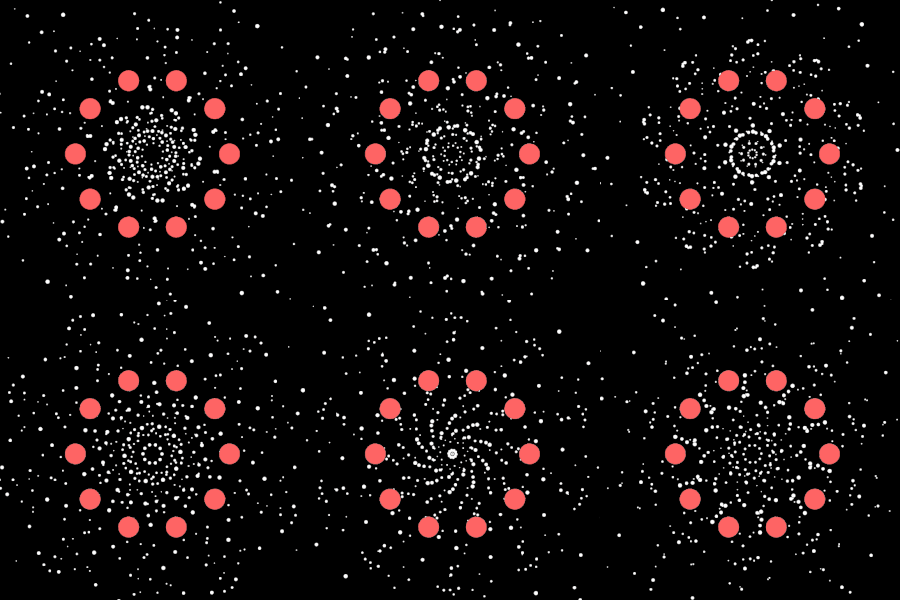
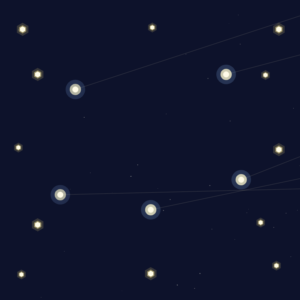
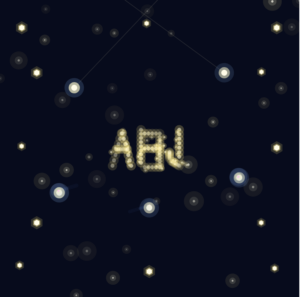
For this project, I wanted to simulate how moths fly around a porch light. I noticed that real bugs are chaotic. They don’t fly in straight lines, and they are all different sizes. I created a system where every moth tries to fly toward the mouse (the light), but they are constantly pushed around by a “jitter” force that makes them flutter. I also gave each moth a specific weight where big moths are heavy and slow to turn, while small moths are hyperactive and fast.

Code Highlight

I chose this function because it acts as the “brain” of the moth. It uses a physics formula to calculate exactly how to steer toward the light. When the user clicks, the code multiplies the allowed acceleration by 5, instantly transforming the moth from a lazy flyer into a chaotic one.

seek(target) {
    // 1. Find the direction pointing to the light
    let desired = p5.Vector.sub(target, this.pos);
    desired.normalize();
    
    // 2. Set the speed: If clicking, double the top speed!
    let speedLimit = mouseIsPressed ? this.maxSpeed * 2 : this.maxSpeed;
    desired.mult(speedLimit);

    // 3. Calculate steering (Desired velocity minus Current velocity)
    let steer = p5.Vector.sub(desired, this.vel);
    
    // 4. Limit the turning power: If clicking, allow 5x more force
    let currentForceLimit = mouseIsPressed ? this.maxForce * 5 : this.maxForce;
    steer.limit(currentForceLimit); 
    
    // 5. Apply this steering force 
    this.applyForce(steer);
  }


Reflection and Future Work

I was surprised by how realistic the movement felt, especially when the moths reach the light source and begin orbiting around it. It created a very organic, feeling without complex animation code. For future improvements, I would like somehow make them bump into each other so they don’t overlap.


Assignment 2

Concept

For this assignment, I chose to simulate drifting clouds moving across a sky. I was inspired by how clouds move so peacefully yet unpredictably – they have a gentle, steady drift from wind, but also bob up and down with air currents and occasionally get pushed by gusts. The challenge was to recreate this serene, organic movement using only acceleration to control the motion. No directly setting velocities or positions – everything had to come from forces acting on the clouds: wind, air currents, drag, and occasional gusts. Each cloud has its own “personality” through variations in drift speed, bobbing frequency, and size, making the scene feel more natural and alive rather than mechanical.

Code Highlight

In my implementation, a section of my code that i am proud of is below:

// Vertical bobbing using perlin noise for smooth, natural variation
this.time += 0.01;
let bobForce = map(noise(this.time), 0, 1, -this.bobFrequency, this.bobFrequency);
let bob = createVector(0, bobForce);
this.applyForce(bob);

This creates the gentle up-and-down bobbing motion of the clouds. Instead of using random() which would make the clouds jitter, I used Perlin noise which gives smooth, organic transitions. Each cloud has its own time value that increments, creating unique but natural bobbing patterns. The bobFrequency variable gives each cloud a different personality – some bob more dramatically while others are more subtle. I am also proud of this snippet that creates creates air resistance, that opposes the cloud’s velocity, preventing it from accelerating infinitely and giving it that slow, peaceful drift. It’s a small detail but makes a huge difference in the realism.

// Air resistance (drag)
let drag = this.vel.copy();
drag.mult(-0.05); // Drag coefficient
this.applyForce(drag);

Embedded Sketch

Reflections and Future Improvements

Through this assignment, I discovered that subtle forces acting over time can generate intricate, lifelike movement. In nature, nothing moves in perfectly straight lines or at constant speeds – everything is constantly being pushed and pulled by multiple forces. By combining simple acceleration vectors (wind, drag, turbulence), I could create movement that felt surprisingly alive and organic. My biggest takeaway is personality, which comes from imperfection and variation. Making every cloud slightly different in how it responds to forces was what made the scene feel natural rather than computational. Below are some ideas i would implement in the future for improvement of what i have currently:

  1. Multiple cloud layers – Add parallax depth by having clouds at different “distances” moving at different speeds.
  2. Dynamic wind – Instead of constant wind, have the wind direction and strength change slowly over time.
  3. Cloud morphing – Make clouds gradually change shape as they drift, growing and shrinking.
  4. Weather transitions – Clouds could darken and speed up before “rain,” then slow down and lighten afterward.
  5. Interactive elements – Mouse interaction could create temporary wind forces that push clouds around.
  6. Better visual design – Use gradients and transparency to make clouds look more three-dimensional and fluffy.
  7. Sound – Add gentle wind sounds that change based on cloud speed.

With my implementation so far some feature i believe work very well include, the drag force, bobbing through perlin noise, personality traits of each cloud and the combination of multiple forces which created complex behaviours from simple rules.

Assignment 1

Concept

For this assignment, just like the description suggested, I combined:

    • LIST 1: Random walker with motion experimentation
    • LIST 2: Walking through RGB color space

My sketch features a simple random walker that moves in four directions (up, down, left, right) across the canvas. Instead of being a fixed color, the walker’s color is determined by its position in space, creating a direct mapping between XY coordinates and RGB color values:

Red channel = X position (left edge = 0, right edge = 255)
Green channel = Y position (top edge = 0, bottom edge = 255)
Blue channel = Distance from center (center = 255, edges = 0)

As the walker moves randomly, it paints a trail of colors that visualize its journey through both physical space and color space simultaneously.

Code Highlight

Throughout my code, I am most proud of this snippet where I map the walker’s position to RGB values.

// Map position to RGB color
let r = map(x, 0, width, 0, 255);
let g = map(y, 0, height, 0, 255);

// Blue based on distance from center
let centerX = width / 2;
let centerY = height / 2;
let distFromCenter = dist(x, y, centerX, centerY);
let maximumDist = dist(0, 0, centerX, centerY);  // Changed from maxDist
let b = map(distFromCenter, 0, maximumDist, 255, 0);

// Set the color and draw
fill(r, g, b);
noStroke();
circle(x, y, 10);

In the code, the map() function translates position into color. The blue channel calculation is especially interesting because it uses the Pythagorean distance from the center, creating a radial gradient effect. When the walker is near the center, it’s more blue; when it’s at the edges, it loses blue and becomes more red/green/yellow.

Embedded Sketch

Reflection and Future Work

This project was a great way to visualize the connection between position and color. Watching the walker create organic, colorful patterns by pure randomness is mesmerizing! The RGB color space creates interesting gradients naturally – reds in the upper right, greens in the lower right, blues in the center. Ideas for future improvements:

  1. Add diagonal movement – Currently limited to 4 directions; adding diagonals would create smoother, more varied paths.
  2. Implement Gaussian random walk – Instead of equal probability in all directions, use a normal distribution for step sizes to create more organic movement patterns.
  3. Try HSB color mode – Experiment with Hue-Saturation-Brightness instead of RGB for different color relationships.
  4. Multiple walkers – Have several walkers moving simultaneously, each leaving their own colored trail.
  5. Fade trail effect – Instead of permanent marks, make older circles fade away over time for a ghostly trail effect.
  6. Add 50% mouse attraction – Implement the probability-based walker that has a 50% chance of moving toward the mouse (combining two LIST 1 options).
  7. Step size control – Add a slider to adjust how fast/far the walker moves.

Assignment 1

Concept

For the first assignment, I decided to make a random walker using the Levy Flight algorithm. Additionally, I tweaked the motion so that the walker has a small chance of making a huge leap instead of always making small leaps, just to make it a bit different. It reminds me of how fast moving objects seem to us (such as how the Flash or Quicksilver seem to move in movies). I also mapped movement to scale, where the distance of the jump determines the thickness of the walker’s line and the size of the line’s head. Just to make it visually more appealing, I also decided to change the color of the head based on where it is on the sketch, such that it creates a nice looking color gradient.

Sketch:

Highlight

Even though it’s pretty simple, I was proud of how I decided between small and big leaps using a probability threshold. Here is the code:

let r = random(1);
if (r < 0.05) {
  step.mult(random(25, 100)); // Big leap 5% of the times
} else {
  step.mult(2); // Small leap otherwise
}

Reflection (Milestones, Challenges, Ideas)

An important milestone was successfully implementing the map() function to link two different mediums: spatial distance and visual scale. One challenge was figuring out the right reset interaction, before I settled on simply using a mouse click to leave it up to the viewer.

This sketch could be expanded on by maybe only changing the head’s color when a big leap is made, to signify the walker moving into a new “environment”, like stages of its life, or seasons of a show. It could also be made more visually appealing, but I’m not your guy for that (not yet, at least).


Frog Catching Flies – Movement Assignment 2

Concept

I wanted to capture the contrast between patience and explosive action you see when a frog hunts. Frogs sit completely still, tracking flies with just their eyes, then BAM tongue shoots out in a split second. The whole personality comes from this timing difference, not from making it look realistic.

The movement is controlled purely through acceleration values. The frog’s body never moves (zero acceleration on position), but the tongue has two completely different acceleration modes: aggressive when extending (accel = 8) and gentle when retracting (accel = -0.8). The flies get constant random acceleration in small bursts, which creates that jittery, unpredictable flight pattern you see in real insects.

I found a few videos of frogs hunting online and what struck me was how much waiting happens. Most of the time nothing is moving except the eyes tracking. Then when the tongue extends, it’s over in like 200 milliseconds. I tried to capture that same rhythm lots of stillness punctuated by sudden action.

Code Highlight

The part I’m most proud of is how the tongue uses completely different acceleration values depending on its state:

if (this.state === 'striking') {
  // Explosive acceleration out
  this.tongueAccel = 8;
  this.tongueVel += this.tongueAccel;
  this.tongueLength += this.tongueVel;
  
  if (this.tongueLength >= this.maxTongue) {
    this.state = 'retracting';
    this.tongueVel = 0;
  }
}

if (this.state === 'retracting') {
  // Gentle acceleration back
  this.tongueAccel = -0.8;
  this.tongueVel += this.tongueAccel;
  this.tongueLength += this.tongueVel;
  
  if (this.tongueLength <= 0) {
    this.tongueLength = 0;
    this.tongueVel = 0;
    this.tongueAccel = 0;
    this.state = 'idle';
  }
}


The 10x difference in acceleration (8 vs 0.8) creates that snappy-then-slow feeling. The tongue rockets out but drifts back lazily. This tiny numerical difference gives it way more personality than any visual design could.

Embedded Sketch


Reflection & Future Ideas

The acceleration-only constraint actually made this more interesting than if I’d used direct position control. You get these natural easing curves without writing any easing functions. The tongue feels weighty and real.

Things I noticed while testing:

  • The flies sometimes cluster in corners and the frog gives up. Maybe add a “frustration” behavior where it shifts position after too many misses?
  • The eye tracking is subtle but really sells the “watching” behavior. Glad I added that.
  • Random acceleration on the flies works better than I thought. They feel nervous and unpredictable.

Future improvements:

  • Add multiple frogs competing for the same flies
  • Make the frog’s strike range dependent on hunger (longer tongue when hungry = more acceleration)
  • Flies could accelerate away when they sense the tongue coming
  • Different frog personalities (patient vs aggressive = different strike thresholds)
  • Tongue could miss sometimes based on fly speed

The constraint of “acceleration only” forced me to think about how motion creates personality. A patient hunter isn’t patient because of how it looks, it’s patient because of when and how it accelerates.


Buernortey Buer – Assignment 2

Simulating the Free Movement of Clouds

Concept

This assignment is inspired by a scene from my favorite anime “Naruto” in which a character looks up at the sky and expresses a desire to be like the clouds, moving freely without worry and simply following the wind. That idea of effortless movement and quiet reflection became the foundation for this simulation.

To connect this idea to real world motion, I found a video online of clouds slowly drifting across the sky and used it as a reference. Rather than focusing on the visual appearance of the clouds, the emphasis was placed on replicating their movement. The behavior in the sketch is controlled entirely through acceleration, allowing motion to emerge naturally from wind like forces over time. While the clouds all move in the same general direction, small variations in their movement prevent the motion from feeling uniform or repetitive.

The intention of this assignment is to recreate the calm experience of watching clouds pass by, capturing a feeling of flow and freedom through motion rather than visual detail.

Code Highlight

A key part of the simulation is how wind direction and strength are controlled using Perlin noise, which provides smooth and natural variation over time:

let baseWindAngle = PI; // base direction pointing leftwards
let noiseVariation = (noise(frameCount * 0.003 + this.offset) - 0.5) * (PI / 6);
let windAngle = baseWindAngle + noiseVariation;
let wind = p5.Vector.fromAngle(windAngle);
wind.setMag(0.05);
this.acc.add(wind);

Here, each cloud experiences a base wind force pushing it leftwards (PI radians), with subtle angle variations added by noise for a natural, organic drift.

Embedded Sketch

Reflection and Future Ideas

This project helped me understand how motion driven entirely by acceleration can create lifelike, organic behavior without directly manipulating position or velocity. Using Perlin noise to vary the wind direction over time introduces natural unpredictability, allowing each cloud to move with variation rather than uniform motion. Watching the clouds drift smoothly across the canvas feels calm and meditative, similar to observing real clouds moving through the sky.

In the future, this system could be expanded by allowing clouds to interact with one another, respond to changing environmental conditions, or evolve based on different wind patterns. Small visual enhancements, such as lighting changes or atmospheric shifts, could also be explored while keeping the movement rooted in physics-based rules. Overall, this simulation captures a quiet moment of nature’s flow and reflects the peaceful experience of simply watching clouds pass by.

Haris – Assignment 2

Concept

For this weeks assignment we were asked to mimic movement we saw in the nature. To find out what I will do I decided to take a walk around the campus and observe movement around me. Other than students rushing to classes I also observed the trees moving under the subtle wind, but specifically I noticed the leaves falling off of the trees. This made me think, the movement of the leaves is not just done by the gravity pulling them towards the ground, but also by the wind pushing them around. I decided to try and mimic this movement.

I also wanted the sketch to be interactive so I gave the user “the power of the wind” with their mouse. So if you move your mouse closer to the leaf it will move away from it, simulating the wind in real life and how if affects a falling leaf.

Process

After getting the idea I decided to get straight to coding it. The first order of business was creating the background which includes the sky, the ground and the trees. But I didn’t want to just create a background that would be the same for everyone, I wanted to give some sense of randomness. So I came up with an idea to make a forest that randomly generates every time.

After I was happy with this and I made sure the generation would be random it was time for the more difficult task and that was actually adding the leaf that falls down and adding the required logic to make it swirl a bit so it doesn’t really just fall like a rock.

class Leaf {
  constructor(x, y) {
    this.pos = createVector(x, y);
    this.vel = createVector(0, 0);
    this.acc = createVector(0, 0);

    this.size = 26;

    // Rotation
    this.angle = random(TWO_PI);
    this.spin = random(-0.03, 0.03);

    // Motion
    this.flutterStrength = 0.06;
    this.flutterChance = 0.02;
    this.dragK = 0.02;

    // Background wind
    this.windT = random(1000);
    this.baseWindStrength = 0.18;
  }

I created a leaf class that would “manage” all the leaves.

I was really happy with the result, but there is one issue with this. The leaves start from way up above the trees so it looks pretty unnatural. To fix this I created a new function which would spawn a leaf on a random tree foliage.

function spawnLeafFromTree() {
  let t = random(trees);

  // Spawn somewhere near the canopy
  let x = t.x + random(-t.canopyW * 0.25, t.canopyW * 0.25);
  let y = t.trunkTopY + random(-t.canopyH * 0.35, t.canopyH * 0.05);

  return new Leaf(x, y);
}

And this is how I got the final result and something I am happy with.

Code Highlight

// Leaf swinging
if (random(1) < this.flutterChance) {
  let up = createVector(0, -random(0.4, 1.0) * this.flutterStrength * 10);
  let side = createVector(random(-1, 1) * this.flutterStrength * 6, 0);
  this.applyForce(up);
  this.applyForce(side);

  this.spin += random(-0.05, 0.05) * this.flutterStrength;
}

This part of the code is responsible for the subtle swinging of the leaves. It makes their movement natural so they don’t just smoothly fall on the floor by introducing upwards, sideways and rotational impulses simulating that brief moment when a leaf catches air as it falls. I am proud of all the little math that went into it and it was honestly fun tweaking numbers to get the right movement I was happy with.

Future improvements

In the future I would like to add a bit more functionalities and possibly gamify the sketch. I like how the leaves fall and how they all pile up at the bottom but maybe I would add a feature where the mouse wind would move the ones on the floor and maybe the point will be to clean the garden. Due to the deadline I didn’t add these features yet but it is definitely something I will continue working on and improving. Overall this was a really fun project and I can’t wait to explore it further.


Afra Binjerais – Assignment 2

Concept

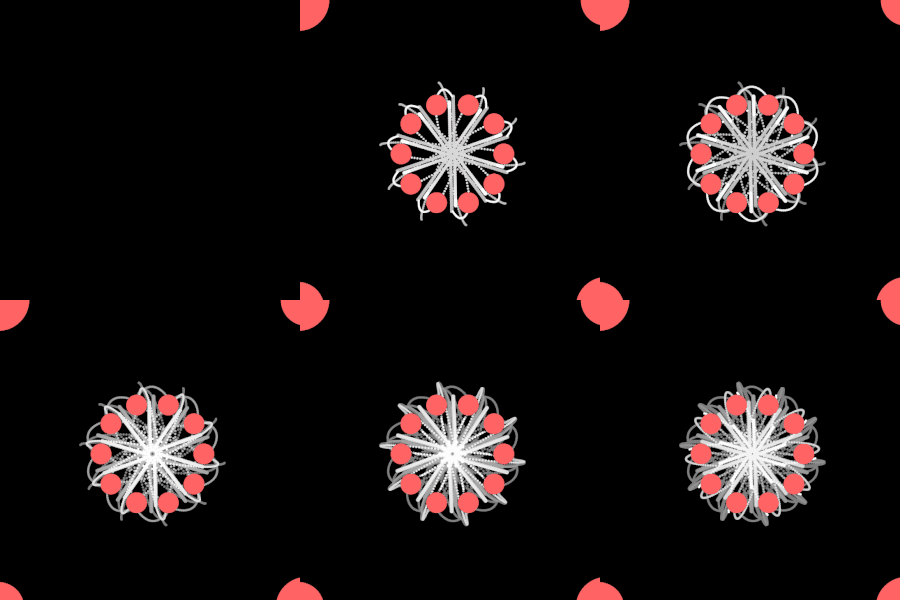
This sketch explores the movement of trees responding to wind. The main inspiration comes from observing how trees do not move rigidly or instantly, but instead sway, and slowly settle after a gust passes. I was particularly inspired by a reference video showing the collective motion of trees, where the movement feels alive and unpredictable rather than mechanically precise:

@heart_echo_creates

I love watching the trees sway in the wind and the sound it makes…soothing…#fyp #nature #trees #relaxing #naturelover #windy

♬ original sound – Heart_Echo_Creates


Instead of directly animating tree shapes, I focused on simulating the forces that cause the movement, allowing the motion to emerge naturally. The mouse represents wind: when the mouse is pressed, wind is applied, and when it is released, the environment returns to a calmer state.

Sketch

Highlight of some code

This sketch simulates tree movement by using a force-based system built around position (pos), velocity (vel), and acceleration (acc). Wind is applied through the applyWind() function, where a force vector is calculated toward a target and scaled using setMag() to control acceleration strength. Instead of directly controlling position, acceleration influences velocity, which is then damped using vel.mult(0.97) to simulate resistance and prevent abrupt motion. Wind strength is smoothly transitioned using lerp, avoiding sudden changes in force, while Perlin noise (noise()) continuously offsets the field position to create subtle movement even when no wind is applied.

// Acceleration-driven “wind” (force → acc → vel → pos)
applyWind(tx, ty, strength, maxSpeed) {
let target = createVector(tx, ty);
let force = target.sub(this.pos); // direction toward wind target

this.acc = force.setMag(strength); // ACCELERATION is the control
this.vel.limit(maxSpeed); // cap speed so it stays natural
}

update() {
this.vel.mult(0.97); // keeps it tree-like
this.vel.add(this.acc);
this.pos.add(this.vel);
}

Milestones and challenges

Initially, my plan was to have the wind continuously follow the mouse position. However, during testing, I encountered a major issue: when the mouse moved too quickly, the motion became glitchy. I experimented with changing acceleration values to smooth it out, but doing so removed the feeling that made the movement feel like trees.
So I decided to switch from mouse-movement interaction to mouse-press interaction. The wind becomes a controlled event rather than a constantly fluctuating input. This solved the glitching problem and preserved the idea of gust-based movement, which better communicates the behavior of wind moving through trees. Here is a video of when it was following the mouse.

Reflection & future work

With more time I would like to revisit the idea of having the system follow the mouse position more directly, but with improved smoothing techniques that preserve the tree-like behavior. I’m also interested in expanding the project beyond the screen.
One future direction would be integrating a projected camera and Arduino input, where physical movement in space such as camera motion controls the wind force. This would further emphasize the connection between real-world motion and the simulated environment, strengthening the metaphor of wind and trees.