
Inspiration and Concept
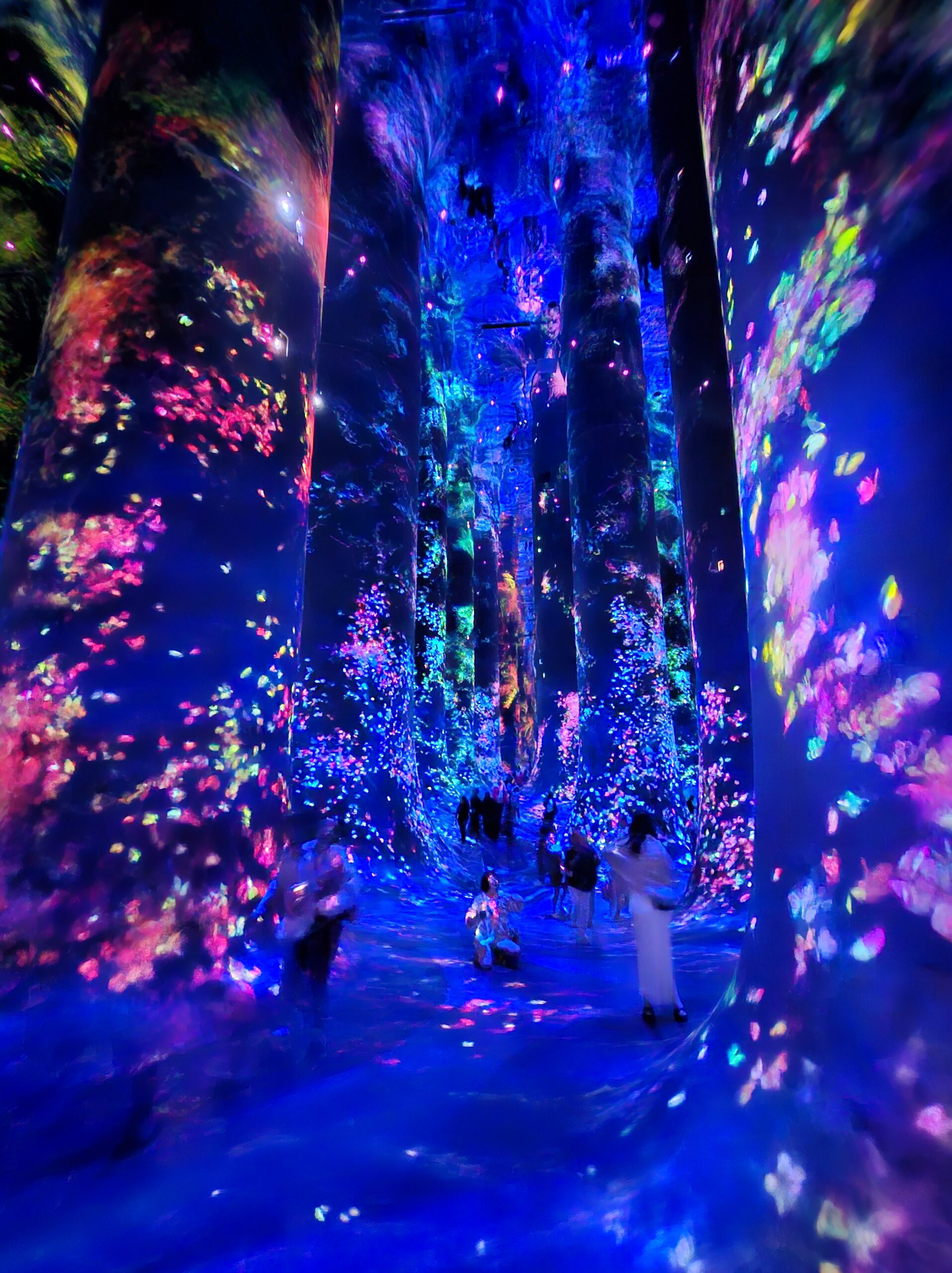
I chose to recreate the butterfly installation because of the profound way it handles the cycle of life. In the exhibition, the butterflies seem to move slowly, almost suspended in the moment, but before you know it, they are gone. It is a reminder of how fleeting time is.
Interestingly, the butterflies in the exhibit are affected by human interaction. On approaching them, they seemed to diffuse and on touching the space they were projected onto, they would fall, as if we’d killed them. I incorporated this interaction in my sketch as well.
My twist on the original visual is that the end of one life becomes the catalyst for another. When a butterfly “dies” (is clicked), instead of just disappearing, it falls to the earth and seeds a new, different, but equally beautiful life: a flower. To me, this represents the idea that contentment comes from accepting the changing nature of things. Even when a specific chapter ends, it provides the nutrients for something new to bloom.
Sketch
Butterflies emerge from the forest floor and drift upward.
Touch: Click a butterfly to end its flight. Watch it fall and reincarnate as a swaying flower (you might need to scroll to see the ground in this blogpost).
Interact: Move your mouse near the butterflies or flowers to see them glow brighter. The butterflies will gently shy away from your cursor.
Milestones & Challenges
The first goal was to get the butterflies moving from the bottom to the top. I used Perlin Noise to give them a natural, fluttery motion. However, I immediately hit a snag: the butterflies started accelerating aggressively toward the left or right edges of the canvas instead of staying on an upward path.
The Fix: I implemented a velocity limit and a constant “lift” force. This kept their speed under control while ensuring their primary direction remained vertical.
Next, I had to handle the transition from flying to falling. This required a State Machine within the Butterfly class. I added a state variable (FLYING or FALLING). When the mouse is clicked near a butterfly, its state flips, gravity is applied, and the “wing flap” oscillation slows down to simulate a loss of vitality.
The final stage was the “twist.” I created a Flower class that triggers at the exact x-coordinate where a butterfly hits the ground. I also added Sensory Logic:
-
Fleeing: Butterflies now calculate a repulsion vector from the mouse.
-
Proximity Glow: Using the
dist()function, both butterflies and flowers “sense” the cursor and increase their transparency mapping (alpha) to glow brighter as you get closer.
Highlight
I am particularly proud of how the butterfly “seeds” the flower. To maintain the visual connection, I pass the specific hue of the butterfly to the new Flower object. This ensures that the life cycle feels continuous; the “soul” of the butterfly determines the color of the bloom.
// Inside the main draw loop
if (b.state === "FALLING" && b.pos.y > height - 25) {
  // We pass the butterfly's unique hue to the new flower
  flowers.push(new Flower(b.pos.x, b.hue));
  butterflies.splice(i, 1); // The butterfly is removed
}
Reflection
This assignment taught me how powerful Additive Color Mixing (layering semi-transparent shapes) is for recreating the feel of a light projection. By using the HSB color space, I was able to match the neon, ethereal palette of the teamLab forest. Some potential improvements:
-
Life Span: I’d like to make the flowers eventually fade away as well, completing the cycle and allowing the ground to remain “clean” for new growth.
-
Collision Detection: It would be interesting if butterflies had to navigate around the stems of the flowers that the user has created.
-
Soundscape: Adding a soft, shimmering sound effect when a butterfly transforms into a flower would deepen the emotional impact of the interaction.