
Midterm Project Overview
For the midterm, I created a generative art system that explores the intersection of networks and organic motion. The core concept is artificial life simulation inspired by Craig Reynolds’ Boids, but also using lines between nodes as in Network Theory to generate unique paintbrush patterns.
The design goal was to make a system that feels alive rather than programmed. Rather than directly drawing static shapes, I implemented a set of biologically inspired rules such as, movement, proximity-based interactions, growth, and reproduction, allowing the artwork to emerge from these behaviors over time. The result is a visually rich, evolving network that evokes mycelial-network-like pathways, flocking organisms, and orbital motion depending on the selected mode.
The system also includes interactive features that allow the user to manipulate and explore the simulation in real-time:
-
Movement Modes: Wander, Flock, and Orbit, toggled with
M, creating different emergent behaviors. -
Color Palettes: Cycle through multiple palettes with
Cto alter the visual mood. -
Growth Control: Nodes reproduce over time, with growth rate adjustable via a slider.
-
Movement Parameters: Sliders for speed, steering strength, and connection distance allow nuanced control over node behavior.
-
Mouse Interaction: Click to attract all nodes toward the cursor; press
Rto repel them. -
Fullscreen and Export: Press
Fto toggle fullscreen, andSto save a PNG snapshot of the current artwork.
Implementation Details
Nodes Behavior:
-
Wander Mode: Nodes move using Perlin noise to simulate organic wandering.
-
Flock Mode: Nodes align and cohere with nearby nodes, creating emergent flocking patterns.
-
Orbit Mode: Nodes orbit around the canvas center with circular movement.
-
Mouse Influence: Nodes respond to attraction or repulsion forces for interactivity.
if (organisms.length < 400 && frameCount % growthSlider.value() === 0) {
  let parent = random(organisms);
  organisms.push(
    new BioNode(
      parent.pos.x + random(-20, 20),
      parent.pos.y + random(-20, 20)
    )
  );
}
I made it so that the number of organisms in the sketch grows to 400 (capped so the sketch doesn’t lag) at a rate determined by the user using the slider
Midterm Progress Milestone
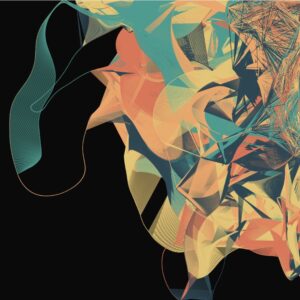
At this point I was facing a problem where, for some reason, all the nodes would cluster at the top right corner, which left huge parts of the canvas uncovered. I discussed with professor Jack that it would probably be a good idea to allow the user to influence the sketch with the mouse to get better patterns, which is what I did below.
wander() {
    let n = noise(this.pos.x * 0.01, this.pos.y * 0.01, frameCount * 0.01);
    let angle = map(n, 0, 1, 0, TWO_PI * 2);
    let steer = p5.Vector.fromAngle(angle).mult(steerSlider.value());
    this.applyForce(steer);
  }
mouseInfluence() {
  if (mouseIsPressed) {
    let mouse = createVector(mouseX, mouseY);
    let dir = p5.Vector.sub(mouse, this.pos);
    dir.normalize();
    let strength = repelActive ? -0.3 : 0.3;
    this.applyForce(dir.mult(strength));
  }
}
This is how I made the nodes feel alive. These snippets show how I used noise to smoothly randomize movement and steering, but also allow for the user to intervene with external forces to influence the final piece.
for (let i = organisms.length - 1; i >= 0; i--) {
  let o = organisms[i];
  o.update();
  o.display();

  for (let j = i - 1; j >= 0; j--) {
    let other = organisms[j];
    let d = dist(o.pos.x, o.pos.y, other.pos.x, other.pos.y);

    if (d < connectSlider.value()) {
      stroke(o.color, map(d, 0, connectSlider.value(), 100, 0));
      strokeWeight(0.5);
      line(o.pos.x, o.pos.y, other.pos.x, other.pos.y);
    }
  }
}
Because I wanted to try Node-to-Node connections that I saw from my Computer Science classes, I used this nested loop to draw a line between nodes that are a certain distance from each other, depending on the user’s choice, which resulted interesting paintbrush patterns.
orbit() {
  let center = createVector(width / 2, height / 2);
  let dir = p5.Vector.sub(center, this.pos);
  let tangent = createVector(-dir.y, dir.x); // perpendicular to center vector
  tangent.setMag(steerSlider.value());
  this.applyForce(tangent);
}
This is the function the sketch switches to as one of the modes available, which I learned from The Nature of Code book. Since orbit is just a force pulling towards the center, you simply need to subtract the position vector and the center vector to get the direction of the force you need to apply.
Video Documentation
Reflection
The interactive simulation provides an engaging experience where users can explore emergent behaviors visually and through direct manipulation. Observing how small changes in parameters affect the system fosters a sense of discovery.
Future Improvements:
-
Smoother transitions between modes.
-
Adjustable node size and trail persistence for more visual variety.
-
Performance optimization for larger node counts.
References
Daniel Shiffman, The Nature of Code
Flocking simulation tutorial on YouTube by Daniel Shiffman
Inspirations:
-
-
Biological growth patterns, flocking birds, and orbital mechanics.
-
Creative coding projects on interactive generative art platforms.
-
-
AI Disclosure: I, of course, used AI to help me better understand and debug the complex parts of the code, especially flocking. I also asked ChatGPT to suggest the color palettes that the user can cycle between by clicking c since I am not very good at choosing colors. ChatGPT also did the html parts such as the sliders, labels, as well as the fullscreen feature.