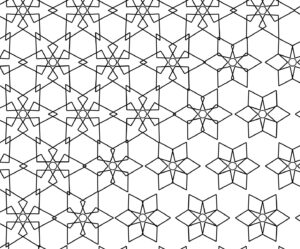
Picture of Inspiration
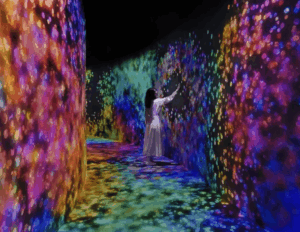
I chose a connecting corridor inside a teamLab installation. It is a transitional space, not a main artwork, which is exactly why it stood out to me. When you walk through it or touch the walls, the light disappears around you. It does not explode or react loudly. It just empties.
Why I Chose This Visual
What stayed with me was not the visuals themselves, but the behavior.
Most interactive works reward you. They give more when you touch them. More color, more movement, more feedback. This one does the opposite. It takes away. The space clears around your presence, almost like it is making room for you, or avoiding you.
That felt different. It felt quieter and slightly uncomfortable. You are not adding to the system, you are interrupting it.
I wanted to work with that idea. Not interaction as spectacle, but interaction as subtraction.
Code Production
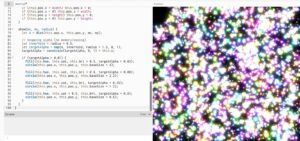
I tried to recreate this logic using a particle system. The particles move continuously using noise, forming a kind of ambient field. When the user interacts, instead of attracting particles or creating brightness, the system creates a “void” that pushes particles away.
The goal was not to replicate the exact visual of teamLab, but to capture the feeling of space being cleared in response to presence.
One important part of the process was fixing how the system transitions between states. At first, the scene would abruptly reset when interaction stopped, which broke the illusion. It felt mechanical. I adjusted this by removing hard resets and introducing gradual transitions, so the system responds more like a continuous environment rather than a switch.
I also slightly increased the background fade during interaction so the space actually feels like it is dimming, not just rearranging.
My Twist
The original corridor is very minimal and almost silent in behavior.
My version exaggerates the system slightly. Instead of a clean empty space, the particles resist the user and leave behind traces of motion. The void is not perfectly clean. It is unstable and constantly reforming.
I also introduced layered particles with different sizes and brightness levels. This creates a glow effect that lingers, so the absence is never total. There is always a memory of what was there.
So instead of pure emptiness, my version becomes something closer to a shifting field that reacts, clears, and then slowly rebuilds itself.
Code I’m Proud Of
What I am most satisfied with is how I handled the transition between interaction and stillness.
Originally, I used a direct background reset:
This caused the scene to snap instantly, which felt harsh and disconnected from the rest of the motion.
I replaced it with a gradual fade:
fade = lerp(fade, targetFade, 0.08);
fill(0, 0, 0, fade);
rect(0, 0, width, height);
This small change made a big difference. The system now dims and recovers smoothly, which aligns better with the idea of a responsive environment rather than a binary state.
Embedded Sketch
Please view it in p5 itself, here its looking funny
Milestones and Challenges
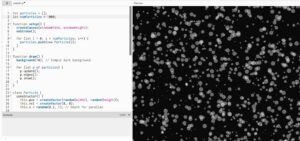
The first step was simply getting something to move on the screen. I started by creating a “Particle” class. At this stage, I wasn’t worried about colors or glows; I just wanted to see if I could make 5,000 objects move without crashing the browser.I used a simple Particle object with a position and a velocity.
Now that the system was working, it needed to react to me. This milestone was about the “Control” half of my theme. I created a “void” around the mouse. I wrote a mathematical check: If the distance between a particle and my mouse is small, push the particle away.
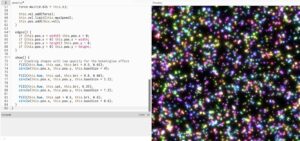
The final version was about the transition. In the beginning, the lights snapped back instantly when I moved the mouse, which felt mechanical. I wanted it to feel like the system was “exhaling.” The Logic: I introduced lerp() (Linear Interpolation) to every state change.
Reflection
This project made me think more about interaction as something subtle. Not everything needs to respond loudly. There is something more interesting in systems that shift quietly or even withdraw.
I also realized that small technical decisions, like how a background is drawn, can completely change how the work feels. The difference between a reset and a fade is not just visual, it changes how the system is perceived.
Future Work
If I continue this, I want to push the idea of absence further.
One direction is to make the void linger longer, so the space remembers where the user was. Another is to introduce multiple interaction points, allowing different “voids” to overlap and interfere with each other.
I am also interested in connecting this to sound or vibration, so the clearing of space is not only visual but also sensory.
Right now, the system reacts. In the future, I want it to feel like it anticipates or resists.