I visited teamLab Phenomena Abu Dhabi and chose the artwork called “Floating Microcosms.” Here is the official video from teamLab showing the installation:
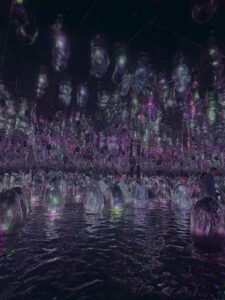
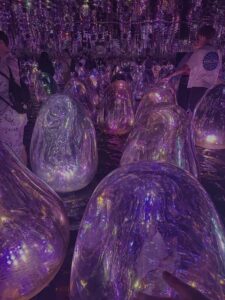
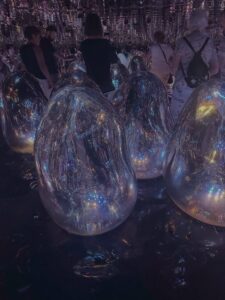
It is a dark room with shallow water on the floor. Egg-shaped glass sculptures called “ovoids” float on the water. When you push one, it tilts, glows with color, and makes a sound. Then the eggs around it respond one after another, a wave of light that spreads across the room. The ceiling is a mirror, so everything reflects upward.
Here are some photos I took when I visited:
Why I Chose This
The interaction is so simple: push an egg, but what happens is beautiful. One touch creates a chain reaction of light across the whole room. It makes you feel like you are part of the artwork. I also liked how the eggs look alive, they float, they glow from inside, and the colors keep changing.
Code I Am Proud Of
The chain reaction that fades with each hop. When you click one ovoid, it tells its neighbors to light up, but weaker. Those neighbors tell their neighbors even weaker. After 2-3 hops, it dies out, so not every egg lights up. Just the nearby ones.
let nextStrength = strength * 0.4;
if (nextStrength > 0.15) {
  for (let other of ovoids) {
    if (other === this) continue;
    let d = dist(this.x, this.y, other.x, other.y);
    if (d < 160) {
      let delay = floor(map(d, 0, 160, 20, 50));
      other.chainTimer = delay;
      other.chainStrength = nextStrength;
    }
  }
}
Direct click = strength 1.0. First neighbors get 0.4. Their neighbors get 0.16 too weak to keep going. This makes the wave fade naturally, just like the real installation.
Creative twist: “Water Memory.” In the real artwork, the water goes dark after each interaction. In my version, every touch leaves glowing color marks on the water that slowly fade. After many clicks, the water becomes a colorful painting of everywhere you have touched.
Embedded Sketches
Phase 1 — The Scene
Dark room, visible water, ovoids floating with internal swirl patterns, and a ceiling mirror. No interaction yet.
Phase 2 — Interaction
Click to glow, chain reaction that fades after 2-3 hops, ripples, mouse push, ceiling mirror lights up.
Final — Water Memory
Same as Phase 2 plus the creative twist: colored marks stay on the water after each touch.
Milestones and Challenges
Chain reaction spreading everywhere. My first version activated all neighbors at full strength; every egg in the room lit up from one click. The fix was to make each hop weaker (strength × 0.4 each time), so it dies out after 2-3 rings.
Water not visible. My first water was too dark, almost the same color as the ceiling. I made it much lighter (dark blue-purple) and added a bright shimmer line at the surface edge.
Reflection and Future Work
My sketch captures the core of “Floating Microcosms”: push an egg, watch light spread. But the real artwork has things I cannot recreate: the physical feeling of pushing a real sculpture, the sound each egg makes, warm water on your feet, and the infinite mirror ceiling.
Ideas for the future:
Add sound so each ovoid plays a tone when it glows
Use WebGL for real 3D translucent eggs
Make ovoids bump into each other when they collide
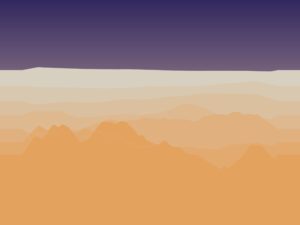
It is not a painting or an image I drew. It is a program that creates a new desert landscape every time you run it. The dunes grow, move, shake, get rained on, and then settle into a final peaceful scene, all on their own, with no human drawing anything.
The system moves through four stages, like a story:
Wind — pushes the sand around and builds up the dunes
Tremor — the ground shakes, and the dunes collapse and spread out
Rain — water smooths everything down and darkens the sand
Stillness — everything stops. The desert rests
Every time you press “New Seed,” you get a completely different desert. Same rules, different result. That is what makes it generative art: the system creates the art, not me.
Why a Desert?
I am from the UAE. I grew up around the desert. Most people think sand dunes just sit there, but they actually move and change shape constantly. Wind pushes sand from one side to another. After a storm, the dunes look completely different. When it rains (which is rare), the sand turns dark and the surface becomes smooth.
I wanted to recreate that in code. Not a realistic photograph, but the feeling of how a desert changes over time.
How It Works — The Big Idea
Layers Create Depth
The desert you see on screen is made of seven layers stacked on top of each other, like layers of paper. The layers in the back are pale and barely move. The layers in the front are golden, tall, and move faster. This creates a feeling of distance and depth, even though everything is flat.
Each layer has its own terrain, a line of hills and valleys that represents the top of the sand. This terrain is stored as a list of numbers. Each number says, “how tall is the sand at this spot?” When the program draws the layer, it connects all those heights with smooth curves, fills everything below with color, and that is your dune.
The Sky Changes With Each Phase
The sky is not just a static background. It changes color depending on which phase is active:
Wind has a warm golden sunset sky
Tremor has a dark, heavy, ominous sky
Rain has a cool grey-blue sky
Stillness has a peaceful, warm dawn
The sky smoothly fades from one palette to the next when the phase changes. This makes the transitions feel natural instead of sudden.
The Four Phases — What Each One Does
Wind — Building the Dunes
This is the first and most important phase. The wind is what gives the dunes their shape.
Here is how it works in simple terms: the program looks at each point on the terrain and asks, “how strong is the wind here?” The wind strength is not random; it uses something called Perlin noise, which creates smooth, flowing patterns (think of it like a weather map where nearby areas have similar wind). Where the wind is strong, it picks up sand from that spot and drops it a little further along. Over many frames, this creates realistic dune shapes, ridges, valleys, and peaks.
But there is a problem: if sand just piles up forever, you get impossibly steep spikes. That does not happen in real life because sand slides when it gets too steep. So the program checks every point: “is the slope here steeper than sand can actually hold?” If yes, the excess sand slides down to the neighbors. This rule is called the angle of repose and it is from real physics.
There is also a safety check: the total amount of sand never changes. Sand is not created or destroyed, only moved from one place to another. This keeps the terrain looking realistic.
// Wind force from Perlin noise
let windNoise = noise(i * 0.05, t + layer.seedOffset * 0.001);
let windForce = map(windNoise, 0, 1, -0.4, 0.4 + WIND_BIAS) * spd;

let amount = windForce * windStrength;

// Move sand in wind direction
let target = windForce > 0 ? i + 1 : i - 1;
target = constrain(target, 1, NUM_POINTS - 2);

h[i] -= amount;
h[target] += amount;
Tremor — Shaking Things Up
After the wind has built up nice, tall dunes, the ground shakes.
The tremor does not just wobble the screen. It actually changes the terrain. Here is what happens:
Tall dunes collapse. The program finds every point that is above average height and pulls it downward. The sand that falls off the top gets spread to nearby points. So tall, sharp dunes become wider and flatter, just like real sand behaves during a sandstorm.
The layers shake. Each layer moves up and down by a small random amount every frame. The front layers shake a lot, the back layers barely move. This creates a convincing sandstorm effect.
Dust rises. Small brown particles spawn from the tops of the front dunes and float upward, like dust being kicked up by the vibration.
The tremor starts gently and builds up over time (a “cold start”), which makes it feel like a real sandstorm building in intensity.
let diff = h[i] - avg;

if (diff > 0.01) {
  let fall = diff * TREMOR_EROSION * spd * (0.2 + power);
  h[i] -= fall;

  // Sand spreads to 3 neighbors on each side
  h[i - 1] += fall * 0.22;
  h[i - 2] += fall * 0.15;
  h[i - 3] += fall * 0.08;
  h[i + 1] += fall * 0.22;
  h[i + 2] += fall * 0.15;
  h[i + 3] += fall * 0.08;
}
Rain — Smoothing Everything
Rain does two things to the terrain:
Splash erosion. When rain hits sand, it smooths it out. In the code, each point’s height gets averaged with its two neighbors. High points go down a little, low points come up a little. Over time, this erases sharp edges and makes everything gentler.
Water flows downhill. Wherever one point is higher than the next, some sand flows from the high side to the low side, like water carrying sediment. This flattens the terrain even further.
You can see raindrops falling on the screen as small white streaks. When a drop hits the front dune, it kicks up 2-3 tiny sand splash particles that fly upward, a small detail that makes it feel alive.
The coolest visual effect in this phase is the wet sand. When it rains, the sand slowly darkens. Each layer has two colors: a dry color (warm golden) and a wet color (dark brown). As rain continues, the colors blend toward the wet version. The back layers get very dark grey-brown, and the front layers get rich brown. This creates a strong sense of depth when everything is wet; you can clearly see each layer separated by color.
// Blend between dry and wet color based on wetness
let r = lerp(this.dryColor[0], this.wetColor[0], this.wetness);
let g = lerp(this.dryColor[1], this.wetColor[1], this.wetness);
let b = lerp(this.dryColor[2], this.wetColor[2], this.wetness);
fill(r, g, b);
Stillness — The Quiet Ending
Nothing moves. The terrain is frozen exactly as the rain left it. The sand slowly dries back to its original golden color. Any remaining shake from the tremor settles to zero. The sky fades to a warm, peaceful dawn.
This is the “take a photo” moment. The desert has been through wind, tremor, and rain, and now it rests.
The Auto Timeline
The sketch runs all four phases automatically in sequence. You just press play and watch:
Wind runs for 10 seconds
Tremor runs for 8 seconds
Rain runs for 9 seconds
Stillness stays forever
Press Space to start over with a brand new landscape.
The Controls
There is a thin bar at the top of the screen with simple controls:
Wind / Tremor / Rain / Still — click any phase to jump to it manually
When you select a phase, a slider appears that lets you adjust that phase’s strength (how strong the wind blows, how powerful the tremor is, how fast the rain erodes)
Auto — toggles the automatic timeline on/off
New Seed — generates a completely new desert
The UI was designed to be minimal and not distract from the artwork. It uses warm gold text on a dark transparent bar, matching the desert color palette.
Techniques From Class
This project uses several techniques we learned in class:
Perlin Noise — I use noise in two ways. First, to generate the initial terrain shape for each dune layer (the hills and valleys). Second, to create the wind field, noise gives me smooth, flowing wind patterns where nearby points have similar wind strength, just like real weather.
Forces — Wind pushes sand along the terrain. Gravity pulls raindrops and dust particles downward. The angle of repose redistributes sand when slopes are too steep. These are all force-based systems.
Classes — I built three classes to organize the code:
DuneLayer handles everything about one layer of dunes (its height, color, position, drawing)
Sky manages the gradient background and phase transitions
ParticleSystem handles all the floating particles (dust, rain, splashes)
Arrays — Each dune layer stores its terrain as an array of 150 height values. All the physics (wind, tremor, rain) works by reading and modifying these arrays every frame.
Oscillation — During the tremor phase, each layer shakes up and down in a jittery motion. Front layers shake more, back layers shake less, creating a convincing depth effect.
Color Lerping — The lerp() function blends between two values smoothly. I use it everywhere: blending sky colors between phases, blending sand between dry and wet colors, fading particle transparency, and fading the phase label text.
The Three Prints
I captured three high-resolution images from the system, one from each active phase. Together, they tell the story of one desert going through three stages of change.
Print 1 — Wind
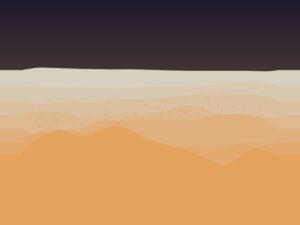
Warm golden sky. Sharp dune ridges carved by wind. The sand is dry and bright. This is the desert being actively shaped, the most dynamic moment.
Print 2 — Tremor
Dark, heavy sky. The tall dunes from the wind phase have collapsed and spread out. Dust particles hang in the air. The landscape has been shaken apart.
Print 3 — Rain
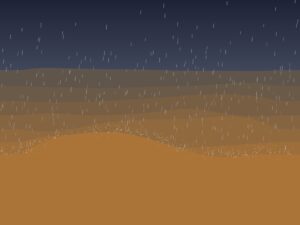
Cool grey-blue sky. White rain streaks fall across the scene. The sand has turned dark brown from moisture. The terrain is smoother, peaks are lower, and sharp edges are gone. A quiet, moody moment.
Video
A walkthrough of the full system: the auto timeline playing through all four phases, followed by manual switching between modes and adjusting the strength sliders.
How I Built It — The Process
I did not build everything at once. The project was developed in six phases, each one adding a new feature on top of the last. I tested each phase and made sure it worked before moving on:
Phase 1 — Foundation. I built the seven-layer dune system, the sky gradients, and the smooth curve rendering. No physics yet, just the visual base. The big decision here was making each layer auto-calculate all its properties (color, height, position, speed) from just its index number. This meant I could change the number of layers without rewriting anything.
Phase 2 — Wind. Added wind transport and slope stability. This was the hardest part of the whole project. If the wind is too strong, everything flattens instantly. If the slope rules are too strict, nothing interesting happens. Finding the right balance took a lot of trial and error. I also tried adding floating wind particles at first, but they looked messy and disconnected from the terrain. I removed them; the dune movement itself shows the wind better than any particle could.
Phase 3 — Tremor. Added the tremor effect with peak erosion, per-layer shaking, and dust particles. To activate tremor mode, press “T.” The sky transition was tricky; my first wind and tremor palettes looked too similar, so the change was not noticeable. I made the palettes more distinct and sped up the transition. I also experimented with a dust haze overlay, but it looked like a flat layer on top of the terrain, so I removed it.
Phase 4 — Rain. Added splash erosion, runoff, raindrops, and the wet sand color system. To activate rain mode, press “R.” The rain went through many iterations. At first, it came in bursts instead of a steady drizzle, so I adjusted the spawn rate and distributed drops across the full screen height. The wet sand color also needed depth-aware tuning: initially, all layers darkened to the same tone, which made the back layers hard to see. Assigning each layer a different wet color (darker for the back, warmer for the front) fixed this issue.
Phase 5 — Stillness + Timeline. Added the fourth phase, where everything stops, and the auto timeline that advances through all four phases automatically. A small phase label fades in at the bottom-left when each phase starts.
Phase 6 — UI. Added the top bar with phase buttons, contextual sliders, auto toggle, and a new seed button. The first version was a big panel on the right side, but it took too much space and did not feel right for a class project. I simplified it to a thin bar at the top.
What I Learned and What I Would Change
What works well:
The seven layers create a real feeling of depth and distance
The phase transitions feel smooth and natural, sky and terrain change together
The wet sand darkening during rain is subtle but makes a big difference
The auto timeline tells a complete story without any user input
What I would do differently next time:
Add a 3D perspective view instead of the flat side view, this would make the prints more dramatic
Add sound, wind howling, rain pattering, ground rumbling during tremor
Make the timeline longer with slower, more gradual transitions
Add mouse interaction, drag to create wind, click to trigger tremors
Try different environments, snow, ocean waves, volcanic landscapes using the same system
References
R.A. Bagnold — The Physics of Blown Sand and Desert Dunes (1941). The classic science book about how wind moves sand and shapes dunes. This is where I learned about saltation (how wind picks up and drops sand grains).
Angle of Repose — A concept from granular mechanics (the science of how piles of material behave). It is the steepest angle a pile of sand can have before it slides. This rule is what keeps my dunes looking realistic.
Ken Perlin — Perlin Noise (1983). The algorithm I use to generate smooth, natural-looking randomness for both terrain and wind patterns.
Soil Liquefaction — A real phenomenon where vibration makes sand temporarily act like liquid. This is the idea behind my tremor phase.
Daniel Shiffman — The Nature of Code. The textbook for this course. Used as a general reference for forces, noise, and particle systems in p5.js.
I’m building a generative desert landscape. Not a drawing of a desert, a system that grows one. Dunes form, shift, break apart, and settle, all on their own, driven by wind, tremors, and rain.
The title is “Shifting Grounds.”
The system moves through four phases like a timeline:
Wind → Ground Tremor → Rain → Stillness
Wind pushes sand around and builds dunes
Ground Tremor shakes things up, dunes collapse and spread out
Rain smooths the surface through erosion
Stillness everything settles. The terrain stops changing. This is the frame I export for my A3 prints
The simulation runs once and ends. It doesn’t loop.
Why a Desert?
I’m from the UAE. The desert isn’t just a landscape to me, it’s something I grew up around. I’ve always noticed how dunes shift and reshape themselves. Sand looks still but it never really is.
I want to explore that through code. How do dunes actually get their shape? Why are some tall and some flat? What happens when wind hits a ridge? This project is my way of digging into those questions and turning them into generative art.
Design — How Will It Work?
The Height Map
Instead of simulating thousands of sand particles (which is way too complex and slow), I’m using a height map. It’s just an array:
Each index is a column on the canvas. The value is how tall the sand is at that spot. When I draw it, I fill from the bottom up to the height. That gives me a terrain profile, like a side view of the desert.
Why this approach:
Way more stable than particles
Easier to control
Better for high-res A3 output
Clean and simple
Rendering
The look is minimal. Warm sandy monochrome palette. Shading is based on slope:
fill(baseColor - slope * contrast)
Steep slopes = darker. Flat areas = lighter. This fakes sunlight hitting the dunes from the side and creates a 3D look using just math. No textures, no images, just numbers and color.
Code Design — Functions, Classes, Structure
Here’s how I’m planning to organize the code:
windPhase() — moves sand using Perlin noise for wind direction and strength. After moving sand, it checks slope stability (angle of repose) so dunes don’t become unrealistically steep
tremorPhase() — lowers the stability threshold temporarily so dunes collapse and spread. Adds small random jitter to simulate vibration
rainPhase() — averages each column’s height with its neighbors. This is what erosion does, peaks go down, valleys fill up, everything smooths out
renderTerrain() — draws the height map with slope-based shading
State Management
A variable like currentPhase controls which phase is active. Each phase runs for a set number of frames, then transitions to the next:
WIND → TREMOR → RAIN → STILLNESS
In stillness, the draw loop still runs but nothing changes. The terrain is frozen in its final form.
Key Variables
heightMap[] — the core data. One value per pixel column
windStrength — controlled by Perlin noise, varies across space
maxSlope — the angle of repose. How steep sand pile can be before it slides
currentPhase — which phase the system is in
phaseTimer — counts frames in each phase
Interactivity (Planned)
Different noise seeds = different landscapes each run
Keyboard controls to adjust wind strength or skip phases
Parameter presets for different “climates” (strong wind, heavy rain, etc.)
States and Variations
Each run of the sketch will look different because of Perlin noise; different seeds create completely different dune formations from the same rules. That’s what makes it generative. I don’t place the dunes. The algorithm does.
For my three A3 prints, I plan to create variation by:
Changing the noise seed (different dune shapes)
Adjusting wind strength and direction (some runs make tall, sharp dunes, others make gentle rolling ones)
Varying how long each phase lasts (more wind = more dramatic terrain, more rain = smoother result)
The final stillness frame from each run becomes a unique print.
The Scariest Part
The most frightening part of this project is the wind simulation.
If sand transport is too strong, everything flattens instantly, and no dunes form. If the slope stability rules are too strict, the terrain freezes before anything interesting happens. The whole project depends on finding the right balance between these forces.
What I Did to Reduce This Risk
I wrote a basic prototype that tests the two core mechanics together: wind transport and slope stability.
This isn’t the final system. It only has the wind phase. But it confirms that the core mechanic, the hardest part, actually works. The tremor, rain, and stillness phases will be simpler to add on top of this foundation.
Other Risks I’m Watching
The final print might look too simple on A3 paper. Since it is just a 1D height map, it could feel flat. I need to test it early. If it looks too basic, I might add more depth, like a fake 3D effect or layered lines. I will decide after the full system is working.
References
R.A. Bagnold — The Physics of Blown Sand and Desert Dunes (1941).
Angle of Repose — From granular mechanics. The maximum steepness a pile of sand can have before it slides.
Ken Perlin — Perlin Noise (1983).
Soil Liquefaction — When vibration makes sand temporarily act like liquid.
Aeolian Transport — The geological process of wind moving sand.
For this project, I was inspired by Memo Akten’s “Simple Harmonic Motion #12 for 16 Percussionists.” In that piece, 16 performers stand on stage, and each one receives instructions from a computer through their earpiece when to step forward, when to hit their drum, and when to turn on their flashlight. They don’t know what the bigger picture looks like. They just follow their own simple instructions. But when you watch all 16 of them together, something beautiful and complex emerges.
I wanted to translate that idea into a visual sketch. Instead of real performers, I have 16 glowing nodes arranged in a circle. Instead of a computer sending cues through earpieces, I have an invisible point, “the conductor,” that orbits around them. When it gets close to a node, that node lights up. The conductor’s path starts clean and orderly, then gradually becomes chaotic and unpredictable, then returns to order. And the viewer can use their mouse to become a second conductor, creating a tension between human control and machine control.
Code I’m Proud Of:
getActivation() method from the Shockwave class:
getActivation(nodeX, nodeY) {
    let d = dist(this.x, this.y, nodeX, nodeY);
    let distFromWave = abs(d - this.radius);

    if (distFromWave < this.activationWidth) {
      return map(distFromWave, 0, this.activationWidth, 1, 0);
    }
    return 0;
  }
What this does is pretty simple: it checks how far a node is from the wave’s current edge. If the node is within the wave’s “thickness” (60 pixels), it gets activated stronger if it’s right on the edge, weaker if it’s at the boundary. If it’s outside that band, nothing happens. So when you click, the ring expands outward and each node lights up only when the wave actually reaches it, not all at once. That one small function is what makes the whole click interaction feel like dropping a stone in water instead of just flipping a switch.
Milestones and Challenges
Stage 1: Circle of 16 Nodes. I placed 16 nodes evenly around a circle using cos() and sin(). The main challenge was getting the spacing right and making the glow effect look soft instead of harsh.
Stage 2: The Invisible Conductor I added an invisible point that orbits the circle and activates nearby nodes based on distance. The tricky part was making the activation smooth without lerp(), the nodes just snapped on and off like a light switch, which looked bad.
Stage 3: Hit Flashes and Ripples. When a node reaches peak activation, it now flashes bright and sends out a ripple ring. The challenge was making sure the hit only fires once per pass, not every single frame while the conductor is nearby. I solved this with a simple flag called wasAboveThreshold.
Stage 4: Order to Chaos to Order. This is where it got interesting. I made the conductor’s path morph between a circle, a figure-8, and random noise over a 35-second cycle. Getting the blending right took some trial and error at first; the transitions were too sudden, and it looked glitchy instead of smooth.
Embedded Sketch
Stage 5:Polish and Mouse Interactivity I added connection lines between nodes, a center glow, film grain, and mouse interactivity. The mouse acts as a second conductor with a smaller reach (so you can only affect a few nodes at a time). Clicking sends a shockwave. The biggest challenge here was combining three different activation sources (machine, mouse, and shockwave) without them conflicting with each other.
Reflection
This project taught me a lot about how simple rules can create complex-looking behavior. Each node only knows one thing: how far it is from the conductor, but when you watch all 16 together, it looks like something alive. That’s basically the same idea behind Akten’s original piece, and I think that’s what makes it so powerful. If I had more time, I’d love to add sound, maybe a soft tone or drum hit when each node gets activated, so it feels more like an actual performance. I’d also like to try it with more nodes (maybe 32 or 64) to see how the patterns change. Another idea is to let the viewer switch between order and chaos manually using a key press, so they have even more control over the composition.
A simulation of UAE falconry using flocking behavior and physics forces
Embedded Sketch
How to Interact
Move your mouse : The falcon follows and birds run away
Click : Creates a dive attack with spinning chaos
Press +/- : Add or remove birds
Press R : Reset everything
Press S : See the invisible force circles (debug mode)
Concept & Inspiration
I wanted to create something connected to UAE culture, so I chose falconry the traditional hunting practice where falcons chase desert birds called Houbara Bustards. The idea is simple: you control a falcon (the mouse), and it hunts a flock of birds. The birds try to stick together for safety, but when the falcon gets close, they scatter. There are also two green “oasis” spots where birds naturally want to gather. When you click, the falcon does a dive attack that creates a spinning vortex.
My inspiration came from:
UAE’s falconry tradition – Recognized by UNESCO as cultural heritage
perceptionRadius – How far a bird can “see” neighbors
panicLevel – Maps speed to fear (0 = calm, 1 = terrified)
maxForce – How sharply a bird can turn
Methods that organize behavior:
cohesion() – Pull toward flock center
separation() – Avoid crashing into neighbors
flee() – Escape from predator
seekOasis() – Drift toward safe zones
turbulence() – Get caught in chaos vortex
flock() – Combines all forces with priorities
2-Falcon Class (The Predator)
Variables:
wingAngle – For flapping animation
sizeMultiplier – Grows when moving fast
Methods:
follow() – Smoothly chase mouse
show() – Draw with animated wings
Global Variables
Clear names that explain themselves:
diveActive – Is turbulence happening right now?
divePos – Where did the user click?
diveDuration – Countdown timer for chaos
showDebug – Toggle for seeing perception circles
Code Highlights
Here are three pieces of code I’m particularly proud of:
1. Panic Escalation System
// FLEE: Escape from predator
// Force strength increases as falcon gets closer (gradient of fear)
flee(target) {
  let perceptionRadius = 150; // How far bird can sense danger
  let desired = p5.Vector.sub(this.pos, target); // Point AWAY from falcon
  let d = desired.mag(); // Distance to falcon

  // Only flee if falcon is within perception range
  if (d < perceptionRadius) {
    desired.setMag(this.maxSpeed); // Set to maximum speed (fleeing urgently)
    let steer = p5.Vector.sub(desired, this.vel); // Steering = desired - current
    steer.limit(this.maxForce); // Don't turn impossibly sharp

    // KEY FEATURE: Map distance to force strength
    // Close (0px) = 2x force, Far (150px) = 0.5x force
    let strength = map(d, 0, perceptionRadius, 2, 0.5);
    steer.mult(strength);

    return steer;
  }
  return createVector(0, 0); // No force if falcon is far
}
The map() function creates a gradient of fear. At 0 distance = 2x force. At 150 pixels = 0.5x force. This makes the behavior feel natural instead of just on/off. Birds don’t just “run”, they panic MORE as danger gets closer.
2. Creating the Spinning Vortex
// Create spinning vortex force
let toCenter = p5.Vector.sub(diveCenter, this.pos);
let vortex = toCenter.copy();
vortex.rotate(HALF_PI); // KEY: Rotate 90° transforms "pull" into "orbit"

// Add random chaos
let chaos = p5.Vector.random2D();
chaos.mult(random(2, 5));

// Combine structured spin + random chaos
let turbulence = p5.Vector.add(vortex, chaos);
The key insight is that rotating a force 90 degrees turns “pull toward center” into “orbit around center”. Then adding random chaos makes it unpredictable but still structured. This one line vortex.rotate(HALF_PI) is the difference between an explosion and a whirlwind.
3. Weighted Separation Force
let diff = p5.Vector.sub(this.pos, other.pos); // Point away from neighbor
diff.div(d); // IMPORTANT: Closer neighbors create stronger push
Dividing by distance means: bird at 10px pushes 10x harder than bird at 100px. This single line creates realistic personal space. It’s elegant math that produces natural behavior.
Development Milestones & Challenges
I built this in 6 steps, adding one feature at a time:
Milestone 1: Basic Birds Moving Around
I started by creating a Houbara class with basic physics: position, velocity, and acceleration. At this point, birds just drifted randomly across the screen.
Challenge: Getting the triangle shape to point in the direction they’re moving using rotate(this.vel.heading()).
At first I tried rotating without translate() first, which made all the birds rotate around the canvas origin (0,0) instead of their own centers. Solution: Use push(), then translate() to the bird’s position, then rotate(), then draw the shape, then pop(). The order matters!
Cohesion – Birds want to move toward the center of the flock
Separation – Birds don’t want to crash into each other
Challenge: At first, all the birds just merged into one blob. They were stuck together in a tight cluster.
Solution: I made the separation force stronger (1.5x weight) and gave it a smaller radius (50px vs 100px for cohesion). This creates the “nervous flock” behavior they want to stay together but maintain personal space.
Milestone 3: Falcon Chases Birds
Made the mouse act like a predator using Reynolds’ Steering Behaviors. Birds flee when the falcon gets within 150 pixels.
Challenge: The flee force was either too weak (birds didn’t care about falcon) or too strong (birds shot off screen instantly).
Solution: I used map() to scale flee force from 0.5x to 2x based on distance. This creates realistic panic where birds freak out more when danger is right on top of them. It’s a gradient instead of binary.
Milestone 4: Dive Attack Turbulence
When you click, it creates chaos at that spot. The turbulence combines two things:
A vortex that spins birds in a circle (by rotating the force vector 90 degrees)
Random chaos pushing birds in unpredictable directions
Challenge: I initially just pushed birds away from the click point, which looked like an explosion. Boring.
Solution: The breakthrough was understanding that vortex.rotate(HALF_PI) turns a “push away” force into circular motion. This creates the spinning whirlwind effect.
Milestone 5: Making It Look Good
Added visual improvements:
Created an actual Falcon class with flapping wings
Added the two green oasis spots
Birds leave motion trails
Birds change color based on speed (tan → reddish)
Sand particles scatter during dive
Challenge: I accidentally put the seekOasis() function in the Falcon class instead of the Houbara class. Got error: TypeError: this.seekOasis is not a function
Solution: Read the error message carefully! It told me exactly what was wrong. Moved the method to the correct class (birds seek oases, not falcons).
Milestone 6: Polish & Controls
Final touches:
Designed the UI with desert colors (browns and golds)
Added keyboard controls (R, +, -, S)
Made the oases pulse using sin() animation
Changed edge wrapping to bouncing physics
Made the falcon grow bigger when moving fast
Challenge: The perception circle was appearing in the wrong spot because it was inside the falcon’s rotation transformation.
Solution: I moved the circle drawing from inside Falcon.show() to the main draw() function, before any transformations are applied. Now it uses absolute world coordinates instead of the falcon’s rotated local coordinates.
The final polished version with all features is available in the embedded sketch above.
How the Forces Work Together
Each bird calculates 5 forces every frame and combines them:
cohesionForce.mult(1.0);// Want to stay with group
separationForce.mult(1.5);// Don’t crash into neighbors
fleeForce.mult(2.5);// RUN FROM DANGER (strongest)
This matches how real animals behave: immediate threats override long-term goals.
Reflection
What I Learned
Simple rules create complex patterns. Each bird only knows about its nearby neighbors, yet the whole flock moves as one. This is called “emergent behavior.”
Small numbers matter.
Changing flee force from 2.0 to 2.5 completely changed how scared birds act. The difference between good and great simulation is often just finding the right numbers.
Building step-by-step works.
Adding one feature at a time made debugging way easier than trying to do everything at once.
Theme matters.
Framing this as falconry instead of “particles following forces” made it way more interesting.
What Worked Well
Force priority system feels natural (survival > safety > togetherness)
Visual feedback makes invisible forces visible (color changes, trails, size)
Keyboard controls make it interactive
Vortex turbulence looks really cool
What I’d Improve
Plan UI design earlier instead of adding it last
Use systematic testing for force weights instead of random tweaking
Add sounds (wing flaps, bird chirps, dive whoosh)
Implement energy system (birds get tired, need to rest)
Create visual dive animation (falcon swoops before turbulence)
At first, I planned to simulate a palm tree frond moving in the wind, but it started to feel like the project was only about appearance. While researching movement in nature, I found something more surprising: dust from the Sahara can travel across the Atlantic and help fertilize the Amazon rainforest. I chose this idea because it shows how tiny particles can move huge distances and create real environmental change. My sketch simulates dust being lifted, carried by wind, and settling in the Amazon, using simple physics rules (acceleration, velocity, and Perlin noise wind).
Reference video showing Saharan dust traveling from Africa to the Amazon rainforest (NASA).
Rules / How the Simulation Works:
Dust particles are released in short bursts, representing real dust storms.
Wind pushes the particles using smooth Perlin noise, so the motion feels natural.
All motion is controlled by acceleration, not by directly changing position.
When particles reach the Amazon side, a downward settling force pulls them down.
As dust settles, the Amazon area slowly becomes greener.
After one dust event (a “season”), the system fades out and restarts.
Code Highlight:
function drawBackground(season) {
  let desertCol = color(220, 200, 150);

  // Amazon color changes depending on fertility
  let amazonStart = color(55, 75, 55);   // dull green
  let amazonEnd   = color(35, 165, 80);  // vivid green
  let amazonCol   = lerpColor(amazonStart, amazonEnd, fertility);

  // 0) Fill whole canvas first (prevents any 1px gaps)
  noStroke();
  fill(desertCol);
  rect(0, 0, width, height);

  // 1) Draw smooth left→right gradient
  // Using 1px rectangles helps avoid “brown seam” line
  for (let x = 0; x < width; x++) {
    let t = x / (width - 1);
    let col = lerpColor(desertCol, amazonCol, t);
    fill(col);
    rect(x, 0, 1, height);
  }

  // 2) Fertility overlay on the Amazon side (soft edge)
  let startX = width * 0.6;
  for (let x = startX; x < width; x++) {
    let tt = map(x, startX, width, 0, 1);
    let a = tt * lerp(0, 200, fertility);
    stroke(20, lerp(70, 210, fertility), 60, a);
    line(x, 0, x, height);
  }

  // 3) Small warm tint that increases when season is “strong”
  noStroke();
  fill(255, 220, 180, 12 * season);
  rect(0, 0, width, height);
}
I chose this part of the code because it represents a decision I struggled with the most. I initially tried to use maps and detailed visuals to show Africa and South America, but they distracted from the movement of the dust. This background uses simple color transitions instead, allowing the particles’ behavior to tell the story. The Amazon only becomes greener when dust settles and increases the fertility value, which connects the visual change directly to the simulation rules.
Embedded Sketch:
Reflection and Future Work:
The hardest part of this project was choosing the topic and figuring out how to represent it visually. I explored many different natural movements and phenomena from around the world before settling on this one, and deciding how to deliver the idea took a lot of time and thinking. Through this process, I learned that simple rules and forces like wind, gravity, and acceleration can be enough to communicate complex natural systems. This project made me realize how interesting it is to study invisible movements in nature, and in the future I would like to explore other global phenomena or experiment with different environmental conditions to see how the behavior changes.
Reading Reflection on The Computational Beauty of Nature by Gary William Flake
Before reading The Computational Beauty of Nature by Gary William Flake, I honestly never connected nature to computer programs at all. In my mind, computers were something artificial that humans fully control, while nature was something completely different and separate. For example, when I write code, I usually think about building apps or solving clear technical problems, not about how birds move, how ants organize, or how weather behaves. This reading changed the way I see that. The author explains that we should focus “not with ‘What is X?’ but with ‘What will X do?’” (p. 5), and this made me realize that code can be used to study real life behavior, not just screens. He also says, “The goal of this book is to highlight the computational beauty found in nature’s programs” (p. 5), which helped me understand that many natural systems follow rules, just like programs. The idea that “simple units… when combined, form a more complex whole” (p. 4) made me think of things I see every day, like how traffic in Abu Dhabi sometimes looks chaotic even though each driver is just following simple rules. I do not feel the author is biased, because he supports his ideas using examples from many different fields like biology, economics, and computing. This also made me wonder how far we can really simulate nature before systems become too complex to fully control.
Another part that affected me was the discussion of reductionism and holism. The author defines reductionism as the idea that “a system can be understood by examining its individual parts” (p. 2), but he also explains that “the whole of the system [can be] greater than the sum of the parts” (p. 4), which is what holism means. This really connects to how I usually solve problems by breaking them into pieces, especially in programming, but it also shows why that is sometimes not enough. The ideas of agents and interactions also made a lot of sense to me, especially when the book explains that scientists study “agents … and interactions of agents” (p. 3). For example, one person in a group project is simple, but when many people work together, the result can become very different and sometimes unpredictable. The book also says, “Interesting systems can change and adapt” (p. 5), and this reminded me of how humans, over many years, gain experience, learn from their mistakes, and slowly improve. This reading even made me rethink my capstone idea. Instead of only building something purely technical, I started thinking about working on a project related to nature or real life systems, something that can actually make life easier or better, not just something that runs on a screen.
Assignment 1a – Code
Concept : My sketch simulates one simple agent moving over time, like one driver moving through traffic. The agent switches between two behaviors: random drifting and following the mouse. The switch happens only when a time cycle ends, and probability decides which behavior will happen next. The agent leaves a fading trail so we can see its full path and how small decisions over time create a larger pattern. The trail color changes using HSB color space, which means the color slowly moves through different hues instead of using fixed RGB values. In this version, the color also responds to the agent’s movement speed, so faster motion causes quicker hue changes and stronger saturation and brightness. A timer bar on top shows how close the system is to switching behaviors.
Code Highlight : One part of the code I am proud of is the visual timer bar at the top of the screen. It shows the passage of time before the agent switches behavior, and it also changes color from green to red as the end of the cycle approaches. This makes the system easier to understand instead of hiding the logic.
// "timer" increases every frame
// "currentLimit" is how long the current mode should last

// Convert timer into a value between 0 and 1
let p = timer / currentLimit;

// Change color based on progress:
// 120 = green at start, 0 = red at end
let barHue = map(p, 0, 1, 120, 0);

// Set the fill color using HSB
fill(barHue, 90, 100);

// Draw the bar:
// barW * p makes the bar grow as time passes
rect(barX, barY, barW * p, barH, 7);
Embedded Sketch:
Reflection / Future Ideas : This project helped me understand how a very simple rule and one agent can create a long and interesting path over time. Instead of only seeing the current position of the agent, the fading trail shows the history of its movement, which made me think more about time and process, not just results. I also understood better how systems work in cycles, using a timer, and how behavior changes depending on simple conditions.
In the future, I would like to add more than one agent and see how their paths interact. I am especially interested in trying an example similar to traffic, where one agent (one driver) can create a big effect on the whole system, even though it is only one small part of it. I also want to experiment with different types of movement, like smoother motion or more natural behavior, and see how that changes the overall pattern.