Afra Binjerais – Final project proposal

Concept and Artistic intention

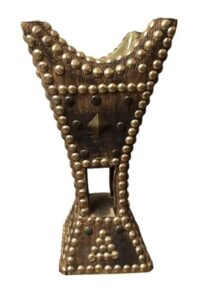
My final project explores how traditional UAE heritage can be translated into a contemporary interactive digital environment. The project is inspired by Al Sadu, a traditional Bedouin weaving practice known for its geometric motifs, repetition, rhythm, and handcrafted structure. I decided on continuing to explore Sadu based on the last assignment. 

The project imagines the user as both weaver and wind. Through hand gestures captured by a webcam, the user influences a woven digital textile in real time. Their movement changes the structure of patterns, shifts the flow of particles, and transforms the surface of the virtual cloth. The artistic intention is to show that culture can evolve through technology. By combining traditional visual language with generative systems, the project asks how heritage can be experienced dynamically rather than passively.

Themes I’m exploring:

  • Handcraft vs algorithm
  • Tradition translated through code

Interaction Methodology

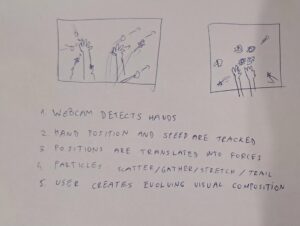
The interaction uses a webcam and ml5.js HandPose tracking. The user stands in front of the screen and uses their hand to interact with the woven environment.

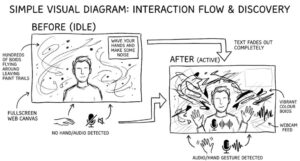
Diagrams (i uploaded as image and it was blurry)

https://drive.google.com/file/d/1-Kz34urKPHvqH2rd_4H-ug_PJxCJMO8c/view?usp=sharing

(i uploaded as image and it was blurry)

The color palette is inspired by traditional woven textiles and desert landscape:

  • Deep red / maroon
  • Sand beige
  • Cream wool tones
  • Dark brown accents

Main Visual Elements

  • Repeating geometric woven motifs
  • Dynamic stitched grid
  • Motion trails from gesture interaction 

User Guidance

The following is what I’m thinking of having on the sketch for user guidance: 

  • Move your hand to weave the pattern
  • Raise hand to densify motifs
  • Move faster to release threads
  • Press R to reset 

as well as a webcam for them to see themselves. 

Initial p5 Sketch

Amal – Assignment 11

Concept
Concept

For the final version, I kept the same cellular automata system, but I wanted the visual outcome to feel softer and less rigid. Since the original version felt very technical and structured, I wanted to push it in a more playful direction. That is where the cottagecore effect came in.

I wanted the pattern to feel a bit more organic and decorative, so instead of representing each active cell as a simple square or circle, I turned it into a small flower-like form. I liked that this changed the overall feeling of the sketch without changing the actual logic behind it. The system is still rule-based and generated through the same automata process, but visually it feels much warmer and softer.

Code I’m Proud Of

One part I liked in the final version was the flower drawing function, because it changed the appearance of the whole sketch with a relatively simple adjustment.

function drawFlower(x, y, s) {
  push();
  translate(x, y);
  noStroke();

  fill(214, 140, 170, 180);
  for (let i = 0; i < 6; i++) {
    rotate(TWO_PI / 6);
    ellipse(0, s * 0.28, s * 0.28, s * 0.58);
  }

  fill(235, 190, 90, 220);
  circle(0, 0, s * 0.25);
  pop();
}

I like this part because the logic of the automata stays the same, but the overall pattern starts feeling completely different. It made the sketch feel less like a standard coding exercise and more like an intentional visual piece.

Prototype

The prototype was mainly about getting the system to work. I kept everything very simple and close to the class example so I could understand how each part contributes to the final pattern.

At this stage, I was mostly focused on how the rules generate each new row. The visuals are very basic, and the interaction is minimal, but it helped me clearly see how the automata evolves over time.

One thing I noticed early on is that even starting with a single active cell produces patterns that aren’t immediately obvious. It made me realize how sensitive the system is to initial conditions, even in a simple setup like this.

Final Sketch

Milestones and Challenges

Once I got the system working, I knew I did not want to leave it looking too close to the class example. The prototype helped me understand the rules, but for the final version I wanted to make a stronger visual choice.

The main change I made was shifting the active cells into flower-like forms to create more of a cottagecore effect. I wanted something that felt softer, decorative, and a little more organic. A challenge here was making sure the flowers were still readable at a small scale, since the cells are quite small and repeat many times across the canvas.

Another thing I had to think about was keeping the interaction simple. I did not want to overcomplicate the sketch, so I kept the mouse click as the main way to restart the system and generate a different pattern.

Reflection and Future Improvements

I like that the final version still comes from a very simple rule-based system, but feels much more visually intentional. Adding the flower form gave it a softer and more playful quality, which is what I was aiming for with the cottagecore effect.

If I continued this, I would probably explore softer background tones, more variation in flower colors, or maybe different natural-inspired shapes so the sketch could lean even further into that visual direction.

assignment 11 – ocean waves cellular automata


the ocean sketch borrows that logic and bends it toward fluid simulation. every cell holds a state (brightness), a velocity, and a foam level. each frame, the cell measures how different it is from its 8 neighbors, gets pulled toward their average like a spring, and accumulates that force as velocity. two offset sine waves inject the rolling rhythm. the result reads as water without simulating a single water particle.

I started by making the grid using a 2d array

let grid;
let cols, rows;
let cellSize = 8;

function setup() {
  createCanvas(800, 600);
  cols = floor(width / cellSize);
  rows = floor(height / cellSize);

  grid = [];
  for (let i = 0; i < cols; i++) {
    grid[i] = [];
    for (let j = 0; j < rows; j++) {
      grid[i][j] = {
        state: random(),
        velocity: 0,
        foam: 0
      };
    }
  }
}

function draw() {
  background(5, 15, 35);

  for (let i = 0; i < cols; i++) {
    for (let j = 0; j < rows; j++) {
      let cell = grid[i][j];
      let x = i * cellSize;
      let y = j * cellSize;

      let depth = j / rows;
      let r = lerp(10, 100, cell.state);
      let g = lerp(40, 180, cell.state) + depth * 30;
      let b = lerp(80, 220, cell.state) + depth * 20;

      noStroke();
      fill(r, g, b);
      rect(x, y, cellSize, cellSize);
    }
  }
}


then I added the rules for the cellular automata. each cell now looks at its 8 neighbors and averages their states. The difference between that average and the cell’s own state becomes a force that nudges its velocity. Velocity accumulates, gets lightly damped (*0.98), and pushes the state up or down. two sine waves layered on top add the rolling ocean rhythm. The grid fully recomputes every frame into a NEXT array so updates don’t bleed into the same tick

.


then I added 2 more things first, foam is now actually used, inside updateCell, high velocity or high state values push the foam value up, and it decays by 5% each frame (* 0.95). Cells above the foamThreshold draw a white semi-transparent ellipse on top of their tile, creating wave crests. Second, 50 foam particles are seeded at setup. tiny white dots that drift slowly across the canvas and respawn when they die or leave bounds, giving the surface a sense of scattered sea spray.

then,. mousePressed and mouseDragged both call createRipple, which finds the grid cell under the cursor and pushes velocity outward in a radius of 4 cells. strength falls off with distance, and 10 extra particles spawn at the click point. keyPressed handles everything else: space cycles shape mode between rects, ellipses, and rotated diamonds; C cycles the 4 color palettes (ocean, tropical, sunset, stormy); P toggles particles on/off; R resets by calling setup() again; arrow keys nudge waveSpeed and waveIntensity live. The HUD text in draw reflects the current values so you can see changes as they happen.


the code I am proud of is the ripple effect. one line does two jobs. the strength falls off linearly from the click center to the edge of the radius, so the disturbance feels physical. that same value gets added to velocity and foam simultaneously, which means the foam naturally appears heaviest at the point of impact and fades outward. no separate foam calculation needed at the interaction point.

let strength = (1 - dist / radius) * rippleStrength;
grid[ni][nj].velocity += strength;
grid[ni][nj].foam = min(1.0, grid[ni][nj].foam + strength);

the cellular automata rules are blunt. the spring force toward neighbor average produces convincing ripples but the wave behavior stays uniform across the whole grid. a shore gradient, where cells near the bottom have higher resistance, would produce breaking waves. directional wind bias by adding a small constant to velocity in one axis would give the surface a dominant swell direction. the color palette swap currently reuses the same colorMode variable for shape mode, a bug worth separating into two distinct variables. longer term, replacing the grid array with a webgl shader would free up the cpu entirely and allow the cell count to scale by an order of magnitude.

Salem Al Shamsi – Assignment 11

Zellige Automata

Concept and inspiration

Cellular automata are simple: a row of cells, each one either on or off, and every step each cell looks at its neighbors and decides whether to turn on or off based on a fixed rule. From these tiny local rules, complex patterns emerge. It’s how zebra stripes form, how seashell patterns grow, and how forest fires spread.

That got me thinking about my cultural background. Zellige is the Islamic tilework you see across the Alhambra in Granada, the Alcázar of Seville, the madrasas of Fez, and the Mezquita of Córdoba. It’s made of small hand-cut glazed ceramic pieces assembled into geometric patterns on walls and floors, using a traditional shared palette (cobalt, green, white, manganese, ochre, red, turquoise). What makes it special is that these aren’t just beautiful patterns, they’re mathematical systems. Islamic artisans figured out how to make infinite complexity from simple local rules, centuries before computers.

So my question was: what if these artisans had cellular automata? Same traditional colors, same symmetry principles, but a new way of generating the shapes inside. It’s not a reconstruction, it’s an alternate history experiment.

About rules: a rule is an instruction card. Each cell looks at three things (left neighbor, itself, right neighbor) and the rule decides what it becomes next. There are 256 possible rule cards, numbered 0 to 255. Rule 90 makes fractal triangles, Rule 30 makes static, Rule 110 makes moving shapes. Every time the sketch generates a new zellige, the code picks a random number 0 to 255, and that’s the rule that shapes the pattern.

I picked four Andalusian monuments as inspiration: the Alhambra (Granada), the Alcázar of Seville, the Bou Inania Madrasa (Fez), and the Mezquita of Córdoba. Real Islamic tilework in all four uses many symmetries. In this sketch, each city is given one specific symmetry count (Alhambra 8, Seville 6, Fez 12, Cordoba 4) as a creative simplification, so each mode has its own personality. That’s an artistic choice, not historical reconstruction.

Other references:

Code I’m proud of

The cleanest piece of code is the rules function. Originally, it was 8 long if-else statements, one for each neighbor combination. Using bit shifting, it becomes two lines:

function rules(a, b, c) {
  let index = (a << 2) | (b << 1) | c;
  return ruleset[7 - index];
}

a, b, c are each 0 or 1. The expression (a << 2) | (b << 1) | c treats them as three binary digits that combine into a number from 0 to 7, which is the index into the ruleset. Eight branches of code replaced by one math expression.

Embedded sketch

The zellige fills the top of the canvas, with a control strip below it. Click the zellige for a new one with a random rule. The four city buttons switch palettes and fold counts. The zoom button toggles a magnifier lens that follows the mouse. Pause/play stops or resumes the auto cycle. The caption at the bottom shows the current rule number, its binary form, and fold count.

Milestones and challenges

The sketch was built in five phases, each solving one problem.

Phase 1 — From line to ring. Bent the class 1D CA into a circle so time flows outward. The result was a lopsided crescent with a seam where the ends of the cell array met.

Phase 2 — Wedges. Used a short cell array representing one wedge, drawn 8 times around the center. First clean rotational symmetry, a pinwheel look.

Phase 3 — Mirrored wedges. Added mirror symmetry by flipping every other wedge, so neighbors look like reflections of each other (the way real zellige does). With Rule 90 the result looked the same as Phase 2, which confused me, but testing Rule 110 proved the flipping was actually working.

Phase 4 — Palette and center. Zellige colors cycling ring by ring, cells as diamonds, star ornament at the center. First phase that actually looked like tilework.

Phase 5 — Interactive final. Added the four city modes, the control panel, the magnifier lens, and auto cycle.

The two biggest challenges were:

  • The seam. When I first bent the line into a circle, the pattern broke where the start and end of the cell array met. Splitting the cells into wedges (Phase 2) fixed it.
  • The magnifier bug. At first, the zoom lens kept drawing itself onto the canvas, then capturing that in the next frame, until the screen filled with circles. I fixed it by drawing the zellige on a hidden layer and having the lens read from that clean copy.

Reflection and future work

The biggest thing I learned is that simple rules can produce deep beauty. Rule 90 is just eight yes/no answers, but its outputs look like medieval tile panels, snowflakes, and seashells. Islamic artisans and Wolfram’s rules are solving the same problem from opposite directions, both arriving at the same family of patterns.

This sketch is an interpretation, not a reproduction. The zellige palette is historically documented, but the fold counts per city, the cell shape, and the CA rules driving the patterns are creative choices. Real Islamic tilework uses far more variety in every monument. That’s the alternate history framing: what might these traditions look like if this tool had existed for them?

Future work:

  • Sample real colors from photos of each monument
  • Use traditional motifs at the center instead of a simple star
  • Let each city use more than one fold count
  • Try different cell shapes like stars or arrows, not just diamonds

Buernortey – Assignment 11

Concept

I grew up in a fishing community in Ghana. Every morning, fishermen would cast their nets into the water. The net would fan out in a wide circle, hang in the air for a moment, then hit the surface and sink. That image stayed with me.

This sketch simulates that moment using cellular automata. Clicking the canvas casts a net from that point. The net expands outward as a glowing ring. Cells are born at the edge of the ring, age as it passes through them, and fade back into dark water. Multiple nets can be cast at once. Their rings spread, overlap, and dissolve.

The water is dark. The threads glow warm white, then cool to teal, then disappear. It is meant to feel like watching from the shore at dawn.

Code Highlight

This is the castNet() function. It is the part I am most proud of.

function castNet(mx, my) {
  let ci     = floor(mx / CELL_SIZE);
  let cj     = floor(my / CELL_SIZE);
  let radius = 2;

  for (let di = -radius - 1; di <= radius + 1; di++) {
    for (let dj = -radius - 1; dj <= radius + 1; dj++) {
      let dist = sqrt(di * di + dj * dj);
      if (dist >= radius - 0.5 && dist <= radius + 0.5) {
        let ni = (ci + di + cols) % cols;
        let nj = (cj + dj + rows) % rows;
        grid[ni][nj] = 1;
      }
    }
  }
}

When a user clicks, a small ring of cells is planted. The ring shape is important. A single dot would expand as a filled blob. A ring seed gives the CA the right structure to start expanding as a hollow circle. The dist check selects only cells that fall on the boundary of that radius. This is what makes it look like a cast net rather than a spreading stain.

The rules in stepGrid() do the rest:

if (cur === 0) {
  if (youngNeighbors === 2 || youngNeighbors === 3) next = 1;

} else if (cur === 1) {
  if (youngNeighbors === 1 || youngNeighbors === 2) next = 1;
  else next = 2;

} else {
  next = cur + 1;
  if (next >= NUM_STATES) next = 0;
}

Cells on the outer edge of the ring always have enough young neighbors to birth new cells one step further out. Cells on the inside do not. This is what causes the ring to expand rather than fill.

Embedded Sketch

Controls:

  • CLICK to cast a net
  • SPACE to play or pause
  • C to clear the water
  • UP / DOWN to change thread length
  • [ and ] to change speed

Milestones and Challenges

Starting with the ring seed. The first version planted a single cell on click. It expanded as a diamond-shaped blob. It looked nothing like a net. Switching to a ring seed of radius 2 changed the behavior immediately. The CA had enough structure to expand in a circle.


Getting the birth rule right. Using exactly 3 young neighbors caused the ring to break apart into fragments. Changing to 2 or 3 young neighbors kept the ring solid as it expanded. That one number made the difference between scattered dots and a clean circle.

The color palette. The colors needed to feel like water. I started with bright saturated colors and they felt wrong. I moved to warm white for fresh threads, cooling through teal, then fading back to dark water. The result feels like something glowing underwater.

Multiple overlapping nets. Casting two nets close together causes their rings to collide. Where they overlap, the birth rules create unexpected new patterns. This was not planned. It came from the rules themselves.

Challenges. The biggest issue was performance on a large canvas. Switching from a regular JavaScript array to Uint8Array improved frame rates noticeably. The toroidal wrapping also caused edge bugs early on. The modulo trick (x + di + cols) % cols handles cells at the canvas boundary cleanly.

Reflection

The moment the ring seed worked was when the project finally felt like something. Before that it was just another cellular automata sketch. Once the net started expanding from a click, it became connected to something real.

The overlap behavior surprised me. Two rings colliding was not designed. It came from the rules. The CA did something I did not ask it to do, and it looked right. That is what makes cellular automata interesting.

The sketch is quiet. Dark water, glowing threads, and a click. That is enough.

Ideas for Future Work

Add sound. The moment of casting could trigger a soft water sound. The expanding ring could carry a faint ambient tone that fades with the threads.

Add wind. A directional force could skew the ring as it expands so the net drifts the way a real net does in current.

Add retraction. After the ring reaches a certain size, it could collapse back toward the origin. This would complete the full cast and pull motion.

Add drag. Holding and dragging before releasing could control the direction and force of the cast.

References and Inspiration

Conway’s Game of Life — birth and survival logic.

Nature of Code, Chapter 7 — grid structure and neighbor counting.

Zach Lieberman — finding personal meaning in computational work.

Growing up in a fishing community in Ghana — the real inspiration.

Yash – Assignment 11

Concept & Inspiration

Concept: “Neon Truchet Tapestry” is an interactive, audio-reactive simulation that merges the logic of a Cyclic Cellular Automaton (CCA) with the geometric aesthetics of Truchet tiles. Instead of traditional grid cells shifting colors, the cell states dictate the rotation angles of glowing line segments. The grid is heavily influenced by live audio input: microphone volume dictates the system’s “entropy” (randomizing cells) and stroke weight, while the spectral centroid (pitch/treble) drives the maximum number of allowable states, shattering the geometry into more complex patterns as the sound changes.

Inspiration: The primary inspiration for this piece stems from the desire to visualize sound through structured geometric evolution. I drew inspiration from classical cyclic cellular automata models (where adjacent states “consume” each other in a toroidal loop) and combined it with cymatics—the visual representation of sound frequencies. Using rotational tiling patterns creates a tapestry-like effect that feels both highly structured and uniquely chaotic when disturbed by noise.

Code Highlight

I am particularly proud of the dynamic state sanitation logic required to bridge the audio analysis with the cellular automaton ruleset. Because the spectral centroid of the audio constantly changes the maxStates variable, the grid can easily break if existing cells are left with state values that suddenly exceed the new maximum.

I spent hours debugging frozen arrays before writing this fail-safe loop, which ensures seamless mathematical wrapping:

// louder = more chaos/entropy in the grid
let entropyChance = map(smoothedVol, 0.01, 0.3, 0.0, 0.5);
entropyChance = constrain(entropyChance, 0, 0.8);

// more treble = more cell states = more complex patterns
let targetStates = floor(map(spectralCentroid, 0, 4000, 4, 10));
maxStates = constrain(targetStates, 4, 10);

// IMPORTANT: sanitize the whole grid after changing maxStates
// if we dont do this, cells can have values >= maxStates which
// breaks the CA logic downstream. spent like 2 hours debuging this :(
for (let x = 0; x < cols; x++) {
  for (let y = 0; y < rows; y++) {
    if (grid[x][y] >= maxStates) {
      grid[x][y] = grid[x][y] % maxStates; // wrap it back into range
    }
  }
}


Embedded Sketch [please open in Web Editor and give mic permissions]


Milestones and Challenges

The process involved bridging traditional grid rendering with dynamic geometry. Here are two major milestones from the development process that you can run to grab screenshots for your documentation.

Milestone 1: Establishing the Base Cyclic Automaton

The first challenge was getting the cyclic cellular automaton logic to function properly on a toroidal grid (wrapping around the edges) before adding any audio or line drawing. This proved that the neighbor-counting and state-advancing math worked.

Milestone 2: Converting States to Rotation (The Truchet Effect)

The second major milestone was moving away from filled rectangles and mapping the cell states to rotation angles. The challenge here was using push() and pop() properly alongside translate() to ensure each line rotated accurately around its own center without breaking the rest of the canvas.

Reflection and Future Work

Combining real-time user data (audio) with a rigid cellular automaton ruleset yielded highly satisfying results. Standard cellular automata can often fall into stagnant loops, but mapping volume to a random entropy variable continuously breathes life back into the canvas, keeping the visual output dynamic and engaging.

Future Improvements:

  • Interactive Mouse Brushes: Adding a feature where clicking and dragging across the canvas forces cells into a specific state, giving users manual, tactile control over the pattern generation alongside the audio.

  • GUI Integration: Utilizing a library like dat.gui to create on-screen sliders so users can manually tweak the neighbor threshold, resolution (res), or fade alpha, experimenting with how the parameters impact the visual outcome in real-time.

  • 3D WebGL Implementation: Transitioning the 2D rotating lines into 3D rotating planes or cubes to give the geometry depth and explore the automata logic on a z-axis.

Afra Binjerais – Assignment 11

Concept 

My project explores how cellular automata can be used to generate patterns inspired by Sadu weaving, a traditional textile practice found in the UAE and across the Gulf region. Sadu textiles are known for their repeated geometric motifs, strong symmetry, and earthy color palettes such as red, cream, brown, and black. I was inspired by the woven texture, rhythm, and repetition seen in Sadu fabrics. I wanted to combine traditional visual culture with digital generative design by allowing each new row of cells to behave like a woven textile row.

How Al Sadu Society is weaving IP into the promotion of traditional  textiles in Kuwait

Sketch

Code Highlight

function applyRule(a, b, c) {

  let index = parseInt("" + a + b + c, 2);

  return ruleset[7 - index];

}

I am proud of this section because it is the core of the cellular automata system. It takes the left, center, and right neighboring cells, converts them into a binary pattern, and uses that pattern to determine the next state.

Challenges

One challenge was understanding how the rulesets worked in cellular automata. At first, it was confusing how three neighboring cells could control the next generation. I had to experiment with different rules such as Rule 30 and Rule 90 to understand how each one changed the visual output.

Milestones 


  • This was the beginning stage of the project. I focused on understanding the basic logic of cellular automata using a simple black-and-white version. Each row was generated from the row above it using Rule 90.

  • In this stage, I began developing the visual side of the project. I introduced color inspired by Sadu weaving, using earthy reds, creams, and warm tones. I also experimented with different shapes and randomized starting seeds. This milestone helped connect the technical system to my UAE cultural inspiration.

Reflection & Future Improvements

This project helped me understand how simple coding rules can create complex and visually interesting patterns. I enjoyed exploring how cellular automata can be used not only as a mathematical system, but also as a creative tool inspired by culture and design. Connecting the project to Sadu weaving made the process more meaningful and gave the patterns a stronger identity.

If I continue developing this project, I would like to improve the motifs so they look closer to real woven textile patterns. I would also experiment with more UAE-inspired color palettes, smoother animations, and additional rulesets to create a wider variety of outcomes. In the future, I would also like to explore using 2D cellular automata or projecting the patterns onto fabric or physical materials.


Assignment 11- Sadu as Generative Logic

Sadu UAE weaving was my starting point for this project. I was drawn to its geometry, repetition, and rhythm, especially the way pattern is built through structure rather than decoration alone. What moves me about Sadu is that it carries both discipline and feeling. It is precise, but it never feels empty. It holds labor, memory, and cultural identity inside repeated forms. UNESCO describes Al Sadu as a textile practice defined by geometric designs, rhythmic repetition, symmetry, and vivid colors, which is part of why it felt like such a strong visual and conceptual reference point for me.

I did not want to directly imitate Sadu weaving. That was never the goal. I wanted to think through some of its visual logic using code. I kept returning to the fact that Sadu is built gradually, line by line, through accumulation. A motif does not appear all at once. It emerges through repetition, structure, and patience. That felt very close to the way generative systems work.

Because of that, I built this sketch using a one dimensional cellular automata system. I was interested in the way a very simple set of rules could generate something that feels visually rich and unexpectedly intricate. The system grows row by row across the screen, which made me think of a digital loom. It felt less like drawing an image and more like constructing a surface. Rule 90 became especially important to the project because it is one of the elementary cellular automata rules that produces a triangular recursive structure from a single active cell.

Visually, I stayed close to a Sadu inspired palette. I used a deep red background with white and black accents, and I added horizontal color banding to make the sketch feel closer to a woven field than a plain mathematical diagram. I wanted the result to feel like a digital textile, something that sits between computation and ornament. I was trying to make code feel tactile.

Concept and inspiration

My concept was to create a Sadu inspired generative pattern system that unfolds across the screen like a woven surface. I was interested in the relationship between weaving and cellular automata because both depend on local decisions that accumulate into a larger pattern. In both cases, complexity comes from repetition. That connection helped me stop thinking of code as only technical and start thinking of it as a material for pattern making.

One artist I kept thinking about was Andy Lomas. His work uses computational growth systems to generate intricate forms that feel both artificial and organic. What inspired me about his practice was not that it looks like my sketch, but that it takes rule based generation seriously as an artistic language. His Cellular Forms project explores how complex structures can emerge from simple growth processes, and that gave me confidence to treat a systems based sketch as something visually expressive rather than only analytical.

I was also inspired by the broader history of cellular automata as visual systems. What interested me most was emergence. A cellular automaton begins with almost nothing, then grows into a structure that feels much larger than its initial conditions. That idea resonated with me because Sadu also works through repetition and disciplined variation. In both, the beauty is not separate from the structure. The beauty comes from it.

Embedded sketch

Code I am particularly proud of

The part of this project I am most proud of is the moment where the sketch stopped feeling like a technical demo and started feeling like it had visual intention. That happened when I introduced the palette system, the horizontal banding, and the interactive controls.

I like that the user can change the rule value, switch palettes, and restart the system, because it turns the sketch into something exploratory rather than fixed. I also like the way the row drawing works with the color bands, since that was my attempt to move the image closer to cloth and away from a plain black and white automata study.

I am also proud of the logic that converts a rule number into an eight value rule set. It is simple, but it made the whole sketch more flexible. Instead of hard coding one outcome, I built a structure where different visual identities can emerge through interaction. That felt like the right balance between control and surprise.

Milestones and challenges

Milestone 1: starting with almost nothing

At the beginning, the sketch was nearly empty. I only had the canvas, the background color, and the basic grid setup. This stage felt a little sad, honestly, because I had the concept in my head but visually there was almost nothing there yet. It looked flat and unfinished. Still, it mattered because it gave me the space, the scale, and the overall visual ground to build on.

Milestone 2: the first active cell

The next step was placing a single active cell in the middle. It was such a small move, but it changed the feeling of the project. Suddenly the sketch had a point of departure. There was a beginning. Even though it was still minimal, I could sense the logic getting ready to unfold.

Milestone 3: getting the automata to generate row by row

This was the real turning point. Once I implemented the rule based row generation, the triangular structure began to appear. This was the moment the project started to feel visually alive. It stopped being only an idea and became a pattern with its own force. Seeing that recursive geometry emerge from one starting point was probably the most exciting part of the process.

Milestone 4: shifting it toward Sadu

After I got the system working, I realized the sketch still felt too mathematical. It needed more of a visual language. That is when I began working on the palette and horizontal banding. The deep red, white, and black pulled it much closer to the mood I wanted, and the stripes helped the sketch feel more textile based. This stage mattered a lot because it was where the project became mine.

Milestone 5: adding interactivity

The next milestone was making the system interactive. I added a rule slider, a number input, a palette selector, and a random restart button. This allowed the piece to become something the viewer could explore rather than just observe. I liked that it made the work feel less static. It also helped me understand the system better because changing parameters in real time made the logic more visible.

Challenges in the process

One challenge was that the early stages were visually underwhelming. It is hard to stay excited when the concept feels rich but the screen still looks empty. I had to trust the process and keep building through that awkward stage.

Another challenge was balancing cultural reference with abstraction. I did not want to make something that simply copied Sadu motifs. That would have felt too literal. At the same time, I wanted the reference to remain visible. Finding that middle ground was difficult. I had to keep asking myself how much was enough for the sketch to carry the feeling of Sadu without turning into imitation.

I also struggled with making the interaction feel useful rather than decorative. Since the visual field is already dense, too many controls could have distracted from the piece. I wanted the viewer to be able to explore, but I did not want the interface to overpower the pattern.

Reflection

What I value most about this project is that it helped me think about code differently. I usually think visually first, and sometimes coding can feel distant from the kinds of cultural and material references I care about. This project made those things meet. It showed me that code can also be a way of thinking through pattern, rhythm, repetition, and inheritance.

I also like that the sketch begins with a strict rule and then slowly becomes more personal through color, pacing, and reference. That mattered to me. I did not want to make something that only demonstrated technical skill. I wanted to make something that felt visually and emotionally connected to my interests.

More than anything, this project made me think about how digital systems can hold memory. Not literally, and not in a nostalgic way, but through structure. Through the way a pattern grows. Through the way repetition carries meaning.

Future improvements

If I continue this project, I would like to experiment with different starting seeds instead of only one active cell in the middle. Multiple seed points or hand designed seed arrangements could create more varied and complex woven fields.

I would also like to explore different cell shapes. Right now the sketch uses square cells, but I think there is a lot of potential in trying triangles, diamonds, or line based structures that could feel even closer to textile construction.

Another direction would be slowing down the animation and making it more immersive. Right now the system builds clearly, but I can imagine turning the growth into something more atmospheric, almost like watching a woven surface assemble itself in real time.

I would also like to develop the Sadu reference further without becoming too literal. Maybe that could happen through more refined palettes, more nuanced banding systems, or even by introducing user drawn motifs as initial seeds.

At the moment, this piece feels like a beginning. It opened something for me. It made me realize that generative art can still feel intimate, and that code can carry cultural weight when it is treated carefully.

Haris – Assignment 11

Oasis After Dark

Concept

This project explores cellular automata through the creation of a small, interactive ecosystem that I call the Oasis After Dark. Instead of using traditional binary cellular automata, I wanted to experiment with a system where each cell represents a material with behavior. The sketch simulates four elements: sand, water, plant life, and fire, each governed by simple local rules.

The core idea behind the project is emergence. How complex, organic-looking patterns arise from simple interactions between neighboring cells. Sand falls and forms dunes, water flows and spreads, plants grow near water sources, and fire consumes organic matter. Individually, these behaviors are simple, but together they create a dynamic and evolving landscape.

Instead of generating art automatically I let the user be the artist and generate the oasis that they want.

Process

I began by building the grid structure and implementing the simplest material: sand. Each cell stores its type and updates based on local rules, which is the foundation of the cellular automaton.

The key behavior for sand is gravity: it falls downward if possible and slides diagonally if blocked. This was my first implementation of a local rule system.

if (canMoveInto(x, y + 1, [EMPTY])) {
  moveCell(x, y, x, y + 1, cell);
  return;
}

let dir = random() < 0.5 ? -1 : 1;

if (canMoveInto(x + dir, y + 1, [EMPTY])) {
  moveCell(x, y, x + dir, y + 1, cell);
  return;
}

Next, I added water, which introduced more complex movement. Unlike sand, water not only falls but also spreads sideways when blocked. This required adding multiple movement checks and randomness.

Water made the system feel more dynamic and introduced the first real interaction between materials. For example, sand can displace water, creating more complex patterns.

After movement-based elements, I introduced plants, which behave differently by growing instead of moving. Plants expand only when near water, creating a dependency between elements. But they also added another interaction. Fire can burn plants, and if the plants are connected and the fire touches one part, the fire will spread and burn down the whole “forest”.

And finally the sky looked a bit empty without anything on it so I decided to add some stars to make the sky fuller and the sketch look more alive.

function generateStars() {
  stars = [];
  
  for (let i = 0; i < 150; i++) {
    stars.push({
      x: random(width),
      y: random(height),
      size: random(1, 2.5),
      alpha: random(80, 180)
    });
  }
}

Code Highlight

One part of the code I am particularly proud of is the use of shuffled neighbor evaluation for plant growth and fire spreading:

function shuffledNeighbors(x, y) {
  let arr = [
    { x: x - 1, y: y - 1 },
    { x: x, y: y - 1 },
    { x: x + 1, y: y - 1 },
    { x: x - 1, y: y },
    { x: x + 1, y: y },
    { x: x - 1, y: y + 1 },
    { x: x, y: y + 1 },
    { x: x + 1, y: y + 1 },
  ];

  for (let i = arr.length - 1; i > 0; i--) {
    let j = floor(random(i + 1));
    [arr[i], arr[j]] = [arr[j], arr[i]];
  }
  return arr;
}

This function ensures that neighboring cells are processed in a random order rather than a fixed sequence. Without this, growth and spread would appear directional and artificial. By randomizing neighbor order I believe the project looks more natural. Plants grow in unpredictable directions, and fire spreads in a more natural, chaotic way.

Future Improvements

Overall I am really happy with how the project turned out. I think it is really similar to those sandbox games that let you create your own world. Choosing to let the users be the artist and create their own playground rather than creating generated art was I think the right direction for this project as it adds more interactivity and brings the user closer to the project than just tweaking some settings. As for the future improvements I would like to explore more materials and different interactions between them. Maybe adding smoke that emerges from “forest fires” and maybe letting some sand turn into glass when in too much contact with fire. Finally, this was a fun project to work, I learned a lot about cellular automata and its use and can’t wait to use it in my future projects!

Assignment 11

Concept

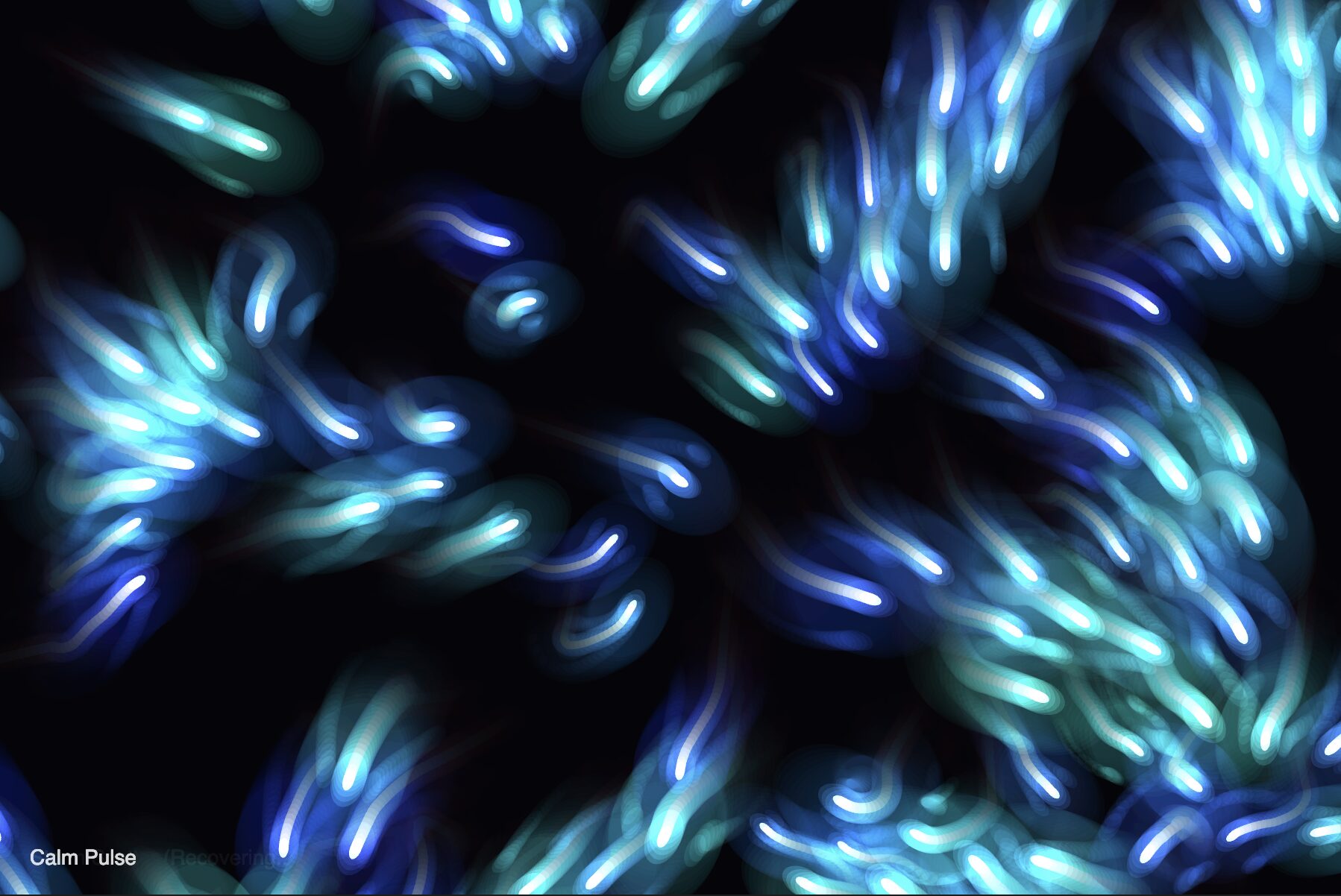
This sketch uses a hidden “trail map” where agents deposit pheromones. Every frame, that map is blurred and faded to simulate evaporation, creating organic, vein-like structures. It’s basically a simulation that mirrors the collective intelligence of slime mold. Instead of pre-programmed paths, the visuals emerge from 3,000 agents acting as a decentralized hive mind. I was inspired by the generative work of Sage Jenson and the research of Jeff Jones, who demonstrated that simple chemo-attractant rules could solve complex pathfinding problems.

Code Highlight

The “brain” of this simulation is the Sensory Sampling Logic within the Agent class. The cellular automata part is the sampling of the pheromone trail at three specific offsets—left, center, and right—the agents effectively “smell” their way through the environment.

// THE SENSORY BRAIN
step() {
  // 1. SENSE: Check three points ahead (Left, Center, Right)
  let v1 = this.getSensorValue(sensorAngle);  // Left
  let v2 = this.getSensorValue(0);            // Center
  let v3 = this.getSensorValue(-sensorAngle); // Right

  // 2. STEER: Move toward the strongest pheromone scent
  if (v2 > v1 && v2 > v3) {
    // Stay straight if the center is strongest
  } else if (v2 < v1 && v2 < v3) {
    // Randomly turn if both sides are better than the center
    this.angle += (random() - 0.5) * 2 * turnSpeed;
  } else if (v1 > v3) {
    this.angle += turnSpeed; // Turn Left
  } else if (v3 > v1) {
    this.angle -= turnSpeed; // Turn Right
  }
  
  // 3. MOVE & DEPOSIT
  this.x += cos(this.angle) * moveSpeed;
  this.y += sin(this.angle) * moveSpeed;
  trailMap[floor(this.x) + floor(this.y) * width] = 1;
}
Milestones and Challenges

Milestone 1

This was the first successful implementation of the Agent and Trail Map interaction, created before the sophisticated steering logic was added. In this early iteration, the agents move in straight lines with a small amount of random jitter, leaving behind diffused pheromone trails. It was so I can verify that the trail map processing (diffusion and evaporation) is functioning correctly without the complexity of pathfinding.

Milestone 2

This is where the agents stop acting like random dust and start acting like a colony. It’s where an agent could “smell” the trails in front of it and turn toward the highest concentration.

At this stage, the visuals shifted from chaotic, straight lines to the first recognizable “veins” and “rivers.” However, the challenge here was Tuning the Senses. If the sensors were placed too far apart, the agents would spiral uncontrollably. If they were too close, the networks would never merge.

Reflection and Ideas for Future Improvements

This project shifted my thinking toward cellular automata as a tool for art. It’s more powerful than standard steering because the “rules” exist both in the agents and the environment. In the future, I want to implement Multi-Species Slime, where two different colors of agents compete for space, or even incorporate logic where agents must navigate around moving “obstacles” to simulate real-world traffic optimization.