
Vintage Pachinko Arcade Simulation
1. Concept & Inspiration
For this assignment, I wanted to go beyond a standard Plinko board and create a vibrant, interactive simulation of a vintage arcade Pachinko machine. My primary inspiration was a video of a Vintage Nishijin Pachinko machine (Thunderbird model).
I carefully studied the aesthetics of the machine in the video and aimed to recreate its distinctive look and feel. Key features I implemented based on this reference include:
-
Color Palette: The distinct vintage teal/cyan background with a thick wooden and chrome-style outer cabinet.
-
Mechanical Elements: A pull-down spring lever that shoots the balls, rather than a simple mouse click.
-
The “Thunderbird” Bumper: A central, highly bouncy bumper (restitution set to 1.5) modeled after the colorful centerpiece in the real machine.
-
Arcade Atmosphere: Blinking perimeter lights, a 30-second countdown timer, and flashing “INSERT COIN” / “GAME OVER” text to give it an authentic retro arcade feel.
2. Embedded Sketch
3. Code Highlight
I am particularly proud of how I integrated Matter.js physics with p5.js visual UI states, specifically in the creation of the interactive spring lever.
Creating a lever required mapping mouse interactions to specific coordinate constraints, allowing the user to pull the lever down to build “tension” and releasing it to trigger the ball drop. I also added a bouncing UI indicator using a sine wave function to guide the user.
// From drawLever() function
if (gameState === "START") {
  // Uses a sine wave based on frameCount to make the arrow bounce smoothly
  let bounce = sin(frameCount * 0.1) * 10;

  fill(255, 255, 0);
  noStroke();
  drawingContext.shadowBlur = 15;
  drawingContext.shadowColor = color(255, 255, 0);

  // Glowing Arrow pointing to lever
  triangle(
    lever.x - 15, lever.baseY - 40 + bounce,
    lever.x + 15, lever.baseY - 40 + bounce,
    lever.x, lever.baseY - 20 + bounce
  );
  rect(lever.x - 5, lever.baseY - 60 + bounce, 10, 20);

  textSize(14);
  textStyle(BOLD);
  textAlign(CENTER);
  text("PULL DOWN", lever.x, lever.baseY - 70 + bounce);
}
4. Milestones and Challenges
Challenge 1: Setting up Matter.js Geometry and Pins
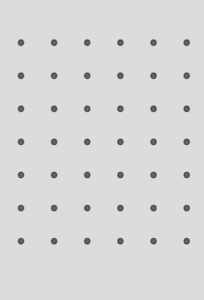
The first major challenge was simply moving away from standard p5.js coordinates to the Matter.js physics world. I had to learn how to create static boundaries and an array of static pins, and then render their vertices correctly.
Challenge 2: Creating Pockets and Collision Sensors
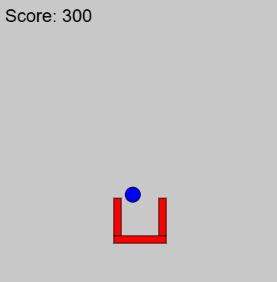
The next big hurdle was figuring out how to register a “score”. I couldn’t just use standard p5.js distance (dist()) checks because the balls are governed by the physics engine. I had to build a custom Pocket class that grouped three physical walls together to form a U-shape, and then add an invisible isSensor: true physical body inside it. Finally, I used Matter.Events.on(‘collisionStart’) to detect when a ball entered that sensor.
Challenge 3: Adding Game States and Audio
Integrating audio with p5.sound introduced a new challenge: browser autoplay policies. I had to restructure the start of the game so that the background music and sounds only triggered after the user’s first click on the lever (userStartAudio()). Managing the 30-second timer alongside the physics engine updates also required careful state management (“START”, “PLAYING”, “GAMEOVER”).
5. Reflection and Future Work
Balancing the physics was much harder than I expected. Tweaking gravity, density, and friction (restitution) took hours of trial and error to make the balls feel like real glass/steel arcade marbles rather than floaty balloons or heavy rocks.
Future Improvements:
-
Local High Scores: I would love to use localStorage to save the highest score so players can compete.
-
Particle Effects: When a ball lands in a pocket, it would be amazing to trigger a burst of p5.js particles (confetti) alongside the sound effect.
-
Dynamic Obstacles: Adding moving platforms or spinning wheels powered by Matter.js constraints to make the board more chaotic over time.