
the ocean sketch borrows that logic and bends it toward fluid simulation. every cell holds a state (brightness), a velocity, and a foam level. each frame, the cell measures how different it is from its 8 neighbors, gets pulled toward their average like a spring, and accumulates that force as velocity. two offset sine waves inject the rolling rhythm. the result reads as water without simulating a single water particle.
I started by making the grid using a 2d array
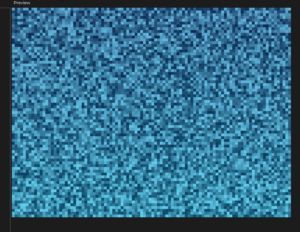
let grid;
let cols, rows;
let cellSize = 8;

function setup() {
  createCanvas(800, 600);
  cols = floor(width / cellSize);
  rows = floor(height / cellSize);

  grid = [];
  for (let i = 0; i < cols; i++) {
    grid[i] = [];
    for (let j = 0; j < rows; j++) {
      grid[i][j] = {
        state: random(),
        velocity: 0,
        foam: 0
      };
    }
  }
}

function draw() {
  background(5, 15, 35);

  for (let i = 0; i < cols; i++) {
    for (let j = 0; j < rows; j++) {
      let cell = grid[i][j];
      let x = i * cellSize;
      let y = j * cellSize;

      let depth = j / rows;
      let r = lerp(10, 100, cell.state);
      let g = lerp(40, 180, cell.state) + depth * 30;
      let b = lerp(80, 220, cell.state) + depth * 20;

      noStroke();
      fill(r, g, b);
      rect(x, y, cellSize, cellSize);
    }
  }
}
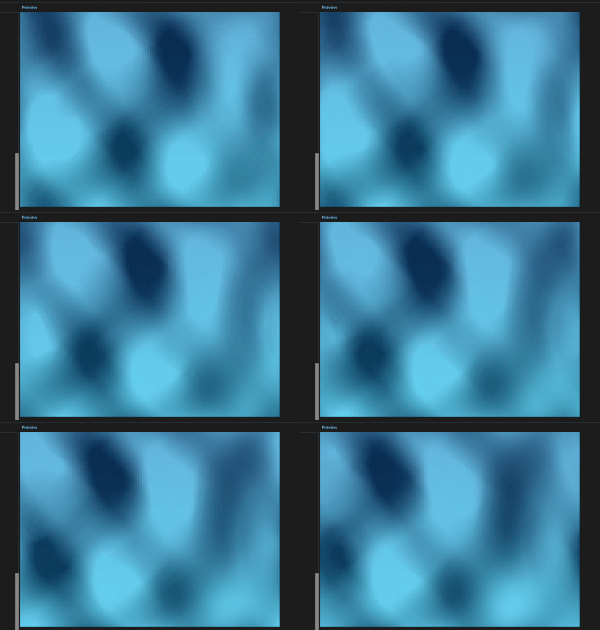
then I added the rules for the cellular automata. each cell now looks at its 8 neighbors and averages their states. The difference between that average and the cell’s own state becomes a force that nudges its velocity. Velocity accumulates, gets lightly damped (*0.98), and pushes the state up or down. two sine waves layered on top add the rolling ocean rhythm. The grid fully recomputes every frame into a NEXT array so updates don’t bleed into the same tick
.
then I added 2 more things first, foam is now actually used, inside updateCell, high velocity or high state values push the foam value up, and it decays by 5% each frame (* 0.95). Cells above the foamThreshold draw a white semi-transparent ellipse on top of their tile, creating wave crests. Second, 50 foam particles are seeded at setup. tiny white dots that drift slowly across the canvas and respawn when they die or leave bounds, giving the surface a sense of scattered sea spray.
then,. mousePressed and mouseDragged both call createRipple, which finds the grid cell under the cursor and pushes velocity outward in a radius of 4 cells. strength falls off with distance, and 10 extra particles spawn at the click point. keyPressed handles everything else: space cycles shape mode between rects, ellipses, and rotated diamonds; C cycles the 4 color palettes (ocean, tropical, sunset, stormy); P toggles particles on/off; R resets by calling setup() again; arrow keys nudge waveSpeed and waveIntensity live. The HUD text in draw reflects the current values so you can see changes as they happen.
the code I am proud of is the ripple effect. one line does two jobs. the strength falls off linearly from the click center to the edge of the radius, so the disturbance feels physical. that same value gets added to velocity and foam simultaneously, which means the foam naturally appears heaviest at the point of impact and fades outward. no separate foam calculation needed at the interaction point.
let strength = (1 - dist / radius) * rippleStrength;
grid[ni][nj].velocity += strength;
grid[ni][nj].foam = min(1.0, grid[ni][nj].foam + strength);
the cellular automata rules are blunt. the spring force toward neighbor average produces convincing ripples but the wave behavior stays uniform across the whole grid. a shore gradient, where cells near the bottom have higher resistance, would produce breaking waves. directional wind bias by adding a small constant to velocity in one axis would give the surface a dominant swell direction. the color palette swap currently reuses the same colorMode variable for shape mode, a bug worth separating into two distinct variables. longer term, replacing the grid array with a webgl shader would free up the cpu entirely and allow the cell count to scale by an order of magnitude.
Hi Mustafa your ocean waves project is incredibly creative. Using cellular automata to simulate fluid is a brilliant idea. The ripple effect and the foam particles make the water feel very alive and fun to play with. It is really inspiring how you turned a mathematical grid into such a natural and immersive experience. Really fantastic work.
I really like how your sketch feels fluid without actually trying to fully simulate water particles. The way the neighbor averaging and velocity system work together makes the motion feel surprisingly natural, I especially like the sine waves and foam that are added to the top, I think this makes it feel really natural and realistic.
One thing I think could make it even more interesting would maybe be introducing areas of instability or resistance in different parts of the grid so the waves behave differently depending on location. But I also think the current design works well.
Overall a really cool project, great job!