
Project Overview
This project grew out of Assignment 7. For that assignment, our class visited teamLab, and I picked up a pencil drawing of a butterfly, colored it yellow, and slid it under a scanner. Seconds later it showed up on the floor, glowing and moving between hundreds of other visitors’ creatures. Every other room at teamLab was something you walked through. That room was something you added to. That feeling stuck with me.
For Assignment 7, I tried to recreate that world in code. I built a glowing floor with wandering creatures drawn entirely in p5.js, flowers, fish, lizards, and swirling orbs of light, with a single yellow butterfly drifting through. It looked great. But nothing responded to you. The world never changed no matter what you did.
This project changes that. The butterfly becomes a flock. The floor grows coral based on where the flock goes. The world shifts between warm light and deep darkness depending on how the flock behaves. And it listens to the room through the microphone. A clap or any loud sound immediately disturbs the whole ecosystem.
Concept and Design
The visuals from Assignment 7 are kept exactly as they were. The glowing background, the ambient light blobs, the perspective floor grid, and all four creature designs carry over without any changes. What is new is the behavior layer on top of all of that.
The idea behind the project is simple: the user shapes the flock, and the flock shapes the world. Every system is connected to at least one other. The flock affects the coral. The coral affects the light on the floor. The mood of the world depends on how the flock is moving. The microphone affects the flock, the mood, and the coral all at once. Nothing works alone. Everything talks to everything else.
Implementation
Milestone 1 — Environment
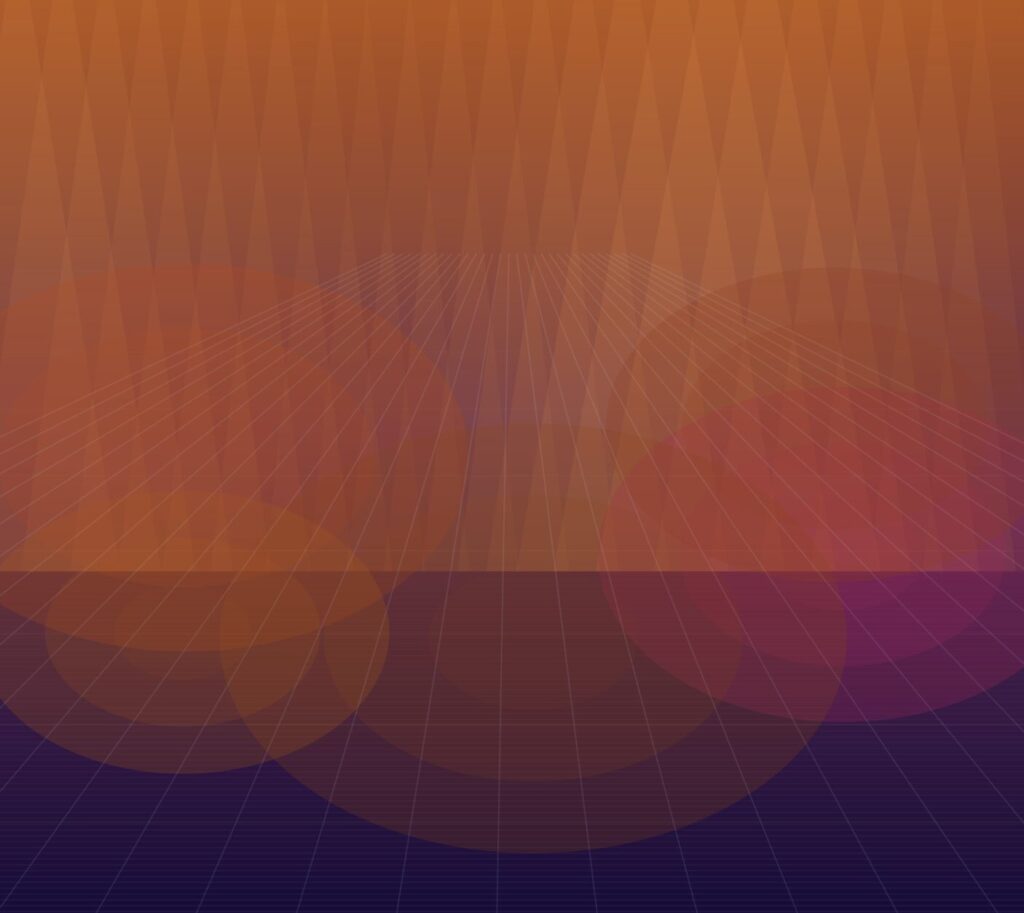
The first step was getting the environment right before adding any creatures. The background is a gradient that goes from warm amber at the top to deep indigo at the bottom. Unlike Assignment 7 where the background cycled on its own, this one responds to the flock’s behavior every frame. Light shafts move slowly across the scene, each one a different width and brightness, giving the feeling of light coming through water. The ambient light blobs from Assignment 7 also shift between warm and cool colors depending on the mood.
Milestone 2 — Floor Creatures
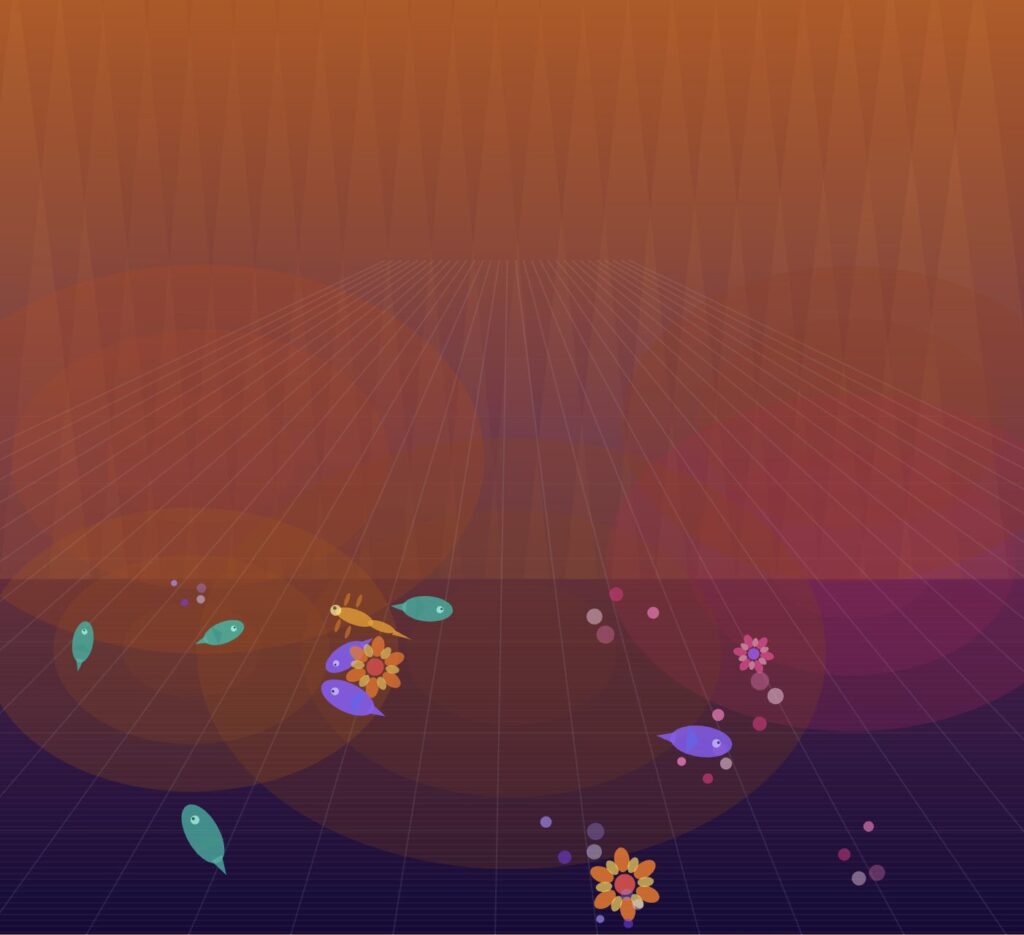
The floor creatures from Assignment 7 come in next. All four designs are exactly the same. The new thing is that they now react to the flock. When the flock gets close, a floor creature turns toward it and starts glowing. The glow pulses slowly using a sine wave and fades when the flock moves away. In Assignment 7, the floor creatures had no idea anything else existed. Now they are aware.
Milestone 3 — The Flock
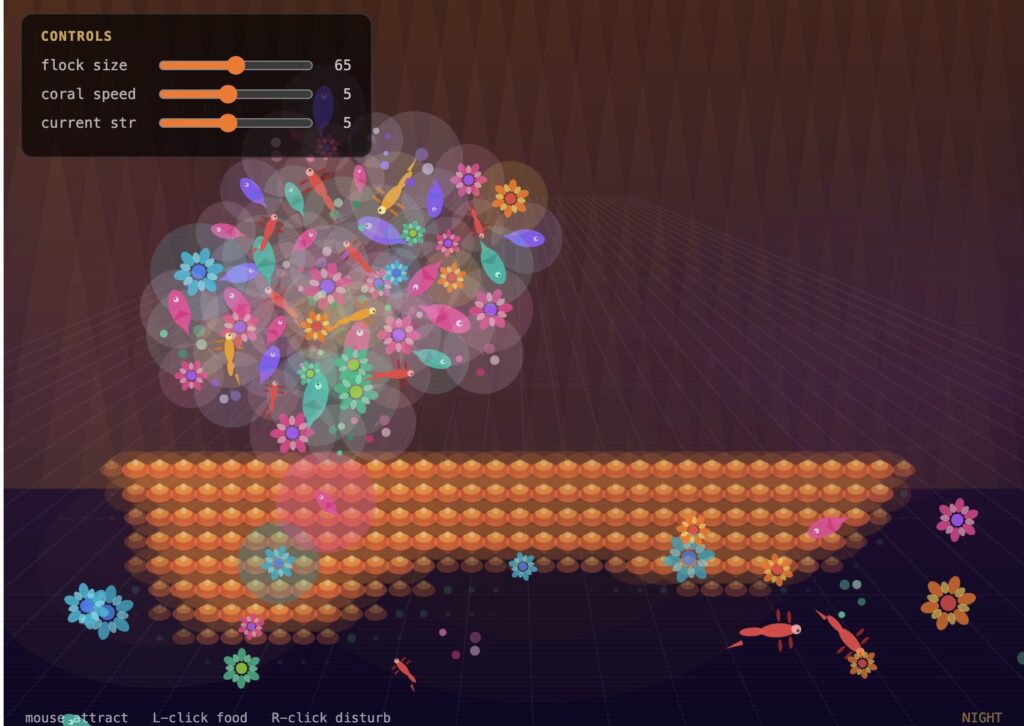
The single butterfly becomes a flock of 65 creatures, each one randomly given one of the four creature designs. So the flock is a mix of flowers, fish, lizards, and swirls all moving together as one group.
The flock uses three simple rules. Each creature avoids getting too close to its neighbors. Each one tries to match the direction its neighbors are heading. And each one tries to stay close to the group. Those three rules together produce the natural schooling behavior you see. On top of that, the entire flock chases the mouse cursor at all times. Move slowly and they follow calmly. Move fast and they chase frantically.
Milestone 4 — Coral Growth
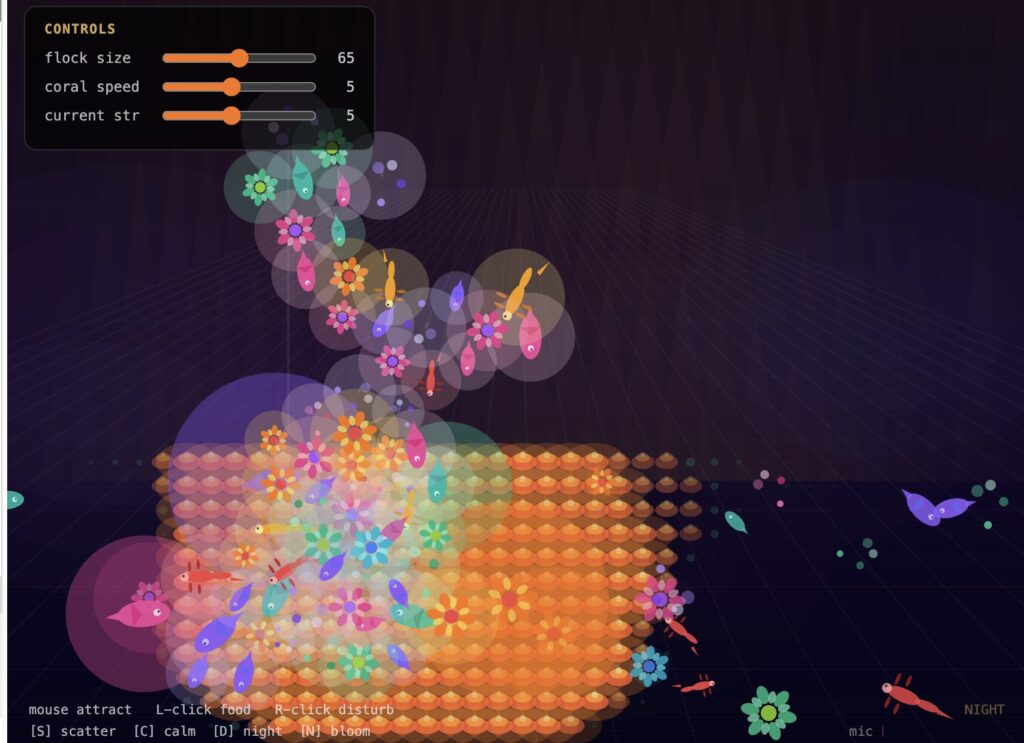
The floor now has memory. A grid sits underneath the flock and tracks where they spend time. The longer the flock stays over an area, the more the coral grows. It goes through three stages: first a small dim dot, then a layered coral shape with orange and amber colors, then a full bloom with a soft glowing halo. When the flock leaves, the coral slowly fades back. So every session leaves a different floor depending on how you moved. Hovering the mouse near the floor makes the coral pulse gently. Holding the mouse still makes nearby coral grow faster.
Milestone 5 — Mood, Keyboard, and Microphone
The mood system ties everything together. Every frame, the sketch measures how spread out the flock is. A tight calm flock keeps the world warm and amber. A scattered flock pulls the scene into darkness where the coral glow is the only light left.
Four keyboard keys give the user dramatic control. S fires an explosive burst that sends every creature flying outward. C pulls the whole flock back together and shifts the world back toward warm light. D switches the world into deep night mode instantly. N drops a full coral bloom at the mouse position.
The microphone listens to the room the whole time. Any loud sound scatters the flock and darkens the world. When the room goes quiet, the flock slowly comes back together and the light returns.
How to Interact
Moving the mouse attracts the flock continuously. Left-clicking drops a food source the flock converges on, triggering rapid coral growth beneath it. Right-clicking sends a disturbance ring that scatters everything outward. The S key fires an explosive scatter from the flock’s center. C pulls every agent back together and shifts the world toward dusk. D locks the world into deep night where the coral bioluminescence dominates. N drops an instant coral bloom at the mouse position.
The three sliders in the top left panel give direct control over the simulation in real time. The flock size slider goes from 10 to 120 — dragging it right adds more creatures to the flock instantly, dragging it left removes them. The coral speed slider controls how fast the coral grows and recedes. The current strength slider controls how strongly the Perlin noise flow field pushes the flock around the canvas.
Code Highlights
The mood function produces one number that every visual system reads from:
function calcMood() {
  if (flock.length < 2) return 0;
  let total = 0; let count = 0;
  for (let i = 0; i < flock.length; i += 3) {
    for (let j = i + 1; j < min(i + 8, flock.length); j++) {
      total += dist(flock[i].pos.x, flock[i].pos.y,
                    flock[j].pos.x, flock[j].pos.y);
      count++;
    }
  }
  return constrain(map(total / count, 38, 200, 0, 1) + micLevel * 0.65, 0, 1);
}
The coral growth responds to three things at once: flock position, mouse proximity, and room volume:
if (above > 0) {
  this.cells[i] = min(1, this.cells[i] +
    growRate * above * soundSuppression * (1 + mouseFactor));
} else {
  this.cells[i] = max(0, this.cells[i] - decayRate);
}
Challenges
The slider panel was the hardest thing to fix. When you create HTML sliders inside p5.js, the canvas sits on top of them and blocks all clicks. The fix was building the panel directly in index.html, placing it above the canvas using CSS, and setting the canvas to ignore pointer events. Mouse clicks then had to be tracked manually through window event listeners.
Performance was the other challenge. Checking every flock agent against every coral cell every frame gets slow quickly. The fix was only checking agents within a short radius of each cell, which kept everything running smoothly.
Reflection
The mood system surprised me the most. Before it was connected, the sketch looked interesting but felt the same no matter how you used it. Once it was running, the same world produced completely different feelings depending on how you engaged with it. A quiet session where the flock clusters slowly and coral builds up feels calm. A chaotic session of scattering feels urgent and dramatic.
The microphone was the most satisfying addition. Clapping near the laptop produces an immediate visible effect that no mouse or keyboard interaction can match. That responsiveness to real-world sound was what made the project feel genuinely alive.
If I were to keep working on this, I would add sound output based on the flock’s behavior, and I would try WEBGL mode to add real depth to the floor, which I flagged as missing in my Assignment 7 reflection.
Embedded Sketch
Video Documentation
https://www.loom.com/share/c1f8f08127154339aac409b17878e322
References
Shiffman, D. (2024). The Nature of Code, v.2. https://natureofcode.com
Reynolds, C. (1999). Steering behaviors for autonomous characters. Game Developers Conference.
Wolfram, S. (2002). A New Kind of Science. Wolfram Media.
Gardner, M. (1970). Mathematical games: The fantastic combinations of John Conway’s new solitaire game “Life.” Scientific American, 223(4), 120–123.
Assignment 7 – https://decodingnature.nyuadim.com/2026/03/24/buernortey-assignment-7/
p5.sound library documentation. https://p5js.org/reference/p5.sound
AI Disclosure: I used Claude (Anthropic) to help organize and write parts of this documentation. I also used it to assist with debugging specific parts of the code and thinking through implementation details. The core concept, design decisions, and overall direction of the project were my own.