
What inspired this project is my fish, Abdulfattah, a Betta fish that was gifted to me from a very dear person to my heart.
This sketch mimics natural fish movement when it spots food. The user moves the mouse around and upon clicking you essentially drop a fish food pellet, and the fish mimics natural movement and acceleration towards food.
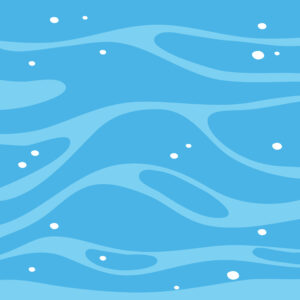
I first started t project by adding a background I found online
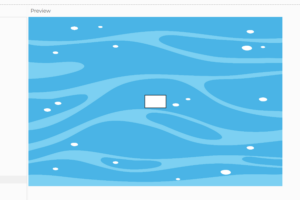
then I made a rectangle that will later be a fish to start simulating it’s movement.
then I wrote very simple code with if statements just as a base for my fish movement.
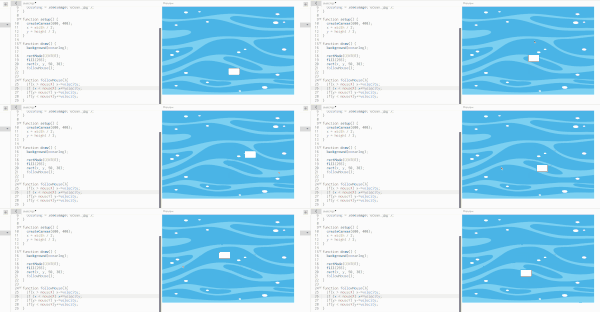
then I updated my code to lerp (linear interpolation) towards the mouse.
new_pos= current_pos + (target_pos – current_pos) * speed
After that I started implementing dropping fish pellets, I started with creating a simple function to spawn pellets with an array of circles.
let circles[];

  //in draw
  for (let circle of circles) {
    fill(139, 69, 19); // brown
    noStroke();
    ellipse(circle.x, circle.y, 20, 20);

function mousePressed() {
  circles.push({x: mouseX, y: mouseY});
}
Then I added a sinking motion for the pellets with a slight drift using the sin function to simulate natural waves pushing pellets around as they are sinking with a random angle for variation.
// draw food pellets
for (let i = circles.length - 1; i >= 0; i--) {
  let circle = circles[i];

  // make circle float downwards
  circle.y += circle.speed;

  // increment the angle for sin
  circle.angle += 0.05;

  // subtle drift for food pelletes
  let drift = sin(circle.angle) * 20;

  // draw circles
  fill(139, 69, 19);
  noStroke();
  ellipse(circle.x + drift, circle.y, 20, 20);
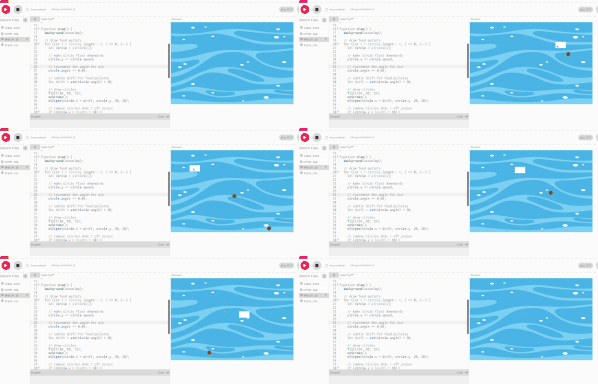
then I edited the code to make the rectangle follow the pellets instead of the mouse. For error handling, the pellets are put in a stack such that the rectangle eats the pellets using a queue as a data structure following the FIFO (first in last out) principle.
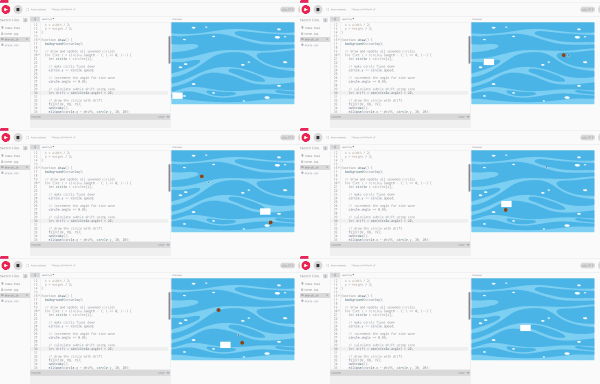
A challenge I faced:
As shown in the previous gif, there was a problem where the rectangle can’t eat the food because the pellets are drifting and sinking. This is happening because the rectangle is trying to go the position of that circle but it doesn’t account for the drifting and sinking, therefore, its more like it’s tracing the pellet rather than trying to catch it.
The way I tackled this challenge is also a highlight of the code that I’m proud of.
.I fixed this by predicting where each pellet would be 10 frames ahead, accounting for sinking and horizontal drift. I calculated the direction vector and euclidean distance to this predicted target, then normalized it to apply acceleration forces. The velocity builds gradually but it’s not fully smooth yet but I’ll get to that later. I multiplied velocity by 0.92 each frame for friction, cap the maximum speed, then update position. When the fish gets within 30 pixels of a pellet, it gets removed from the queue with shift() and reduce velocity by 70%. This creates a deceleration effect before accelerating toward the next pellet.
function followCircles(){
  // if there are circles, follow the first one following FIFO principle
  if (circles.length > 0) {
    let target = circles[0];

    // predict where the pellet will be
    let futureY = target.y + target.speed * 10;
    let futureAngle = target.angle + 0.03 * 10;
    let futureDrift = sin(futureAngle) * 1.5;

    let targetX = target.x + futureDrift; // i add the predicted position here so the fish can catch the food
    let targetY = futureY;

    // calculate direction to predicted position
    let dx = targetX - x;
    let dy = targetY - y;
    let distance = dist(x, y, targetX, targetY); // calculate the eucilidian distance of the fish and the pellet

    // normalize direction and apply acceleration
    if (distance > 0) {
      vx += (dx / distance) * acceleration;
      vy += (dy / distance) * acceleration;
    }

    // apply friction for more natural movement
    vx *= friction;
    vy *= friction;

    // limit speed
    let speed = dist(0, 0, vx, vy);
    if (speed > maxSpeed) {
      vx = (vx / speed) * maxSpeed;
      vy = (vy / speed) * maxSpeed;
    }

    // update position with velocity
    x += vx;
    y += vy;

    // check if rectangle is touching the circle
    let actualDistance = dist(x, y, target.x + target.drift, target.y);
    if (actualDistance < 30) {
      circles.shift(); // eat the circle
      // reduce velocity when eating
      vx *= 0.3;
      vy *= 0.3;
    }
  } else {
    // slow down when no target
    vx *= 0.9;
    vy *= 0.9;
  }
}
another problem I faced was the fish was getting stuck around the corners but I easily fixed that but implementing a function that lets the fish wander using perlin noise (Thanks professor Jack!!)
Then I added the fish’s sprite from this website.
Future improvements and reflection:
I want to have a simulation of the background such that it actually simulates fluids and looks like water. I also have 3 more fish in the tank that are Abdulfattah’s friends that I want to add, they always steal his food so it would be more realistic that way. Moreover I want to have a bigger canvas so I can add object you naturally find in the ocean or the one’s I have in my fish tank, and an algorithm that makes the fish occasionally hide behind those objects. Lastly, I want an algorithm where sometimes the fish just rests in the tank doing nothing, which would add more realism to the sketch.